


Desertcart purchases this item on your behalf and handles shipping, customs, and support to Taiwan.
⌨️ Elevate your control game—compact power, endless possibilities!
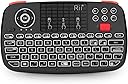
The Rii I4 is a cutting-edge dual-mode wireless mini keyboard combining Bluetooth 4.0 and 2.4GHz connectivity for versatile device control. Featuring a scroll wheel and dedicated mouse buttons, it offers precise navigation akin to a real mouse. Its rechargeable lithium-ion battery supports up to 41 hours of use without backlighting, complemented by soft white LED keys for low-light environments. Compatible with a wide range of devices including smart TVs, PCs, gaming consoles, and more, this compact multimedia keyboard is designed for professionals seeking seamless, portable control with eco-friendly power.


| ASIN | B07RNCJ39B |
| Are Batteries Required | Yes |
| Best Sellers Rank | 5,091 in Computers & Accessories ( See Top 100 in Computers & Accessories ) 69 in Keyboards (Computers & Accessories) |
| Box Contents | USB Cable |
| Brand | Rii |
| Brand Name | Rii |
| Colour | Black |
| Compatible Devices | Gaming Console, Laptop, Personal Computer, Television |
| Compatible Operating System Family | Android |
| Compatible devices | Gaming Console, Laptop, Personal Computer, Television |
| Connectivity technology | Bluetooth |
| Country of Origin | China |
| Customer Reviews | 4.4 out of 5 stars 1,507 Reviews |
| Global Trade Identification Number | 06952917777879 |
| Hand Orientation | Right |
| Keyboard Description | Multimedia |
| Keyboard Layout | QWERTY |
| Keyboard description | Multimedia |
| Manufacturer | Rii |
| Manufacturer Part Number | Rii i4 |
| Model Number | Rii i4 |
| Movement Detection | Optical |
| Network Connectivity Technology | Bluetooth |
| Number of Batteries | 1 Lithium Ion batteries required. (included) |
| Number of Keys | 92 |
| Operating System | Android, Linux, Mac OS, Raspberry Pi OS, Windows 2000 |
| Other Special Features of the Product | mini keyboard for pc |
| Power Source | Battery Powered |
| Product Warranty | 1 Year Warranty Against Manufacturer Defects |
| Special feature | mini keyboard for pc |
| Unit Count | 1.0 count |
N**G
Responsive controls and comfortable to hold
I have been using the device for a good few months now and so, I can say that it really suits the needs that I purchased it for. The majority use of this device is to allow navigation and typing on a computer that I have connected to the living room TV to negate the need for a full sized keyboard/trackpad whilst sat on the couch. The device is connected to the computer via the wifi dongle and the response time is absolutely fine for navigating Windows 11. I also have set up the Bluetooth connection to navigate MacOS on an iMac with no noticeable lag to make navigation awkward on either Operating System. The switching between the two connectivity methods is simple on the device itself and changes virtually instantaneously. The backlighting on the keyboard is very helpful when ambient lighting is low. However, the device sleep timing is quite short and requires a key depression to re-wake the device. This is not a major issue but sometimes annoying if the trackpad is your major use, as trackpad movement doesn't appear to wake it up but only a physical key press. The battery life is reasonable but a feature that would've been handy would be a battery low indicator (however, when the battery is almost drained, the connectivity light does begin to blink off with every key pressed). Key presses themselves are pretty solid and leave no doubt that the key has been pressed, which may be handy to those that look at the device as opposed to the screen when typing who then look up to see that half the inputted key presses didn't register. The device is nice and light but well manufactured. The size is more than adequate for all the functions that the device has and nothing seems too tight to cause mis-clicking of the wrong button. The scroll wheel works well, the trackpad is responsive and the multi-touch functions seem to work as designed. The only thing I would have wished for, that is missing, is to have a shift key on the right-hand side of the keyboard. As, being a left hander, having to use the shift key from the left is an un-natural motion for me as when using a full sized keyboard, I would use my left-hand's little pinky to press that key leaving the rest of my fingers free to type any key on the left-hand side of the keyboard. Overall though, I am more than happy with this device since purchase and it does get used on an almost daily basis. So, for the price, I think it is a great piece of kit with its dual frequency capability and back lighting, it is a step above similar looking device of a similar shape (one of which I had purchased previously that was single frequency, no backlight nor scroll wheel).
M**H
Everything I Wanted and More
I bought this initially based on a review which said it was pretty decent for use with the Steam Deck. They were right! This thing works flawlessly with my Deck, i don't bother with the transmitter either as the bluetooth works so well. I used this to help me get my emulators and retro games all set up properly, and continue to use it all the time. The battery life seems pretty decent. No issues here. It has a built-in power save/sleep function which clearly helps it a lot. Some people describe this as a pain, but, the alternative would be the device staying perpetually "on" and i bet the same people would then be complaining here about it needing too many charges. To wake from sleep press any button and it will automatically reconnect to the device (quickly too). The layout of the device is really efficient: - the scroll wheel feels great and works like a charm. - the left and right shoulder buttons act as left and right mouse clicks (my preferred way of using the deck is holding it like a controller, using these shoulder buttons with index fingers, whilst thumbs use the touch pad). - the touch screen/pad is responsive, and you can scroll a lot more quickly and accurately with this if you practise (and with a quick button combo you can increase sensivity). - You will quickly develop muscle memory with this; i can now type pretty well and control streams without even thinking. Other places this controller has shined for me: - taking it to social gatherings so i can quickly get Steam party games set up (like jackbox). - couch/bed streaming - I actually use this with my desktop PC all the time, so i can sit back and relax in bed whilst controlling series/films etc. The tiniest of negative points: You won't be able to tell from your connected device how much battery this thing has left, it seems to always say 99% when i check on my PC or Deck. However, i hear this is quite a normal issue with all sorts devices simply not supporting this feature.
K**N
Works well
If you want a compact keyboard / mouse solution this seems to be a solid option, bumper mouse buttons are nice, backlight makes it easy to use in the dark, internal battery has decent life with usb-c charging, easy BT / 2.4hz mode switching allowing connecting to two devices is nice. The soft keys have a destinct click so it doesn't feel mushy, not something you'd want to type a lot on, but good functionality for it's size and price.
A**E
Great but could be improved
Sensitivity of the touch pad could be better as it's not super accurate like a modern phone touch screen or laptop touch pad, and I'd like a mouse button under the touch pad so I can use one handed. Some of the keys are in different places to what I'm familiar with, like the apostrophe symbol. Apart from all that, it's a great device that turns my TV into a media PC when paired with my laptop. It goes to sleep after a few minutes, but that's probably a good thing to save battery life. You can easily switch it off and on to wake it up. The red scroll wheel is really useful and works well. Volume control is also useful. The shoulder buttons act as left and right mouse buttons. The d-pad is like the arrow keys on a keyboard. I haven't tried Bluetooth, I just used the USB dongle and it worked straight away on a Linux computer with no need to download any drivers.
B**.
Excellent quality device
Note:- I have only tested this device in wifi mode. I have been pleasantly surprised at both the build quality and the quality of the functions in this device. I bought it as the controller for a do-it-yourself media player (an upcycled old laptop with the broken screen removed). It works plug-and-play with both Win 10 Pro and Linux Mint 20.2. There has clearly been a lot of thought put into the design of this keyboard: it fits neatly into your hand with all keys well laid out and within reach; the keyboard keys are small but they are easy to use, with little chance of accidentally pushing the wrong key; the roller key is very useful when scrolling through documents or web pages; the on-board storage for the wifi dongle is a neat touch. The only thing that I have found that bothers me is that I cannot find a way of turning off the tap-to-select gesture on the touchpad. I am rather heavy handed and sometimes accidentally select the wrong thing. This is only a small issue but a personal preference for me. Overall this is a very good device that does everything that I require, and does it well, at a good price.
M**G
Long-Term Review (14 Months)
Long-Term Review (14 Months) A great upgrade over the original. I had the previous model, which was the best handheld keyboard I could find for that generation. But it used a micro USB port to charge, and due to using it so much the charging port would become loose after 9-12 months making it difficult to charge, which resulted in me buying a new one every year (I bought 3 in total). So when I saw that they had released a new version that uses a USB C port I immediately ordered it. I have now been using this product almost daily for the last 14 months; minus some of the frequently pressed keys becoming slightly faded the product is in immaculate condition, no more issues with the charging port becoming loose. Another welcome change is that the left and right click buttons have been changed to bumpers, which is such a massive improvement I didn’t even realise I needed, they make clicking things so much faster and easier. Overall I highly recommend this product, it is very durable and is great for when you don’t want or need to use a massive keyboard. I use it so much that I find myself doing things on my PC faster than I would using a keyboard and mouse, maybe because I’ve grown up playing a lot games using a controller, so I find using something like this much more familiar.
S**L
Almost perfect, but with a major downside.
UPDATE: After three years I have bought a second one and the key double press skip has been completely fixed. Also the scroll wheel click became really unreliable on the 1st one and wasn't great from the get go. The new keyboard scroll click works well and I don't expect it to fail over time. The newer model of keyboard has a blue dongle instead of a black one. (P.s. those wireless charging adapter ribbon cables can be folded into place and secured with blue tack.) I bought this device to replace my previous mini keyboard which had a terrible jittery touchpad. This review was written after 5 months with the product. Pros: *The touchpad is brilliant, there's no jitter and it feels very responsive. *The mouse keys feel great, and make a satisfying click. *The mouse wheel is a nice touch and has a nice grip to it, it even has a middle click. *The backlight is a great feature, as I mainly use this in a dark room. Cons: *(Using the included USB reciever)The battery life isn't great... It lasts about a week with the backlight off, and 2-4 days with the backlight on. However only the mouse kinda stops functioning after this point (you can still use the mouse but it will cut out every few seconds), the keyboard will last a few hours until the battery dies completely. To counteract this I added a wireless charging receiver to the keyboard, so when it's not in use I can place it on a wireless charging pad. *The backlight times out after a minute to save battery life, which is fine. However the keyboard goes into a 'sleep mode' after 5 minutes, this makes the touchpad unresponsive until a button press wakes the device. This means you'll have to get into the habit of flicking the mouse wheel every time you want to use the device. *The scroll gesture on the touchpad is inverted, meaning that instead of scrolling up to go down a page, you scroll up to go up the page. This is a shame, however as there's a dedicated scroll wheel I don't mind too much. *The function keys require a button combo to access, which is to be expected from something this small. However they are shifted, to press F5 you will need to use the key combo Fn+4, as opposed to the more logical Fn+5. *A key press requires a little more force than expected, making typing a little tiring. *The biggest con is that double presses often don't register and if you press a key soon after another they'll cancel out. This means there's a learning curve where you'll have to adjust your typing speed to be slower so that you don't make typos. This is really unfortunate... In conclusion, I use this keyboard daily with my HTPC and it's practically perfect, besides the major double press downside. If your buying this for light web browsing and light OS/app navigation it's great, however anything more and the cracks start to show. If I find something better for a decent price I will replace this, however I'm content with it for now.
H**L
Product ok
No issues with the product. Just keys too small for me !!!
Trustpilot
2 days ago
3 weeks ago