Desertcart purchases this item on your behalf and handles shipping, customs, and support to Taiwan.
๐ Own Your Speed, Rule Your Network!
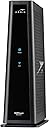
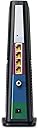
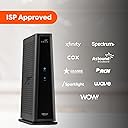
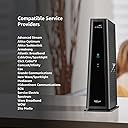
The ARRIS SURFboard SBG8300 is a cutting-edge cable modem router combo featuring DOCSIS 3.1 technology for gigabit internet speeds and dual-band Wi-Fi 6 coverage up to 2,800 sq ft. Compatible with major ISPs like Comcast Xfinity, Spectrum, and Cox, it offers 4 Ethernet ports, advanced security, and app controlโall in a sleek, compact design. Perfect for professionals seeking fast, reliable, and cost-saving home networking.


| ASIN | B07M9J3XW2 |
| Antenna Location | Business, Gaming, Home |
| Antenna Type | Internal |
| Best Sellers Rank | #547 in Computers & Accessories ( See Top 100 in Computers & Accessories ) #3 in Modem Router Combos |
| Brand | ARRIS |
| Built-In Media | 2-year warranty card., Cable Modem, Power Supply, Quick-Start guide |
| Color | Black |
| Compatible Devices | Personal Computer, Smart Television, Smartphone |
| Connectivity Protocol | Ethernet, Wi-Fi |
| Connectivity Technology | Ethernet |
| Control Method | App |
| Coverage | Wi-Fi Coverage : Up to 2,800 sq ft |
| Customer Reviews | 4.1 out of 5 stars 5,066 Reviews |
| Data Transfer Rate | 2350 megabits_per_second |
| Frequency | 5 GHz |
| Frequency Band Class | Dual-Band |
| Global Trade Identification Number | 00612572215432, 06125722154320 |
| Item Dimensions L x W x H | 8"L x 2.87"W x 9.33"H |
| Item Type Name | Cable Modem & Wi-Fi Router |
| LAN Port Bandwidth | 1000 Mbps |
| Manufacturer | CommScope |
| Maximum Upstream Data Transfer Rate | 1000 megabits_per_second |
| Mfr Part Number | SBG8300 |
| Model Name | SURFboard SBG8300 DOCSIS 3.1 |
| Model Number | SBG8300 |
| Number of Ports | 4 |
| Operating System | Linux |
| Other Special Features of the Product | LED Indicator, Parental Control |
| Router Network Type | hybrid |
| Security Protocol | WPA2-PSK |
| Special Feature | LED Indicator, Parental Control |
| UPC | 612572215432 |
| Unit Count | 1 Count |
| Voltage | 120 volts_of_alternating_current |
| Warranty Description | 2 years |
| Wi-Fi Generation | Wi-Fi 6 |
| Wireless Communication Standard | 802.11ac |
| Wireless Compability | 802.11ac |
J**Y
Arris SBG8300 - Excellent Gateway, No Problems after 1 Week.
I purchased this ARRIS SBG8300 gateway new from Amazon for $177 in May 2024 to switch from AT&T DSL2+ (copper landline) to Sparklight cable internet service (100 MBps down/ 10 MBps up). I decided to purchase and own it myself, rather than pay rental fees- it should pay for itself in about one year. I wanted an established DOCSIS 3.1 design (3.1 is required by Sparklight) that could handle possible future cable bandwidth upgrades, and this gateway seemed good for that. It has 32 x 8 channels for DOCSIS 3.0 and 2 x 2 channels for DOCSIS 3.1, and can theoretically handle up to 4 Gbps download speeds, so this is probably way more gateway than I need now. The Sparklight installation tech told me that this was the first time he had encountered a new customer who provided their own gateway in my rural MS town. This turned out to be a minor problem, as he had always been given the gateways pre-configured. Initially, he was unable to get it up and running, and he had to run off to perform other installations (Uh-oh!). But the Sparklight phone support people were very good, and saw that the gateway was simply waiting for a firmware update. Apparently, firmware updates are something that only the cable company can do. Sparklight was able to push the update remotely, and I was off and running. Configuration was pretty straightforward. I should warn potential buyers that the gateway's firewall is set to WEAK by default. I decided to switch the firewall to MEDIUM, and discovered that I could no longer access the gateway configuration page directly using the http:// browser connection. After going to MEDIUM, it only allowed https:// browser connections. So, you have to go through a few extra clicks (accepting the risk, etc.) in the browser to reconnect to the gateway's configuration page. With all of the warnings, etc., it is easy to believe that your new gateway may have been hacked, so be prepared for that. Make sure that you turn off UPnP for added security unless you need that. It is also a good idea to do a port scan to make sure there are no unnecessary open ports that could present good targets for hackers. Performance has been excellent, delivering over the purchased speeds (usually, I get 110 Mbps download and 20 MBps upload via speedtest.net). I have not had a single problem after about 1 week of service, have never needed to do a reset, and the gateway seems to be running cool, just above room temperature. I think that most problems that people experience with cable modems/gateways in general are due to 1) poor line signal quality and 2) WiFi crowding/interference issues. The SBG8300 provides line quality information in the homepage, so you can troubleshoot signal issues yourself and perhaps avoid extra service fees if the problem is inside your home. I did not try the gateway configuration app for wireless devices- all of my tweaking was through a hard Ethernet connection and web browser. FYI the gateway homepage did complain about my Firefox version 126 (some warning about needing at least v 63) , but it worked OK. I guess that the only features that I wanted, but couldn't have using this gateway, are: 1) WiFi 6 - this gateway has the older WiFi 5 (802.11ac) standard . But our current wireless devices can't use WiFi 6 anyway, so no biggie. 2) No USB port on the gateway. This is very handy if you want to do network printing via USB, or set up a large USB stick as a network drive (NAS). Overall, I really like the performance of this gateway. Time will tell if the hardware is as reliable as it appears to be. ----------------------------------------------------------------------------------------------------------------------- 7/24 Update- No problems after ~ 60 days, very pleased. After doing a little more research, it turns out that there are some interesting reasons some cable modems fail. It all goes back to the original cable concept as a distribution system for ONE-WAY analog TV signals. Cable modems must both receive and send digital signals. If the DOWNLOAD line signal quality is poor, you will get disconnect/reconnect issues- everyone knows that. But the more serious issue is with the UPSTREAM signal. The cable modems will try to overcome poor line quality conditions by BOOSTING the UPLOAD signal. This leads to greater continuous heat generation inside the modem, and sometimes failure due to overheating. So, the reason some folks need to replace their cable modems regularly is due to the poor line signal quality, not necessarily the modem itself. You can fix this with a special amplifier called an active return cable modem amplifier (Amazon sells these), but the permanent fix is to get the cable company to change out the cabling and components to get a good baseline signal.
B**.
Works with Spectrum (in NC)
Read a few reviews saying this doesn't work with Spectrum. I'm not sure if Spectrum in other States might make it unusable but in my state, it works fine. It only took a few minutes BUT, I did have to call Spectrum for them to register it. I have noticed some on and off WiFi connectivity now. I don't know if it's Spectrum trying to get you to pay for their modem and their monthly fee or what. I would suggest turning off band steering. I left band steering on and I had intermittent WiFi cutting out. Another strange thing is the lights were blue when I first installed it and it was working fine. Now, after I had WiFi issues and unplugged and plugged it back in, the lights are green which is apparently the correct color. Oh well. So far it works.
J**E
Not as great as Linksys
Although this is a good combo unit, I don't feel that it has as much control or functionality as the Linksys I had before this one. In the Linksys app I had a lot of great abilities. Such as directing more bandwidth to certain devices, restarting the router from the app, and seeing what device is eating up the most bandwidth at any time. I'm getting great speeds on my phone and laptop, but the xbox, which is hardwired in, has slower download speeds than 2001. I know this is probably an xbox/microsoft problem, but it would be nice to have more control over the router to direct bandwidth to try to help the problem. In the surfboard app, I don't feel I have really any control over the unit. I can see the devices on the wifi, but it's pretty inaccurate. I'm on my laptop writing this, I can see that the laptop is using the 5G wifi, but in the app it shows no devices are utilizing the 5G wifi. I also can't easily see what device is using the bandwidth, and I can't kick devices off the wifi that I don't recognize. Either way, it's a good router if you want a router to just be a router, I just was used to more feature that I didnt realize weren't the norm.
J**.
Needs some configuration changes before use
This product deserve 5 out 5 stars. The modem is not ready to be use right out of the box, thus many other buyers experiencing connection drops. Unless the item is defective, the following will help in most cases: The default DNS server settings must be change, the free Google Publix DNS servers can be use 8.8..8.8 and 8.8.4.4 The lease for IP addresses need to be extended to a few day to a week. Extended the signal power Set the firewall settings to medium, at the least. Disabled / reenabled the radio for both, 2.4 and 5G
J**D
Basically a Good DOCSIS 3.1 Cable Model with a Totally Useless Router
Let me start by saying I have worked in the IT industry for going on 35 years in all areas from software development to networking and systems infrastructure. I have experience configuring routers/load balancers for Fortune 500 companies that run as much as $75K each for managing worldwide global networks, so I'd say I know what I'm doing. I have been using a Motorola Arris Surfboard SBG6900 configured as an edge/perimeter device routed to an ASUS RT-AC68R router for the internal network to isolate everything except selected devices from the external network and use port forwarding on the Arris to the ASUS to expose those selected devices to the public internet as needed. Namely, a staging web server with FTP services for clients to access. It has worked FLAWLESSLY for over 5 years. Recently I upgraded my internet to achieve faster speeds with unlimited data and as a result, had to upgrade my cable modem from a DOCIS 3.0 to a DOCSIS 3.1 model. I had been so happy with the Arris 6900 that it seemed to be a no-brainer to go with the Arris 8300. This has been a frustrating and disappointing total waste of time. First off, the firmware/software version loaded onto the unit out of the box is broken. The screens where you define port forwarding settings are not even correct. They are missing fields so you cannot map external ports to internal ports. You can only specify a start and end port which is useless in terms of security, and even then, the port forward simply DOES NOT WORK. After running a few hours, the unit automatically downloads an upgraded version of the firmware/software (from SDK 7.0 to SDK 7.1) which corrects the admin screens so port forwarding can be set up properly. Even so, after configuring the port forwarding on this 8300 STILL DOES NOT WORK. I have been fighting with this thing for a week. The very first thing I did was to check with my ISP after having them activate the new modem to ensure no ports were being blocked. Of course, none were. I have performed multiple factory resets and reconfigured them from the ground up. Double, triple, and quadruple-checked my configurations, and nothing will make this POJ forward traffic according to the defined port-forwarding rules. I even bypassed the internal router and connected directly to the new unit to isolate and rule out any possible failures with other equipment, which seemed unlikely because the ONLY thing that had changed was the modem. You can't even SSH into the router itself to see what's going on with this unit, meaning you can't inspect routing tables/port mappings in any attempt to correct the problem at the OS level. Finally, I got on the phone with Arris customer support. My last experience with them was over 5 years ago and I was very satisfied. They were professional, knowledgeable, polite, and extremely helpful - no more. I explained in detail everything I had attempted, my network configuration, equipment isolation, the multiple factory resets, etc. What did they do? He listened with half an ear and then proceeded to read his troubleshooting script and ask me to do all of the things I had already done multiple times. At each step, I told him I'd already done that and that it would not work, but he kept saying 'I know you said you did it, but I have to document it.' I could barely understand the guy and he was getting on my very last nerve, but I humored him and did everything he asked. Finally, after he tried everything in his silly little script, he put me on hold for 15 minutes before coming back on the line and telling me my problem was my TEST SERVER! That didn't go down well, especially since I can hit that server from my internal network and it works fine, and not to mention everything worked fine up to the point I hooked up their new modem. Following that, I considered the possibility I had gotten a "lemon." I initiated a return/exchange with Amazon, which they fulfilled promptly, and received the new unit yesterday. The result? Exact same second verse as the first. In my research during the week I have been doing battle with this POJ, I read that Arris is aware of the fact that their admin interface for this unit does not work properly but they won't say when or even IF they will fix it. Their customer service wouldn't even consider the possibility that something may be wrong with the device. If they're going to sell a cable modem/router combo with a basically useless router, they should sell it at the price of a basic cable modem. These are NOT cheap units, but they DO SUCK. I'm returning BOTH of these POJs and will never buy another Motorola modem again. Following many recommendations I've read in the last week, I've ordered a NetGear Nighthawk cable modem/router combo. It's about $100 more expensive, but at least the reviews are good. For those who want a plug-it-in and forget-it type of unit, the SBG8300 should be fine. Internet speed, wi-fi and streaming have been good with the unit, but if you want to manage/configure your network using advanced features, forget it.
W**M
Great price great item
Item arrived before time, worked perfect, already installed, only thing please make sure to always reset before sending it out, especially for people that arenโt tech friendly, as for me it was simple, and by far great price
B**B
Great!!!
Works very well.
A**Z
2.4g auto channel selection issue, other annoyances.
I got this to replace my SBG7400AC2, which I used for about 3 years, and was extremely reliable, through power failures, ISP outages, etc. I generally didn't touch it for years, didn't need manual reboots or anything like that. I had to unfortunately replace it due to pests making it their home due to it being warm and full of holes. So I bought this SB8300, and right off the bat, I had a major issue with 2.4 Ghz wifi connectivity. The 2.4g SSID would continuously appear and disappear from all of my devices (android phone, Macbook, 2 different PCs). I could sometimes connect to it. It would occasionally work fine (50-100 mbps), occasionally work poorly (<10 mbps), and it would occasionally not connect at all, and give me a generic timeout or could not connect error, or it would disconnect after 10 minutes or so. I dealt with this for a couple weeks, multiple reboots, factory resets, tried different AC adapter etc, but 2.4g wifi remained annoyingly intermittent / broken. 5ghz was consistently fine and I could connected at ISP speeds (500ish Mbps down / 20 up). However I had some IoT devices which only supported 2.4g plus I wanted to ensure I had a fully functional unit. I thought I had a defective modem, called tech support and they had me change 2.4g channel selection to manual, and that solved all the 2.4g issues. So it seems that something is not right with the auto channel selection feature for 2.4ghz. The other annoyance I have noticed so far, is that I experienced an overnight ISP (Spectrum) outage. The next morning it still did not work, despite Spectrum calling the issue resolved. Rebooting the modem brought it back. It should NOT be necessary to power cycle the modem after an outage. The SBG7400AC2 did not have this issue. It would always be able to connect after service was restored. I'd like to be able to keep this SBG8300 connected to my UPS with the confidence my Wifi cameras, etc will be accessible if I go out of town for weeks, as it was with SBG7400AC2, but after that experience, I have my doubts. Will I need to manually hard reboot this modem, if Spectrum's service goes down for an hour? I'm not a fan of the CAPTCHAs on the web interface pages, I think there should be a better way to ensure security such as administrative password requirements, etc. I am not a fan that if I unplug the COAX, it takes a solid 1-2 minutes for the modem to report internet loss. The LED stays green and web interface reports internet up for much too long after it certainly loses COAX internet signal. Overall seems okay, solid, it mostly works, but still seems a bit...crappier than I was expecting. They have improved their web interface from the SBG7400AC2, but under the hood, I don't trust I can leave town for a month with my home devices staying online, which is important to me. Hopefully the firmware continues to be improved
Trustpilot
5 days ago
3 weeks ago