Desertcart purchases this item on your behalf and handles shipping, customs, and support to Taiwan.
💾 Double your storage, halve your wait—clone like a pro, no PC required!
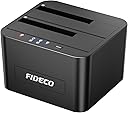
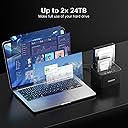
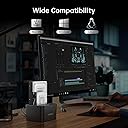
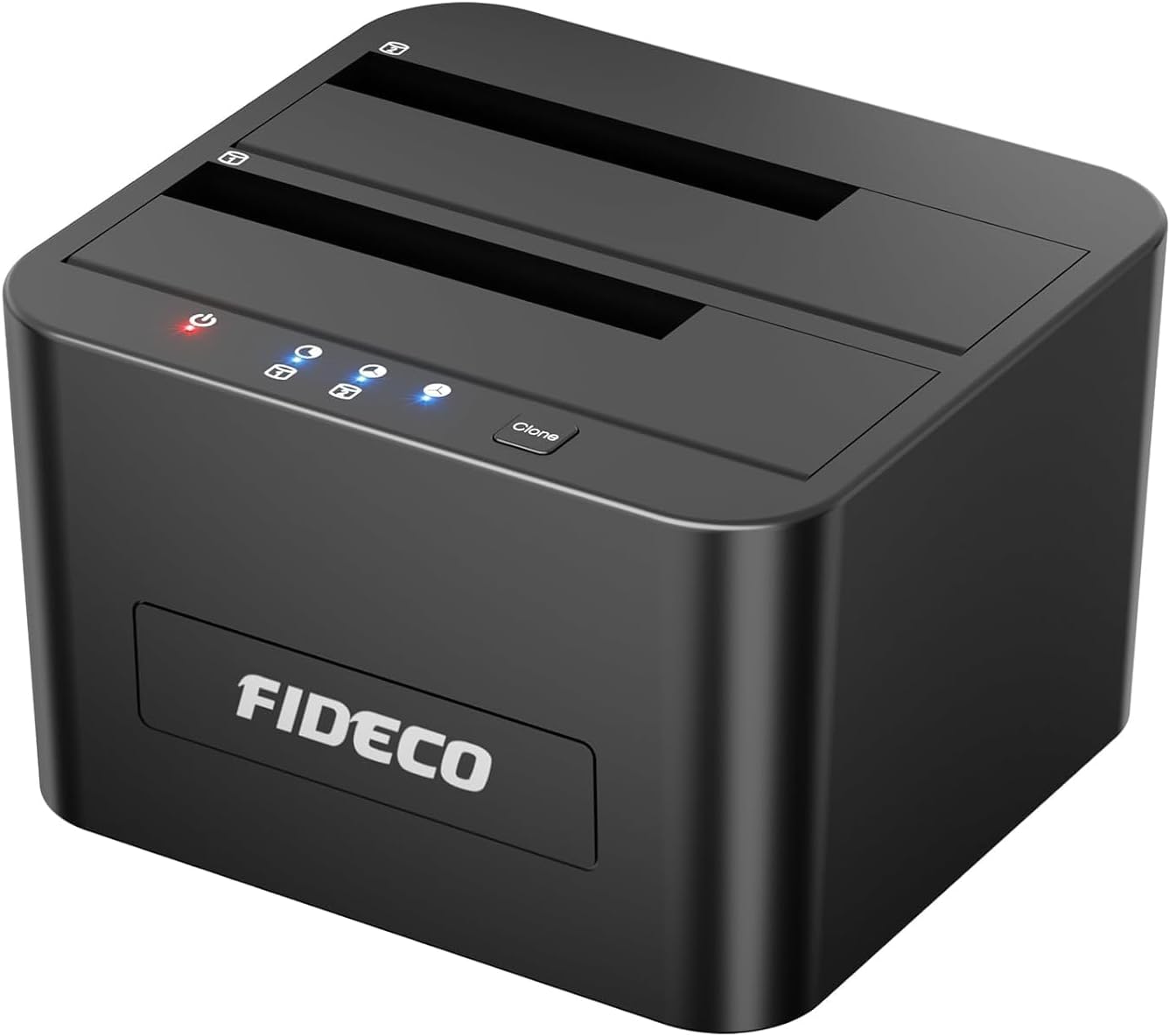
The FIDECO Hard Drive Docking Station is a dual-bay USB 3.0 device supporting 2.5" and 3.5" SATA HDDs and SSDs up to 16TB each. It offers blazing 5Gbps transfer speeds, universal OS compatibility, and a unique offline cloning feature that enables direct drive duplication without a computer. Tool-free setup and a compact design make it an essential upgrade for professionals managing large data sets or backups.


| Asin | B08291CB6J |
| Best Sellers Rank | 7,918 in Computers & Accessories (See Top 100 in Computers & Accessories) 7 in Hard Drive Docking Stations |
| Brand Name | FIDECO |
| Colour | Black |
| Compatible Devices | 2.5" Hard Drive (HDD), 2.5" Solid State Drive (SSD), 3.5" Hard Drive (HDD), 3.5" Solid State Drive (SSD) |
| Country Of Origin | China |
| Customer Reviews | 4.4 4.4 out of 5 stars (5,789) 4.4 out of 5 stars |
| Data Transfer Rate | 5 Gigabits Per Second |
| Enclosure Material | Acrylonitrile Butadiene Styrene (ABS) |
| Hardware Interface | USB 3.0 |
| Hardware Platform | Universal |
| Item Dimensions L X W X H | 11.3L x 10.3W x 6.9H centimetres |
| Item Weight | 0.6 Kilograms |
| Manufacturer | FIDECO |
| Manufacturer Part Number | YPZ04-S2 |
| Memory Storage Capacity | 24 TB |
| Model Number | YPZ04-S2 |
| Network Connectivity Technology | USB |
| Number Of Items | 1 |
| Product Warranty | 1 year manufacturer |
| Supported Devices Quantity | 2 |
| The Standard Size Of The Hard Drive Or The Bay The Hard Drive Is Compatible With In Inches | 2.5 Inches |
| Unit Count | 2.0 count |
| Upc | 751450850409 |
User
Perfect
This was a perfect solution for me to expand the storage on my Xbox Series S. I had a couple of 1TB drives, and found this to be a cheaper solution than buying a new 2TB external hard drive.This docking station is well built, easy to use and works every time. I had issues in using one of the hard drives on an alternative docking station, however with this one there are absolutely no issues at all.Both hard drives show independently, it's really easy and quick to move files from one to the other and back and forth between the drives and Xbox. You also have the option to clone a drive with one press of a button.This also works really well on my laptop. Drives are really quiet when being used so no noise issues, the drives do go into stand by when not being used for long periods, but you can also switch off the docking station when not in use.All in all, this is a compact, well build reliable and relatively cheap docking station, that is a perfect solution to anyone needing to expand their available storage and already have some hard drives.I would highly recommend.
User
Rescuing Mac drives and general backup - Excellent
I do a lot of video editing for corporate video/ads/weddings/family videos and have always worked on iMacs. The cost of the hardware was becoming ridiculous, limiting in options and it was time to switch to PC based (you can build an awesome editing machine for a fraction of the price of Mac stuff and run it with DaVinci resolve [free] for an amazing system). Was trying to access and rescue data off older Mac drives using a PC. I only had old FREECOM drop in bays with eSata, firewire connections for this that connected to my older now dead iMac. The cables for eSata were ludicorusly priced and basically just buying old junk that's obsolete. So I looked for a new drop in bay and found this.... USB 3.2, excellent. For less than the cost of a crappy eSata cable too. It comes with everything you need, power supply, USB cable. A little bit tight to drop the drives in, the gappage could be half a millimetre wider and the drives tend to catch on the edges. No biggie. Other than that, fired it up and everything connected instantly great stuff. Of course, a PC won't read Mac drives natively, but get hold of the very excellent FREE piece of software called HFSExplorer (catacombae.org), run this and you will then be able to view the tree, select and load file system, and then browse and extract files to your PC drive no issues. I've used this bay and the software to rescue and bring over hundreds of project video files, some family vids in ancient old AVI format etc. without any issues. Then use Handbrake (free) to upgrade near lossless to proper MP4 archive quality pristine HD files and bobs your uncle. It's a winner.
User
Easy to use and reliable, ideal for quick drive access
This docking station is very straightforward to set up. Drives slot in securely and are recognised by the computer almost instantly. Transfer speeds are solid for USB 3.0 and make it useful for backing up data, cloning drives, or recovering files from an old HDD or SSD.The build quality is good for the price. It feels stable on the desk and does not wobble when inserting or removing drives. Heat dissipation is decent, although mechanical drives can get a little warm during long transfers, which is normal.Overall, a convenient and reliable tool for anyone who works with multiple drives or wants easy access to old storage without installing them inside a PC. Good value and does exactly what it claims.
User
Great piece of equipment for all type of gamers
Works perfectly fine, I saw some negative reviews saying the top cover can become scratched but I am using a 2.5 and a 3.5 and no scratches so far, there's tape on the lip area, I keep mine on though for protection, I have a total of 1.5tb, works amazing, works on Xbox series S and presumably X, just literally plug in and play, averaging around 500mbps transfer speed from my old HDDs which is great
User
Does the job
Working well and good built in hard drive copy and transfer.
User
⭐⭐⭐⭐⭐ Excellent Hard Drive Docking Station – Fast, Reliable, and Stylish!
I recently purchased the FIDECO Hard Drive Docking Station (USB 3.0, SATA for 2.5” and 3.5” drives), and I’m thoroughly impressed!Quality & Build:Right out of the box, the docking station feels solid and well-built. The materials give a premium feel without being overly heavy, and the overall construction inspires confidence that this device will last for years.Value for Money:For the price, this docking station is an absolute steal. It delivers features and performance that often cost much more with other brands. I genuinely feel I got excellent value for my money.Design & Looks:The sleek, minimalist design looks great on my desk. It’s compact but still sturdy, with a professional aesthetic that blends seamlessly with both home and office setups.USB Ports & Ease of Use:Plug-and-play has never been easier. The USB 3.0 connection is fast and reliable, and installation is literally just inserting the drive and connecting it to my computer—no drivers or fuss required.Transfer Speed & Performance:Transfer speeds are excellent, easily handling large files without lag or interruption. Even with older drives, the docking station provides consistent and speedy performance, making backups and file transfers effortless.Fit & Compatibility:It perfectly accommodates both 2.5” and 3.5” SATA drives, and the drives fit snugly with no wobble. I’ve tested multiple drives, and everything slides in smoothly, staying secure while in use.Weight & Portability:Light enough to move around if needed, yet heavy enough to stay stable on a desk. It strikes a great balance between portability and sturdiness.Overall Impression:The FIDECO Hard Drive Docking Station is a fantastic purchase for anyone needing a reliable, fast, and easy way to access multiple SATA drives. From speed to design, build quality to value, it ticks all the boxes. Highly recommended for both casual users and tech enthusiasts!
User
Does the job
Does the job but it's not a good build quality
User
As advertised. Good quality. Simple concept. Well executed. Fit for purpose
As advertised. Good quality. Simple concept. Well executed. Fit for purpose.
User
Very useful
Great, works well.Would recommend
User
Producto sencillo y funcional
Muy buen producto, cumple su función satisfactoriamente. Es un producto simple, permite conectar los discos duros de 3,5 y 2,5 sata, y solo hay que conectar un cable al ordenador y otro a la corriente eléctrica. No falla y el disco se queda fuertemente pegado por lo que no se va a salir con un golpe. Muy buena compra, producto muy recomendado.
User
Reliable, fast, and super convenient for extra storage and cloning!
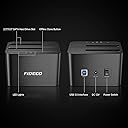
I’ve been using this docking station with both 2.5" Sata Ssds and 3.5" Sata Hdds, and it has worked flawlessly so far.Key Highlights:Plug and Play Setup: Takes seconds to set up. Just insert your 2.5" SSD or 3.5" HDD, plug in the power supply to a standard outlet, and connect the USB-B (square end) to the dock and the USB-A (standard rectangle end) to your PC. My computer recognized the drives instantly, allowing me to start moving files immediately. (Pro tip: Don't forget to flip the power switch on!)Offline Cloning: The standalone offline clone feature is a massive time-saver when swapping or upgrading drives, as you don't even need a computer running to use it.Speed & Stability: Data transfer is fast and consistent. I moved over 100GB of photos spanning several years, and the entire transfer finished in about 15 minutes!Pros:Amazing Value: Getting a dual-bay setup with offline cloning capability at this price point is a huge win.High Capacity Support: Supports up to 32TB total (16TB per bay). While power users with massive media server setups might need more, this is way more than enough for the vast majority of people.Cons / Things to Consider:Can Get Loud (HDD-dependent): Note that any drive noise comes from using mechanical 3.5" Hdds (which have physical spinning platters). Ssds, on the other hand, are completely silent.Plastic Build: The housing is plastic rather than aluminum. However, considering metal docks often cost twice as much or more, the trade-off is completely fair for the price.Passive Cooling Only: There is no built-in cooling fan, so drive temperatures rely strictly on ambient airflow. If your room is warm, you may want to keep an eye on the drives, just to make sure they dont over heat, and possible get damaged.Final Verdict:Highly recommended if you have spare internal drives lying around or need an easy backup and cloning solution. All in all, I would 100% buy this again!
User
Bon produit
Fonctionne bien avec 2dd de 3.5.Très facile à installer et à été reconnu tout de suite par le pc
User
安価だがいいと思います!
2.5インチのHDD1TBから新品SSD1TBへクローンを実行しました。最初にSSDは新品なので初期化をして認識させなくてはいけません。中身は450GB使用状況で3時間少々でクローン終了です。もっとかかるかと思いましたが助かりました。やや注意なのは進行状況の青ランプが小さく見づらく部屋を暗くして終了(点灯)なのか進行中(点滅)なのかを確認です。
Trustpilot
2 weeks ago
1 month ago