Buy anything from 5,000+ international stores. One checkout price. No surprise fees. Join 2M+ shoppers on Desertcart.
Desertcart purchases this item on your behalf and handles shipping, customs, and support to Taiwan.
🚀 Elevate your display game with flawless 4K clarity and multi-screen mastery!
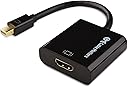
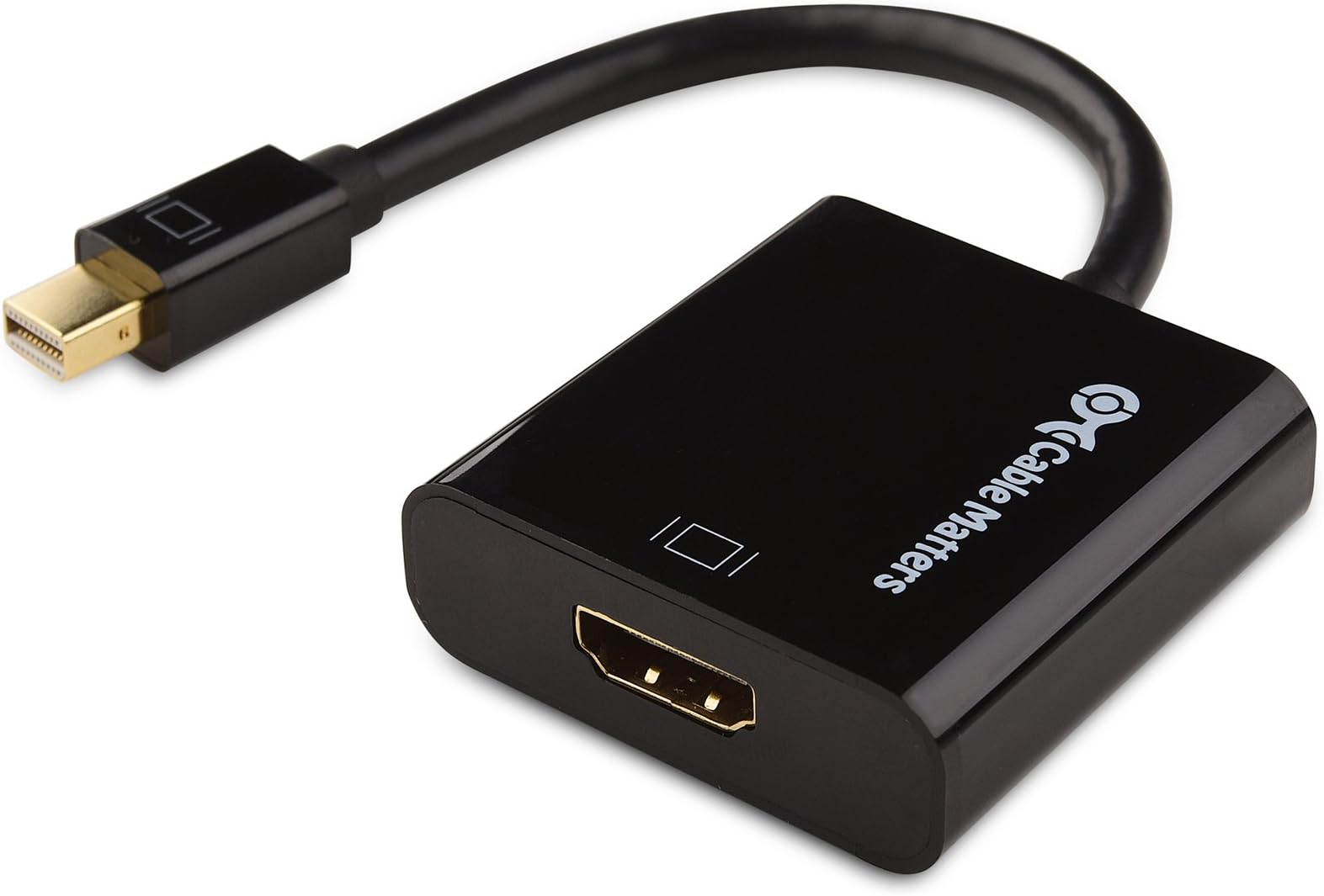
The Cable Matters 4K Active Mini DisplayPort to HDMI Adapter delivers ultra-high-definition 4K video at 60Hz with uncompressed digital audio, featuring gold-plated connectors for enhanced durability and signal quality. It supports advanced multi-display technologies like AMD Eyefinity and Nvidia Surround, ensuring compatibility with a broad spectrum of professional laptops and desktops. Lightweight and portable, this adapter is the ultimate tool for seamless, high-performance connectivity in any workspace or on the go.


| ASIN | B00PJ3LSIG |
| Best Sellers Rank | 33,981 in Computers & Accessories ( See Top 100 in Computers & Accessories ) 82 in DVI to HDMI Adapters |
| Brand | Cable Matters |
| Brand Name | Cable Matters |
| Colour | Black |
| Compatible Devices | Apple MacBook, MacBook Pro, MacBook Air, iMac, Mac mini, Mac Pro; Microsoft Surface Pro/Pro 2/Pro 3; ThinkPad X1 Carbon, X230/X240s, L430/L440/L530/L540, T430/T440/T440s/T440p/T530/540p, W530/W540, Helix; Dell XPS 13/14/15/17, Latitude E7240/E7440, Precision M3800; Alienware 14/17/18; Acer Aspire R7/S7/V5/V7; Intel NUC; Zenbook; HP Envy 14/17; Google Chromebook Pixel; Zeusbook Edge X6; Toshiba Sat… |
| Compatible devices | Apple MacBook, MacBook Pro, MacBook Air, iMac, Mac mini, Mac Pro; Microsoft Surface Pro/Pro 2/Pro 3; ThinkPad X1 Carbon, X230/X240s, L430/L440/L530/L540, T430/T440/T440s/T440p/T530/540p, W530/W540, Helix; Dell XPS 13/14/15/17, Latitude E7240/E7440, Precision M3800; Alienware 14/17/18; Acer Aspire R7/S7/V5/V7; Intel NUC; Zenbook; HP Envy 14/17; Google Chromebook Pixel; Zeusbook Edge X6; Toshiba Satellite Pro S500, Tecra M11/A11 Compatible devices Apple MacBook, MacBook Pro, MacBook Air, iMac, Mac mini, Mac Pro; Microsoft Surface Pro/Pro 2/Pro 3; ThinkPad X1 Carbon, X230/X240s, L430/L440/L530/L540, T430/T440/T440s/T440p/T530/540p, W530/W540, Helix; Dell XPS 13/14/15/17, Latitude E7240/E7440, Precision M3800; Alienware 14/17/18; Acer Aspire R7/S7/V5/V7; Intel NUC; Zenbook; HP Envy 14/17; Google Chromebook Pixel; Zeusbook Edge X6; Toshiba Satellite Pro S500, Tecra M11/A11 See more |
| Connector Type | Mini DisplayPort |
| Connector type | Mini DisplayPort |
| Country of Origin | China |
| Current Rating | 1 Amps |
| Customer Reviews | 4.4 out of 5 stars 1,086 Reviews |
| Item Dimensions | 18.5 x 4.4 x 1.5 centimetres |
| Item Weight | 0.04 Pounds |
| Item dimensions L x W x H | 18.5 x 4.4 x 1.5 centimetres |
| Manufacturer | Cable Matters |
| Manufacturer Part Number | 101021 |
| Model Number | 101021 |
| Number of Items | 1 |
| Number of Ports | 1 |
| Package Quantity | 1 |
| Power Plug Type | No Plug |
| Product Finish Type | Matte |
| Smart Home Compatibility | Not Smart Home Compatible |
| Specific Uses For Product | Computer, Tablet, HDTV, Monitor, Projector |
| Specific uses for product | Computer, Tablet, HDTV, Monitor, Projector |
| UPC | 081159808679 818707024157 |
| Unit Count | 1.0 count |
| Warranty Type | Limited |
M**N
2560x1440 144Hz works fine
I have, I think, a bit of an unusual set up so I'll explain that first and why I ended up buying this adaptor. My home PC has an RTX 2080, which only has a single HDMI port and many full size DP ports. The HDMI port is taken up by an Oculus Rift, and I was running an old 24" 1920x1200 60Hz monitor using an Amazon Basics DP to HDMI adaptor and an Amazon Basics 10m HDMI cable, as my PC is actually in the living room so I have more space for VR. This was all working fine... until I upgraded to a 32" 2560x1440 144Hz monitor a few months ago, where the Amazon adaptor just wouldn't work at any more than 1920x1200 60Hz, so I had to use the HDMI port instead and keep swapping cables whenever I wanted to use the Rift. The HDMI port was working fine, so it must have been something to do with the Amazon adaptor. That's now solved with a fibre DisplayPort cable, and also means I can have a dual monitor set up with my old monitor back on the Amazon adaptor and 10m HDMI cable... not that I really need it on my home PC... What has any of this got to do with a mini DP to HDMI adaptor? Well, I work from home half of the time and having two monitors is actually rather useful there. My work laptop has an HDMI 1.4 (I think) port and Mini DP port. There are plenty out of mini DP to HDMI adaptors out there, but most state a max resolution of somewhere around 1920x1200 60Hz, which appears to match my experience with the full size DP adaptor that I am using on for my home PC. I took a punt on this one as it states that it supports 4K at 60Hz, and I can happily confirm that it's working fine at 2560x1440 144Hz! There is a review claiming that this is not an active cable. I honestly have no idea if it is or isn't, but it's working fine for me. I don't think the Amazon Basics full size DP one stated the HDMI version or whether it was passive or active, so it could just be as simple as this one is HDMI 2.0 whereas the Amazon one is only 1.4, and nothing to do with passive vs active? No clue, but I'm happy!
S**N
Works on a MacBook Pro 2011!
Finally something that works! This adapter totally solved my issues with an old mac (MacBook Pro early 2011) that couldn't drive a QHD screen at 60hz via HDMI. It can probably go up to 4k at 60hz as well. Brilliant, all working totally fine now. Tried so many before this one.
C**E
Happy as a pig in the proverbial
Fantastic connectors, lovely image strong connection good value for money quality product.
P**H
Works on a late 2012 Mac Mini
Had the very common problem of the second monitor I bought not waking up/receiving a signal from the mini displayport/Thunderbolt port on the Mac Mini. I had previously bought a mini-displayport to displayport cable to use with it and it worked very briefly the first time I plugged it in but never since. Then came across a video saying an *active* mini-displayport to DVI adapter was needed to use an Apple-branded monitor with it. So I looked for an active mini-displayport to HDMI adapter hoping that would do the trick, found this one and it works great. Works on Mac OS, and also works in Windows 10 via Bootcamp. EDIT: After a couple of days, it's now not waking up the second monitor after the Mac has properly gone to sleep in Mac OS. Just get an initial flash of green lines and then no signal. But it does work upon rebooting, which is better than before.
R**R
Active as promised for Intel NUC to monitor
Perfect for connecting Intel NUC to a HDMI monitor. Connection from a NUC needs an ACTIVE Mini DisplayPort to HDMI Other products are listing active display when they are passive, this is Active as promised.
A**R
Great picture quality - 4K at 60 fps.
I've used it for ca. 6 months and so far absolutely no issues whatsoever! The picture qualit is great, and I get 60 fps on my 4K screen. I actually even forgot that the HDMI cable was attached to the computer via the adapter, so definitely works great. Seems pretty high quality, and does what it's adertised to do. I'm pretty happy with it.
N**R
Been a champ delivering 4K 60hz from a Mac Pro 2013 to my 4K Bravia
If you want 4K at any refresh rates higher than 30hz then this is a necessity on the old Tahiti based Mac Pro's. It gave my old Mac a new lease of like under the living room TV as a holiday Final Cut edit suite and Windows gaming PC. Mac OS detected 4K 60Hz automatically, Windows did require some fiddling with Custom Resolution Utility (CRU) and adding 4K 60 manually in the AMD Radeon software, this also allowed me to use 1440p @ 120Hz, which is a great res for gaming on these old intel rigs.
M**L
worked great with Mac mini 2012 to achieve 2k 1440p with HDMI
I converted my old 2011 27inch iMac to a monitor and decided to use a Mac mini 2012 hooked up to it. but because the controller board on the converter only has HDMI I could only get 1080p on the iMacs 1440p screen. using this adapter I achieved the the screens maximum resolution I required a fantastic product.
M**A
Vale lo que cuesta
Es el mejor adaptador activo que he tenido.
J**L
Active adapter gets 2K video from TB2 on 2012 Mac Mini
I bought a 2K flat panel with both USB-c and mini-HDMI inputs. It works great with USB-c video, but I wanted to use it with my old late-2012 Mac Mini. The max video resolution of the Mini is 2K, but only through the Thunderbolt 2 port (also called "mini DisplayPort" in the non-Apple world). To use the mini-HDMI input of the panel, I needed: an ultra-res mini-HDMI to standard HDMI cable * an adapter from TB2 to standard HDMI The first adapter I bought was 'passive' and thus only passed standard HD video. This replacement adapter is 'active' which allows it to pass full 2K resolution from the Mini's TB2 port to the HDMI cable and thence to the panel. It worked out of the box. I can use this on the music rest of my digital piano, showing PDFs of sheet music at nice crisp resolution.
A**ー
PCメーカーも使っていました。
Mini DisplayPort変換アダプタを他社から購入し使っていたところ映像が映らなくなり、てっきりPCの故障と思いPCメーカーに修理依頼したところ異常がなく原因は変換アダプタと判明しました。そこでPCメーカーがテストで使用したアダプターの情報をもらい本製品となりました。もちろん異常なく映像が映るようになりました。
D**O
Perfecto
Lo compré para un MacBook pro 2011 y de momento va genial. Es el tercer adaptador q compraba y los otros 2 fallaban.
C**Y
A Tale of Two Adapters
This story is about a boy. A young man who lost his innocence; his dignity shattered after falling victim to an evil scheme perpetrated by one of the largest manufacturers of incompetence in the world: Microsoft. This is not a sad story. Nay, 'tis a happy one. For the boy grew older and wiser, and with the help of the great heroes at Cable Matters, was able to triumph over the fiendish plot by the corrupt company-that-must-not-be-named to siphon away his money. I am that boy. This is my story. Some time ago, I decided that I would like to upgrade my home office setup to have dual monitors. I have a dual-monitor setup at work, and had gotten spoiled by the amount of multi-tasking I was able to accomplish. When the idea first came to me, I instantly became giddy as a schoolgirl; grinning ear-to-ear from the speed and efficiency which I would be able to meme, lurk on reddit, melt my brain with more dumb videos, get lost in a 5-hour rabbit hole of wikipedia links...you know. Standard responsible adult stuff. I ventured to the Land of Best Buy, where I set out to find a docking station and a set of monitors for my Surface Book (original). I managed to settle on the Surface Dock 2, and a set of HP 25es monitors (which were on sale at the time, and had decent reviews). Since the monitors are a little older and on the lower-end of the budget spectrum, they did not come with HDMI to MiniDisplayPort cables. Just the standard, ubiquitous dual-ended HDMI cables. It became clear that unless I wanted to go back to the drawing board, I had to find a pair of MiniDisplayPort to HDMI adapters, so the monitors could be hooked up to the Surface Dock. In my naive thinking, I assumed that purchasing a set of Microsoft's MiniDisplayPort to HDMI adapters ($40 each, by the way) should have zero issues working for my setup. After all, everything would be from Microsoft! Of course things should play nicely together. WRONG. DEAD WRONG. At first, everything seemed to be working just fine. No real issues with any part of the setup. After a couple months, things started getting weird. A monitor would occasionally shut off randomly, or wouldn't wake up after the computer went to sleep, etc. I got by for another couple months by just unplugging the "dead" monitor's MiniDisplayPort adapter from the Surface Dock, then plugging it back in. Not too bad. Then the real issues started coming up. The unplugging and plugging became more frequent. It became necessary to unplug and plug several times just to make things work. After a while, it was almost a certainty that one of the monitors would not be detected after I woke up my computer, or it would be incorrectly detected as some "Digital Flat Panel (640x480 60Hz)" screen. "This clearly must be some sort of bug that was accidentally introduced in one of the Windows updates" I thought to myself. If only I had known the depth and extent of my ignorance... I spent hours upon hours researching the various drivers associated with my Intel 520 graphics card, the dedicated Nvidia GPU, the monitors, and eventually my entire hardware setup just to ensure that everything had been updated. I checked for anything new on Windows Update daily. I even downloaded the latest Windows ISO images for my Surface Book after each major Windows update, in a paranoid attempt to make sure my drivers, software, and firmware were on the absolute bleeding edge of technology available to my setup. I realized that I had truly started to creep into the fringes of insanity when I found myself doing all sorts of voodoo computer magic. I started plugging the monitors into the dock one at a time, very slowly, over and over again until it would detect both. I stood the dock up vertically. I flipped the dock connector around on my computer. I basically lobotomized the keys in my registry related to my graphics drivers and monitors. I would then proceed to try all sorts of various combinations of these things until finally I could use both monitors. This death spiral continued for months. Why was this happening to me? Did I offend the deity of Connectivity? Is this karma punishing me for some past transgression? WHY GOD? WHY? This madness came to an apex a few days ago, when I caught myself spending 6 hours...six. SIX. Six whole hours just trying to get the damn thing to work. I couldn't take it anymore. After torturous hours of shameful, single-monitored googling, I finally found the source of my agony. Microsoft was recommending that MiniDisplayPort to HDMI adapters should be "active" if using both MiniDisplayPort slots on the Surface Dock. The Microsoft ones I had purchased, the only adapters they made at that time, were passive. Level of betrayal: Egregious. I purchased these adapters from Cable Matters, and now have my setup working flawlessly again. Crystal clear, work just as expected, and got both of them for $36 (as opposed to shelling out $80+ for a set of Microsoft's NEW adapters V2.0, which are active, but only got released after they realized how royally they screwed up in the first place). And lived happily ever after. That day, the Day of the Second Docking, the boy realized he was no longer a boy. He had become a man. He was now wise to the ways of the wicked: a glittery, inviting exterior, hiding seven layers of Hell underneath. My reasons for telling you this tale are twofold: Heed the warnings from this lesson, lest ye succumb to the black magics of the Brand, and Praise Be to the great folks at Cable Matters for extending their heavenly hands to pull me from my pit of misery. Cable Matters, you are my Rick Astley. Thank you. TL;DR: buy this adapter. it works.
Trustpilot
2 weeks ago
1 week ago