


๐ก Own the airwaves with the ultimate digital scannerโcustomized, clear, and always connected.
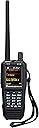
The Uniden SDS100 is a pioneering handheld I/Q digital scanner featuring advanced software defined radio technology for superior digital reception in challenging RF environments. It offers a fully customizable color display, S.A.M.E. weather alerts, and meets IPX4 water resistance standards. Designed for professionals and enthusiasts alike, it supports easy programming via Sentinel software and allows personalized favorites lists for a tailored scanning experience.


| ASIN | B07DK26FDN |
| Best Sellers Rank | 247,330 in Electronics & Photo ( See Top 100 in Electronics & Photo ) 4,927 in Radio Communication |
| Brand | Uniden |
| Brand Name | Uniden |
| Connectivity technology | USB |
| Customer Reviews | 4.4 out of 5 stars 1,196 Reviews |
| Global Trade Identification Number | 00050633650806 |
| Item Dimensions D x W x H | 3.8D x 14W x 19.1H centimetres |
| Item Weight | 680 g |
| Manufacturer | Uniden |
| Media Type | USB |
| Minimum System Requirements | Windows 7 |
| Model Name | SDS100 |
| Model name | SDS100 |
| Network Connectivity Technology | USB |
| Optical Sensor Technology | CIS |
| Product dimensions | 3.8D x 14W x 19.1H centimetres |
| Resolution | 24 Bits |
| Scanner Type | Document |
| Scanner type | Document |
| Standard Sheet Capacity | 1 |
| UPC | 050633650806 650415522736 |
M**T
AWESOME SCANNER!!! (Got a Mac?)
This is an AWESOME scanner and a worthy upgrade. Is it perfect? Nope. Uniden should have included some features that would have added significant value to the user. A few of those things are 1) Bluetooth 2) Ability to lockout keypad (seriously?) and 3) Ability to use AA batteries as a backup if needed. Are those all of them? Nope. But they are a few of them that irk me at the moment. The scanner overall is wonderful and amazing. The speaker is loud and clear, the reception is really great, and I pick up neighboring counties that I have never been able to pick up previously, and thatโs just using the stock antenna that came with it. The programming of this scanner is extremely easy. I had considered purchasing from another retailer as they had me scared to death about the complexities of setting up the programming. Itโs no sweat. Everything is pretty much already set up in the scanner. Just set up your favorites list, then enter your zip code location (in that order as one reviewer pointed out) and your set! There are a lot of customizable settings, pretty much everything by system, and itโs fun to play around with all the different settings and screen colors. The reason I ended up purchasing on Amazon was for the extended warranty. I have enough experience to know, that you never know with Uniden what you will get long-term, and it was an inexpensive peace of mind to add that warranty through Amazon. I trust that if they ever need to make good on it, they will. I did not really need to utilize the Sentinnel software... well because everything is pretty much already databased in the scanner, and itโs easy to get it set up the way you want it. My concern with Sentinnel is that we have all Macโs, which it wonโt run on. I downloaded the parallel stuff and spent hours getting it all set up, but just couldnโt get it to work. I ended up finding a super easy solution that worked easily and perfectly on my Mac, which Iโll paste below if it would be helpful to someone else. Itโs important to note once again, that I really didnโt need to do anything with the Sentinnel software, but I guess itโs nice to know I have a backup of all my settings now. The instructions below may look intimidating at first, but trust me itโs really quite easy and pain-free. Here it is: 1. Go to WineBottler |*Run Windows-based Programs on a Mac and download WineBottler. I used the 1.6.1 Stable on Mavericks. It will pop up an ADFly Page. Just give it 5 seconds then click the โSKIP ADโ button in the top right. (If you get any more ad pop ups just give it a few seconds and it will start downloading.) Once finished: Move โWine.appโ and โWinebotter.appโ to you applications folder. 2. Download the latest Sentinel Version. BCD536HP < UnidenMan4 < TWiki and unzip it to your desktop. (or where you fell comfortable) 3. Launch โWinebottlerโ from you applications folder. Follow prompts for install. This will install any needed files to run the apps later. a. Click โAdvancedโ in the top bar. b. Select โnew prefixโ default c. Program to install: โselect Fileโฆโ and select the โSetup_BCDx36HP.msiโ in the Sentinel folder on your desktop. d. check โThis is an installer, execute it. e. in the โWinetricksโ section, click in the search field and search for โdotnet20โ. Check the MS .NET 2.0. (this will install the .net for the Sentinel to install) f. Click โInstallโ button. Save to your desk top as Sentinel. This is now creating a windows app that will run on your mac using โwineโ. It will install the Dot Net files and you will have to agree to terms and tell it where to install. Defaults will be fine. That will finish and then Sentinel will star the install. Again, agree and save to defaults. This part does take some time so bear with it. (HINT: sometimes the installers will pop up in the background. You may have to click the doc to bring it forward to agree to the DOT NET terms etcโฆ) Once the files are installed, the last step is to โSelect Startfileโ leave it on Program Files/Uniden/BCDXโฆโฆ and when you click the โSentinelโ app it will launch the app. Hit OK and your done. Now double click the newly created app and your ready to run Sentinel on your mac.
J**.
Just buy it
I am an experienced radio hobbiest and I've several, high end radios in my collection. I've had the SDS100 in my sights for sonetime but because of so many mixed reviews never bought it as I expected I would be disappointed. I finally bought it for myself for Christmas and I've not been disappointed. Obviously the digital signal quality is excellent but to my delight, the analog VHF signals were not as neraly as bad as I was expecting. I am still using the stock antenna but expect to be buying a good multi-band antenna once I get all of my research done. Programming the scanner is not as steep a learning curve as everyone makes it out to be and I was fairly comfortable within a day although there as still some bells and whistles I need to explore. This radio has some serious potential to be so much more than just a scanner with at fancy display and I really hope Uniden keeps developing it to show it's full potential.
E**A
It's the best scanner available today
I'm a Ham radio operator and over the years I have had dozens of scanners. I also own the SDS200 (base/mobile version of this radio) Most scanners don't die but the changing radion standards make them obsolete. This is the premium scanner that will handle the most radio systems that operate today. Analog, digital, trunked, it does them all. However you have to pay extra for and unlock key for NXDN ($50), DMR ($50) and ProVoice ($50) and if you do want these go directly to the Uniden site otherwise everyone else will charge $75. If you are just doing public service monitoring you won't need these options but I do a bit of commercial and business monitoring as well and many of them are NXDN or DMR. I don't think anyone except San Antonio Police use Provoice anymore. Actual performance is great across all bands and intermod is well filtered. There are some idiosycrancies to it but go to radioreference.com forums to figure that out as I could go on for days. But overall it is the best most versatile and feature rich handheld scanner you can buy today. I live in an area with some radio systems that are problematic for many scanners (simulcast issues) and this one handles them all like a champ. A couple things to know. There is no keyboard lock function which I REALLY dislike but I figured out a hack how to lock the keyboard via the free programming software but it's a total hassle and not practical. So it can be done and perhaps that will be a part of a future firmware upgrade. Also the unit gets pretty warm when operating, that's normal. The battery is pretty big and sticks out from the back of the unit which is a little dopey looking but overall not an issue with usability. It's just wen they first released them the original battery was way to weak so they now ship with the extended battery (about 8 hours) and it works fine. Actually the previous model would fall over all the time when you set it on a table and this bigger battery prevents that, so that's a plus. I bought a second battery and I've actually never used in about six months. It's a shame they didn't put bluetooth in it, but they did make it so you can charge the batteries while listening which you couldn't do on the previous model so that's a big plus. The build is very sturdy and I'm sure I will replace this radio when technology changes not because the radio itself stopped working perfectly (like my last six scanners). It's is waterproof and much sturdier than the previous model. Sound quality is great and loud enough in very noisy environments.
M**S
Easy to program and worth every cent.
This scanner was very easy to program using sentinel. That's what I would recommend for everybody who purchase. This scanner is to download sentinel. And it does make it real easy to program. And I am still learning from all the features. It still has well worth the money. It's not like the scanner. I purchase back in 1990. This comes with a lot of features. And as time passes the features improve. And just to let you know I Have? Purchased 4 of them. And it is something I really enjoy. Not having to rely on the programs that are on the internet that you listen to on your phone or computer. This, you can take with you wherever you go. And long as you have sentinel, you're all set up. Just a little add on with Postal Codes, All you need is to enter the first 3 digits, Example N5Y and go from there. Thanks MJ
J**E
Not For The Faint of Heart
Unless you are a major geek, this is not a good "first" scanner. That being said, I am a major geek, and long time scanner user. I love this thing. Using this will require at least basic or higher knowledge of radio technology. Without that, you will be lost, and/or doing major online research. Programming the very basics is super easy, punch in your zip code and a radius as to how far you want to go from the center. If you live in a major metro area like me, from here it's a pain, eliminating all the stuff you really don't want to hear. Yes, you can exclude entire categories of licensed frequencies, but you are still left with a lot of bloat. Then editing that down with the available free software with the provided USB cable is NOT intuitive. Failing to to get rid of the mostly dead freqs will cause you to miss many transmissions and/or the start of transmissions due to how long it takes to scan through them all and come back around. The included antenna is NOT a one-size-fits-all. Again, basic radio knowledge is required to determine if you need to get a different antenna depending on the frequency range you want to listen to. I would STRONGLY suggest researching if the primary agencies you want to listen to are digitally encrypted, BEFORE purchasing. Many PD's are or have already switched. This radio will not allow you to hear them. It's not the fault of the radio or the manufacturer, it's illegal, and this radio does not have the technology to decrypt those signals. Pros: It looks cool. Battery life is good (full disclosure, it mostly sits on my desk plugged in) HIGHLY customizable. You can update the database for free online. Cons: The original battery sucked. They fixed this with an upgraded battery, and battery cover, which is how they are now shipping it. It makes it bulkier. Check out the profile picture I included. Manually programming, beyond the zipcode is difficult at best from the radio itself, and marginally better using the software. Even for a geek, there is a learning curve. I've had it for a month, and still have not fine tuned it for my needs. Hey Uniden nice job on this, and how quickly you answer questions. Seriously.
Trustpilot
5 days ago
1 month ago