Buy anything from 5,000+ international stores. One checkout price. No surprise fees. Join 2M+ shoppers on Desertcart.
Desertcart purchases this item on your behalf and handles shipping, customs, and support to Taiwan.
🚀 Compact power, limitless potential — your desk’s new MVP!
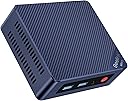
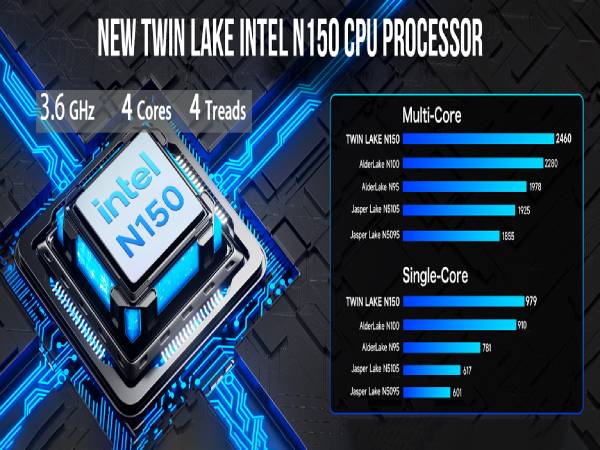
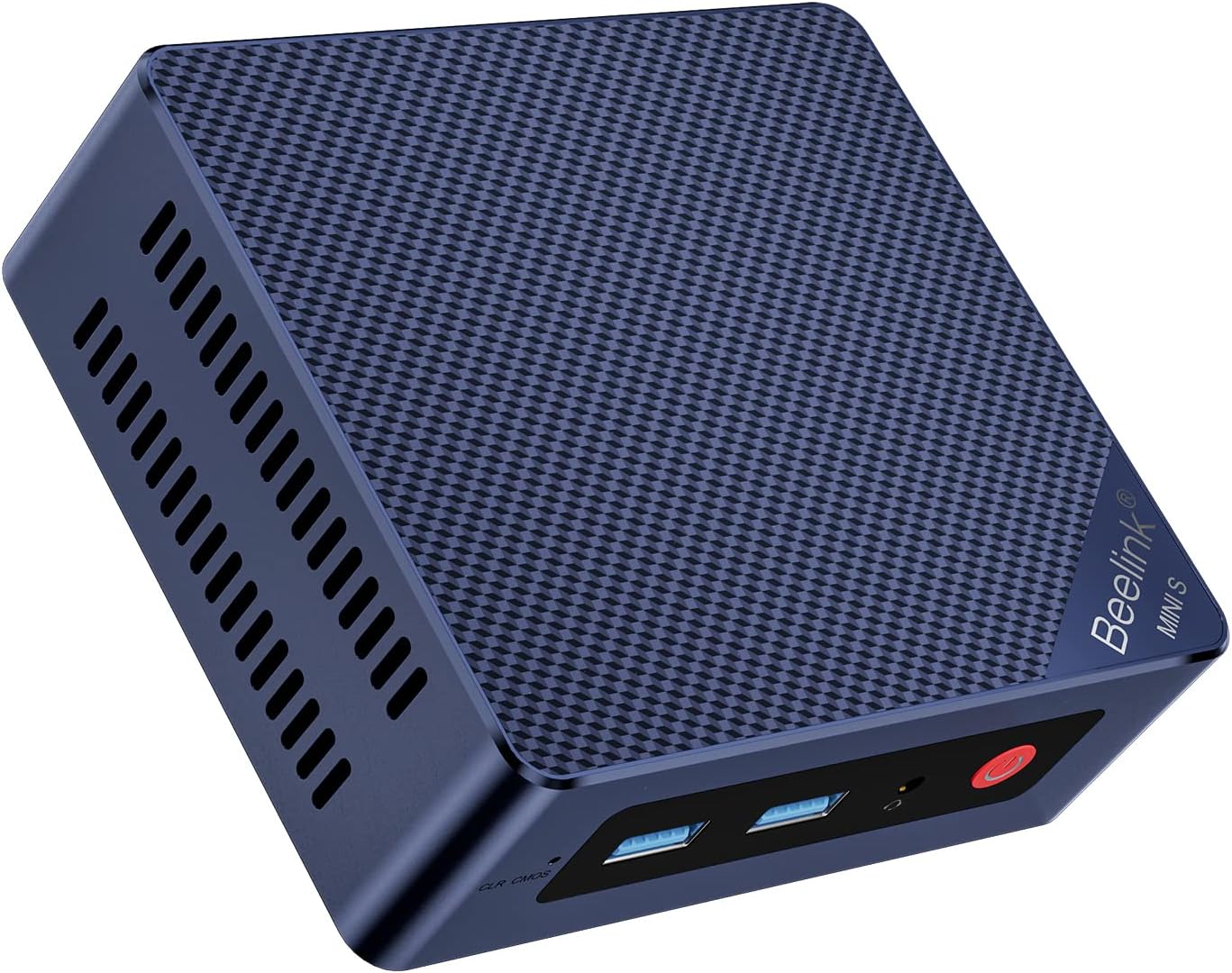
The Beelink MINIS13 PRO Mini PC packs a punch with its Intel N150 processor turbocharged to 3.6GHz, 16GB DDR4 RAM, and 500GB SSD storage. Featuring dual HDMI outputs supporting 4K resolution, WiFi 6, and 2.5G LAN for ultra-fast connectivity, this compact powerhouse is designed for professional multitasking and efficient office workflows. Its quiet cooling system and upgrade-friendly design make it an essential tool for the modern manager seeking performance without bulk.


| ASIN | B08K73CKNL |
| Additional Features | Mini pc |
| Aspect Ratio | 16:9 |
| Best Sellers Rank | #2,812 in Computers & Accessories ( See Top 100 in Computers & Accessories ) #100 in Mini Computers |
| Brand | Beelink |
| Built-In Media | Keyboard |
| CPU Model | Celeron |
| CPU Model Number | N150 |
| CPU Model Speed Maximum | 3.4 GHz |
| CPU Speed | 3.6 GHz |
| Color | Beelink Mini PC MINIS13 16+500G |
| Compatible Devices | Keyboard, Mouse, Monitor, Speaker, Headphone, Projector, Television, Smartphone, Printer, and other devices with compatible ports or wireless capabilities |
| Connectivity Technology | Ethernet, HDMI, LAN, Wi-Fi |
| Cooling Method | heat |
| Customer Reviews | 4.0 out of 5 stars 69 Reviews |
| Display Resolution Maximum | 3840x2160 |
| Display Type | LCD |
| Graphics Card Description | Integrated |
| Graphics Card Interface | Integrated |
| Graphics Coprocessor | Intel UHD Graphics 600 |
| Graphics Description | Integrated |
| Hard Disk Description | SSD |
| Hard Disk Interface | PCIE x 16 |
| Hardware Interface | 802.11 ac/b/g/n |
| Human-Interface Input | Buttons, Microphone |
| Item Dimensions | 4.88 x 4.45 x 1.61 inches |
| Item Weight | 0.77 Kilograms |
| Keyboard Description | QWERTY |
| Keyboard Layout | QWERTY |
| Manufacturer | Shenzhen AZW Technology Co.,Ltd. |
| Memory Clock Speed | 2133 MHz |
| Memory Slots Available | 1 |
| Memory Speed | 4800 MHz |
| Memory Storage Capacity | 500 GB |
| Model Name | MINIS |
| Model Number | EQ12 |
| Model Year | 2023 |
| Native Resolution | 3840 x 2160 |
| Number of Component Outputs | 3 |
| Operating System | OS |
| Personal Computer Design Type | Mini PC |
| Processor Brand | Intel |
| Processor Count | 4 |
| Processor Series | Celeron |
| Processor Socket | BGA 413 |
| Processor Speed | 3.6 GHz |
| RAM Memory Installed | 16 GB |
| RAM Memory Technology | DDR4 |
| RAM Type | DDR5 RAM |
| Ram Memory Maximum Size | 16 GB |
| Resolution | 3840 x 2160 |
| Specific Uses For Product | Personal |
| Style Name | Minimalist |
| Total Expansion Slots Quantity | 2 |
| Total Number of HDMI Ports | 2 |
| Total Usb Ports | 3 |
| Video Output | HDMI, Type-C |
| Video Output Interface | HDMI, Type-C |
| Video Processor | Intel |
| Warranty Description | 3 Year Manufacturer |
| Wireless Compability | 2.4 GHz Radio Frequency, 5.8 GHz Radio Frequency |
| Wireless Network Technology | Wi-Fi |
| Wireless Technology | Wi-Fi |
S**E
Great for HomeAssistant
Perfect for my HomeAssistant installation
T**O
Works well.
Works well.
K**R
Very poor product.
I had to wait til a friend could help me with this, and when he opened it, he got a Microsoft error message. I know I purchased it almost three years ago, but obviously this is a very poor product that cost me a lot of money.
A**.
Great low cost DIY firewall\router
I purchase this box to use as a low cost, DIY firewall\router, as it has two NIC's. I loaded\tested both pfSense and OPNsense. Both worked without issues and recognized the NIC's out of the box. The box will route traffic at 1Gbps via iPerf testing. PRO'S: Small, low cost, low power, user serviceable RAM and hard drive & addition 2.5" SATA CON'S: REALTEK NIC'S (be nice to see Intel NIC's, but can't really complain for the price and would also cause the price to increase)
L**S
Pequeña y potente!
Utilizado para trabajar como firewal en la red de la casa o para hacer laboratorios con esxi 6.7.
A**R
One major flaw
The M.2 slot is NOT expansion memory. There are NO instructions to explain what is going to happen. At first boot the OS is installed to the M.2 slot and you're stuck. So if you want expanded memory be sure to upgrade prior to first boot. The new ASRock NUC indicates they have designed correctly with hard wired memory for the OS and the M.2 slot is a true expansion slot.
R**T
Perfect
Works great to log into work network and takes very little space
D**E
Good little pc for what I need.
Using this for apps that are not available for android. I will probably use it for a streamer when I am finished.
A**L
Amazing compact computer.
Amazing compact computer. Very impressive, great performance.
C**N
Very pleasantly surprised (after turning off majority of win10 junk).
Addendum: Removed one star. That micro SD slot is not built for SD to be inserted and removed. Once inserted, really had to remove. After a few times of doing that, now it is not working anymore. Run silently (guess I never really pushed it to rev the fan up like some have suggested?), consumes very little power/can leave it on without breaking my conscious/will be my always-on home server. Got windows memory usage whittled down from 6+GB to ~4.5BG by shutting off win10 junk, almost on par with windows 7. I don't game, it has enough power to do my content consumption quite adequately. Didn't even choke even when I make it run a 2160p high bit rate HDR .mkv movie file. Everything else worked as advertised I will be keeping all storage external so as to minimize heat inside the box. My guess is even if and when the ventilation fan fails, I can easily unbox it to replace the fan or just let it run on the nice big heat sink and no fan. The last mini PC I bought from amazon with a N4100 CPU (not Beelink) only lasted 2 days. This one is on the third week with no problem. Guess it's time to pop out the mSATA (takes a m.2 2280 mSATA) and pop in a bigger SSD and dual boot win7 and linux. PS: have it for 3 months now. Only problem was OS failed once, had to reload OS. But I had not made a recovery USB ahead of time. Contacted seller and he gave me a link immediately to download what's needed for the recovery USB. Tks for the support, seller.
M**E
Great mini PC for use with PFSense Firewall/Router, with Dual Gigabit NICs
The GK55 is at a good price compared to other mini PCs, especially if you are looking for dual gigabit ethernet ports. The J4125 processor ranks among or higher than many other processors used in mini PCs at this price point. As seen in the photos, this computer is equipped with dual gigabit Realtek NICs, as well as an Intel wireless NIC, a single DDR4 SODIMM 2400MHz slot with 8GB installed, and a single M.2 SATA3 slot with 128GB installed (also offered with 256GB). I am using the GK55 to run PFSense, which was very easy to install. Press F7 to select a boot device, and boot from an installation USB drive. I formatted over the included Windows 11 partition since I will never be using it. The 128GB SATA3 M.2 drive is overkill for PFSense, but I used it anyway since I have no other uses for this drive. I first ran PFSense version 2.5.2, and installed the separate Realtek drivers (Shell > pkg install realtek-re-kmod) to avoid documented issues with the standard drivers included in the PFSense release. I recently upgraded to 2.6.0, but only afterwards learned that there was no Realtek driver package available for this version as of yet. For reliability, I downgraded back to 2.5.2 and reinstalled the Realtek drivers. It was a little tricky since the driver package now seems to be missing from the PFSense repository. Google "pkg install -f -y realtek-re-kmod-196.04.txz" to find out how to get around this issue by installing from a different repository. (Prior to 2.6.0, you could just run a shell and type "pkg install realtek-re-kmod" but it seems that package is now missing.) You also have to add some lines to the “boot/loader.conf” or “boot/loader.conf.local” file, which you can easily do through the PFSense web console under Diagnostics > Edit File. Making a “.local” file will keep these lines there even with upgrades.) Prior to my PFSense hardware upgrade with the GK55, I was using older hardware based on an Intel Atom. I pay for 500mbps service, but only got about 350mbps behind my firewall. Recently I tested my speed right from my modem, as my ISP has been doing upgrades in the area. It reached about 950mbps. With the GK55 as my new firewall/router, I can now achieve this full speed on my local network. That alone was well worth the upgrade. If you decide to take it apart, use care to avoid stripping the screw heads. For some reason, the screws have blue loctite applied to them, making them pretty tight. Use the correct size screw head, apply even pressure, and turn slowly. Also be careful if you decide to remove the motherboard from the case itself, as the wireless antenna cables will need to be disconnected or they could snag. There is really no need to take it apart this much; I only did so I could confirm the brand of the gigabit NICs (Realtek 8111H L817W24 GL34). When installing from the console, I used a spare HDMI to DVI adapter for an old monitor, and it worked fine. It includes two HDMI cables, one small one for mounting directly to a monitor, and one a little longer (maybe 5 feet or so). Note: A lot of people are confusing the "GK55 Mini PC" with the "GKMini" since they have the same Celeron J4125 processor. The GK55 has two ethernet ports, whereas the GKMini has only one ethernet port. It's hard to tell because their marketing doesn't show the ports very well, and the naming is so similar.
J**.
HDMI died in 2 years
HDMI died in about two years, USB was spotty at best most of the time
H**N
Best Value
I can play all my older games. BeamNG runs on low graphics at 720p. Euro Truck Simulator 2 runs on high graphics at 75% scaling with low quality ssao and anti aliasing 1080p. PS2 emulation is weird... Flightgear runs like crap. Won't bother trying MSFS. CSGO2 runs, and is somewhat playable at low graphics, 720p. ... for what it's worth, it runs and runs well. My kitchen counter PC for old games n youtube... MORROWIND with mods yeeet!
Trustpilot
2 months ago
2 days ago