Buy anything from 5,000+ international stores. One checkout price. No surprise fees. Join 2M+ shoppers on Desertcart.
Desertcart purchases this item on your behalf and handles shipping, customs, and support to Taiwan.
⚡ Power your home network with speed and ease — no rewiring, no limits!
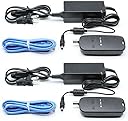
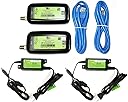
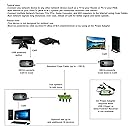
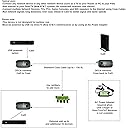
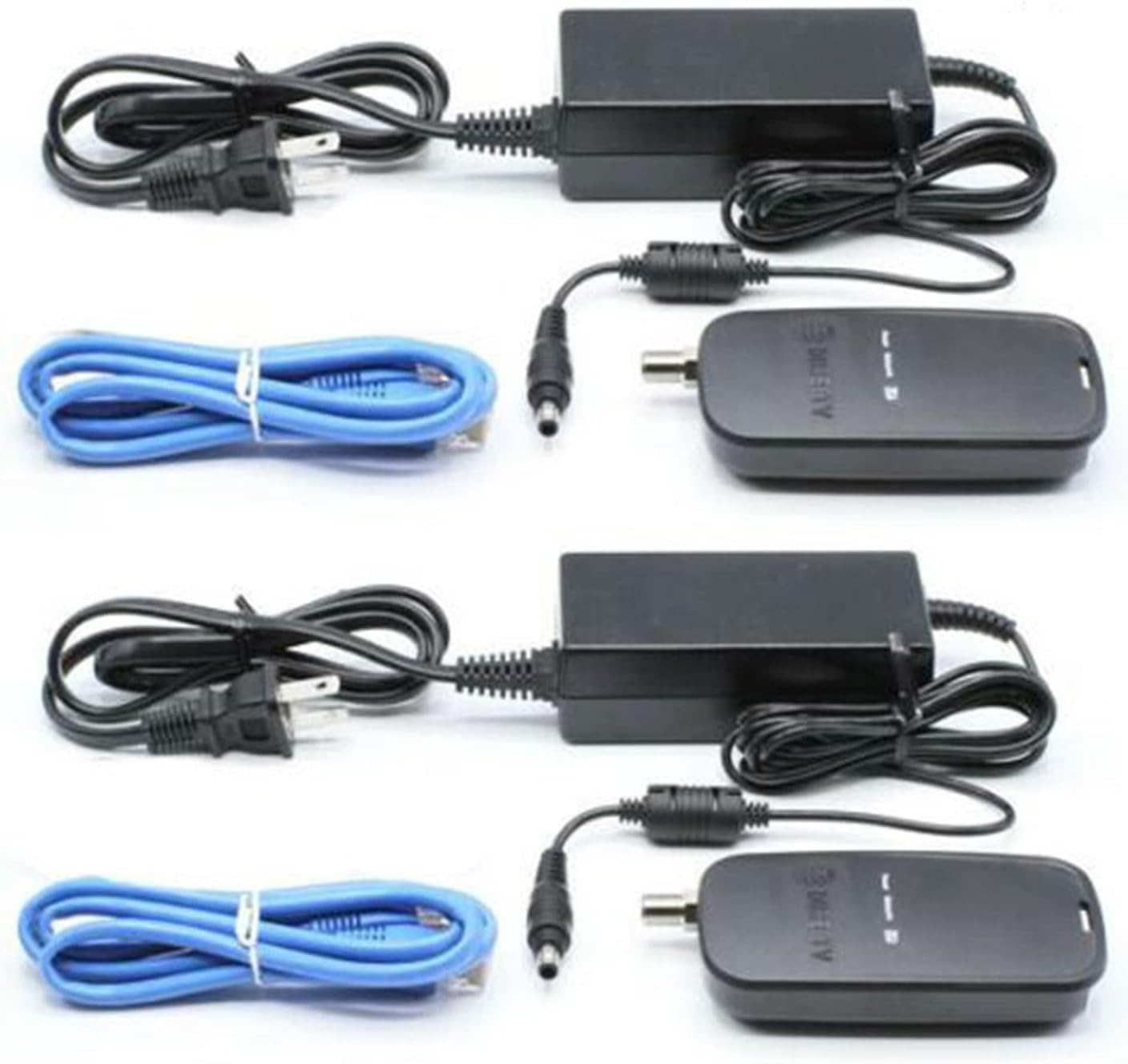
The DirecTV Broadband DECA 3rd Generation 2-Pack enables up to 100Mbps Ethernet over existing coax cables, powered flexibly via USB or external adapters. Designed for seamless integration with DIRECTV systems, it delivers whole-home internet connectivity without new wiring, perfect for modern connected homes and DVR setups.
| ASIN | B01AYMGPIO |
| Best Sellers Rank | #103 in Powerline Network Adapters |
| Brand | SatelliteSale |
| Color | black,blue |
| Compatible Devices | Whole-Home DVR, Connected Home Setup |
| Compatible Operating System Family | Windows |
| Customer Reviews | 4.4 out of 5 stars 1,039 Reviews |
| Data Link Protocol | Ethernet , USB |
| Data Transfer Rate | 100 Megabytes Per Second |
| External Testing Certification | Não aplicável |
| Hardware Interface | Ethernet, USB |
| Item Dimensions L x W x H | 9.3"L x 6.3"W x 3.8"H |
| Item Weight | 1.5 Pounds |
| Manufacturer | DIRECTV |
| Mfr Part Number | DCAU1R0012POW |
| Minimum Required Operating System Version | Windows 10 |
| Model Number | DCAU1R0-01-2POW |
| Product Dimensions | 9.3"L x 6.3"W x 3.8"H |
| UPC | 762691001598 |
P**Y
Fantastic!
I wanted a faster connection to my internet router than my WiFi was providing. While I have a 100mbs internet connection via Ethernet plugged into my router, I was only getting 45mbs over my WiFi connection. And in several parts of my house it was a low as 18mbs. I tried the "powerline" Ethernet devices that plug into your electrical outlets but while it improved the speed to 30-40mbs in parts of the house with a poor WiFi signal, I had intermittent issues. Sometimes the connection would drop speed dramatically or even lose the signal for a few seconds periodically. I suspect it was related to other electrical appliances that would kick in around the house that muddied the signal. In any case, I had to send those back as it was too unreliable. I then ran across these devices that would use the existing coax in my house and since I not longer had a Coax TV service in my house the cable had no signals at all on them. In addition, since these were so inexpensive I decided to give that a try. The setup was easy as all I had to do was go to where all the coax connections were still tied together from my old dish-based TV service and reconnect the cables. I found the cable that went to the room where my internet router was and changed that to the input. Then made all the other cables outputs on the splitter. I hooked up one of these devices to the router and screwed the cable into the coax connection in the wall. Then, I went to the room where my home office is and connected to the coax connection there and plug the Ethernet cable into my computer. I immediately had a 80mbs connection running into my laptop! I have used it for a week now and have not experienced a single signal drop or other issue. All is working perfectly! I also have the flexibility to move my laptop to any room where i have a Coax connection and just plug in to get the same speeds. Very nice!
J**N
Simply Plug and Play! Works with or without DirecTV!
At the time I bought this set, we had DirecTV. We had an HR44-500 and a Genie Mini here in the house and a second Genie Mini in an external building away from the house. The second Genie was served by a buried coax cable that is about 300 feet in length. The HR44-500 has a built in wireless Deca to provide an internet connection to the system so that the Genies can function properly. My goal with the Deca's was to provide an internet connection to the external building for a smart TV. I started connecting the Deca system by disconnecting my HR44-500 from the Wi-Fi. Next I connected one of the Deca's via the provided ethernet cable to my ISP modem, then I ran a coax cable from the Deca to one of the terminals on the SWM splitter. Luckily my internet connection is close to the SWM splitter. Next I connected the provided power supply to the Deca and verified that I had an internet connection at the HR44-500. I then went to the external building and connected the other Deca to the SWM connector at that end. I then connected the Smart TV via an ethernet cable and connected the power supply to the Deca. I powered on the Smart TV and it connected to the internet. It's that easy! It provides an internet connection over the same coax cable without interfering with my DirecTV signal at all! With this Deca set I was able to provide a wired internet connection for my Directv setup and I used my existing coax cable to run an internet connection to a building that was too far away for a router to reach. If this hadn't worked, I was looking at either burying a Cat 6 cable or installing an expensive point to point wireless bridge to reach the other building. About a month ago I decided to cancel my DirecTV service and go with a streaming service instead. I sent back my DirecTV equipment and left the Deca's in place, along with all of the existing coax cables. My internet connection is still going strong at the second building. I can stream 4K content seamlessly. I recently installed a wireless access point at the second building and made it an extension of my home network. I used the same SSID and password as my home network so my devices will roam between access points as I go between the house and the other building. Having an access point at the other building means I can airprint and also access all the devices on my home network from the other building. I haven't had to touch this system since I installed it, it just works!
B**Y
Perfect and inexpensive solution to extend my network to an adjacent building
Excellent, excellent! I needed to connect the Ethernet network from my house to my rental apartment next door, but I wasn't too excited about trenching a Cat 5 cable. Then some Amazon searching revealed this product. Since I already had a couple unused video cables between the buildings (an abandoned satellite dish connection) this DECA adapter seemed like the perfect solution. After a bit of work, it's up and running perfectly. Speed is excellent - SpeedTest.net shows 21Mbps on a wifi router daisy-chained from the main house router. My broadband service is 50 Mbps at the main router, so it's nearly half of the available speed. My wire path runs somewhere between 100 and 150 feet, uses both RG59 (thin) and RG6QS (thick) video cable, and has about 4 barrel connectors between different cable segments. So it's definitely not the cleanest connection (it ought to be a single RG6QS cable with no barrels), but it seems to be quite happy anyway. This was by far the cheapest, fastest, and simplest option for me, and it works perfectly. By the way, the fact that it's technically a DirecTV product doesn't seem to make ANY difference at all. My web connection just works, exactly as it should. My renters will be thrilled too.
J**B
Not just for DirecTV - Perfect solution to bringing 100mb ethernet to areas needed
2 PACK - DIRECTV Broadband DECA Ethernet to Coax Adapter - Third Generation (with 2 AC Power Supplies): I had been seeking a way to bring ethernet to a corner of the house where wifi just does not reach in order to connect my TV, BlueRay player and Fire TV. Running cable was out of the question due to a gas fireplace and several other obstacles preventing a clean run. I tried using a wifi extender but it dropped the connection constantly. I then tried an ethernet powerline kit but due to several issues this too resulted in an unstable connection. An existing coax line was the only "port" running down to the garage where all the other cables lead. Took a shot and ordered this DECA kit and bam ... a solid, stable ethernet connection was created and using a small 5-port ethernet switch I now have all my devices connecting to my home network and the interwebz. Installation is simple: placed one unit in the garage and connected it to my existing home network via an existing switch. Attached the coax line to the unit then plugged in the power supply. At the other end of the coax (upstairs), I connected the coax from the wall to the second unit, ran a short ethernet cable from the unit to a small 5-port switch (the TV, Fire TV and BluRay are connected to the switch) then plugged in the power supply. Within a minute or so the indicator light went from flashing to solid indicating an established link - I now had a 100 mb connection where needed. If you check your router settings you will find the units each connect via DHCP and grab an IP address. That's fine ... it's just how they work just know you'll have a new item for each unit connected. This setup has been running steady with absolutely no issues now for approximately 8 months. Recently, I noticed a peculiar thing: the transmitting unit in the garage with the DHCP name of "che" (assigned by the unit) regularly initiates downloads from IP addresses originating in China. Using an OUI Lookup on the web I was able to confirm the activity was originating from the device. Initially I assumed this was to grab a new firmware or something but when I examined the amount of data I was astonished. Some days the unit would download up to 1 gig and routinely showed approximately 300-500 mb in daily activity. I began thinking this was simply the connections to Netflix, Amazon Video etc however there was activity on days I was not even home. I then blocked the devices from being able to access the network using the router settings and found I was still able to use my internet connected devices with no issues. Searches on the web show this is often caused by the device downloading a new firmware but failing so ... it keeps downloading the firmware over and over and over again. Nothing nefarious going on it's just bad code. Overall, the units work as intended - they bring a 100mb ethernet connection to you via coax. If you need speeds greater than 100 you'll want to use MOCA adapters rather than DECA but for general online video, etc these work just fine and I would again use the same solution should I be in a similar situation elsewhere. Marking as 4 stars rather than 5 due to the download issue. Recommendation: set them up, verify connectivity, then block internet access via your router. For me this worked just fine.
B**W
Works like a champ! Just use the included 12VDC power supplies.
Plug-n-Play, unless (like me) you decide to use your own 5VDC supplies. Easy fix? Piece of cake! Just use the 12VDC supplies that came "in-the-box." If you,re a LAN user, or LAN capable, and have coaxial cable (preferably RG-6, although good quality RG-59 will do) already available, then this route is a no-brainer AND it beats WiFi all hollow. I stuck an old Netgear GigaBit switch on the distal adapter and effectively extended the Ethernet port of my router to the end of my coax! I think 100Mb/s is a minimum. Even after pouring converted Ethernet through a 50' RG-6 link, I saw a peak, download through-put of 158 Mb/s while streaming. Granted, this was a PEAK event but it showed that the Direct TV system is quite capable of streaming 4K video reception. The upload handshake was only 47 Mb/s so I am not sure how well games-playing will go. I am not a games player, and I did check the rock-solid integrity of my 9 year old RG-6 installation ahead of time so, aside from my experience with amazing 4K Internet streaming, "your mileage may vary." I am more than satisfied with the quality, ease of assembly, and performance of this fractionally priced alternative to stringing CAT-5e cable where an existing coaxial cable installation resides. Yes, there are no instructions but to paraphrase a "posse" spokesman in Treasure of Sierra Madre; Instructions? We don't need no stinking instructions!
G**E
Great device!
So I had a older Gen2 FireStick and the onboard WiFi was meh at best. Caused some drops with an IPTV server I was using. So I looked for hardwired solutions. First with an OTG cable and an Ethernet adapter I was able to get my 1st Gen2 FireStick hardwired. However my 2nd one was a bit more remote and no Ethernet wired and I didn't want to fish wires. I started looking at some devices MoCA adapters to convert Ethernet to Coax to use that as the backbone for transmit/receive. Those looked very promising but I found that the prices were a bit higher than I wanted to pay. I then stumbled on these DirecTV DECA devices that looked very similar in how they operate to the expensive MoCA adapters I was looking at. Turns out these devices use MoCA and work just like their more expensive counterparts they just work on a different band (frequency). These operate in the 500-850 MHz range (think cable, OTA frequencies), the more expensive MoCA devices operate in the 850-1500 MHz range (think satellite like DirecTV or DISH). So the more expensive ones can interfere with your Satellite provider (if you have one), the less expensive DirecTV models can interfere with your Cable/OTA provider (if you have one). I actually have both Satellite TV and cable internet. Thus both devices could impact my home network over my coax cable. I went with these because they were like $16 instead of $160. However because I have cable internet I made sure to isolate the cable coming from my cable comping and feeding my cable modem segregated from the home distribution splitter I was using to feed my house to ensure no interference. The setup was Cable Modem Adapter 1 Coax Cable network --> Adapter 2 --> Device needing Ethernet. There was some latency on pings (I attribute this to the conversion from Ethernet to cable and back) but once it’s connected it works fine. Long story short for $16 these bad boys worked tremendously well for what I was trying to accomplish (which has nothing to do with DirecTV).
J**Y
Simple solution to no CAT5e house pre-wiring
We just moved into a new house, built about 6 years ago. At the time it was built it was pre-wired for Cable TV and telephone land line all pulled into a cable panel in the garage. Into the panel is our Cat5e WAN connection off our fiber optic link access box outside. Short term I needed to get a direct ethernet connection for my PC's that are not WIFI enabled. First step was to trace the RG6 connection, which took quite a while since my signal tracer was not working very well (eventually I put connectors on all of the available wires, and then did a quick short check which allowed me to locate my office connected cable). Once that was done, I then placed a router nearby, then hooked up a unit to the cable input and the router, and then the other unit at the other end of the RG6 cable in my office. Once plugged in, there was a short delay and then units were able to communicate, and I was able to route through a secondary router to both of my PC's (and set up a 2nd wireless connection). Able to pull / push about 50 Mbit/sec which is fine for the short term until I have time to pull a Cat5e wire where I need it. Cheap solution that just worked the 1st time. Highly recommend depending on your situation. There was no conflict with the cable TV signal because our neighborhood is not cable enabled, and likely never will be.
K**S
Works great but takes some setting up!
Update 10/4/2019- After spending more time with the adapter, I finally figured out what my initial issue was with getting it to work. I misunderstood how to use the adapter as I assumed just having the cable connections that were already in place would automatically get it to work and this is where I initially made the mistake. I created a diagram to show this but you basically have to rewire your original cable connection which is why having a cable tv service will not work with this adapter because you essentially have to replace main cable line connection with the adapter that you hook up to your router. What I honestly didn't know is the adapter could act as the main connection basically allowing you to connect multiple signals through a splitter, which was a 4-way one in my case. Of course, you only get two deca adapters but I can confirm that it does pick up the signal through a splitter which now makes this adapter that more appealing as I can get a guaranteed connection to a coxial wall unit or cable any where in the house! So after finally setting all that up I tested the unit out and found that it works flawlessly! I sent files back and forth and got around 10MB/S up and 11MB/S down through a LAN transfer. Comparing this to my tplink Powerline Adapter, it was no contest as the Powerline could only muster a measly 2MB/S up and 1MB/S down. Hands down the DECA Adapter is the clear choice for an insanely cheap alternative wired solution and although 100mbits is all you get, it is more than enough to handle your streaming/gaming/surfing needs! Original review: The Deca adapter seemed like a pretty cheap alternative for an ethernet over coax connection so I jumped at the chance hopeful that this would be a much better solution than the power adapter I already owned. Unfortunately, upon connecting the two adapters, one from my router, another to the living room where another coaxial connection was available, I was met with a disappointing orange blinking light underneath the "network" label. 2 hours, or more, later, I finally get the first piece of advice that helped me come to the hard sought conclusion. Before you try connecting the two adapters normally, I recommend taking a single coaxial cable and connecting it this way first. This is how I knew the adapters themselves did not have an issue nor my router, which I was afraid might have been the problem. Alas, it was my existing cable setup that just was not up to working standard though it was puzzling given the fact it was working just fine before it was ultimately disconnected(externally of course) by the service provider long before I picked these adapters up. It would have really been nice to have a manual for these things but I hear originally these adapters were only for Direct TV technicians to use. I'm going to hold on to them and do some more tinkering maybe see if I can figure out what the issue may be but I wanted to at least give a heads up for folks who may run across this issue.
T**N
Geen eu adapter
Niet geschikt voor de eu 110v max
A**X
Reliable and good alternative to wifi. Good value compared to others
Work well and allow you to use existing or newly installed coax cable for connecting computers or any other devices via ethernet. Provides a stable and reliable connection allowing you to use coax cable to connect devices to your network switch or internet router without having to run new ethernet wire through your walls and is good when you need a constant hardwire reliable secure network connection dont want for things like security camera servers or nvrs which you wouldnt want to use wifi which has bandwidth limitations it is less reliable as it is less secure and is prone to signal loss which can result in dropped connections that can cause laggy video footage and dropped frames
L**A
Increíble solución
Increíble solución que convierte tu antigua infraestructura coaxial a distribución de Internet. Es plug and play,el único inconveniente es que solo corre a 10/100. Gracias
A**P
Satisfeito com o produto
Ótimo, atendeu minhas espetativss
K**R
Aproveitando cabos existentes!
Excelente! Com este produto podemos utilizar cabos de TV pré existentes para utilizar conexões ethernet de 100 Mbs!
Trustpilot
1 month ago
4 days ago