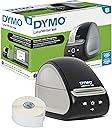
Desertcart purchases this item on your behalf and handles shipping, customs, and support to Taiwan.
⚡ Print smarter, waste less, and lead the label revolution!
The DYMO LabelWriter 550 is a high-speed, direct thermal label printer engineered exclusively for DYMO-branded labels. Featuring patented Automatic Label Recognition, it delivers jam-free, precise printing while reducing label waste by 65%. Its compact design and ink-free technology make it an eco-friendly, efficient choice for busy professionals seeking flawless labeling with seamless software integration.


| ASIN | B08TLRL392 |
| Additional Printer Functions | Print Only |
| B&W Pages per Minute | 62 |
| Best Sellers Rank | #4,266 in Office Products ( See Top 100 in Office Products ) #9 in Label Makers |
| Brand | DYMO |
| Built-In Media | Thermal Printer |
| Color | White |
| Color Depth | 1 bits_per_pixel |
| Color Pages per Minute | 300 pages_per_minute |
| Compatible Devices | PC |
| Connectivity Technology | USB |
| Control Method | App |
| Controller Type | iOS |
| Customer Reviews | 3.6 out of 5 stars 1,739 Reviews |
| Display Type | LCD |
| Duplex | simplex |
| Global Trade Identification Number | 00071701062482, 03026981475924 |
| Hardware Interface | USB |
| Ink Color | Black |
| Item Dimensions D x W x H | 7.4"D x 5"W x 5.4"H |
| Item Type Name | Direct Thermal Printer |
| Item Weight | 2.8 pounds |
| Manufacturer | DYMO |
| Maximum Copy Resolution Black and White | 200 dpi |
| Maximum Copy Resolution Color | 300 dpi |
| Maximum Copy Speed Black and White | 62 pages_per_minute |
| Maximum Media Size | 7.38 x 5.33 x 8.5 |
| Maximum Print Resolution Black and White | 300 dots_per_inch |
| Maximum Sheet Capacity | 550 |
| Maximum print Resolution Color | 300 dpi |
| Model Name | LabelWriter 550 |
| Model Number | 2112552 |
| Model Series | LabelWriter 550 |
| Number of Drivers | 1 |
| Number of Trays | 1 |
| Other Special Features of the Product | Portable |
| Paper Size | 2.2 |
| Print media | Labels |
| Printer Connectivity Type | USB |
| Printer Output Type | Monochrome |
| Printer Type | Thermal |
| Printing Technology | Thermal |
| Processor Count | 1 |
| Resolution | 300 x 300 |
| Scanner Type | Portable |
| Series Number | 550 |
| Special Feature | Portable |
| Specific Uses For Product | Office |
| Total Usb Ports | 1 |
| UPC | 071701062482 |
| Unit Count | 1 Count |
| Warranty Description | no warranty |
| Warranty Type | Limited |
C**D
"Thanks for giving the item a second chance" Glad I did!
Product is great. As described. The box was a little battered but did not affect the product. I loved the note in the box, "Thanks for giving this item a second chance." Glad I shopped it! Great work. I did have the opportunity to speak with BU Office Supplies about the delivery date. The representative was fantastic!
N**E
Slow to get set-up, 02.12.2025 Update, modified to one star
This item has a lot of one-star reviews. I understand those feelings. I concur that the software is not easy. Getting it out of the box and set up went smoothly. Printing my first label is a different story. The label 'word processor' is a lot like being DEEP in the Tables or Insert Photo areas of MS Word. There are no instructions or helpful dialogue boxes to guide you. Help is available by going to a Dymo web page and hunting and pecking until you find a PDF file that is 120 pages. I chose to use trial and error. It took me about 30 minutes to get the gist of the switches and controls. Once I 'saw' how the Dymo software writer school of thought works, it was straightforward. On the plus side, the label creation screen is bright, clear and uncluttered. My larger problem occurred on the second day. The printer would not connect even though it worked fine on day one. It took me at least two hours to investigate my Device Manager and to go DEEP into my Printer Settings. I eventually found a helpful document on a Dymo help page that guided me through the process. The printer settings place I worked from had the same format as the Device Manger (small window with tabs and long lists of files). My PC/Win11 has a function to save power by turning off excess USB ports. That function had to be turned off. If you are not comfortable with quasi-IT work in windows, you will need some help from a human. Barring any other problems, the labels are very nice, and you can adjust them in any way you can imagine... font styles, font size, orientation, justification of the text box and justification of the text in the text box and probably more that I don't know about yet. 02.12.2025 Update - I was unable to get the printer to function after success on day two. I spent three sessions at the PC (a couple hours or more each time) attempting to trouble shoot on my own and by using advice from search attempts. I played with Device Manager (printer and USB) to fix/find the problem; and a variety of Windows Settings / Troubleshooting. I called the Dymo help line three times and was put on hold for fifteen minutes each time. I ended the call each time. I downgraded my rating from four stars to one star. I dropped the return at UPS about ninety minutes ago. I like the labels that I made on the first day. I really wanted this to work.
L**N
Good easy and reliable
I love the Dymo . We had several in out office years ago and they worked great but were not compatible with the new computer updates. I had ordered a different brand and hated it! I returned that and bought this little Dymo and it works fine and is all I need.
K**R
Good quality
Work well.
P**N
Very bad software which is necessary for use of printer.
**Great hardware let down badly by terrible software** I’ve used several DYMO label printers over the years and recently purchased the LabelWriter 550 expecting a solid upgrade. Unfortunately, while the hardware itself prints labels cleanly and reliably, the **DYMO software is shockingly poor** and turns what should be a simple task into a frustrating experience. The biggest issue is **data management**. Importing CSV files is far more difficult than it should be. Field mapping is clunky, inconsistent, and prone to errors, making bulk label printing unnecessarily time-consuming. Managing the built-in **Contacts list** is equally painful—basic operations like editing, sorting, or organizing contacts feel unintuitive and outdated. Setting up **mailing label layouts** is another headache. Simple formatting tasks require far too many steps, and it’s never clear why the software behaves the way it does. The user interface feels like it hasn’t been meaningfully updated in years and lacks any logical workflow. Nothing is where you expect it to be. One especially frustrating problem is the **label count reporting**. The software frequently reports the wrong number of labels remaining on a roll, which defeats the entire purpose of having that feature at all. You can’t rely on it, so you end up manually checking anyway. To make matters worse, **documentation is minimal and unhelpful**. When you run into problems, there’s little guidance on how the software is actually intended to be used, leaving you to figure things out through trial and error or online forums. Bottom line: The LabelWriter 550 itself is capable hardware, but the software feels unfinished, unintuitive, and poorly supported. If you only print occasional single labels, it might be tolerable. If you rely on mailing lists, CSV imports, or frequent label runs, be prepared for a lot of frustration. DYMO really needs to invest in fixing their software—because right now, it’s the weak link that drags this product down.
C**N
Great little printer. Don't like being forced to use OEM Dymo labels, though.
Dymo makes a good product. This unit replaces a very old one that I broke - got a label separated from the backing and it wrapped around the roller - tried disassembly to remove it but couldn't. The box says that the labeler will not work with non-Dymo labels. I took away a star for that - with no competition it means we will have to use OEM labels at whatever they charge. That's a bummer in my opinion. While I have always ordered genuine Dymo labels, I don't like being told I can't use any others. Seems that should be my choice. If you have a Mac as I do, be mindful of the software driver you download. Some versions are not going to be supported if they don't run natively on Apple silicon. No more Intel support. So make sure you get the Apple ARM version of the software or one day the labeler won't work. I think the labels and operation of the unit are excellent. No complaints there. From my earlier experience, make sure when you start a new roll of labels or change label types you feed one label through to make sure the labels don't become apart from the backing and leave the sticky part exposed, which will wrap around everything and destroy the labeler (ask me how I know!) The labeler hooked up and was running in less than a minute, including software. It is a great product and will last a very long time. Dymo keeps old software available so you never have to discard the printer because of software (except as noted for the non-support of Intel chips if you upgrade your software - Dymo has a driver that they say is Apple ARM savvy). So obsolescence hasn't been a problem with old label printers. Good product.
A**G
Better than expected
I previously had a Dymo label writer that finally conked out, so I decided to upgrade to the Dymo LabelWriter 550. Before purchasing, I saw a lot of negative reviews about the software being difficult to install and the setup process being frustrating. Honestly, I was a bit concerned. That said, I’m generally not great at setting up devices, yet I found this to be an absolute breeze. I followed the instructions, making sure to install the software completely before connecting the printer, as emphasized in the manual. Perhaps this is where others ran into issues, but for me, the setup was simple and straightforward. The printer itself works perfectly—clean, sharp labels every time. Some may find it frustrating that it requires Dymo-branded labels, but I don’t see that as a major downside. I bought a pack of 700 labels for $21, which will likely last me a lifetime. Overall, I highly recommend the Dymo LabelWriter 550. If you follow the setup instructions carefully, you should have no problems, and you’ll end up with a fantastic label printer that works seamlessly.
M**N
Works well but doesn't last long
Printer works well for about 5 months then the port on the back of the printer goes bad and it no longer works. I've went through two of these printers in a year because of the port going bad. If you get this printer, get an extended warranty so you can return it if it goes bad. This is the only printer compatible with my point of sale that I use or else I would buy a different one. It works well until the port goes bad.
G**R
Love it!!
Where has this machine been all my life??!? As a teacher, I label a lot of things. I’ve already used this for several sets of duotang labels and countless envelope labels. It’s at home now, but I may bring it to school so it’s easier to access. The genuine labels are great, and I didn’t have any older stock ones that wouldn’t have worked in this newer version. I find the software easy to use too. I’m a pretty happy labeler.
D**G
Not compatible with the Windows system here in Singapore
Regret to buy the American LabelWriter 550 as I need to change Windows region for US and reopen the DYMO Connect software.
A**Z
NO SIRVE!
NO SIRVE Y NADIE DA RESPUESTA DINERO PERDIDO NO LA COMPREN! TODO EL TIEMPO APARECIO UN ERROR Y NADIE PUDO SOLUCIONARLO.
M**E
Buyer beware
Bought 2. Been using DYMO for 15 years. I've owned 6 printers in this time. This model is low cost up front but requires DYMO ONLY labels. No after market labels will work. I print between 12,000-15,000 labels a year. I can buy a 20 roll box for $50. Same labels from Dymo is $37 for PER ROLL. Fine printer for writing grandma but if you want to do business then look elsewhere.
R**S
LLeva 2 meses en uso y ya no funciona
Tengo años usando las labelwriter 450s... y compre esta que en teoria es la nueva y ya no funciona. Nose si haya algun tipo de garantia o soporte.
Trustpilot
4 days ago
1 day ago