Buy anything from 5,000+ international stores. One checkout price. No surprise fees. Join 2M+ shoppers on Desertcart.
Desertcart purchases this item on your behalf and handles shipping, customs, and support to Taiwan.
🚀 Elevate your desk game with the ultimate Thunderbolt 4 powerhouse!
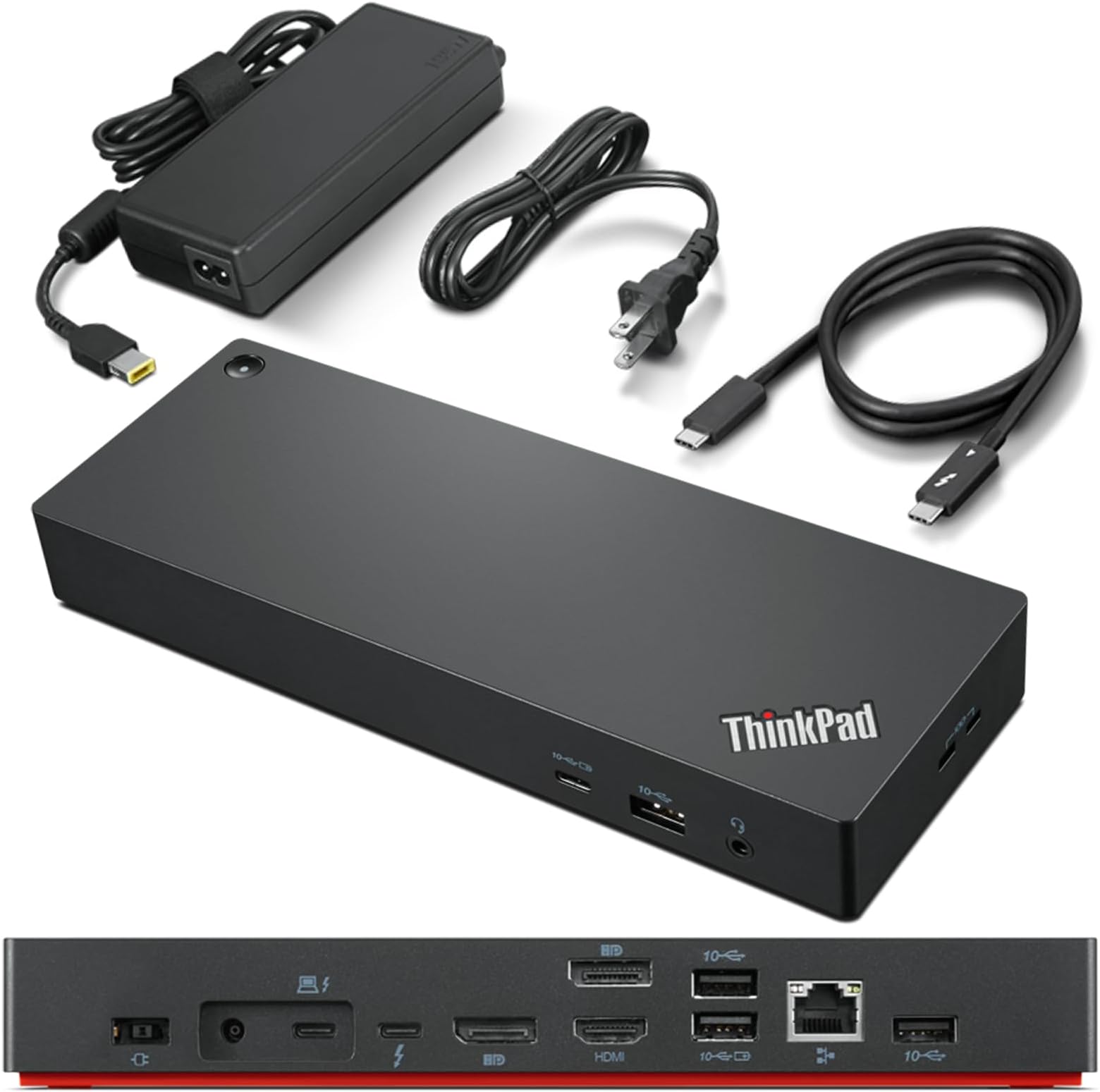
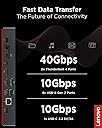
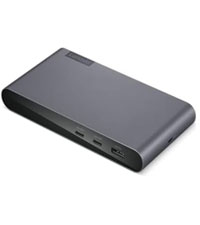
The Lenovo ThinkPad Universal Thunderbolt 4 Dock is a premium docking station designed for professionals seeking maximum productivity. It supports up to four 4K displays or a single 8K display, delivers lightning-fast 40 Gbps data transfer speeds, and offers dynamic power charging up to 100W. With versatile port options and smart remote management, it ensures seamless connectivity and uninterrupted workflow across a wide range of Thunderbolt and USB-C compatible devices.


| Asin | B09GJJ5C32 |
| Best Sellers Rank | #292 in Computers & Accessories (See Top 100 in Computers & Accessories) #37 in Laptop Docking Stations |
| Brand | Lenovo |
| Built In Media | Item |
| Color | Black |
| Compatible Devices | MacBook Pro |
| Customer Reviews | 3.9 3.9 out of 5 stars (322) 3.9 out of 5 stars |
| Hardware Interface | Thunderbolt 3, Thunderbolt 4, USB Type C |
| Item Dimensions L X W X H | 6"L x 3"W x 1"H |
| Item Type Name | Lenovo Thunderbolt 4 USA Docking Station (40B00135US) With 135W AC and Power Cord |
| Item Weight | 1.16 Pounds |
| Manufacturer | Lenovo |
| Mfr Part Number | 40B00135US |
| Model Number | 40B00135US |
| Number Of Ports | 11 |
| Smart Home Compatibility | Not Smart Home Compatible |
| Total Number Of Hdmi Ports | 1 |
| Total Usb Ports | 5 |
| Unit Count | 1.0 Count |
| Upc | 195348677516 196271925361 195348677271 |
| Warranty Description | 3 Year Manufacturer |
| Wattage | 100 |
User
Lenovo Thinkpad Thunderbolt 4 Dock does support HDMI 2.1 output with 4k@120hz to LG CX
Recently want to upgrade my Lenovo Thinkpad TB3 dock to this new version, but I found even it fully support Lenovo's own legion laptop with HDMI 2.1 over 4k@120hz. I checked the display info, it shows the card is wired through 'display port' internally. confirmed in game, it's just 4k@120hz, no G-sync, I think it's a limitation on LG CX, it's a special protocol used by LG and nvidia to arrange G-sync compatible.It couldn't output any HDMI signal from my Intel 2019 MacBook Pro 16. I had to use a downstream TB4 port on this dock then connect another USB-C to HDMI 2.0 cable and output to my tv, of course it's limited to 4k 60hzHowever, it does support my Intel 2020 MacBook Pro 13 and 2021 MacBook Pro 16 which is very strange. Of course, all of them are HDMI 2.0 due to limitation of MacOSAnd it does USB PD charge with 92w to MacBook Pro but it can't deliver any power to its own Lenovo Legion 7i, even though Legion can support 100w PD charging from TB4 port.Now I'm very confused by this dock. btw, firmware updated to newest 1.07 on lenovo website.Update on 6/5/2023:After a firmware update a while ago, it finally support M1 MacBook output 4k@60hz directly from HDMI port, but too bad due to Mac limitation, it's only HDMI 2.0 signal so no [email protected] I do "solve" this problem by recent hack from community using a special adapter to convert TB/DP alt signal to HDMI 2.1, I won't go into details, just search Thunderbolt -> HDMI 2.1 solution for M1/2 Mac for solution
User
Docking station
Great docking station!!!!
User
BUYER BEWARE: COMPATIBILITY
BUYER BEWARE: This dock is NOT compatible with all Lenovo Thinkpad machines. I have had terrible performance trying to run a pair of 4k monitors. I believe is a power related throttling issue occurring, for which there is no fix. I troubleshooted it with Lenovo Premier Services, who said the dock is not compatible with my laptop, and because it is purchased through amazon, they would not help me further. There is no note in the description that flags a buyer to check compatibility. And, their compatibility matrix on Lenovo.com is an excel file that you have page through. They also would not entertain the idea that the dock could be defective. Having owned many Lenovo docks over the past 10 years, I would purchase something else, as other docks have been notoriously problematic. I feel silly for thinking this would be different. It took me a few months to figure out it wasn't my laptop, but rather the dock, that was the issue, hence the reason it was out of the standard return period.UPDATE: Amazon refunded my purchase without any hesitation.
User
Does not charge all ThinkPads
This unit will not charge a ThinkPad P16v Gen 1 through the Thunderbolt port, despite what Lenovo sales support told me. For the right laptop, however, it appears to be good quality. Understand that there is only one HDMI port, so if you want two external monitors that connect via HDMI, you must plug one of the monitors directly into the HDMI port on your laptop. If your monitors uses Display Port connections, there are two of those on the brick. I returned this and bought the Thunderbolt 4 which has a separate charging cable from the brick.
User
Exactly What you need for laptop plus two Monitors
Exactly what I needed. My set up is a Lenovo lap top which I have on a lap top stand. I hide this underneath the stand so I can free up more space. I have two monitors (Laptop sits in the middle of the two monitors) - wireless mouse and keyboard. All ports hold all of it. Excellent set up for folks with more than one monitor.
User
This is the best dock I've owned by far
So I've got both Ryzen and Intel laptops and even though many of my docks worked okay, they had one or more issues with my dual 34" 3440x1440 144MHz setup. Most won't output the 100W PD I need. Others would have graphic issues or audio cutouts - all sorts of things would crop up. This Lenovo dock has worked really well for me. I did run into some issues where my webcam mic would just stop working on calls, but a firmware update a month or two ago fixed it and it has been solid. Really pleased with this unit.
User
Solid workhorse
Solid, reliable Lenovo product!
User
Unreliable trash
Advertises here and in its literature that it supports 3 displays using both DP ports and HDMI, but overall performance of the connected machine takes a HUGE hit when doing so. I was using this with three 1080p displays.I saw this impact at its worst when coming out of idle, when the dock would decide to cycle all of the video output ports (I heard the Windows disconnect/reconnect sounds), and I'd get mouse stutters and choppiness on the Windows desktop alone for a few minutes. I also saw one of my displays cycle entirely randomly, when it wasn't already displaying strange artifacts at the outer edges of the screen. Performance was slightly better when I put in a spare 2 port MST adapter to put both DP displays on one port on the dock, but I then had issues bringing my machine out of idle (even if I disconnected the dock) and had to hard power cycle my machine.Joke's on me though - caveat emptor - since apparently this dock is known for silly issues like this and Lenovo to this date (as of Nov 2022) has not been able to reliably fix this. I saw these issues even after updating to the latest FW rev which supposedly had a workaround for it. According to Lenovo forum posts, they cheaped out with the DisplayPort chipset in this dock which may be what is causing these problems.Unfortunately in the time it took me to troubleshoot all this and determine the dock was at fault, I've now passed my return policy and I'm left with an expensive brick.I'm sure it's a good dock if you're only using one display on it. If you're using multiple, I would stay far away from this one.
User
Received a used , damaged, faulty docking station.
Received a used , damaged, faulty docking station.The device was faulty and keeps disconnecting from display.Luckily i had taken an unboxing video and Amazon helped with a refund.
User
Fonctionne tel qu'attendu.
C'est une pièce d'équipement qui va assurément sauvegarder les connecteurs de mon tout nouveau portable. Il accompagne un ThinkPad T16. Le Thunderbolt 4 fonctionne parfaitement, donc un seul branchement et tout est présent sans hésitations. Je recommande pour tout produit ThinkPad.
User
Fonctionne bien!
Fonctionne très bien avec mon Thinkpad. Le prix est élevé mais la facilité de ne brancher qu'un seul fil est un bienfait bienvenu.
User
Very good docking station
This docking station works seamlessly with my Lenovo ThinkPad and should also be compatible with other brands. Just make sure you use the Thunderbolt cable, since it can be easy to mix it up with a regular USB-C cable. The build quality and performance are excellent, and I’d definitely recommend it for a home or office workstation setup.
User
Not usable with my laptop
Stay away from this product, especially if you need to connect more than two monitors to a laptop. For me, even adding the second monitor caused flickering!It had no issues with my PC though with a high-end GPU. If you are looking for reliable multi-monitor docking station *for a laptop*, do yourself a favor and buy one with DisplayLink technology. You would thank me later!
Trustpilot
5 days ago
3 weeks ago