


Desertcart purchases this item on your behalf and handles shipping, customs, and support to Taiwan.
โ๏ธ Keep your Pi cool, connected, and commanding attention.
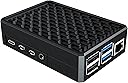
The Miuzei Metal Raspberry Pi 4 Case is a premium aluminum alloy enclosure designed specifically for Raspberry Pi 4 Model B (2GB, 4GB, 8GB). Featuring a dual-layer design with 3 large metal cooling columns and thermal pads, it provides efficient passive cooling that prevents thermal throttling without the noise of fans. The case offers precise port access for all essential connections including GPIO, HDMI, USB, and SD card, ensuring seamless usability. Easy to install with included tools and spare thermal pads, this durable case combines robust protection with professional aesthetics, ideal for gaming, business, and advanced Pi projects.


| ASIN | B08LVRTYPD |
| Antenna Location | Gaming, businese |
| Brand | Miuzei |
| Brand Name | Miuzei |
| Case Type | Raspberry Pi |
| Colour | Aluminiun Raspberry Pi Case Black |
| Compatible Devices | Raspberry Pi 4 (8GB/4GB/2GB) |
| Cooling Method | Air |
| Country of Origin | USA |
| Customer Reviews | 4.6 out of 5 stars 347 Reviews |
| Enclosure Material | Aluminium, Metal |
| Fan Size | 40 Millimetres |
| Hard Disk Form Factor | 2.5 Inches |
| Internal Bays Quantity | 2 |
| Item Dimensions D x W x H | 2.8D x 6.4W x 8.9H Centimeters |
| Manufacturer | Miuzei |
| Manufacturer Part Number | MC30 |
| Material | Aluminium , Metal |
| Model Name | raspberry pi 4 aluminiun case |
| Model Number | pi 4 case |
| Number of Fans | 3 |
| Number of Items | 1 |
| Other Special Features of the Product | Advanced Cooling System |
| Power Supply Maximum Output | 15 Watts |
| Power Supply Mounting Type | Bottom Mount |
| Recommended Uses For Product | Gaming, businese |
| Total USB 2.0 Ports | 2 |
| Total USB Ports | 2 |
M**A
Sturdy Heatsink Case
Case assembled with ease with sturdy look and feel. Perfectly aligned ports except for the four holes to secure Raspberry Pi board to the bottom half casing. Only two are aligned the other two is not. Casing feels warm that means it is doing what is supposed to do, to passively cool you RPi without fan.
D**.
Finally a good metal case!
I had never been able to find a metal case for a raspberry pi that had everything I needed until now. This is my 4th case, but I'm sure it'll be the last. First, the case easily accommodates a GPIO ribbon cable, which very few do. This is very important for me, because I want all the pins accessible but to still have the pi securely boxed up. The case is heavy (in a good way!) and is well machined--the two pieces fit together very snuggly. This is not cheap sheet metal. It comes with some adhesive thermal pads that connect the chips to the top of the case for heat dissipation. This should be considered a semi-permanent install, since the pads have to come off either the chip or the case for it to be opened. I don't think I'll ever need to open it again though, since I have a ribbon cable coming out. The SD card slot is accessible as well. A second set of thermal pads is included just in case. The passive cooling works quite well. See the 3rd image in this review. The blue curve shows the cpu temp and the orange is the clock speed for each of the 4 cores. The cpu is set to idle for 10 minutes, followed by a 1 hour stress test at 100% cpu usage, followed by another 10 minutes of idling. Ambient temperature if 68 F/ 20 C. The cpu idles at under 40 C, and at full load levels off in the upper 50s and never hits 60. You can see no thermal throttling of the cpu took place, as the cores stay at 1500 MHz during the entire stress test. Keep in mind that a bare raspberry pi 4 tends to idle in the mid 50s. This case does a great job of cooling and is completely silent! I think it's safe to say you will not experience any thermal throttling in a normal room temperature environment, even if you run your pi at 100% 24/7.
J**T
Miuzei PI 4 Case MC30 2024-01 Check the screw alignment before final assembly
Miuzei PI 4 Case MC30 2024-01 DO a test fit before putting the thermal pads on. Put the PI in the case without the thermal pads and put the screws in to ensure alignment. I bought 2 cases and the first case had one hole that was off which made it difficult to align and tighten. If it was off by touch more Iโd have to drill it out. The second case lined up. Other people have mentioned alignment issues as well. Pi details Model: PI 4B 4Gb Max core cpu: 1800 Stressberry test details: Testing 10 minutes idle, 20 minutes full load, 10 minutes idle for temperature recovery. In an open bench with no heat sinks and no case. Ambient room temperature: 19.5C Starting Idle temperature is 45C The core hits maximum 81C in just under 3 minutes and thermal throttles for the remainder of the full load portion of the test. At the end of the 10 minute idle recovery the temperature is 49.6C Testing with the case: Ambient room temperature: 20C At idle the core temperature is 36C and the external top of the case is 29C measured with an instant read thermometer. At 15 minutes into the full load portion of the test the core temperature is 54C and the external top of the case is 40C. That's uncomfortable to the touch for a long period of time. At the end of the 10 minute idle recovery the temperature is 39C. It took about 10 minutes to get back down to 36C My modification: Using 400 grit sandpaper I wet sanded the heat contacts to remove the paint coating. I cleaned all the contact surfaces with alcohol after. I used Noctua thermal paste instead of the provided paste. Applied to both sides of the copper shim as per the directions. Installation: If you do a dry fit with the shim and NO thermal pads youโll notice the two parts are not tight together. There is a gap of probably 0.5mm closer to the CPU end of the case. I assume this by design to ensure contact between the case and copper shim. Apply the thermal pads, but not on the CPU. Apply the thermal paste to the CPU, pressed on the copper shim and applied paste to the top heat contact point of the case. Put the top on, carefully flip it over and put the screws in. Once the screws are snug, tighten them little by little in a diagonal pattern until they are firm. Do not over tighten. Overall: If you are not expecting to be running your pi at high loads for an extended period of time this is a very good passive case for the money. If you swap out micro-sd cards ensure you get it in the slot and do not push it into the case underneath the PI. WiFi degradation due to it being an all metal case: This is hard to quantify, my tests (using iperf3 to a local server) varied on both 2.4 and 5 ghz bands. Results were between 1% and 10% slower in the case than out. My AP is a fair distance and one floor up. Since WiFi conditions are different for everyone I can only suggest testing in and out of the case and see how it does in your environment.
M**H
Great passive cooling as long as you aren't overclocking.
I used this for a silent media server and pihole mounted on velcro on the back of the TV stand. It never goes over 50C while multiple TV streams in the house are running from it. Multiple thermal pads included, the top half of the case is a big aluminum heatsink- very effective. They look great too. I definitely will be buying a few more of these. Great value for the money.
J**I
Great product - need to fix screw alignment
This is a great product and I've purchased over 40 of them. There is absolutely a design flaw on one of the screws - it's always the same screw/same hole. I recommend the company review this - grab a handful from your inventory and you'll find it's the same screw/same location every time doesn't line up - you need to push the screw at an extreme angle and push hard in order for the thread to push through. Please fix this and this will be a perfect product!
Trustpilot
1 month ago
3 days ago