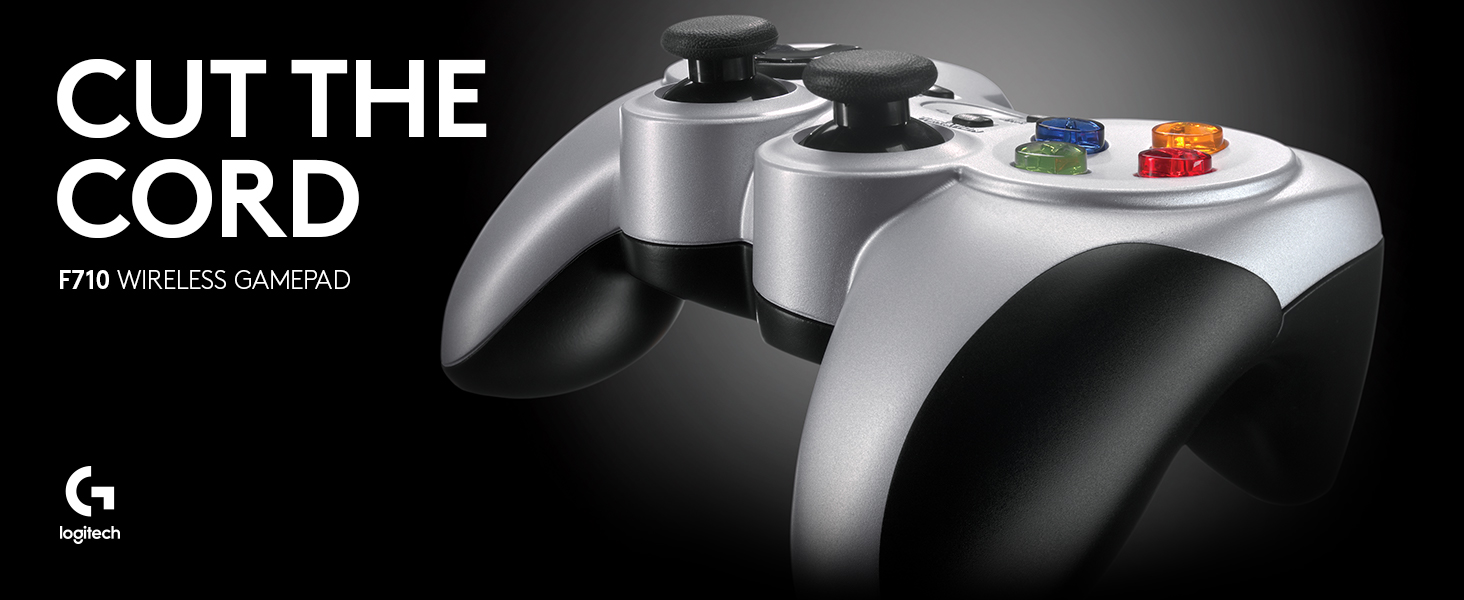
Desertcart purchases this item on your behalf and handles shipping, customs, and support to Taiwan.
🎮 Elevate your PC gaming with wireless freedom and pro-level control!
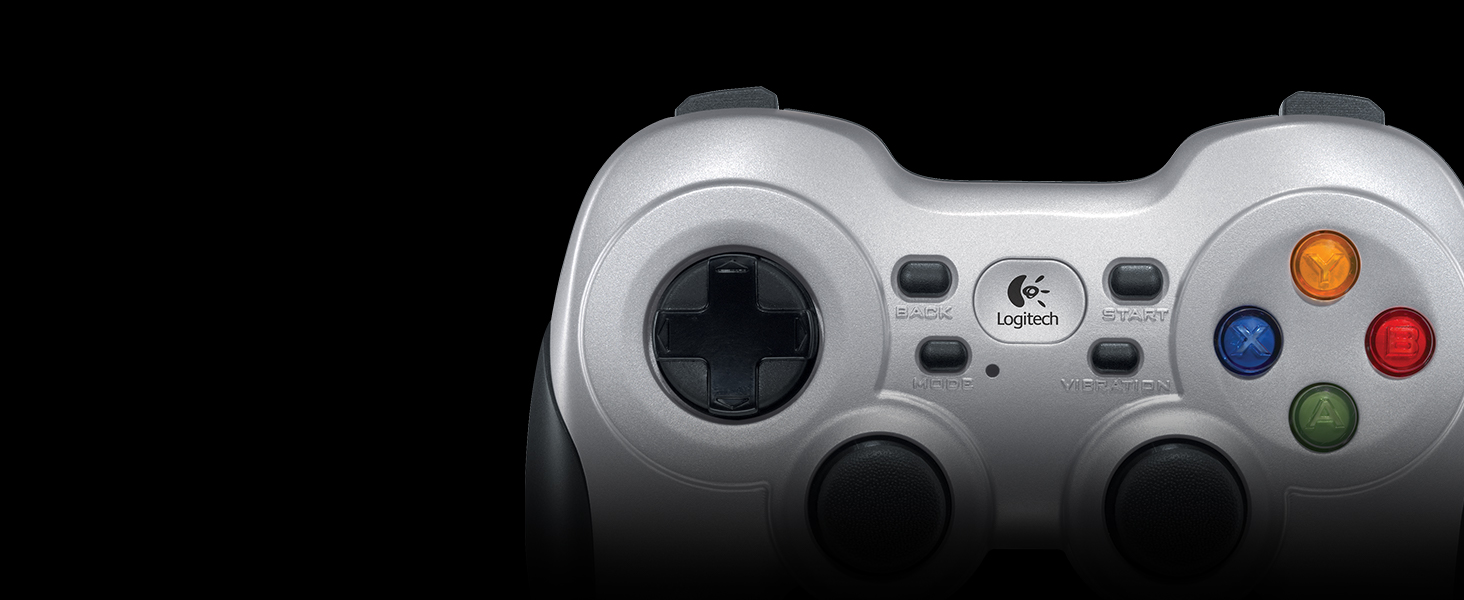
The Logitech G F710 Wireless Gamepad delivers reliable 2.4 GHz wireless connectivity via a compact nano receiver, featuring a familiar 15-button layout inspired by top console controllers. Compatible with Windows and ChromeOS, it supports broad game compatibility and immersive dual vibration feedback. Customizable through Profiler software, this ergonomic controller offers a perfect balance of comfort and precision for serious PC gamers seeking a cord-free experience.


| ASIN | B0041RR0TW |
| Additional Features | Grey, Black |
| Best Sellers Rank | #2,438 in Video Games ( See Top 100 in Video Games ) #55 in PC Gamepads & Standard Controllers |
| Brand | Logitech G |
| Brand Name | Logitech G |
| Button Quantity | 15 |
| Color | silver |
| Compatible Devices | Windows 11, Windows 10, Windows 8, Windows 7, or Windows Vista, ChromeOS |
| Connectivity Technology | Wireless |
| Controller Type | Gamepad |
| Customer Reviews | 4.2 out of 5 stars 4,883 Reviews |
| External Testing Certification | Anatel: 01342-13-03229 |
| Global Trade Identification Number | 00097855068859, 00978550688590 |
| Hardware Platform | pc |
| Item Dimensions | 6.61 x 3.11 x 7.87 inches |
| Item Weight | 290 g |
| Manufacturer | Logitech |
| Manufacturer Part Number | 940-000117 |
| Model Name | F710 |
| Model Number | 940-000117 |
| Package Quantity | 1 |
| Power Source | 2 AA batteries |
| UPC | 097855068859 |
| Warranty Description | 1 Year Limited Hardware Warranty |
A**U
Solid controller, after a bit of setup
After years of use and abuse, my F510's left stick finishing came apart and now feels weird in the hand, so I decided to give wireless a go. Reading the multiple reviews stating problems with windows 10, I decided to give it a go and see what all the problems are, I am a systems admin by trade after all... low and behold, I plugged in the nano receiver to a front usb, removed the battery sticker and the remote was up and playing madden 21 (yes, I know) within seconds. No problems with windows 10, shows right up under devices. For some reason the logitech gaming software I use for my mouse doesn't show this device AND the nano receiver for the mouse won't pickup the controller, kind of makes the point of "universal" nano receivers a bust as I need them both plugged in to separate usb ports. Now the one issue I had to tackle, the range... AWFUL! I am literally seated two feet away and at same height from my gaming pc box, with the receiver in the front and this thing lags, doesn't recognize most double clicks and drops connection, that's just piss poor. I finally figured out what the usb wire extender was in the box for, lol. I ran the extender from the box, under my keyboard and directly in front of me with the nano receiver on it, now BAM remote is no longer laggy and behaves just like the F510, except heavier (rechargeable batteries help out alot here instead of the included duracells) and without the wires and with much weaker vibration. For 30 bones you can't go wrong here. --> awGuru.com Pros -> Wireless, no setup required, seems durable as always Cons -> Laggy if not setup as above, weak vibration compared to F510
N**S
The Perfect PS3/Xbox Hybrid
Is the PS3's pad too small for you and too much of a hassle to set up with your PC? Don't like where the left analog stick is placed on the 360? Or maybe you're just a hardcore PC gamer like myself and don't own a 360. Well then this is the perfect controller for you. Set up takes mere seconds. Plug bluetooth receiver into USB port of your choice, allow Windows to recognize new device and install drivers. That's it, no need to bother with the packaged disc and software. IMO Logitech did a fantastic job of identifying the strengths and weaknesses of the two console controllers, and incorporating and improving upon those strengths into their own design. For me the strengths of the 360 pad are its grip (for the six fingers you're not using) and its triggers, which were clearly designed for a better shooter experience. Sony on the other hand has kept the DualShock design over the years, perhaps with other genres in mind such as fighters, action, and RPG's. IMO the layout of their pad is highlighted by the close proximity and symmetry of its analog sticks. I find this to be a more comfortable and natural feel, as opposed to the 360's awkwardly angled sticks. As for the D-pads of the two controllers, I can't honestly say I have a preference either way. The F710 combines and improves the aforementioned strengths of the console controllers. The Logitech pad features an Xbox-like ergonomic grip and "trigger" like shoulder buttons that feel less springy than the 360's, and are equal in width to its bumper buttons. I believe it's this equal width of the two top buttons which results in a perfect feel for your index fingers to rest in between. As for the analog sticks, the F710 features the symmetric layout of the DualShock with one key iteration. The sticks feature a flat top as opposed to the inclined and rounded top of the PS3's pad. This seems to really keep your thumbs firmly in place, where as I've noticed my thumbs frequently slipping off of the DualShock's sticks. For any serious PC gamer, choosing the Logitech F710 to pair with your TV and Steam Big Picture should be an easy decision.
V**3
Nice wireless controller that's compatible with many devices
I have several devices capable of working with wireless USB controllers and wanted to pick one up. After doing a lot of research, I settled on the F710. I picked this controller because it has great compatibility with the OUYA as well as computers and a few other devices and the Logitech button the device perfectly mimics the OUYA button on the OUYA controller. First off, this is a solidly built controller. It feels good in your hands from the perspective of its build quality, but it's not really shaped for a comfortable fit, the curves on the upper left and upper right corners don't feel very natural. The buttons are responsive, the analog sticks are very nice (and feature clickable L3 and R3 functions) and the shoulder buttons are adequate. The controller also features a rumble function and it's got a very strong motor compared to other, cheaper controllers I've tried. It also has a switch on its back to change from xinput to direct input which is useful for those who intend to use this device with Windows PC games. The digital pad is just so-so and is the weakest part of the device. It's too hard and "clicky." If Logitech had used softer plastic and given it a little more play it would have been fine. It's still usable and you won't have any issues with diagonals or anything like that, but it feels considerably cheap compared to the rest of the controller. As for performance, the controller has worked great with everything I've tested it on so far. On the OUYA, it's almost a perfect replacement for the official controller. I say almost because it lacks a mouse pad and there are a few games and apps that don't recognize input from the controller, but they are an extremely small minority. I will specifically mention that XBMC in particular will not recognize input from this. For most of the games (and all of the emulators) I've tried, the F710 has worked like a charm. With xinput and direct input support for PCs, I've had no major issues with the majority of PC games I've tried it with either. No special drivers were required, it just worked. Before I purchased this I read about some issues with the controller not working well or lagging with distance from the receiver. The unit does include an extension cable, but I'm happy to report I haven't had any need of it. Primarily I use this device roughly ten feet from where it's plugged in. I haven't tried going beyond that, but I haven't had any major input or lag problems to report. Battery life is excellent. It includes two real name brand AA batteries and mine last for weeks of extensive use. Since then I've been using a set of rechargeable AAs I have and they've been excellent as well. I've been very pleased overall with this controller. The only things really keeping it from a perfect score are the shape of the unit itself and the disappointing dpad. On the PC side you may have to do some minor fiddling with it to get it set up the way you want (primarily with direct input apps) but that's the nature of the beast. This is a solid controller and while it isn't quite worth the original price, at $30-$35 it's definitely not a bad buy and comes recommended.
G**.
Highly recommend. 1.) uses regular batteries. 2.) Good quality 3.) wireless dongle & storage. Avoid Bluetooth only (see below)
First I want to point out that this gamepad uses a dongle when connecting to a PC (which is a good thing). I have had issues with several Bluetooth gamepads that are only Bluetooth for PC gaming. There is a strange issue with windows 7 and windows 10. At some point depending on how many times you install/uninstall the Bluetooth only gamepads windows will not install it correctly and the joysticks no longer function under windows. I have researched this extensively and contacted a maker of another gamepad and the only solution I found once this happens is to reinstall windows because once you do this they start to work again (not a practical solution). This is NOT an issue with this gamepad since it uses a dongle when hooking up to a PC. In fact it shows up in the control panel like a xbox 360 controller and even though the Bluetooth gamepad no longer installs correctly this one continues to work. So in short avoid the Bluetooth ones when that is the only method of using it with a PC. I would also recommend getting a copy of Pinnacle's Game Profiler which will also you to map the gamepad if needed with certain games. This is a great PC gamepad. It is a little heavy but that is probably because of using regular batteries. I definitely would prefer to put up with some additional weight and have a device that will last longer because you can swap out the batteries yourself. An internal rechargeable battery will eventually fail to hold a charge and then you will not be able to use it wireless maybe corded (providing you can use it that way). Build quality is great and here is one feature all the other makes of dongle using gamepads should include: dongle STORAGE. Which for this gamepad is in with the batteries. Thank you Logitech for thinking of dongle storage. It drives me crazy when you have a device that uses a dongle and which is large enough to have had a place made in the device to store the dongle and yet there is none. So if you are looking for a PC gamepad that uses regular batteries and not an internal rechargeable battery I would recommend this one. It just depends on what you prefer; but as mentioned already all internal batteries fail eventually it is only a matter of time.
S**P
the controller feels nice and has a lot of functions built in I ...
I am a huge fan of Logitech and their products, so I had no reservations about getting this controller. Once you get it working, the controller feels nice and has a lot of functions built in I like. The problem is, getting it working. I was running Windows 8.1 and now Windows 10. Getting the computer to recognize the controller and pair with it was a major headache. Short story is this, go to [...] and watch the video, follow the instructions. 5 minutes later my controller worked. This compared to the 2 hours I spent on the phone with Logitech, having a new USB pairing sensor sent to me, and still no solution. Long story is Logitech does not offer driver support for this controller since Windows 8. Not only that, but their support department will run you through a bunch of troubleshooting steps that make it seem your machine is the issue. It isn't. The video link posted is the only solution I found, and it works. Essentially you have to fool the computer into thinking it is an Xbox controller so that it will pair. Once that is done, it will display as an f710 controller like it should. I've had to do this technique a few times, as when there are updates to the operating system pairing sometimes fails again. The other issue with this controller is that it will lose connection randomly, causing input lag. The solution is often as simple as shifting body position by a few inches. This inconsistency in input makes the controller horrible for tournament use or games requiring split second timing. It is for this reason I am looking for a new controller. Here's the positives: - Feels good in the hand and is very comfortable over long play sessions. If you are a fan of dual shock style controllers, you know what I mean. - Has a good weight to it, balances nicely in hand. - Mode button with indicator light is a huge plus. Allows for quickly swapping input of D-pad for left analogue stick with visual indicator. - All the button inputs have a nice spring to them, nothing feels mushy. - 2 vibration settings, though neither is strong enough for my taste. - Two AA batteries last a good long while. Down side is there is no indicator for when they are about to die. This isn't a terrible controller by any means. If you don't mind putting up with it's quirks that is. Really wish Logitech still made available the f510 as that was a wired version of this controller. The f310 is wired but lacks rumble. The wireless signal dropping on occasion has finally pushed me over the edge after owning this for a year +. Main thing, should you choose to buy this controller, is bookmark the YouTube video [...] as I guarantee you'll need it's solution when the controller fails to pair to your Windows 8 or 10 machine.
T**D
Comfortable and easy with complaints.
For a while I've been using a PS3 controller over USB with some software to get it to work a controller on my PC, but the range limitations and the need for extra software was annoying so I started looking into other options. After some looking I finally decided on this one. Setup is very easy. The disk it comes with is a mini, which is cute but I was afraid of it getting lost in my slot-loader tray. Luckily I had an external tray as well so I didn't end up experimenting with it, but that's one word of warning to you. It may pop out just fine for you, I didn't try. The install software clearly has been around for a while but it still works despite not looking great. My device did not show up on the list despite having my receiver in, probably due to the wireless nature, so I was unable to calibrate during setup. When the install is finished, that's it for X input, which mimics the Xbox 360 controls. I checked and all the default calibrations were just fine, every button responded (though the 'Home' button has no counterpart in X input so it wont respond) and the ranges on the sticks and triggers were good. If you switch to D input, then the controller becomes more or less a keyboard and you can use the profile software to set up button commands for every game. This is nice because it lets you use the controller for games that are built around the keyboard, or for other non-game applications. I haven't played around with the D input much, but it looks simple enough. I'll come back if I have any issues. As for the form factor, it is thicker than my original PS3 controller (non-vibration) but only by a little. Where I really see a difference is the weight due to the rumble pack. If you can use a 360 controller this will feel smaller, and personally I find it to be a good size and shape (and I never thought I'd say that about a non-PlayStation controller). The rubber on the side is nice and keeps a good grip. Probably my biggest complain is that there is no indicator of on/off state. There isn't a power switch, it just turns on and off automatically. There is one LED that only turns on when you switch to Sport mode (FYI, sport mode swaps the D-Pad and left stick). I'd have liked just a nice little light to let me know power is on, but I can live without it. Everything else looks and feels nice. Final thoughts: Overall I'm very happy with it. I'd have liked a power indicator of some kind, but nothing else is really wrong with it. The buttons are all there and feel nice for me. I do have slightly larger-than-average hands but I can't see how someone would have trouble with this. Right now I use it on X input for Skyrim, no set-up required. Highly recommend. I'd like any future models to be Unifying compliant (the dongles look identical except for some painted markings) so I could use my Logitech keyboard, mouse, and game pad all on one USB, but for now I'm happy with this.
P**K
Incredibly Disappointed
Wow, I honestly don't even know where to begin with this one. Let me start by saying that I'm a huge fan of Logitech and absolutely LOVE every other product that I've ever purchased (and I've purchased a lot over the years). My Harmony One remote is amazing, K400 wireless keyboard...slick, MX518 mouse...it's a champ, just to scratch the surface. That said, I'm a long-time keyboard and mouse PC gamer who also has a PS3, so most of my gamepad comparisons are with the Six Axis controller, which I've had no issues with. I recently built an HTPC system for use as a media player, DVR, and gaming system. It's been great, but it's a bit of a pain trying to use a keyboard and mouse on the couch for gaming, which lead me to look at gamepads. I knew I wanted it to be wireless and I wanted something reliable, so that narrowed my search down to the Microsoft 360 gamepad and the Logitech F710. Having no experience with an Xbox 360 controller, I decided I would go with Logitech since I know they've always treated me well and the technical specs and reviews looked solid. Upon opening it up, my immediate impression was that it looked rather cheap and was rather heavy. It does seem like it can take a beating, but it really looks like a crappy knockoff product that you can buy for half the money. I could care less what it looks like though, as long as it performs well. Unfortunately, that's not the case. The initial setup was very easy. Windows 7 x64 picked it up right away without needing to download any drivers. I immediately fired it up with with a simple game (Magic the Gathering 2013) to test it out. Right away, I noticed that it seemed to be experiencing some lag issues and was occasionally missing button presses entirely. I tend to sit on my couch half-reclined, with my knees up, as I know many other gamers do. In this position, I noticed that the response issues were only happening when my knees were blocking the controller's line of sight to the PC. Seriously? It's a signal strength issue? You've got to be kidding me. I do that all the time with my PS3 controller and have no issues at all. It sits just below the HTPC, both of which are approximately 8 feet away and 4 feet off the ground with direct line of sight. Now I know that Logitech included the extension cable, which did seem to resolve the issue (moved the transceiver around to the front of the PC), but that just seems like a poor design and now I have an ugly cable and transceiver stuck out in front of the otherwise clean entertainment console. So the Bluetooth reception isn't great, but at least there's a workaround. Strike 1. Moving on, I fired up a shooter (Spec Ops: The Line) which has full controller support. I immediately noticed that the dead zones for the analog sticks were horrible, making precise movements extremely difficult. This is partially due to the sticks being overly stiff (too strong of a spring) and the dead zone being too large (amount of movement required before registering it's no longer at rest). This is an absolute killer in an FPS. Strike 2. Strike 3 came when I tried to use triggers L2 and R2. Both are rather small and are not rounded or ergonomic in any way. Like the analog sticks, the trigger springs are also too strong. They are usable until you're 30 minutes in and realize that your fingers are getting sore (90 degree button edges, not rounded) and tired (from pulling so hard). Unfortunately for me, I'd already thrown out the box (tested over 2 days), since I was blindly expecting it to adhere to the same level of quality as the rest of their products. Were it not for this, I would have sent it back to Amazon for a refund. Note: Edited for grammar and minor tweaking.
-**-
Perfect Purchase
Logitech is a gaming industry veteran, known for their innovation and solid designs. This gamepad continues that tradition. It feels great and works instantly, from box to PC, running Windows 11. Nothing to install but I will download the latest Logitech app for programming the buttons. Initially tested out using PCSX2 and a variety of PS2 arcade, sports and driving games. No lag, precise movement, sitting about 20 feet from the USB receiver, using the included USB extension cord. The gamepad itself has a heavy, solid feel, partially thanks to the 2 AA batteries (included). I love the rubberized grips. All of the buttons, pads and sticks feel solid as well. Once again, Logitech shines with its versatility, allowing users to switch between game interface modes - the newer Xinput and legacy Directinput for older games. The vibration feedback works well. It's exactly what I needed and all the better coming from Logitech, a brand I've trusted for nearly 40 years. Great price too! UPDATE: After putting through extensive testing (aka gaming) I have to say I love this gamepad. No lag, wireless great range. My -only- complaint would be the smallish size of the front buttons (L1, L2, R1, R2) compared to my Xbox controller. But you adapt, as one does. Duh.
B**N
i love it
Great!
R**M
El mejor control para emuladores en Ubuntu.
Lo usó principalmente para jugar con emuladores de videojuegos hasta la sexta generación de consolas en una laptop con Kubuntu 20.04. El sistema operativo lo reconoció de inmediato en ambas funciones (direct input y Xinput). Los botones se sienten duros al principio, pero inmediatamente te acostumbras, los botones laterales hacen click al presionarlos y los gatillos se sienten bien. El control direccional es preciso y los controles análogos son como los de las consolas de Sony. La vibración va desde suave a muy intensa dependiendo del juego y como lo configures con los distintos emuladores. Se siente pesado por las baterías AA que utiliza, pero con el tiempo te olvidas de ello. El diseño es muy ergonómico, se ve que está diseñado para las partidas largas. Los plásticos son buenos, me se ha caído un par de veces y sólo ha sido el puro susto. Recomiendo que el conector inalámbrico esté siempre "visible" para el control, si es posible, usar la extensión USB que viene incluido para mejor recepción. me siento a 2 metros de mi laptop que está conectado a la televisión y el lag es casi nulo, durante varias horas de juego al día se desconecta una o dos veces por un segundo. Un detalle positivo es que puedes guardar el conector USB dentro del compartimiento de las baterías. Llevo semanas con el control y aún las baterías con las que vinieron con el dispositivo siguen funcionando. Este dispositivo es de lo mejor que he probado, sólo superado por los controles originales del Xbox y PS4. Incluso funciona sin problemas en un PS3 (modo D-input) y en juegos con un teléfono android (debes usar un adaptador OTG).
J**.
Fantastic! - When Used with the (Included) USB Extender
Great product for retro to modest level gaming (at least). Gameplay functions are just as perfect as a well tuned wired controller (you would never know you were using wireless - unless you happened to see there's no cable!). It is a bit heavier which I like. Based on my experience with lighter (wired) joysticks, this adds durability without compromising feel. Two things though. First, I would highly recommend using the included USB three foot extension cable to distance the wireless dongle from any usb ports. I put mine on top of my computer tower now, with a direct line of sight to the controller. Before when I had mine plugged into a front usb port, I had occasional (but very unsettling) dysfunction but now I have zero interference. The second thing is for W10 (and probably 11) users. You may run into a problem like I did where the computer might inexplicably drop the driver files for the device and no longer recognize it in a functional form (typically after startup / reboot). To correct this I went through the "Update Driver" procedure (from Device Manager). Basically you want to select to set the device to the "X Box 360 Wireless Controller" device drivers that are native to Windows (not a misnomer here, I do mean X Box... drivers for this Logitech product). This is done by manually selecting the driver files to install rather than have Windows search for the "Best Drivers...". For me (W10), this has 99% fixed Windows from rejecting the device (only 1 drop in about 40 reboots). My research indicates Logitech does not have any updated drivers for the F710 so I don't think they are going to be much help, at least from a software basis. To conclude, I'm sure there are better wireless pc controllers out there but I doubt very many will be as affordable as this one. This is a really good 'retro to mid' level gaming wireless controller for budget conscious consumers.
K**R
Plug-and-forget: reconhece na hora no W10 e você já pode jogar! Porém, se atente a...
Na caixa não reaproveitável vem o controle, extensor do plug usb e o usb, e é muito difícil abrir sem danificar a caixa, mas isso é um detalhe. O controle é ótimo, eu apenas conecter o extensor usb e o usb e o windows instalou os drivers na hora e reconheceu o F710, executei o jogo e ele reconheceu o controle na hora e já comecei a jogar. O aplicativo do xbox no pc também reconhece o controle você pode jogar o seu xcloud tranquilo. Não testei no celular, mas quando não conectado no pc e você liga o pc a luz fica pesquisando, procurando algum bluetooth pra se conectar, então você pode testar pra ver se funciona. Se não funcionar, talvez tenha alguma tecla especial que conecte, assim como o controle do PS4, vale testar. Os botões são duros na medida certa e o controle fica muito confortável na mão, é macio atrás e tudo. Nada a reclamar, joguei por horas tranquilo. Se atente a uma coisa... Em cima do controle tem 2 opções, xinput e direct input, e vale certificar em qual opção seu controle está habilitado, pois o xinput é plugou, jogo reconheceu e o controle se adapta as configurações do jogo. Já o directinput habilita você a configurar os controles do seu jogo. Para que serve isso? Bem, quem joga jogos na steam e jogos em emuladores, sabe...
E**I
Excelente control
Responde perfectamente, bien hecho y comodo. Lo uso para Rocket League, emuladores y demas juegos de PC en los cuales necesite usar un control
Trustpilot
3 weeks ago
2 weeks ago