Buy anything from 5,000+ international stores. One checkout price. No surprise fees. Join 2M+ shoppers on Desertcart.
Desertcart purchases this item on your behalf and handles shipping, customs, and support to Taiwan.
🚀 Upgrade your WiFi game with the ultimate mini power adapter!
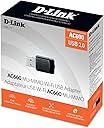
The D-Link DWA-171 USB WiFi Adapter delivers dual-band 802.11ac wireless speeds up to 433 Mbps on 5GHz and 150 Mbps on 2.4GHz, featuring MU-MIMO technology for efficient multi-device connectivity. Its compact design and simple WPS push-button setup make it ideal for professionals seeking fast, reliable internet on desktops or laptops, while maintaining backward compatibility with older WiFi standards.


| ASIN | B00CL58JYQ |
| Best Sellers Rank | #1,717 in USB Computer Network Adapters |
| Brand | D-Link |
| Color | Black |
| Compatible Devices | MAC, PC, Android |
| Compatible Operating System Family | MacOS |
| Customer Reviews | 3.9 out of 5 stars 1,548 Reviews |
| Data Link Protocol | 802.11ac/b/g/n |
| Data Transfer Rate | 583 Megabits Per Second |
| EU Spare Part Availability Duration | 5 Years |
| External Testing Certification | FCC B\nIC\nWi-Fi |
| Global Trade Identification Number | 00790069392276, 00790069392320 |
| Hardware Interface | 802.11 ac/b/g/n |
| Item Part Number | DWA171 |
| Item Type Name | D-Link USB WiFi Adapter AC600 Mini Wireless Internet Dual Band MU-Mimo Wi-Fi Network Desktop Laptop (DWA-171) |
| Item Weight | 4 Grams |
| Manufacturer | D-Link Systems, Inc. |
| Mfr Part Number | DWA-171 |
| Minimum Required Operating System Version | Mac OS 10.15 Catalina |
| Model Number | DWA-171 |
| UPC | 079006939232 790069392320 790069392276 790069458415 790069391859 |
| Unit Count | 1.0 Count |
| Warranty Description | Comes with Manufacturer Warranty. |
S**N
Excellent Adapter Compared With Old Netgear, Compact, Very Easy Install, Reliable Connection
This compact D-Link AC600 USB WiFi adapter exceeded my expectations. I got it to replace a very old (wireless G) adapter from Netgear that had finally died. The installation of the adapter following the software installation and could not have been much easier. It quickly paired to the existing network with a very solid and reliable connection. It is also much faster than the old wireless G adapter it replaced! Here is what I like: + small size means it's not sticking way out from the back of this desktop PC + reliable connection: this does not drop connections like the old Netgear. + super simple setup and configuration + made my client happy to have better WiFi for a very reasonable price. Downsides? Not any yet. It seems to just work and work pretty well. As should be no surprise, I'm giving this adapter 5 stars because it's easy to install & configure and provides a fast & reliable connection.
A**R
Great choice for Mac/Hackintosh computers, easy setup, great speed
D-Link USB wifi adapters seem to be the most reliable choice for Mac/Hackintosh computers solely based on the drivers that are available for download from their site. Some of the other brands just don't support anything but Windows based desktops/laptops. In terms of speed it was great. The connection would cut out from time to time, but simply turning my wifi on/off would do the trick. Might be an issue for some but it didn't happen often enough to warrant a return or choosing a different adapter. Be careful that you don't accidentally bump into the adapter or bend it as its very delicate. Mine was plugged in via a front USB port on my desktop and I hit it with my knee and it bent slightly and stopped working. I would wiggle it in and out and could see it would connect and disconnect. Other than that, it's worth the money
G**S
Not a good product
I really wanted to like this adapter but this device is not a good product. The first one I got, my computer had a hard time recognizing it. When it came to the step in the installation process to insert the adapter, the computer would give a message that my usb device was not recognized or not functioning properly. I figured it was a connection issue, so after taking it out and putting it in 10 or 12 times I finally got the computer to recognize it and complete the install (yes, I felt dirty afterward). The problem going forward was that the slightest touch to the device would cause it to become disconnected from the network. Any movement or shifting would do this. So I did a defective return and got another one a few days later. The next one didn't have quite the trouble installing but had the exact issue where the slightest touch or shifting in the usb port would cause disconnection from the network. And this one had even more trouble reconnecting after the disconnect than the first one. I'm not sure what it is about the design that won't let the adapter shift in the port even a little without disconnecting from the network, but that's what this thing does. The secondary issue I had was that it would only connect at 72mps on my 2.4 ghz frequency. The 5k had much better results at over 400mps at times. I really liked the compact size but for me the frail connection made this model unusable. I have recently upgraded my network with a d-link AC1200 router and was looking for a dual band adapter for my laptop, but I'm sending both of these back. I previously purchased a d-link dwa-140 for my desktop which works great. It connects at 130mps but doesn't have the ability to work at higher speeds on the AC standard. After all the connection issues with the dwa-171 I installed it on my laptop and tried to move it around in the usb port to see if maybe it was my laptop causing the issue or maybe if this is just normal. It has no problem no matter how much I shift it around in the port, so I have to conclude this issue is due to the design of the dwa-171. So, I will continue shopping for another dual ban ac adapter because the dwa-171 is junk. **Edit/Update 12.17.13 After returning both of the Dwa-171 that I tried, I ordered the Edimax EW-7811UTC AC600 Dual-Band USB Adapter based on the good reviews it had received. I had never heard of Edimax which is part of the reason I chose the D-link product to begin with, even though the specs are similar and the Edimax is $10 cheaper. The EW-7811UTC suffers from none of the problems I had with the dwa-171. It connects in the USB port firmly and the minor play in the port that it has does not result in a disconnect should it be moved or shifted in the port. I've been using for about a week and haven't had a single disconnection. The disc that came with it did not include a driver that was compatible with windows 8.1, so my computer would continue to reboot until I unplugged it. However, with excellent customer service from Edimax I was able to find and download the correct driver and the product has worked perfectly since. Their email response time was less than 30 minutes and they stayed with me through 8 email exchanges over a short period of time until the issue was confirmed fixed. I did not expect such top notch customer service from a company I had never heard of before. Based on the excellent connection speed (usually around 400mbs) and the excellent customer service I will first consider Edimax products when shopping in the future.
S**R
Massive improvement!
I got this D-Link low profile USB wi-fi adapter to take advantage of the new "AC" IEEE standard for wi-fi which is a two to four-fold improvement over the 300 "N" standard from just a couple of years ago. I can now reliably connect to my wireless router from 200 feet away and beyond with 400 mbps or higher link throughput over my old 300N adapter, which routinely only gave me link speeds in the 72-144 range. This is a definitely must for your laptop or other wireless devices if you upgrade your wireless router to a new "AC" variety. I am using this D-Link adapter with a Netgear router with zero glitches and seeing 100% signal strength through a 135 year old brick construction house with a lot of inner brick walls. The old 300N adapter rarely got a "strong" signal sitting in the exact same spot. Very happy with the purchase!
S**O
Only works with Linux if one downloads and installs a module from Github.
To get this to work with a later Linux kernel, you have to find the git repo and download it. My original review was not accepted, possibly for giving the URL as external urls are apparently forbidden, so I'll just say look for the rtl8812AU_8821AU_linux git repo. ArchLinux offers an AUR package for it. You probably have to reboot after installing the module. Because of this, I was only going to give it two stars, however, it does, once the module is installed, give excellent speed. It's smaller than a standard USB. EDIT: D-Link was nice enough to respond and suggest one get drivers from their site. I downloaded the zip file and tried the install.sh script provided, however it failed. While the zip file included a good deal of documentation, much of it seemed for Android and other devices. At this point, I still suggest the buyer using Linux clones the github repo and uses it, assuming you have kernel-headers and kernel-devel (on Fedora, and probably other RH based systems), it's just make, make install and depmod. ArchLinux has an AUR for it that also works. Neither Free nor OpenBSD seemed to recognize it, but I didn't investigate deeply. (Neither, with an Intel card that they recognize, is able to do 802.11ac speed.) EDIT: After only a few months, (August) this no longer works. Both Windows and Linux machines (on two different computers) see the card, but it can no longer make a connection. As it was sold by Amazon, I've written them to see about returning it.
M**O
works great, replaces some of my non functioning edimax adapters.
Very fast even though it's just AC600. I bought these as spares as i didn't know if i'd need to expand my AC network. I was using all Edimax products which seemed to work great at first, then i would eventually get connection and reliability issues and i wasn't sure why. No errors reported from edimax, always said connected at some really good speed like 585Mbps. But my laptop had issues connecting, and my farthest computer had issues downloading things, but there was no sign of problems. After replacing the edimax with this slower rated usb dlink network adapter, i was getting fast speeds and reliable downloads again. Guess it pays to stick with name brands.
B**K
Did not live up to expectations
I bought a new dlink router (dual band with AC support), so I bought a few of these guys so I could upgrade my system and get the speeds promised by FIOS. So far the router seems decent. It does what is advertised. However, these gadgets do not. First, I had to move the router within 15 feet of my computer, before it would pick up the signal and give me the option of even connecting to the router. My smart phone has an app to measure signal strength from their sources and could pick up the same router from 50'-70' away, both the 2.4 Ghz and the 5.8 Ghz signals. Then I used my laptop to test the speeds at 2.4 Ghz with my old router and built in wireless (under 5Mbs), then the new router with built in wireless (50+ Mbps) then the new router with this new USB adapter (2 Mbps). What a shock that this USB adapter only got 1/25th the speed of my old built in adapter. For 5.4Ghz (and AC) , I didn't have anything else I could compare to. It did good and matched the max my FIOS line can support. So I was happy with that. However when testing with gaming, I had many episodes of lag time and dropping my connection. I ended up re-installing and verifying I had the latest drivers. The lags and dropped connections stopped happening while gaming. I am still not happy with this product. 2.4 Ghz performance is ghastly. 5.4 Ghz is good, but drops off like a rock as soon as you move a little farther from the router. I like the spec sheet and the small size, but it just doesn't measure up on what is important. Performance.
F**R
I love these - tiny fast and simple
I love these wifi adapters! I have 2 of them and they're much faster than I expected. I got mine to upgrade 2 laptops that have only older 802.11n wifi adapters and these give better connection speed, quality, and range even though it's just a tiny little USB adapter. I've tried other USB wifi adapters including some huge ones with giant antennas, and none of them have worked as well as these have even though these are only listed as AC600 speed. Recommended!
S**R
Easy to use WIFI Adapter for PCs or Workstations
We had many broadband outages and it was affecting our work. While my laptop was able to connect to my backup dongle, our PC could not. I was therefore on the lookout for a good wifi adapter for my PC. The DWA-171 is a really good spec, easy to install and fast wifi adapter. It is smart enough to connect to the dongle's wifi signal as it catches reflected signals too. Worth it completely.
L**O
Very effective DWA-171 AC600 Dual Band WiFi adapter
The product I have just received was marked as Model DWA-171 and also shown as an AC600 Mu-Mimo dual band USB adapter. This is slightly different to the older model listed in that it has a WPS button on its side face not on the end face of the unit. However, I have never had luck installing Wifi keys using the WPS button on any device. I have both DWA-171 models, so the major difference with the AC600 model lies in the installation of the software which took me some time to understand the process When first plugged in, the unit was recognized immediately by my laptop but showed up in Device Manager as a Portable Device not Network Adapter. So when I found it in Windows Explorer it had been allocated a new drive letter. When clicking on the drive letter, I could then see the software Exe file. Clicking on this started the software installation, then all was fine. So the software installation was completely different to the other DWA-171 model and I’m sure this method of software installation will be missed by many customers creating problems with people wrongly believing the unit was faulty. The unit works fine and is a better solution for connecting to the internet over WiFi when using my new HP laptop that came with only a single band Wifi card. I am pleased with the way the unit functions over both wave bands. When in the same room as my router the connection over the 5GHz band works brilliantly fast but when several rooms away from my router then the 2.4GHz band is stronger. So it is great to now have two wave band options using such a small but very effective device. Update: I have several good mini-laptops with XP installed which I upgraded to Windows 7. I tried the adapter but it would not work until Microsoft updated the software to Windows 7 Service Pack 1. Then the adapter was alive! So now I have several ultraportable laptops which have superb internet connections using the adapter.
N**K
Facile d’installation et bonne performance
Mon garçon l’adore. Très facile à installer! Il peut maintenant avoir son PC sans fil avec excellente vitesse de connexion pour jouer en ligne et faire ses téléchargements.
✳**️
Compact et super rapide ! 👍👍👍👍
J'ai commandé ce produit pour ajouter à mon Lenovo qui n'accepte pas le 5GHz, pour donner un peu de pêche aux téléchargements. ➖➖➖➖➖ CE QUE J'AI AIMÉ ➖➖➖➖➖ 💚 Compact et solide 💚 Installation super simple (bien mettre le CD AVANT de connecter le dongle USB) 💚 Pas besoin d'utiliser le soft D-Link pour la gestion du Wifi, j'ai gardé la gestion par Windows 10 (le choix est proposé à l'installation) 💚 La simplicité d’utilisation 💚 Connexion extrêmement stable (ça nous change des produits chinois low-cost) 💚 J'ai mesuré 160-180 Mbps sur ma liaison fibre (limitée à 200 Mbps), et 300 Mbps de PC à PC dans mon réseau interne (bidirectionnel) 💚 Le Led au bout du dongle clignote au rythme des transmissions (en gros, on voit si des données passent) 💚 Comme j'ai pas mal d'équipement en 2.4GHz, l'utilisation du 5GHz me donne la pleine bande passante ➖➖➖➖➖ CE QUE J'AI MOINS AIMÉ ➖➖➖➖➖ 🚦 J'aurais préféré un produit encore plus compact (je sais, j'abuse, mais il fallait bien trouver trouver un peu à grogner 😊) ➖➖➖➖➖ EN CONCLUSION ➖➖➖➖➖ Produit costaud , super performant, bien conçu et facile d'utilisation. 👍👍👍👍 Design ⬛⬛⬛⬛⬛⬛⬛⬛⬛ 9/10 Fabrication ⬛⬛⬛⬛⬛⬛⬛⬛⬛⬛10/10 Utilisation ⬛⬛⬛⬛⬛⬛⬛⬛⬛⬛ 10/10 Simplicité ⬛⬛⬛⬛⬛⬛⬛⬛⬛⬛ 10/10 Prix ⬛⬛⬛⬛⬛⬛⬛⬛⬛ 9/10 Je suis séduit, j'aime bien, et je recommande 👍👍👍👍 Mon avis est sincère, personnel et honnête, et seulement le reflet de ma propre expérience. J'espère qu'il vous aura été utile dans vos choix. Merci de m'avoir lu 😊
D**O
Piccola spesa, ottima resa
Utilizzato per collegare un vecchio desktop hp con windows 10 alla rete di casa e funziona bene raggiungendo ottima velocità di download
Trustpilot
1 month ago
2 weeks ago