

🚀 Boost your signal, banish buffering, and own your space!
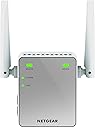
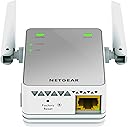
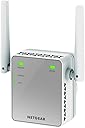
The NETGEAR N300 WiFi Booster (EX2700) is a compact, easy-to-install range extender that enhances your wireless network by covering up to 600 sq ft and connecting up to 10 devices at speeds up to 300 Mbps. Compatible with any router, it features a wired Ethernet port for direct connections and supports advanced security protocols, making it an essential upgrade for seamless streaming, gaming, and smart home connectivity.


| ASIN | B00NIUHAG6 |
| Are Batteries Included | No |
| Best Sellers Rank | 1,198 in Computers & Accessories ( See Top 100 in Computers & Accessories ) 17 in Network Repeaters |
| Brand | NETGEAR |
| Colour | berry |
| Connectivity Type | Yes |
| Customer Reviews | 4.1 4.1 out of 5 stars (33,466) |
| Date First Available | 1 Sept. 2014 |
| Guaranteed software updates until | unknown |
| Item Weight | 97.8 g |
| Item model number | EX2700-100UKS |
| Manufacturer | Netgear |
| Product Dimensions | 5.5 x 3.4 x 6.7 cm; 98 g |
| Series | EX2700 |
| Wireless Type | 802.11b, 802.11g, 802.11n |
A**R
Very good, changed my life
I live in a small flat so I can't say how this works for houses, but right now the extender is 10 metres from the router and the lights are always green, which means the signal is excellent. Supposedly, this thing doesn't improve the speed of the connection and that's probably true but once my signal jumped from 1-2 bars to 5, I connect much faster and I don't have to constantly troubleshoot the connection. My laptop always struggled to connect in this flat, my flatmates' too, so we thought it's a problem with the router, but now it looks like it was the signal. Of course, the speed during the day depends on very many factors and this box isn't a cure for all of them, don't even think that it is, but now in my flat we can stream movies without a problem with just standard broadband (not fibre), at only 8 mega. Fibre might give you 30 mega and that might not even work as well as it should, but before you change the router or your internet provider, try this little box. I was SO frustrated these past several years with my crappy connection, many times I wanted to throw my laptop out the window because it was configured properly but just wouldn't work as it should, but now I don't have this problem anymore. Hallelujah. The instructions say that this box should be relatively close to the router but mine is at 10 metres away, separated from the router by a fridge and a wall and furniture, and it still works perfect. I've had it for several months now and never had any issues. It's easy to install, just follow the simple instructions. Just make sure you do have the kind of connection that is required, read the description of this product before you buy it and check your connection specifications in your computer, because if you don't, you might not be able to use this extender or the installation will be more difficult. I found a manual for my router, also Netgear, and double-checked with an illustration that I do indeed have the WPS button on the router. From then on everything was a piece of cake - and I'm a woman who knows nothing about technology so that tells you something. I can't recommend it enough. It's a life saver, definitely worth the price.
R**.
Great value
Having tried many WiFi extenders before I wasn’t expecting a lot from this but I have to say it works really well -set up was easy-I would say the hardest part is finding a suitable place for it as it needs to be in a good WiFi area so it can extend it if it’s placed too far away from the router this is not going to work for you
S**N
Beware if using the WPS pairing feature from a Virgin Superhub...
I bought this to try and extend my wireless from my Virgin Media 'Superhub' in to a deadspot in my home office. Only arrived today (Sunday - well done Amazon!) and seems to have done the job based on 4 or 5 hours use so far. I have gone from having a very shaky, intermittent connection to what seems to be a solid 30MB/s. Just a word of warning if you are setting this up for use with a Virgin Media Superhub. The instruction leaflet recommends using the secure WPS pairing feature where you basically press a WPS button on the device and then press the WPS button on your router. Should be nice and simple and avoids going through a web browser interface to adjust your routers settings. However - the WPS button on my Virgin Superhub is the glowing, round 'Virgin' icon on the front of the router (no, it's not marked WPS, why would it be..?) - I found this out after a bit of googling. But be warned, press it for 4 seconds rather than 2 and it doesn't initiate a pairing but instead disables all wireless out of your router. It doesn't give any indication that it's done that - your wireless network just vanishes. Nada. Nothing. Even after a power up / power down reset of your router. Crazy design Virgin, I mean really! Anyhow after some more frantic googling on my 'phone - I realised the problem - held down the icon switch again for six seconds and the wireless functionality is switched back on. I then followed the instructions for pairing via a web interface and I was up and running in 5 mins. All good. So, product seems fine - Virgin's router design team are off my Christmas List..!
V**K
I still face minor issues
R**O
Es un poco complicado configurar con el router
P**G
I needed something to extend my wifi coverage to a bedroom at the far end of the house. I managed to set this up in less than 5 mins from unboxing the netgear. I plugged it into a wall socket close to my main router (in the kitchen), switch it on till the power light stopped blinking, press the WPS switch on the netgear and the WPS button on my router to get the two talking. Once the WPS light turn green and stopped blinking it's all set up. It has the wifi name the same as my home wifi plus the _EXT to it. Share the same password too. I took the "set-up ready" netgear to a socket close to my bedroom, plugged it in and it worked!. Perfect. No more wifi blindspot.
H**K
Pathetic speed when connected on this extender.I regret buying this.
M**D
Easy to install as my wifi router is of same brand, followed the instructions provided, need to have little patience until the led glows to green that to first time only. Overall experience is nice, product serve the purpose as network signal strength in my other room is excellent now..
Trustpilot
3 weeks ago
1 month ago