Buy anything from 5,000+ international stores. One checkout price. No surprise fees. Join 2M+ shoppers on Desertcart.
Desertcart purchases this item on your behalf and handles shipping, customs, and support to Taiwan.
🔀 Effortless USB sharing for the multitasking pro who refuses to waste a second.
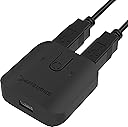
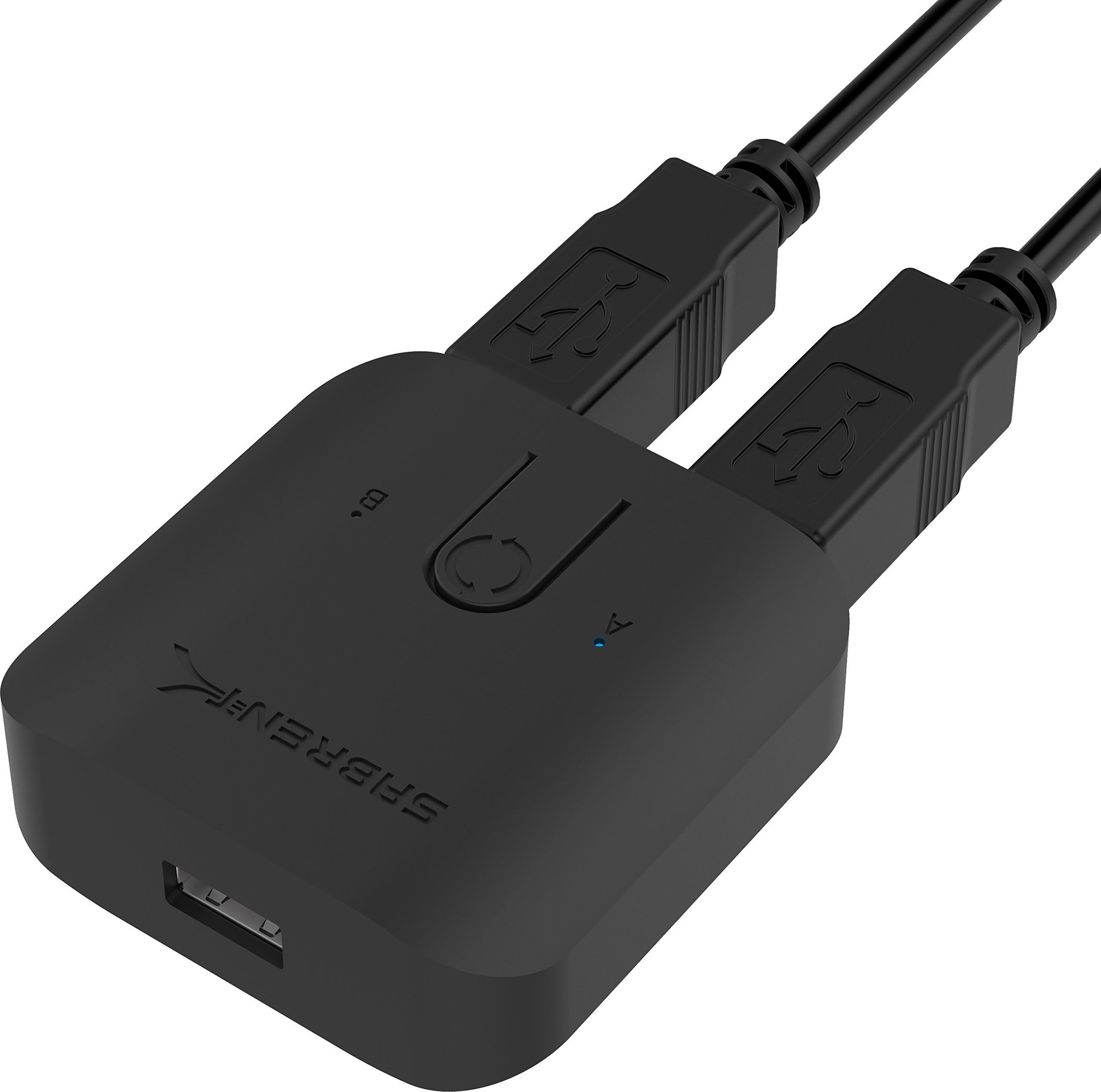
The SABRENT USB 2.0 Sharing Switch (USB-SW20) is a compact, plug-and-play device that allows seamless sharing of USB peripherals between two computers. Featuring a single push-button switch and LED indicators, it supports data transfer speeds up to 480Mbps, making it perfect for managing printers, external drives, and other USB devices without driver installation or setup complexity.


| ASIN | B074TZKGVR |
| Actuator Type | Push Button |
| Best Sellers Rank | #72 in KVM Switches |
| Brand Name | SABRENT |
| Circuit Type | 2-way |
| Color | Black |
| Compatible Devices | Keyboard, Mouse |
| Connectivity Protocol | Usb |
| Connector Type | Usb |
| Contact Material | Plastic |
| Contact Type | Normally Open |
| Control Method | Touch |
| Control Type | Manual |
| Controller Type | Push Button |
| Current Rating | 0.5 Amps |
| Customer Reviews | 4.3 4.3 out of 5 stars (4,473) |
| Global Trade Identification Number | 00819921013576 |
| Included Components | USB-SW20 |
| International Protection Rating | IP60 |
| Item Dimensions | 5.12 x 5.91 x 1.97 inches |
| Item Weight | 40 Grams |
| Lower Temperature Rating | 70 Degrees Fahrenheit |
| Manufacturer | SABRENT |
| Material Type | Plastic |
| Model | USB-SW20 |
| Mounting Type | Plug-In Mount |
| Number of Items | 1 |
| Number of Positions | 2 |
| Operation Mode | ON-OFF |
| Part Number | USB-SW20 |
| Switch Type | Push Button |
| Terminal | Physical |
| UPC | 819921013576 |
| Unit Count | 1.0 Count |
| Upper Temperature Rating | 100.2 Degrees Fahrenheit |
| Warranty Description | 1 Year limited. 2 years with manufacturer registration. |
| Wattage | 5 watts |
A**W
Cromulent mouse/keyboard device swap switch, no frills
(Review for USB-USS4) Works flawlessly, no fuss, nothing to cause concern for compatibility issues as it works the same as simply plugging/unplugging the device: simple switch to swap a single USB device between two connections. USB 2.0 good for a mouse or keyboard. Comes with two USB-A/B cables. Reasonable size and aesthetics, obviously not premium but does not look or feel like junk or flimsy either. Good value for what it does: if you just want to swap a mouse or keyboard between two devices without plugging and unplugging this will do exactly that and nothing more.
W**.
Small, Simple, Effective
In photos within easy arms reach I have a Laptop, Mini PC, 2 Macs, A Color Inkjet and a Laser Printer,. 3 permanent external Raid/Hard Drive storage Units. Two monitors for three computers. Imac screen is used as target display for Mac Mini using Sabrent to switch usage between the two Macs connected as target display with Thunderbolt cable . Keyboard and mouse can be used for either Mac or Mini PC. Sabrent switch hard to see in Photo just follow the white Mac Keyboard Cable. Switch is simple to set up, two cables out the rear, one to each Mac, keyboard and mouse plug into front of rigedly mounted unit double stickie foam taped to desktop. Sabrent switch works flawlessly with USB 2.0 or 3.0, either or both. can switch from iMac to Mac mini in just a few seconds. Switch is a much more elegant, less expensive and simple solution than trying to wrestle with Bluetooth Keyboard, Trackpad and Mouse; not a problem with one Mac, but with two Macs side by side, mouse ends up being attached to both macs, or neither. Bluetooth is unstable as peripherals won't stay put, either Mac can grab either Magic Mouse or keyboard. My setup is: cheap, generic mouse plugged into one of the Mac keyboard USB ports so the Mac keyboard cable alone will attach both keyboard and mouse. My office set-up is complicated and it has taken a lot of time and trial and error, (wasted time and money), to get it all set up and seamlessly working together. The Sabrent switch was a no-brainer. Just plug it in and it works. iMac is USB 2.0, Mini is USB 3.0; not a problem, it was just plug and play. The only real problem is if You want to set up a mac as target display. What mac will work with the other mac and whether to use a mini-display cable or thunderbolt cable. 27.5 inch display 2008 to 2012, 25.5 inch 2010 -2012. will work as target displays. If both have mini display ports then you can use mini display cable If one or both have a thunderbolt port you must use thunderbolt cable. They look the same, but are different. My Mini has Thunderbolt, iMac is Displayport. It only works with a Mac Store Thunderbolt cable. If you use Mac Bluetooth keyboard Command + F2 will switch Display output, but keyboard won't switch without having to pair it to each computer each time you switch! Sparing you the details - it just doesn't work! As mentioned, Bluetooth with two macs is problematic. Logitech Bluetooth switchable keyboard will switch the Macs but not the display because Command, F2 key used to switch the display does not work as F2 key is dedicated to Bluetooth. Just take my word for it, I found out having wasted a lot of time and money, wired keyboard and mouse with Sabrent hard-wired switch is the way to go. For me, the biggest objection to wired devices is that you end up with a lot of long unused wire hanging all over the place, messy, ugly, gets in the way, gets tangled, etc, etc. I have a picture of the underside of my keyboard, shows how to avoid that. This review is more than just about the sabrent switch, though it tells how nicely it fits into the big picture. I how it answers a lot of questions you might have. Walter O.
E**S
Smooth and Simple Way to Share USB Devices
Smooth and Simple Way to Share USB Devices This little Sabrent USB 2.0 sharing switch turned out to be a really practical addition to my setup. I’ve been using it to share a printer and an external hard drive between two laptops, and it works exactly as described. The switch itself is compact, lightweight, and doesn’t take up much space on the desk. I like that there are LED indicators that make it clear which computer currently has control, so there’s no guessing. The button on top is firm and responsive—just a quick press and it switches instantly without any hiccups. Setup couldn’t have been easier—plug the USB devices into the switch, run the included cables to each computer, and you’re good to go. I didn’t need any software or drivers, and everything was recognized right away. Transfer speeds are what you’d expect from USB 2.0, which is fine for printing, scanning, and general file access. The only thing to keep in mind is that this is USB 2.0, not 3.0, so if you’re planning on moving very large files or using high-speed storage devices, you’ll hit limitations. For basic peripherals like printers, scanners, keyboards, or even a webcam, though, it’s more than sufficient. Bottom line: A very handy little device that makes it simple to share USB peripherals between two computers. Reliable, easy to use, and a solid value if you don’t need USB 3.0 speeds.
A**R
Man behöver ofta dra ur/sätta i mus och tangentbord efter man bytt mål-PC
M**Y
Easily lets me switch between a laptop and desktop so I can work from home using a work laptop and game at home on weekends using the same keyboard, mouse and monitor. Seems to manage the switch between machines reliably but has a button for the rare occasions it does not switch automatically. Pretty impressed with how neat it makes my set up.
�**�
SABRENT USB Switch KVM USB 2.0 de 4 Entradas y 4 Salidas. Gratamente sorprendido por este dispositivo. Lo primero dejar claro que no es un KVM, donde también "swicheas" una pantalla, en este caso sólo permite trabajar con dispositivos que se conectan por USB. Lo que me ha sorprendido gratamente es que los 4 dispositivos que puedes conectar de entrada (ej. teclado, ratón, pendrive, HDD externo) trabajan hacia el ordenador con un único cable USB (de salida). Cuando utilizas el botón para hacer switch, pues redirecciona esos 4 dispositivos de entrada al siguiente PC ...es muy rápido y lo hace automáticamente sin necesidad de instalar anda. En mi caso la pantalla aplico el "switch" manual, al contar con varias entradas, pues tengo una al PC de sobremesa y otra al portátil. La única pega es que no me ha gustado el tacto del botón para cambiar entre ordenadores, tiene un tacto y ruido algo "plasticoso", pero de resto genial, los cables USB incluidos se ven de calidad y de un largo más que suficiente. Resumen: dispositivo muy muy práctico, fácil de usar, pequeño ... deberías tenerlo aunque no lo necesites ahora mismo (viene genial para cuando un colega te trae su PC para reparar por ejemplo).
Z**H
I kept buying generic USB switches that are just rebrand of another manufacturer, and they all had a common problem. They all had ghosting key presses. They would either not register a key stroke or double up on a key stroke. They often randomly stop switching all devices attached(mouse, keyboard, webcam, headset), and would bug out. Sabrent is a well known brand, and so far this thing hasn't dropped a beat. The price is great, even less then some of the many others I've tried. While this is working well, I haven't had it as long as the other, so this review may change in the future. If it last a year without bugging out, I'll be happy. Pros: 1- Switching from 1 PC to another is quick, with no delay. It's only as fast as your OS will register the peripherals being connected. 2- Can have a USB micro connected to give additional power to the USB devices(I havent needed it, but glad it's an option). Cons, every product has at least 1: 1- The USB cables that connect to the 4 other PCs(if you want to connect to 4, the option is there, I needed 4) is attached to the HUB, so if you only need 2, you have to cable manage the other 2 lose cables. Not a huge deal, but worth mentioning. 2- The button to switch, while big and responsive, only cycles through 1-4. It would have been nice to be able to press, Left for 1, up for 2, right for 3, down for 4, or something. Again, not a huge deal, but it can be annoying hearing the other PC's make the USB connecting sounds when rotating through. That's it. I would recommend this one for sure even with the cons, since it hasn't been ghosting my key presses, and switching to the next PC instantly with no delay.
カ**イ
マウスはマウスだけ、キーボードはキーボードだけ切り替えたい、そんなニーズに答えてくれます。 1点だけ難点を挙げるとすれば、切り替え確認の青色LEDがナナメからだと見にくいことです。 マスキングテープをちょこっとLEDの上に貼れば、それだけで改善するので特に問題なしでした。
Trustpilot
2 weeks ago
3 weeks ago