Desertcart purchases this item on your behalf and handles shipping, customs, and support to Taiwan.
๐ Elevate your security game with crystal-clear 4K vision and seamless WiFi 6 power!
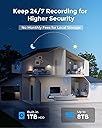
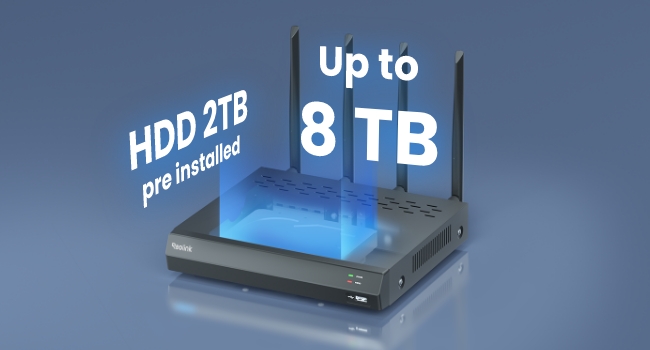
The REOLINK 4K Security Camera System includes 4 outdoor 8MP cameras with advanced 100ft color night vision and WiFi 6 technology for fast, reliable wireless connectivity. Featuring a 2TB built-in HDD for continuous 24/7 recording, IP67 weatherproof rating, and smart motion detection with spotlight and siren alerts, this system offers professional-grade surveillance with easy DIY installation and expandable camera support.


| ASIN | B0CDPX63YH |
| Alert Type | Motion Only |
| Antenna Location | Outdoor Security |
| Best Sellers Rank | #146 in Bullet Surveillance Cameras |
| Brand | REOLINK |
| Built-In Media | B800W*4; RLN12W*1; NVR Power Adapter 12V 2A*1; Camera Power Adapter 12V 1A*4; HDMI Cable*1; USB Mouse*1; 1m Network Cable*2; Power Extension Cable*4; Quick Start Guide*1 |
| Color | White |
| Compatible Devices | Cameras |
| Connectivity Protocol | Wi-Fi |
| Connectivity Technology | Plug-in WiFi |
| Control Method | App |
| Controller Type | Amazon Alexa |
| Customer Reviews | 4.0 out of 5 stars 591 Reviews |
| Effective Still Resolution | 8 mp |
| Enclosure Material | Metal |
| Indoor Outdoor Usage | Outdoor |
| Indoor/Outdoor Usage | Outdoor |
| Installation Type | Screw In |
| Item Dimensions | 14.57 x 8.07 x 11.42 inches |
| Item Type Name | Smart Security System |
| Light Source | Infrared |
| Manufacturer | Reolink Digital |
| Manufacturer Warranty Description | 2-year warranty |
| Memory Storage Capacity | 2 TB |
| Model Name | RLK12-800WB4 |
| Model Number | RLK12-800WB4 |
| Mount Type | Wall/Ceilling Mount |
| Night Vision | Night Color |
| Night Vision Range | 100 feet |
| Number of Channels | 12 |
| Number of IR LEDs | 2 |
| Number of Items | 1 |
| Other Special Features of the Product | 24/7 Recording, 4K 8MP HD Resolution, Night Vision, Person/Vehicle/Animal Detection, Wi-Fi 6 New Technology |
| Photo Sensor Resolution | 8 mp |
| Photo Sensor Technology | CMOS |
| Power Source | DC |
| Recommended Uses For Product | Outdoor Security |
| Room Type | Back Yard, Driveway, Front Door, Garage |
| Special Feature | 24/7 Recording, 4K 8MP HD Resolution, Night Vision, Person/Vehicle/Animal Detection, Wi-Fi 6 New Technology Special Feature 24/7 Recording, 4K 8MP HD Resolution, Night Vision, Person/Vehicle/Animal Detection, Wi-Fi 6 New Technology See more |
| Specific Uses For Product | Home Security, Surveillance |
| Unit Count | 4 Count |
| Video Capture Format | MP4 |
| Video Capture Resolution | 4k |
| Waterproof Rating | IP67 |
| Wireless Technology | Wi-Fi |
C**E
Great system - make sure you have good wifi coverage
Overall, I am very happy with this NVR system. I used it to replace an old wired DVR system I used for over 10yr. It took me a while to get the wifi working consistently. Since old system was wired, this was a real challenge. All of my cams are outside and some are a distance from the house (up to 180ft away). I have an Asus mesh router but connection was inconsistent or nonexistent for cameras away from house. I had to purchase 3-TPLink outdoor access points (EAP650-can setup hardwired or wifi), a TPLink controller (OC200) and POE switch (TL-SG1005P) โ quite a learning curve with all the TPLink components but got it working and it is great. TPLink has great documentation and lots of youtube videos,etc. The person/vehicle/animal detection works well and works at a good distance (further than Eufy cams which I also tried). There are occasional false alarms but nothing significant. Only problem I encountered was with 2 cams that would stop/start recording randomly. Reported to Reolink support but they had no info on problem. After much experimenting, I found it was with outdoor cameras with a lot of greenery โ something about the intensity of the color(?). I reduced the contract, brightness & saturation for the cameras and now works fine. In addition to the 4 cameras it comes with, I added 4 more Reolink cams - including one zoom and one 180 degree camera โ very impressed with both. I purchased a 12TB hard drive which I will install soon. The Windows software works well as does Android software. Takes a while to learn each but that is expected. All cams are connected via wifi and record continuous at 4k. My current laptop does not display 4k so next purchase will be new laptop capable of 4k. Iโve had this system for a couple months and feel confident I will be able to depend on it as I did with old wired system and it is REALLY nice not to run wires to each camera. I did have to buy a number of electric extension cords for the Reolink cameras but was able to place them where they are discrete and not in the way of foot traffic,etc. Should work better than old wired system with thin wires that were occasionally chewed on by animals, even when buried.
M**M
Good camera
I've been using Reolink for many years and have used an assortment of their camera models, both wi-fi and POE. The phone / iPad app is xlnt and user friendly. I have 8 outdoor cameras on my property and have never had one fail which speaks to their excellent durability. Overall I have been very pleased with their products, but I think this one of my favorites for connectivity, sharpness, and night vision so I'm giving it 5 stars. It does not have a wide field of view so it won't cover the entirety of a room, such as a garage, but it is fine for larger areas. Also, you can't adjust the the electronic shutter speed or aperture, but that may not matter for most users. I always find that the initial wi-fi set-up never goes smoothly, but eventually I get there. I could see some folks getting really frustrated. When in doubt, read up on how to do a complete reset while connected to your LAN and enter a new password. It seems very hard to find documentation on how to use the various software features other than trial and error. Connectivity will be a function of distance from your router and wifi signal strength. You might need to use extenders like I did for better performance, but overall I think it is pretty good on this camera.
P**G
Support sucks
this is a wifi stand alone camera. Hardware appears good quality. Connects to a wired network ok. Will not connect to wifi. Appears to require you to connect to a router that is connected to the internet before you can connect wifi - Reolink support says not so. I called support several times. I went through the brain dead AI stuff, and to human support who had no idea about the interface but could read perfect english from a script. I asked for a network engineer to call me - nothing. They said it was my camera and sent me another and same thing. I doubt it is the camera but the wifi communication parameters. It apparently does not broadcast a ssid so you have no idea if it is the camera hardware or being blocked. Neither my pc w/wifi will connect or display the camera wifi nor my iPhone - and both are using the Reolink apps. If you are looking for a standalone wifi camera, I suggest you look elsewhere until Reolink gets rid of their brain dead support. Oh yea, try and find someone in the US who is in charge of Reolink and who is responsible. Caveat Emptor.
H**.
Great upgrade
I had an OOSSXX security camera set which had bad quality video and disconnect issues. The ordered this system which has 16 channels and was disappointed that I couldn't get the OOSSXX cameras working on this system but that's ok I guess. It was easy to set up the cameras. Just connect the camera to the Reolink system with a network cable, it'll find the camera automatically and then click on sync to push the wifi information into the camera, unplug it and do it for the next camera. Note that it will only sync the 5 ghz wifi connection. After you configure the cameras, install the app. If you want certain cameras to connect to 2.4 ghz, plug the camera into your home wifi router, it'll automatically show up at the bottom of the app. You may have to put in the camera password, which mine was very long and you can get it from the Reolink system - it may also be a blank password. After it's connected, go to the settings and you'll see a wifi option and you can choose the 2.4 ghz Reolink network. Then delete that camera from the app and remove the network cable to activate the wifi. My experience with the 2.4 ghz was pretty bad though. A lot of lag and disconnects so I instead used a TP Link 5 ghz extender for the cameras outside that is far away. All 10 of my cameras are running with very minimal lag of a couple seconds at most, very good and smooth video quality, easy to use the app and watch recorded videos. The 2TB hard drive filled up after a week so I got a 8TB hard drive which I bought for about $100. Night mode is good, all cameras have mics and speakers, and you can increase the video bitrate within the app. All in all, well worth it if you can get the 5 ghz signal to go through your walls.
J**Q
Outstanding Image Quality and Night Vision
Excellent hardware. System works very well with high definition. More features to setu up than I expect to use. Good field of view on cameras, night vision is super! Once all cameras and NVR properly setup, WiFi connectivity seems reliable. Need a monitor to initially set up the cameras and system on WiFi. Reolink Client app for iPhone && iPad very good, but having scale problems with the latest version for Windows on PC.
D**.
Great Security Cameras
Great Camera .... Fantastic Picture ... Warranty can be a pain in the Butt , trying to prove the camera is defective and the customer is not stupid ..... But They DO HONOR the WARRANTY and make it right .... What 's Really Nice is having the ability the View ALL CAMERAS where Ever I Go ..... I Hard Wired All Camera .... Instructions are a little Rough for Beginners ....
H**Y
Decent Camera For The Novice User
The two images I provided are of actual vandals/thieves trying to break into our mailboxes captured with this Reolink camera. The first image was taken with spotlight enabled with supplemental lighting. Facial clarity seems good. The second image was taken with spotlight disabled without supplemental lighting. The face is too blurred to be recognizable, but their license plate is legible. Both using color night mode. All the images were retrieved from Reolink app at full resolution using โclearโ quality. Iโve been using this RLC-811WA camera for about 2 months now. I have experience with many other more reputable brands of cameras before and I opted for this Reolink because itโs more budget friendly with the features I need. This camera seems decent, but it does have its shortcomings. What I hate the most is when you first open the app to view the camera, thereโs often a delay โconnectingโ or โloading streamโ. This delay seems to vary all the time almost like its buffering. This could be because it connects to Reolink servers before it directs your connection to the camera. I can see how this approach is useful for less technical people since it allows you to view your camera remotely without needing to configure port forwarding or other firewall rules. Iโm more used to the near instantaneous loading of some other brands. Hereโs what I dislike about this camera: 1. This camera is bulky. It seems to be more than twice the size of other cameras. Possibly because it takes more space to make the camera varifocal. 2. Image takes a long time to refocus after zooming. This makes it unpractical to zoom in on suspicious activity when its needed since it would just blur the image for a while. 3. Ipad app doesnโt seem that different from iPhone app. App doesnโt load everything in landscape mode, only when you go full screen on a camera stream. Hereโs what I like: 1. Local control. This would be a dealbreaker if I was restricted to their app and/or forced to connect to a cloud server. This camera allows you to access it via HTTP/RTSP/Onvif if you enable it. The camera loading delay is improved when connecting directly. By default this functionality is disabled which is understandable since itโs more of a security risk for the more casual user who might have it on when they donโt utilize it. 2. Human/animal/vehicle detection seems spot on. Better speed and accuracy than other brands I have used. Hasnโt misidentified an object so far so Iโm impressed by that. Hereโs my final thoughts on the camera. 1. UI and configuration is oversimplified. It lacks more comprehensive adjustments of the image like color balance, exposure, etc. Same with motion detection. Canโt define zones, line crossing, intrusion boundaries, etc. Works well enough out of the box, so I donโt hold it against it since camera is intended for the casual user. 2. Image quality seems decent. Motion blurring is more severe when thereโs too little light so thereโs room for improvement there. 3. Wifi range seems decent. Getting a strong signal outdoors, but there were 3-4 instances where the camera appeared offline when the rest of the network was working seamlessly. 4. Push notifications work well, but it would be nice if they were rich push notifications instead that donโt require a paid cloud subscription. As a workaround, I am having it email an image to a rich push mailbox.
S**S
Great stand-alone IP camera with RTSP support.
I'm really impressed with the Reolink IP cameras given their price compared to other options. The things I like about them: 1. They do not require a cloud connection: These cameras can be operated completely isolated from the internet. I block all outside access other than NTP, and these cameras function just fine. 2. They support both hard-wired ethernet and WiFi 3. They have RTSP support which allows me to connect to them with video utilities like VLC and ffplay. I have two of these cameras set up to monitor a couple of honeybee hives. I have a 4K Fire TV set up in my windowless office that allows me to use their camera feeds as a virtual window using the VLC app available to Fire TV devices. It sure beats simply staring at a blank wall ;-)
S**E
Clear and High-Quality Security Camera
Like all Reolink cameras, the RCL811 4K 8MP Outdoor Security Camera delivers excellent image quality. The footage is sharp and detailed, making it easy to see fine details. Setup is straightforward, and the camera is simple to get up and running. The night vision is particularly impressive, with long-range, powerful infrared LEDs providing a clear image at night. The 5x zoom works quickly with autofocus, making positioning the camera more flexible, as it can be placed further from the area you want to monitor. The build quality is solid, with a sturdy cast housing and a strong mounting bracket. Overall, a well-made camera that performs very well.
S**E
Love those cameras. Easy setup.
I love everything about these cameras and a major improvement over my 2K, 1920/1080P Wyze cams with required yearly subscriptions (which have all been replaced with Reolinks now). I bought 2 of these to cover the back of the house as I already have my Duo 2 Wifi covering the entire front of the house. Easy setup, purchased 256Gb micro SD's for each, no yearly subscription required (unless you really want to), 2 to 3 seconds detection notifications and highly configurable. Now I'll just have to wait to see how long they survive the test of time. Definitely worth the buy.
B**F
Very happy with this camera
Realy good picture quality and the camera is sturdy aluminium. It took a while to get the sensitivity right and setup non detection zones but it was worth it to exclude annoying notifications. Great value for money. I am looking for an excuse to buy more.
D**Y
Great system
Good system easy to use plug and play. Decent range. App is easy to view your cameras. Sold separately cameras link in easy. The loveable cam is great, wish I got more
G**N
Great unit
Very well boxed! Very easy to install and set up. Picture is great and has a great wide angle view.
Trustpilot
1 week ago
2 weeks ago