Description
🎮 Level up your game with seamless wireless power!
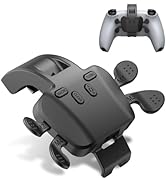
- CUSTOMIZABLE GAMEPLAY - Turbo, macro programming, and button mapping let you tailor controls to your unique playstyle and dominate every match.
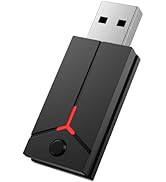
- PLUG PLAY CONVENIENCE - No drivers or complicated setup—just plug in the Bluetooth USB adapter and jump straight into your favorite games.
- LAG FREE WIRELESS EXPERIENCE - Enjoy ultra-responsive gaming with near-zero latency and a stable connection within a 26-foot range—no interruptions, just wins.
- ENHANCED TOUCH MOTION SUPPORT - Utilizes touchpad and gyroscope features for immersive gameplay, even if adaptive triggers and HD vibration aren’t supported.
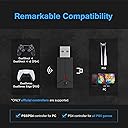
- UNIVERSAL CONTROLLER COMPATIBILITY - Seamlessly use your PS4 or PS5 controller across PS5 consoles and Windows PCs for ultimate gaming flexibility.
The IWGAME Wireless Controller Adapter empowers PS4 and PS5 controllers to connect effortlessly to PS5 consoles and Windows PCs via Bluetooth USB. Featuring customizable turbo modes, macro programming, and button mapping, it delivers a lag-free, stable wireless experience up to 26 feet. Designed for plug-and-play ease, it supports touchpad and gyroscope functions, making it a versatile tool for serious gamers seeking flexible, high-performance control.