

Buy anything from 5,000+ international stores. One checkout price. No surprise fees. Join 2M+ shoppers on Desertcart.
Desertcart purchases this item on your behalf and handles shipping, customs, and support to Taiwan.
🔗 Connect. Switch. Dominate your dual-computer setup like a pro.
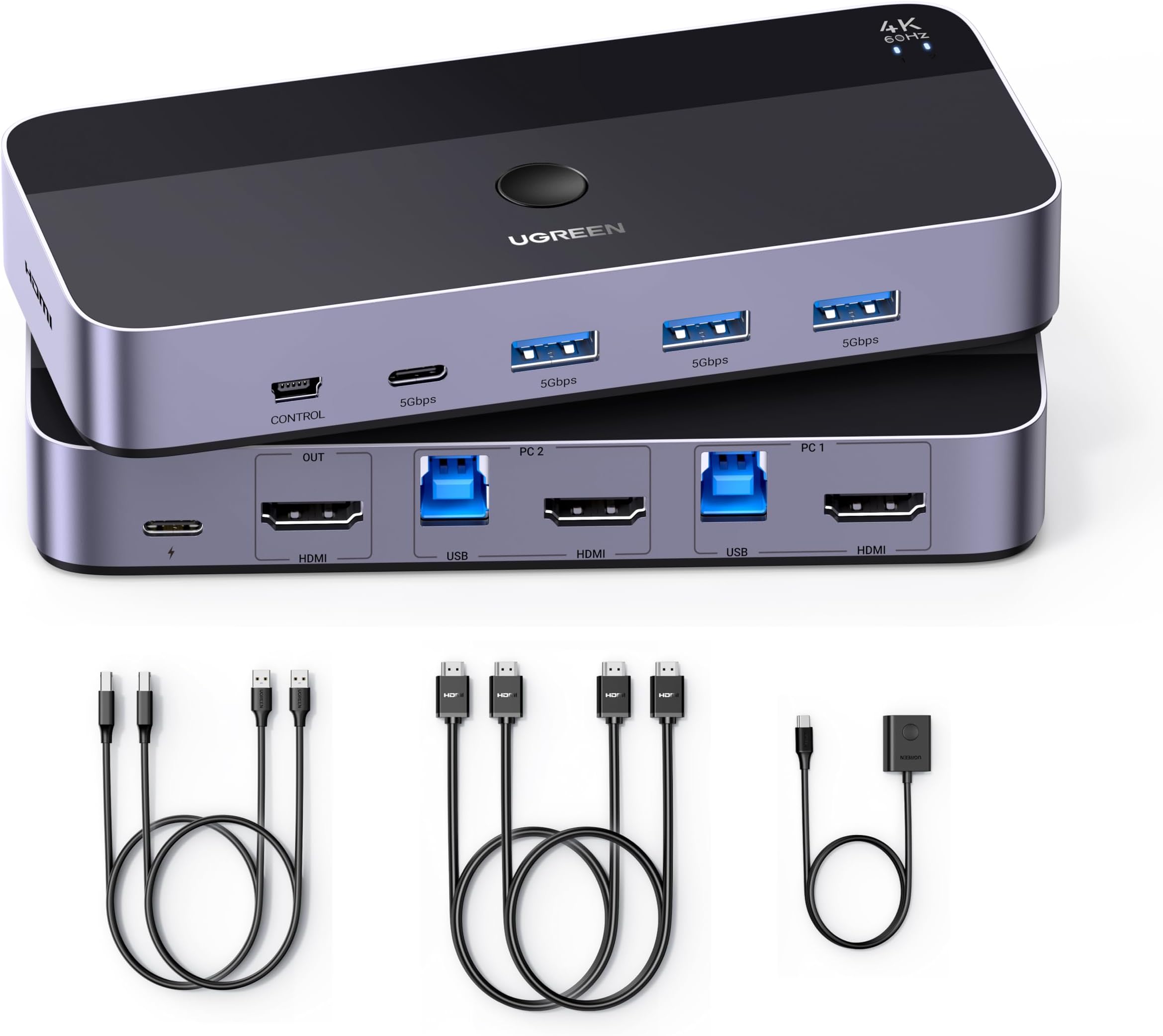
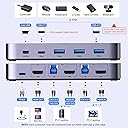
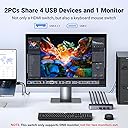
The UGREEN USB 3.0 KVM HDMI Switch is a premium 2-port device enabling seamless control of two computers via one 4K@60Hz monitor. Featuring 3 USB 3.0 ports and 1 USB-C port, it supports ultra-fast 5Gbps data transfer for keyboards, mice, hard drives, and printers. With driver-free plug-and-play compatibility across Windows, Mac, and Linux, plus HDMI 2.0 with HDR and 3D support, it’s designed to maximize productivity and workspace efficiency for professionals juggling multiple systems.


| ASIN | B0C8NFPSJV |
| Actuator Type | Push Button |
| Best Sellers Rank | #3,562 in Computers & Accessories ( See Top 100 in Computers & Accessories ) #2 in KVM Switches |
| Brand | UGREEN |
| Brand Name | UGREEN |
| Circuit Type | 2-way |
| Colour | Grey |
| Compatible Devices | PS5, PS4, PS3, Xbox One, TV Box, PC, Laptop, Switch, etc. |
| Connectivity Protocol | HDMI, USB |
| Connector Type | USB, HDMI |
| Contact Material | Metal |
| Contact Type | Normally Open |
| Control Method | Touch |
| Control Type | Manual |
| Controller Type | Push Button |
| Country of Origin | China |
| Current Rating | 500 Milliamps |
| Customer Reviews | 4.3 out of 5 stars 992 Reviews |
| International Protection Rating | IP00 |
| Item Dimensions | 9.5 x 5.7 x 2.4 Centimeters |
| Item Type Name | KVM Switch |
| Manufacturer | Ugreen Group Limited |
| Material Type | Plastic Metal |
| Model Number | 15707 |
| Mounting Type | Surface Mount |
| Number of Items | 1 |
| Number of Positions | 2 |
| Operating Voltage | 5 Volts |
| Operation Mode | ON-OFF |
| Part Number | 15707 |
| Smart Home Compatibility | Not Smart Home Compatible |
| Specification Met | CE, RoHS |
| Switch Type | HDMI |
| Terminal | Solder |
| Unit Count | 1.0 Count |
| Warranty Description | 24 Months |
| Wattage | 30 Watts |
J**I
No nonsense works out of the box.
Worth the price, instead of buying cheap stuff regret and then buy multiple things. This works out of the box. Provided 2 proper good quality hdmi cables and usb cables for data transfer. Pretty much everything works of the out the box instantly easily.
V**L
Best KVM switch , seamless connection , effortless working....worth the buy if you have budget
Solves the problem of 2 laptop and one external monitor. Though pricey at 6K but does the job what it says. Connecting the cables to laptops and monitor is fairly straight forward. Switching between laptops at the press of a button does takes 2 - 3 sec but guess that is not an issue and I don't think other KVM's can offer instant switch though not tested. The OS itself will take some time to detect the external monitor when switching hence the time. Cables are of good material and looks sturdy. It is being 2 days of use only but I am happy. Why I choose KVM , I have official and personal laptop and want to keep personal stuff away from official laptop, else we mostly end up saving personal data over period of time on official laptops as we use official one more often. Also it solved issue of switching wireless keyboard and mouse every time. Now I have keyboard, mouse, Headphones ( Wired) and External camera all connected to KVM and use them with both laptops. I have connected one USB hub to the KVM USB C port and able to add more devices like external HDD , Pen drive etc. ( Camera is added here only). Hope fully this works for at least few years to have the ROI.
I**N
Really worth the price
Really productive product to swiftly switch between 2 computers within 5 seconds worth the price
S**H
Excellent product
Excellent product and able to connect my two laptops (Dell and HP) with single monitor. Compatibility is good. You just have to press the button to switch between laptops and it takes only 2 seconds.
A**A
Meets the expectations
It has been around 1 month since I got this product and started using it. It has been meeting the expectation. No issue faced so far in connecting mouse, keyboard and monitor. However, connecting Type C headphones is not working fine.
N**S
Great product at affordable price
It works very well, a must have for anyone with multiple systems but one monitor.
A**Y
Ubuntu
Review for Ubuntu : Did not tried with Mac/PC. Did not work. Did not recognize keyboard and LCD on Ubuntu. Had to return.
P**R
My purpose was to have a clean, functional and convenient setup, which it couldn't deliver.
Overall build quality and size of the device is quite convenient. My setup is 2 laptops and one large display monitor, keyboard, mouse and a webcam. Fir such setup problem starts with the cables first, they should have ideally provided 3 HDMI cables or 2 HDMI and one DP cable. I had to buy an additional HDMI cable. Next, it has multiple USB ports at the back, where I connected keyboard, mouse and webcam. None of it worked!! Next, I was expecting power delivery for both the laptops, but there's no option for that. I tried with my type c cable to check the feasibility of power delivery to the laptops, didn't work. So the top cons are - no power delivery, inadequate HDMI cables, non functional ports for peripheral devices. My purpose was to have a clean, functional and convenient setup, which it couldn't deliver.
S**R
Very good does the Job and then some
Monster fast great KVM worth the money Amazon comes again with great value
S**R
Finally a KVM switch that actually works
I have a gaming PC the kids use and a work laptop, and I needed one monitor, keyboard, and mouse to work with both without the hassle of swapping cables every time. Been looking for something like this for a while but every one I tried before either didn’t work or was a nightmare to set up. This one worked right out of the box. Setup took maybe five minutes and the button switch between computers is seamless, no lag, no fuss. The 4K at 60Hz looks great and having four USB 3.0 ports means the keyboard, mouse, and anything else stays connected without having to think about it. If you’ve been burned by KVM switches before like I was, this is the one to try. Should have found it sooner.
N**N
Value for money
An excellent choice for anyone who needs to manage two systems efficiently. Its reliable performance, 4K support, and ease of use make it a valuable tool for both professional and personal setups. However, users should be prepared for minor cable clutter and limited USB functionality. Overall, it offers great value for its price.
A**R
Ugreen USB 3.0 HDMI KVM for my Mac Mini and Windows Laptop that share a Monitor, Keyboard and mouse
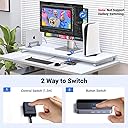
This just works! This is my 3rd KVM I have tried - first from UGREEN - but have several of UGREEN other products (Cable, adapters, PowerBank) so I'm a big fam of the UGREEN Brand. My setup: 2025 MacMini, Windows 11 Dell Laptop sharing a Dell 4K 120hz monitor, and a Bluetooth Keyboard and Mouse. Although my monitor can support 4K-120hz - I do not to any gaming and my primary use is for editing 4K footage. So a KVM that supports - 4K 60Hz is 100% fine. I did consider KVM's that support 4K 120 Hz but decided I did not need it. My previous KVM (not a UGREEN brand ) worked fine until I added my Mac Mini. The Monitor would often go to sleep and to "wake up" I would have to power off/on the monitor. Just received the UGREEN KVM switch today and everything works like a charm. Observations: 1. The package comes with 2 HDMI cables - but for my setup I need 3. HDMI cable 1 - from Laptop to KVM HDMI cable 2 - from MacMini to KVM HDMI cable 3 - from KVM to shared Monitor. But had 3 HDMI cables from my old KVM - so no issue. 2. The KVM unit has a push button to switch between connected devices. Worth noting: It also comes with a separate - long wired switcher which is quite handy. Once I configured the cables for my devices - I placed the KVM under my desk - out of the way. I only have the wired Switcher on my desk - less clutter. See pic. 3. Switching between devices great - 5 seconds. Sometimes it is around 10 seconds but that is more tied to either my Mac Mini or Windows laptop - waking up from sleep mode. If I am quickly toggling between devices - switching connections is 5 seconds. 4. It just works! My Monitor no longer goes into sleep mode randomly. 5. The KVM switch comes with a 1 USB-C , and 3 USB-A ports. I use 1 USB-A port for my Keyboard and Mouse dongle. Unexpected Bonus: I use the other (2) USB-A ports to connect (2) External Drives - and both are accessible when using either my Mac Mini or Windows Laptop. It's so satisfying when electronics just work and provide the solution you were looking for. Setup was a breeze, Zero issues, 5/5
M**Y
Good item
Good
Trustpilot
1 month ago
2 weeks ago