Desertcart purchases this item on your behalf and handles shipping, customs, and support to Taiwan.
🚀 Power Meets Precision: The Mini PC That Means Business & Play
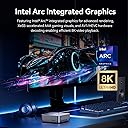
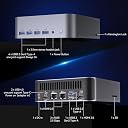
The GEEKOM GT1 Mega AI Mini PC is a compact yet mighty desktop featuring the latest 14th Gen Intel Core Ultra 9 185H processor with 16 cores, paired with Intel Arc Graphics for superior visual performance. Equipped with 32GB DDR5 RAM and a 1TB SSD, expandable up to 96GB, it ensures ultra-responsive multitasking and storage. Cutting-edge connectivity includes WiFi 7, Bluetooth 5.4, and dual 2.5G LAN ports, supporting multiple 8K displays for professional and creative workflows. Designed with advanced cooling and backed by a 3-year warranty, it’s a reliable powerhouse for managers, creators, and gamers seeking a sleek, future-ready mini PC.
| ASIN | B0DG7WDW75 |
| Additional Features | Dual 2.5Gbps LAN Ports, Intel AI Boost NPU, lceBlast 2.0 Cooler |
| Aspect Ratio | 16:9 |
| Best Sellers Rank | #19,082 in Computers & Accessories ( See Top 100 in Computers & Accessories ) #693 in Mini Computers |
| Biometric Security Feature | Windows Hello |
| Brand | GEEKOM |
| Built-In Media | mini pc |
| CPU Model | Intel Core Ultra 9 |
| CPU Model Number | Intel |
| CPU Model Speed Maximum | 5.1 GHz |
| CPU Speed | 3.4 GHz |
| Cache Memory Installed Size | 24 MB |
| Cache Size | 24 MB |
| Color | Gray |
| Compatible Devices | Headphone, Keyboard, Monitor, Mouse, Printer |
| Connectivity Technology | 2.5G LAN, Bluetooth 5.4, HDMI 2.0, USB 4.0 |
| Cooling Method | Cooling Fan (GEEKOM's self-developed lceBlast 2.0 Cooling System) |
| Customer Reviews | 4.3 out of 5 stars 201 Reviews |
| Display Resolution Maximum | 7680x4320 pixels |
| Display Type | LCD |
| EU Spare Part Availability Duration | 3 years |
| Graphics Card Description | Integrated |
| Graphics Card Interface | Integrated |
| Graphics Card Ram | 32 GB |
| Graphics Coprocessor | Intel ARC Graphics |
| Graphics Description | Integrated |
| Graphics Ram Type | DDR4 SDRAM |
| Hard Disk Description | SSD |
| Hard Disk Interface | ATA-4 |
| Hardware Interface | HDMI |
| Human-Interface Input | Buttons |
| Item Dimensions | 8.94 x 6.92 x 5.27 inches |
| Item Weight | 1.5 pounds |
| Keyboard Layout | QWERTY |
| Manufacturer | GEEKOM INC |
| Memory Clock Speed | 5600 MHz |
| Memory Slots Available | 3 |
| Memory Speed | 5600 MHz |
| Memory Storage Capacity | 31.99 GB |
| Model Name | GT1 MEGA |
| Model Number | GT1 MEGA |
| Model Year | 2026 |
| Native Resolution | 7680 x 4320 @ 60Hz |
| Number of Component Outputs | 2 |
| Operating System | Pre-installed OS with Flexible Linux & Ubuntu Compatibility |
| Optical Storage Device | BD-R DL |
| Personal Computer Design Type | Mini PC |
| Power Consumption | 65 watts |
| Processor Brand | Intel |
| Processor Count | 1 |
| Processor Series | Intel Core Ultra 9 |
| Processor Socket | BGA 413 |
| Processor Speed | 3.4 GHz |
| RAM Memory Installed | 32 GB |
| RAM Memory Technology | DDR4 |
| RAM Type | DDR5 RAM |
| Ram Memory Maximum Size | 128 GB |
| Resolution | 7680 x 4320 |
| Security Features | DTPM 2.0, Windows Defender, Windows Hello, BitLocker |
| Speaker Type | External Speakers Required |
| Specific Uses For Product | Business |
| Specification Met | CE, FCC, RoHS, CB, CCC |
| Style Name | U9-185H |
| Total Expansion Slots Quantity | 3 |
| Total Number of HDMI Ports | 2 |
| Total Usb Ports | 8 |
| UPC | 850062546349 |
| Unit Count | 1 Count |
| Video Output | HDMI, USB4 Type-C |
| Video Output Interface | HDMI |
| Video Processor | Intel |
| Warranty Description | 3-year limited warranty |
| Wireless Compability | Bluetooth |
| Wireless Network Technology | Wi-Fi |
| Wireless Technology | Bluetooth 5.4, Wi-Fi 7 |
B**T
Small and mighty graphic design computer for a fraction of the cost
We just got some of these at work (sign company) to replace some aging computers that were not compatible with Windows 11 (it was time to upgrade to remain compliant with security updates, etc.). I’m a designer there and use Adobe apps on them. InDesign, Photoshop and Illustrator. Coming from an iBuyPower Slate MR gaming PC circa 2018/2019 with a 9th gen Core i7 processor with 16 GB RAM and an Nvidia 2080 Super graphics card (8 GB). I haven’t noticed any issues and it seems to perform identically, except I am now on Windows 11 Pro, and this sucker is a fraction of the cost of many gaming PCs these days. I did a TON of research before suggesting these to work (and getting our IT guy’s stamp of approval). As others have mentioned, this is not a dedicated graphics card, so be aware of that. What you are getting is onboard graphics that are much better than the old UHD 770 standard. This type of graphics processor *shares* RAM with the system. So, while it shows 128 MB VRAM for the “graphics card,” that’s not really all you’re getting. Remember that it uses the system RAM to complement that. And this thing has 32 GB of RAM out of the box. That is more than I had in my previous system, which had 16 GB of physical RAM and 8 GB on the graphics card. And it supports up to 64 GB of RAM, so the more you throw in there, the happier it’ll be. While not a gaming PC by hard-core gaming standards (you really need a dedicated graphics card for that), I have a feeling this thing could handle some casual games (you might need to check or adjust some settings to make sure you’re maxing out your RAM utilization in-game — another comment on here mentioned a performance mode; I suspect enabling that would be what is needed to allocate enough RAM to those hungry apps). I have not tested that because this is my work computer. I don’t play games on it. However, there is also the option of connecting a graphics card externally via USB 4, from what I understand. For what I use it for — graphic design work — it works great so far, out of the box. Navigation has been smooth and seamless, my Adobe apps open pretty quickly, and there’s no delay or lag, as I’m working, even in high-quality display mode. I do see a possibility of wanting more RAM before long, as I start to work with it more and put it through its paces, but so far I’m very happy with it.
L**V
Compact with big Impact
The Geekom GT1 Mega Mini PC has been an impressive addition to my setup. Straight out of the box, it felt premium with its sturdy metallic build and compact design. Setup was seamless, and I appreciated the wide range of ports, including USB-C, HDMI, and Ethernet, making it highly versatile for different uses. Performance-wise, it delivers snappy multitasking, fast boot times, and smooth performance for work, media editing, and general use. While it’s not a gaming powerhouse, it can handle casual and eSports gaming well, and there’s even an option for an external GPU (eGPU) for those needing extra power. Cooling is another highlight—the fan stays quiet, and even under heavy workloads, the PC remains cool without thermal throttling. Overall, the GT1 Mega is an excellent choice for professionals, casual gamers, and those looking for a powerful, compact PC. If you don’t need a dedicated GPU, this is one of the best mini PCs available.
M**P
Highly performant; upgradable to 64GB of RAM; connect external SSD to USB 4.0 ports to extend space
I picked up this mini PC to replace my aging home computer. I typically use my home computer for browsing, office related tasks (Microsoft 365), running virtual machines, software development, video streaming, etc. It's performed all of these tasks quickly and smoothly. I'm not into gaming, so I don't have a need for a high-powered GPU and the Intel Arc graphics card has worked well. After a few days of usage, here's what I've noticed. Pros: * Extremely fast, even when I run VMs (each with 8GB memory and multiple cores) * Quiet, even when the fan is running (when compared against my HP Z820) * Runs Fedora Linux 41 on bare metal * Successfully upgraded to 64GB using Crucial 64GB DDR5 RAM 5600MHz (search for CT2K32G56C46S5) * Support team is responsive to emails within a 48 hour period Cons: * Limits on the secondary internal SSD. It comes with a 2 TB 2280 NVMe SSD which is excellent. There's also a port for an internal secondary SSD, but it only supports M.2 2242 SATA SSD (they keyword here is SATA and not NVMe). Most of the reliable name brand SSD vendors do not produce M.2 2242 SATA SSDs any longer. However, if you're willing to go the external SSD routes, you can hook up anything you want to the fast USB 4.0 ports included. I really appreciate the high performance (specifically the Intel U9-185H processor + 32 GB RAM + 2 TB SSD) and small form factor of this mini PC. It can be successfully upgraded to 64 GB of RAM. If you want to extend drive capacity and get maximum performance, you'll need to use an external SSD with the USB 4.0 ports.
G**T
Fast and upgradeable but noisy and has poor WiFi speed
When my laptop did not meet the needs for my video editing (not enough memory leading to crashing in Davinci Resolve working with simple 4K/30 videos), I decided I needed an upgrade. Passed through a phase of considering Mac Mini before deciding that switching over operating systems was not worth my time, and besides, the Apple upgrade model was not something that I could accept. I am not a gamer and not even *remotely* interested in games and I long outgrew the need for a huge desktop box. So I decided to go with the mini PC form factor. After some research on Google and YouTube I decided to give this GEEKOM GT1 Mega a try. Packaging: Simple and straightforward and well packaged. Setup: Again, straightforward with no issues. This was the first time buying a Chinese-branded computer (I have been buying HP for the past decade or more) so having Windows 11 Pro bundled with no OS included except on the computer and with no software key or authentication information was new to me - I hope it never needs re-installation. BIOS setup needed no change since it came in "Normal" mode (as opposed to "Quiet" or "Performance". Booted right up normally per Windows 11 routine and I was able to get all the latest updates etc. just as normal. Size is excellent and it has plenty of ports although for my needs the second Ethernet port is superfluous. Operation: I still have my laptop as my main computer since it can travel with me, but I am relegating this mini PC to main video and photo editing duties, and since it will be running most of the time, I am also using it for web browsing and watching videos. Under light usage (such as typing this review) the computer is quiet, and the fan does not appear to be running. Navigate away from this browser page even to a non-video intensive page like a forum web page (you know, lots of messages and no auto-playing videos) and the fan starts to wake up, spinning slowly but just audibly. Go somewhere more video intensive like a YouTube Video and the fan speed can start to increase. Editing my simple YouTube 4K videos occasionally brings the fan up to full speed, and the fan can be left running if you walk away from the computer with Davinci having a video loaded and doing nothing and the blank screensaver is on! That said, for my usage the fan keeps the machine cool enough - it never feels warm to the touch and the exhausted air only feels slightly warm at its worst, so that persistent fan is at least efficient if distracting at times. I will admit that I expected the fan noise issue before buying the GT1 Mega. Operationally, the good news is the previous crashing during Davinci Resolve editing does not occur anymore thanks to the 32GB RAM. Rendering speed is also increased although not as much as I expected over my 3-year-old Intel Core i7 HP laptop. WiFi: Here is my biggest disappointment with this computer. I have Xfinity internet at home and can attain speeds of up to 350 Mbps (download) on my laptops (home and work) which are right next to the GT1 Mega (but only one is awake at a time, so no interference). All are the same distance away from my router and all tests are run within a couple minutes of each other so time of day usage fluctuations are the same for all. The GT1 Mega can only achieve 100 Mbps when the laptop right next to it is hitting 300 Mbps lid open. Lid closed, the laptop download speed drops but is still faster than the GT1 Mega at over 150 Mbps. Upload speed is a consistent crappy 41 Mbps for all 3 computers. See the attached file for the latest results I got while typing this up and with no other load on my home WiFi. As a content creator *upload* speed is more important to me as long as video playback is not buffering I am happy. At the attained WiFi download speed with the GT1 Mega I have not experienced buffering *yet*, but I am still disappointed that the WiFi performance is this poor, especially given the upgraded WiFi specs of the machine. I contacted GEEKOM Support and the person said to get the latest WiFi drivers from their site, and to install it even though it was like a year older than the one on the computer! Needless to say, there was *no difference* so I reverted since I prefer to have the latest updates on all my machines. I replied to Support telling them of my results and they have gone quiet. Maybe this review will wake them up. I have heard that mini computers tend to have poor WiFi due to antenna placement and while that could be the case it should still be better than my older laptop with WiFi 6 specs. For the money I paid for this I expected better. UPDATE: Since the above review on the original unit, I was contacted by GEEKOM Customer Support regarding this issue. Let me say right away – GEEKOM Customer Support has been EXCELLENT throughout this issue, and *could not have been better*. Very fast and very responsive with emails and solutions, much better than larger manufacturers would have been, I am sure. First, they guided me though opening up the computer to check that the antenna wires were properly connected, which initially they were but since these wires have press-on connectors to the adapter card they came loose and could not be effectively reconnected. So at that point I lost all WiFi functionality. GEEKOM Customer Support stepped up, and in an effort to ensure my satisfaction promptly sent me a replacement GT1 Mega! Again, the setup and updating of this replacement GT1 Mega was effortless and smooth, but WiFi performance was no better than the first unit, with max download speeds being typically no better than 120 Mbps. *However* when the GT1 Mega was placed on its side with the bottom of the miniPC facing the direction of the router in the next room, the download speed instantly jumped up to about 220 Mbps! That was proof that the antenna design and/or placement inside the enclosure needs improvement. For the excellent customer support I have bumped this rating up to 4/5 stars, but the overall rating cannot get a 5th star due to the WiFi performance issue. If they continue to work [with me] to improve the actual design I will certainly reconsider the rating.
G**D
Small but mighty
This unit seems to preform as advertised.
C**I
Geekom GT1 Mega 32GB Ultra 9 185H- an instant failure with use. Buyer beware
A Mini-PC that is very powerful and stable for the money. With Windows 11pro and bitlocker built-in. To update its drivers, I used Driver Easy app. And to optimize its OS i used CCleaner and DiskMax (both free). I used Malwarebytes to clean entire system. I have noticed that in any new OS (Windows 11), Microsoft Edge uses an enormous amount of RAM with its browser functions (Youtube) and CoPilot AI drain, that at times, it glitches the system to a freeze which locks the system and you have to reboot. To circumvent this, use Chrome browser to alleviate this permanently which is more System OS streamlined and not abusive to the RAM. For Office Suites use Libre or Openoffice suites. The use of K-lite codecs for video and audio playback is better than what comes with system (its free by the way). The Fan might go off only if doing heavy diagnostics (esp if using CCleaner, Diskmax, Malwarebytes, and MRT simultaneously). When moving huge files back and forth try to stick to 100 GB at a time, more than 250 GB can crash a system half way thru. When using Microsoft edge , use it only for CoPilot research and mundane browser use. Anything more in depth, youtube videos or VPN use -for watching movies, use Chrome. Also make sure you match Video 1 (HDMI) with 4k monitor's video 1 (HDMI). In the front of Geekom there are four USB A ports all 3.2 Gen 2 ports- when using two external SSD drives - do not pair them with slot 2,3,4 slots it can overwhelm the ports power and crash your system. Instead use Port 1 and then any combo of 2,3,4 and that will work perfectly. You can use the ports 2,3,4 for USB keyboard or mouse and it will not drain or glitch the system with or without data transfers. For Data transfers use Cable Matters and any Nvme 2280 SSD (like Crucial). This Geekom GT1_Mega MiniPC with its small size and cost efficient pricing and 32 GB RAM offer true power and stability that rivals any PC desktop or Non PC systems, hands down. Lets see if if holds up. Update: as of Aug 28-2025 (in less than a week old) Recently, the Ultra 9 (Geekom) has been crashing- system freezes, so much, it has become unusable. Be careful of these made in China fully, they are truly unreliable. I have done every diagnostic check and the system is okay. I have even run SFC /scannow under run Terminal Prompt (admin) and it says the system is fine (no violations). My laptop i7 from LG runs smooth and has never glitched in its 3 years or more of life and I'm connecting it to my 4k monitor with no problems period. These mini-PCs from Geekom and Beelink have been a nightmare for me. Buyer beware.
A**N
Mini - computer does the job!
I have used this item for about a year now. It works quite well and has offered no problems. It is small, quiet and works well for a low powered computer. It is very good and doing what it was designed to do.
S**E
Geekon GT1
True rating yet to be determined. After days of viewing ads and videos of mini pcs, I picked the Geekon GT1 as the best value on a high-end mini. Set-up was easy and we were off and running--until I tried to load my programs. The programs would flash open then close. I followed the suggestions I found on line for this problem but finally had to bite the bullet and restore windows 11 with a fresh version. The problem was still there. I called Amazon and made arrangements for a return and exchange--I still wanted this computer. While working with another computer something indicated that the monitor may be part of the problem. I went to Walmart and bought a new monitor, unpacked my returning computer, spent another two hours on a restore and tried again -- no luck. I have spent about ten hours on this not including driving and the purchase of the monitor. The device has now been sent back and I must wait two weeks or more for resolution. All I wanted was a simple replacment. I would have been better off dealing with Best Buy or even Walmart who have comperable machines. The resolution would have been much quicker.
L**A
Vale a pena
Ótimo produto.
J**O
Excelente en amplia diversidad de escenearios de uso
La Geekom GT1 se ha convertido en mi computadora principal. Llevo ya cerca de 2 semanas con ella y la tengo trabajando entre 10 y 12 hrs diarias. El procesador y la ram (en mi caso 32gb y Ultra 9 H185) hacen gran trabajo para mantener múltiples programas abiertos, navegador a tope con pestañas abiertas y programas de edición de video básicos como Filmora (no soy editor profesional, pero a veces requiero de hacer algunos tutoriales para mi equipo de trabajo así que es la herramienta que ocupo por facilidad de uso. Estoy comenzando a experimentar con algunos modelos pequeños de AI en local y hasta ahora funciona perfecto, con buena fluidez y con buena fiabilidad en mis pruebas preliminares. Así mismo la he probado con algunos juegos, ya que soy jugador ocasional, y Age of Empires IV lo corre bien en alta definición, Halo Wars 2 en full hd a 60fps, sin problema y forza motor sport (la última edición) en full hd a 60fps sin problema y sin pérdida. Y bueno, demás está decir que por el tamaño que es minúsculo ayuda a mantener el espacio de trabajo despejado y bastante agradable. Por el precio es fenomenal contar con un equipo así. Altamente recomendado.
H**I
Kaliteli ürün, fiyatına değer
Fiyatının karşılığını veriyor, çok iyi. İyi ambalajlı, çabuk geldi. Win11 Pro kurumu vakit alıyor ama problemsiz kuruluyor. Sessiz ve hızlı. Arkadaki USB giriş sayısı daha çok olsaydı daha iyi olurdu.Güzel kaliteli ürün.
N**N
GT1 Mega lives up to it's name
This mini PC is a beast. With 32GB RAM and 2TB, you'll never run out of resources. It runs everything that I need from my apps to my VMs seamlessly. The things I love is Windows 11 Pro and 3yr warranty. I highly recommend it.
C**B
Un petit bijou technologique
Excellent! La présentation/emballage digne des meilleures époques Apple. La performance à la hauteur des attentes. Le déploiement du système (Win11 pro) sans anicroches. La fan fait un peu de bruit durant les mises à jour de rigueur au début, mais par la suite, travail super silencieux et rapide. Ports et connectivité en générale impeccables. Si - comme moi - vous n'aimez pas les portables (parce qu'il faut les 'porter', justement) et le voulez juste pour travailler à la maison, c'est un bon compromis. Certes - côté prix - il y a moins cher. En effet, il se rapproche d'un portable qui offre en plus clavier, souris, écran et batterie... Mais pour un MiniPC (32 GB RAM, 2 TB SSD, USB4 compatible Thunderbolt, WiFi 7, Bluetooth 5.4, iA ready même si pas NVIDIA, 2 RJ45 2.5 Gb pour aggrégation de bande passante ou utilisation comme serveur à 2 réseaux distincts) c'est très intéressant quand même.
Trustpilot
2 weeks ago
3 weeks ago