


Desertcart purchases this item on your behalf and handles shipping, customs, and support to Taiwan.
🚀 Elevate your dual-PC setup with Unitek’s 4K KVM switch — because multitasking deserves clarity and speed!
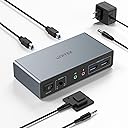
The Unitek KVM Switch V1311A enables seamless control of two computers across dual 4K@60Hz monitors via HDMI and DisplayPort. Featuring four USB 3.0 ports with 5Gbps transfer speeds, it supports a wide range of devices and operating systems including Windows, Mac, Linux, and PS4. With push-button and wired remote switching, plus plug-and-play installation and a robust aluminum build, it’s designed to streamline professional and gaming setups while maintaining a clean, efficient workspace.
| ASIN | B0DBYMBMKN |
| Actuator Type | Push Button |
| Best Sellers Rank | #48 in KVM Switches |
| Brand | Unitek |
| Brand Name | Unitek |
| Circuit Type | 1-way |
| Color | Grey |
| Compatible Devices | Keyboards |
| Connector Type | Plug In |
| Contact Material | Aluminum |
| Contact Type | Normally Open |
| Control Method | Push Button, Remote |
| Current Rating | 2 A |
| Customer Reviews | 3.8 out of 5 stars 147 Reviews |
| Included Components | USB 3.0 Cables |
| International Protection Rating | IP40 |
| Item Dimensions | 5.15 x 2.44 x 1.2 inches |
| Lower Temperature Rating | 40 °F |
| Manufacturer | Unitek |
| Material Type | Aluminum |
| Model | V1311A |
| Mounting Type | Wall Mount |
| Number of Items | 1 |
| Number of Positions | 1 |
| Operating Voltage | 5 volts |
| Operation Mode | ON-OFF-ON |
| Part Number | 11 |
| Specification Met | UL |
| Switch Type | Push Button |
| Terminal | Hdmi+dp |
| Unit Count | 1 Count |
| Upper Temperature Rating | 158 °F |
| Warranty Description | 1 year |
S**E
Outstanding KVM at a reasonable price
I've been using the Unitek KVM with 1 HDMI and 1 DisplayPort for a few months. It works flawlessly. The little metal box is solidly built. Even after a full day of work between two computers, I have never noticed the box was hot. Especially important to me was the fact that the DP was compliant with v1.2. I have two 2k monitors in a daisy chain configuration using DP inputs and both are working at their max resolution. To connect my laptop I use a DP to USB-C adapter into my USB-C alt DP port and it works great. Other reviews noted issues with getting audio to work. I was able to, but it took a little experimentation. On my setup, the audio is channeled from the computers via the USB connection between the computer and the Unitek KVM. So on each computer I needed to select the correct USB audio device as the output. On my Linux computer it was called Speakers Audio Adapter (Unitek Y-247A), and on my Windows 11 laptop it is called Speakers 2 - USB Audio from the Settings > System > Sound menu in Win11. The Amazon description says that the KVM is not compatible with laptops. I don't know why it says that. I am using it with a Dell windows laptop and a Dell Linux desktop and it works just fine on both. I will say that if you use a KVM on a Linux machine, there seems to be an issue with the picture returning to the monitor after the computer wakes from a long sleep. I thought it was the KVM, but it isn't. I'm not sure if it's the way the DP drivers work in Linux and it wouldn't happen if I used the HDMI insteasd, but what I have found is that it's important to switch to the Linux computer on the KVM before waking up the Linux computer itself. If you end up with a black screen but it seems like the computer is working fine, that's because it is. I have not found a fix for this but have been managing the symptom instead.
M**S
Exactly what I needed to switch between personal computer and work laptop
I've only had this item for one day, and I already couldn't live without it anymore! Before I had this KVM switch, my situation was the following: my work laptop, two monitors, mouse and keyboard were connected to a docking station. My personal desktop computer uses the same monitors, keyboard and mouse. So every time I needed to switch between the two, I had to disconnect all cables and plug them in the other system. Super annoying. Now with the KVM switch, my keyboard, mouse and primary monitor are connected to the KVM switch, and my second monitor is still plugged directly in the laptop's docking station. So when I am working, everything is exactly the same: I use both monitors as before. However, when I press the button on the KVM remote, my primary monitor, keyboard and mouse switch to my personal desktop computer, and my primary work display, jumps to my second monitor. So now I can do stuff on my personal desktop computer (on one monitor) and I can check work on my second monitor. Unless I have my work laptop open, I can't control the work laptop, but at least when I see an email or message come in, I can quickly switch back to the work laptop, and respond. This works well for now, because I don't really use my second monitor for personal use. If you have a setup like mine, and you only plan to share 1 monitor between both computers, then you only need to buy two additional DisplayPort or (HDMI) cables and you're good to go. Loving it so far!
K**I
Did not work fror me
1) This wont detect your wireless mouse and keyboard . 2) You can connect 2 monitors but you will need one HDMI cable and another DP output cable . If you have both monitors with HDMI it will not work. 3) I has a DP output cable and it did not work with that too . 4) I spent almost 2 to 3 hours trying to configure and finally nothing worked . 5) You will have to buy a magnifying glass to go over the manual that they have given it was too small.
I**S
Good thing the power switch is easy to reach—you'll need it
After about six weeks of use, the mouse port began failing intermittently. Not realizing the KVM was the culprit, I bought a replacement mouse. When the new mouse also stopped working after about a day, I tested it on another computer and confirmed it worked fine. Power-cycling the KVM switch resolved the issue and got both mice working again. It turns out there is a good reason the power switch is large and easily accessible (unlike Apple’s power buttons)—you will likely need to toggle it regularly to keep basic functions running.
C**S
Great value, very convenient.
I've used this for a home office setup going between a Dell Pro Micro Plus work computer, and my ~12 year old Dell XPS desktop. I had to upgrade my graphics card on my older Dell to accommodate the DP/HDMI output, but this KVM has been amazing the last two weeks. I've worked remote since 2020 and I wish I'd done this much, much sooner! I can switch between computers in about 5 seconds with the push of a button.
P**R
Great KVM but had to upgrayedd my cables
I bought the HDMI+DP KVM to switch between a laptop and desktop Linux system. At first, I was getting a lot of video and mouse lag and the refresh rate seemed stuck at 30hz. I picked up a couple new HDMI 2.1 (Ultra High Speed) and DP 1.4 cables and now able to run 2560x1440 @ 60hz (haven't tried 4k@60hz but probably work). Be aware you may need to purchase some new cables to use this to it's full potential. The old Dell dock for my laptop wasn't up to the higher res/refresh either so I picked up a Wavlink 12-in-1 dock (www.amazon.com/dp/B0CHHX7WYN) for $34 that's working great with the KVM. The video and mouse lag are gone now and I don't notice any difference gaming over the KVM. It seems to work as well as when the monitors were plugged into the video card. Switching between systems is a little annoying. The laptop doesn't retain which windows were on which monitor. Someone's review mentioned this KVM lacks EDID, which is a display communication format, so that may be why. If you plan to switch back and forth a lot using this KVM, be aware you may find this part frustrating. Otherwise, this is a great little KVM for the price.
L**L
Great KVM for 2 computers and 2 monitors using both HDMI and DP!
I needed a KVM to support two PCs with two monitors with one connected via HDMI and the other via DP. I'm glad I chose this one as it's been working great. The remote switch enables switching between the two PCs (one laptop, the other a desktop) seamlessly. This one also has an extra USB 3.0 out in the back which I needed. There is not many out there that has this. The box is also more stylish than other ones on Amazon. Overall, if you need to connect two computers with two monitors that support both HDMI and DP, I would highly recommend this one.
C**E
Can switch between a Mac book Pro and a Windows laptop with no issues!
I have a Mac book Pro and a windows laptop. Now I can switch between the two. Works with no issues and no degradation in image quality or resolution. Worth it!
A**E
Super KVM Switch mit Audio
Funktioniert sehr gut in Windows und Linux, alle Monitore, USB Geräte und Audio wurden sofort gefunden. Der Wechsel ist auch sehr schnell.
井**二
ワンタッチ切り替え、ケーブルもまとまる
2台のPCと2台のモニターを切り替えて使っていて、これまでは面倒臭い手順がありましたが、これを導入してからは非常に簡単になりました。またケーブルが左右に入り組んでいてまとめにくかったのもスッキリしました。
P**R
Excellent dual monitor KVM – makes switching between PCs effortless
I bought this Unitek dual monitor KVM to share two 4K screens, keyboard, mouse and other USB devices between my work PC and personal PC, and it has made my setup so much easier to manage. Once everything was plugged in, it worked exactly as advertised – both monitors run at 4K@60Hz with a crisp, stable picture and no flickering or random black screens. Switching between computers is very quick and smooth. One press of the button and both monitors, plus keyboard, mouse and USB peripherals, swap over to the other machine in a couple of seconds. It’s much nicer than constantly swapping cables around, and it feels completely seamless when I move from one system to the other. The unit itself feels solid and well built, and it doesn’t take up too much space on the desk. The layout of the ports is sensible, and the included cables make it straightforward to get everything connected. Once set up, I’ve had no issues with devices not being recognised or dropping out – it’s been very reliable day to day. Overall, this is an excellent KVM if you run two computers with two monitors and want a clean, simple solution. It does exactly what it claims, with great 4K image quality and hassle-free switching. I’m very happy with it and would definitely recommend it.
U**.
Tut was er soll
Ich schalte mit dem Switch zwei Monitore sowie ein Tastatur/Maus-Set um und habe einen USB Stick für den Datenaustausch zwischen den beiden Rechnern eingesteckt. Das Umschalten funktioniert einwandfrei. Die Umschaltzeit beträgt etwa 3 Sekunden, bis die Monitore sich an die neue Quelle gewöhnt haben. USB-Kabel liegen bei, HDMI bzw. DP-Kabel müssen beigestellt werden. Gutes Preis-/Leistungsverhältnis.
S**E
Works perfectly
1 bluetooth keyboard and mouse, 2 monitors, 2 pc's. Perfect! I should have got one of these a long time ago...
Trustpilot
1 week ago
2 weeks ago