Desertcart purchases this item on your behalf and handles shipping, customs, and support to Taiwan.
🚀 Upgrade to MSI Herald-BE Wi-Fi 7 MAX — where speed meets future-ready connectivity!
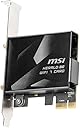
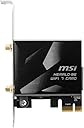
The MSI Herald-BE Wi-Fi 7 MAX is a PCIe network card designed for desktop PCs, delivering ultra-fast 5.8 Gbps Wi-Fi 7 (802.11BE) speeds with 320 MHz channel widths and advanced 4096-QAM modulation. Featuring Multi-Link Operation technology for enhanced network capacity and Bluetooth 5.4 support, it ensures cutting-edge wireless performance and seamless device connectivity on Windows systems.
| ASIN | B0DFHRYRH6 |
| Best Sellers Rank | 21,057 in Computers & Accessories ( See Top 100 in Computers & Accessories ) 53 in Network Cards |
| Box Contents | PCIe WiFi 7 network card; quick setup guide |
| Brand | MSI |
| Brand Name | MSI |
| Color | Black |
| Colour | Black |
| Compatible Devices | Desktop |
| Compatible Operating System Family | Windows |
| Compatible devices | Desktop |
| Customer Reviews | 4.3 out of 5 stars 536 Reviews |
| Data Link Protocol | Wi-Fi 7 (802.11BE), Bluetooth 5.4, 2.4 GHz, 5 GHz, 6 GHz operating frequency, 5.8 Gbps max speed, Windows 11 |
| Data Transfer Rate | 5.8 Gigabits Per Second |
| Data link protocol | Wi-Fi 7 (802.11BE), Bluetooth 5.4, 2.4 GHz, 5 GHz, 6 GHz operating frequency, 5.8 Gbps max speed, Windows 11 Data link protocol Wi-Fi 7 (802.11BE), Bluetooth 5.4, 2.4 GHz, 5 GHz, 6 GHz operating frequency, 5.8 Gbps max speed, Windows 11 See more |
| Data transfer rate | 5.8 Gigabits Per Second |
| Hardware Interface | PCIE x 16 |
| Hardware interface | PCIE x 16 |
| Item Weight | 0.33 Kilograms |
| Manufacturer | MSI |
| Manufacturer Part Number | HERALDBWIFI7MAX |
| Minimum Required Operating System Version | Windows 11 |
| Model Number | HERALDBWIFI7MAX |
| Number of Items | 1 |
| Number of Packs | 1 |
| UPC | 824142377352 |
| Unit Count | 1.0 count |
K**D
A great upgrade for your PC's WiFi
A very economical upgrade to your PCs WiFi capabilities, especially when you can take advantage of all the bells and whistles. It's a PCIe card, so installation is fairly simple. Just remember to connect it to a spare USB header as well for your Bluetooth connection. Drivers can be found on MSI's website and are simple to install via device manager. I bought this to go with my WiFi 7 router and take advantage of the MLO network. After installation, I'm getting a 5.8Gbps link between my PC and router and the MLO network is working perfectly. My PC had no problem maxing out my internet's gigabit connection in some speed tests. For my main use case, I have an Android TV box wired into my router beside my TV, and my PC is able to use Steam's remote play and Steam Link app on my TV to stream games at 4k 60fps to my TV over the network with low latency and virtually no packet or frame loss. Having a solid wifi setup like this when you can't run ethernet is amazing for some couch gaming!
C**D
incredible fast fibre speed at your pc using wi-fi 7
What a little gem this card is. I'm able to get full wi fi 7 speed to my pc now and what an improvement it has made. doubles up as a bluetooth unit so i'm able to lose a dongle and gain a usb port. Really impressed, downloading drivers and getting it up and running was no time at all and simplistic to say the least!
G**H
Great laptop upgrade
This is a standard M2 keyed WiFi card sitting in a PCI adapter, and can therefore be easily disassembled for use in a laptop. I upgraded a WiFi 6 AMD laptop following the addition of WiFi 7 routers in my home and was immediately able to match wired ethernet speed achieving 930mbps down and 100mbps up (my package is 900/90), effectively more than doubling what I could achieve on WiFi 6. Signal strength is also greatly improved, and Bluetooth functionality is either maintained or improved (I am driving an external high bitrate LDAC audio streamer with no issues). Installation using the standard MSI Herald drivers on Windows 11 was simple and the device was immediately recognised, but is not suitable for Windows 10. Those of you considering sourcing a Qualcomm chip separately to do this upgrade may want to avoid hassle and just get an MSI Herald instead. I tried this route in an attempt to save some money, but the received item would not install using any driver, manual cabinet file, .msi .inf etc. and I only ended up saving about £20. If you have an AMD Windows 11 laptop this is currently the only reliable route to WiFi 7.
J**E
Recommend
Works perfectly, good latency, and the antenna is magnetic so sticks straight onto PC
S**D
Bluetooth faulty
Wi-Fi worked fine, but Bluetooth was faulty - returned.
C**Y
sent in wrong box
this was sent somehow in the wrong box be 9400 box was open . anyway i am happy at least twice as fast as wifi 6e on same wifi 5 rou8ter .
D**K
Good bit of kit
Easy to install and setup, works well and increased my speeds tenfold and i no longer have dropouts (classic intel ax211 things) make sure to use the included wire to a spare USB header on your motherboard if you want bluetooth as well, as for drivers, acquire them from MSI directly, it comes with a disc but who uses a disc these days? plus they are probably out of date drivers anyway.
M**G
A no brainer
A must buy, easy plug and play functionality. Straight forward instructions to follow
D**O
Excelente por su precio, podría ser mas discreto
Es bastante bueno, sin embargo también es bastante grande... El case es mas grande de lo esperado, es bonito, pero grande, se batalla un poco para conectar el cable de usb por la carcasa
C**E
ONLY WORKS ON WINDOWS 11
I didn't research enough, In all honesty that's my bad. The wifi card is very good and complaints about Bluetooth are easily mitigated by actually downloading the driver(wifi and Bluetooth are separate drivers. Go to msi's website for this product) But it only works on windows 11, that's no real fault of MSI, windows 10 just doesn't support wifi 7. I do wish there was a way to use this card on those operating systems, even if it was just capping it st wifi6 speed. But I tried installing the driver and had no luck on windows 10. I have to assume the same for Linux unfortunately. I would return it, again, no fault of MSI themselves, but I'm outside of the refund window. So now im stuck either running windows 11 or with an expensive PCI-E paperweight. Connection speed is solid and consistent, no issues there. Compatbility is just a pain right now.
A**0
High quality WIFI 7 card, chaper then others, but faster and more stable speeds.
The MSI Herald-BE Wi-Fi 7 MAX is an outstanding Wi-Fi 7 PCIe adapter that delivers exceptional wireless performance, modern connectivity features, and excellent reliability for enthusiasts, gamers, content creators, and power users alike. Powered by the Qualcomm NCM865 chipset, the Herald-BE Wi-Fi 7 MAX brings next-generation networking technology to desktop systems with support for Wi-Fi 7, Bluetooth 5.4, 320 MHz channel bandwidth on the 6 GHz spectrum, and Multi-Link Operation technology. MSI has done an excellent job packaging these advanced features into a high-quality PCIe solution that is easy to install and delivers impressive real-world results. Performance is where the Herald-BE Wi-Fi 7 MAX truly shines. MSI rates the adapter for wireless transfer speeds of up to 5.8 Gbps, making it an ideal choice for high-speed internet connections, large file transfers, cloud workloads, online gaming, and 4K/8K media streaming. When paired with a capable Wi-Fi 7 router, the card provides exceptionally low latency, excellent signal stability, and consistently fast throughput. The included antenna system provides strong reception and broad coverage, helping maintain reliable connections even in challenging wireless environments. Throughout extended use, the card demonstrates excellent stability with minimal latency and dependable connectivity, making it suitable for both productivity and gaming applications. Bluetooth 5.4 support is another major advantage. Wireless peripherals such as keyboards, mice, headsets, speakers, and game controllers pair quickly and maintain stable connections. Once properly installed, Bluetooth performance is responsive and reliable, complementing the excellent Wi-Fi capabilities of the adapter. Build quality is exactly what users have come to expect from MSI. The card feels solid, well-engineered, and designed for long-term use. Driver installation is straightforward on Windows 11, and the adapter integrates seamlessly into modern desktop systems. For users looking to upgrade from older Wi-Fi standards or add high-performance wireless networking to a desktop PC, the MSI Herald-BE Wi-Fi 7 MAX is an easy recommendation. Overall, the MSI Herald-BE Wi-Fi 7 MAX delivers exceptional speed, stability, and future-ready connectivity. With its combination of Wi-Fi 7 performance, Bluetooth 5.4 support, premium build quality, and excellent reliability, it stands out as one of the best wireless networking upgrades currently available for desktop PCs. IMPORTANT BLUETOOTH INSTALLATION WARNING The Bluetooth USB cable MUST be connected directly to a motherboard USB header. This is critical for proper Bluetooth operation. Do NOT use: USB header splitters USB pigtail adapters USB extension cables USB hubs Header multipliers Any other intermediary connection device Failure to connect the Bluetooth USB cable directly to a motherboard USB header may result in: Bluetooth drivers failing to install Bluetooth not appearing in Device Manager Windows not detecting Bluetooth hardware Bluetooth devices being unable to pair Complete loss of Bluetooth functionality If Bluetooth is missing, fails to install, or does not appear in Device Manager, the first thing to verify is that the included USB cable is plugged directly into a motherboard USB header without any splitter, pigtail, adapter, or extension in the connection path. A direct motherboard header connection is required for reliable Bluetooth detection and operation.
A**O
Cuidado
Cuidado. No es la tarjeta wifi7 max de msi, es una tarjeta parecida pero de una calidad muy inferior y desde luego, no por ese precio
P**T
Article non conforme
Article non conforme, j'ai reçu le modèle BE6500 qui ne correspond pas aux caractéristiques techniques de l'annonce, article renvoyé
Trustpilot
1 week ago
3 days ago