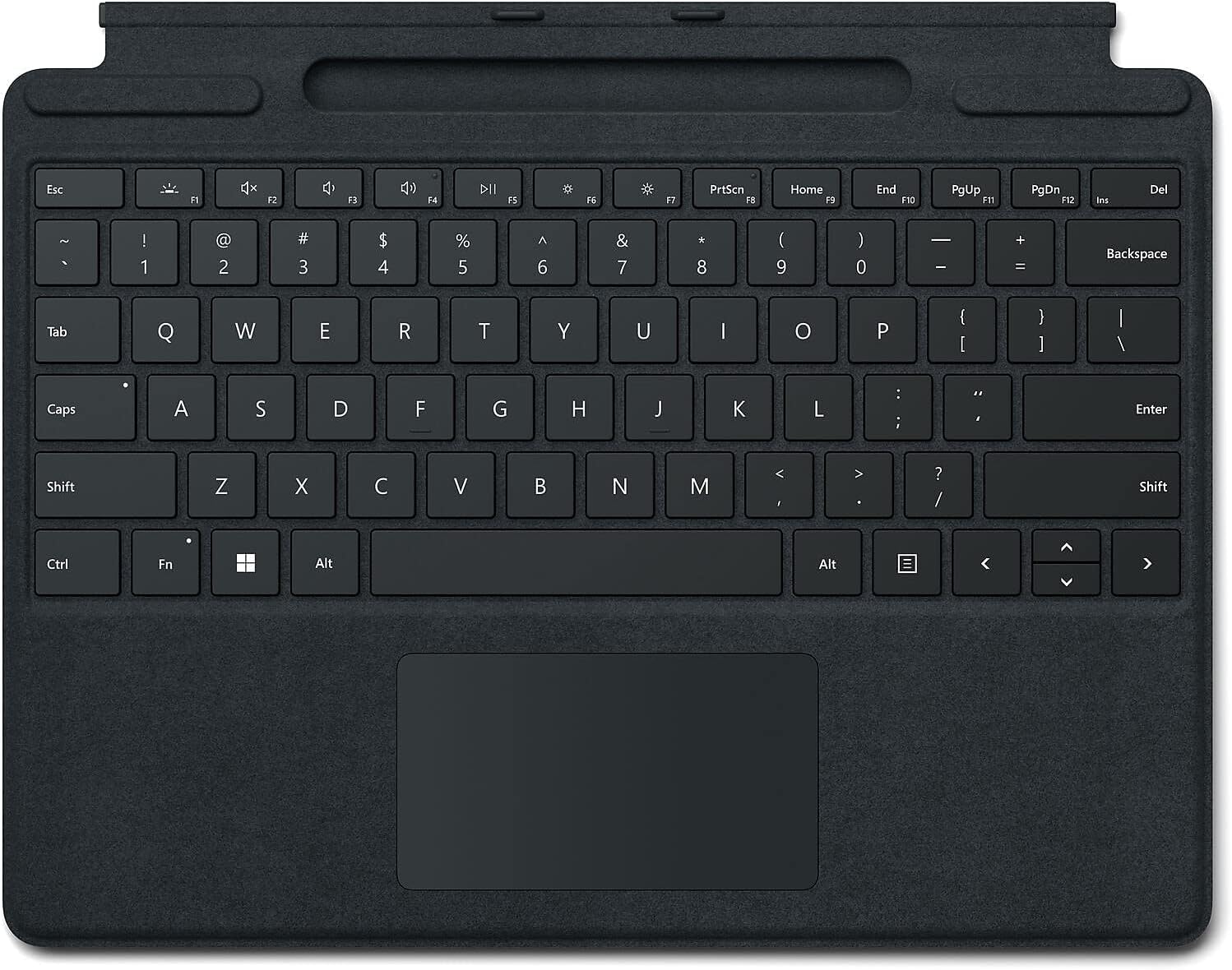
⌨️ Elevate your Surface Pro game with precision and style!
The Microsoft 8XA-00015 Surface Pro 8 Type Cover Keyboard is a sleek, lightweight, and wireless keyboard featuring mechanical moving keys, magnetic attachment, and USB-C connectivity. Designed for Surface Pro devices from the 3rd to 7+ generations, it offers tactile precision, seamless integration, and portability to boost your productivity on the go.


| ASIN | B09DKCMZFK |
| Antenna Location | Gaming, Office |
| Box Contents | Keyboard and Trackpad |
| Brand | Microsoft |
| Brand Name | Microsoft |
| Button Quantity | 104 |
| Colour | Black |
| Compatible Devices | Laptop |
| Compatible Operating System Family | Windows |
| Connectivity Technology | USB-C |
| Customer Reviews | 4.4 out of 5 stars 457 Reviews |
| Enclosure Material | Plastic |
| Generation | 5th generation |
| Global Trade Identification Number | 00889842779660 |
| Hand Orientation | Ambidextrous |
| Item Dimensions L x W x H | 29.5L x 21.7W x 0.5H Centimeters |
| Item Type Name | keyboard |
| Item Weight Unit of Measure | 490 g |
| Keyboard Description | Wireless |
| Keyboard Layout | QWERTY |
| Manufacturer | Microsoft |
| Manufacturer Part Number | 8XA-00001 |
| Minimum Required Operating System Version | Windows 10 |
| Model Number | 8XA00001 |
| Number of Batteries | 2 |
| Number of Items | 1 |
| Number of Keys | 78 |
| Number of Packs | 1 |
| Number of Sections | 2 |
| Power Source | Battery Powered |
| Product Features | Wireless, Magnetic Connection |
| Recommended Uses For Product | Gaming, Office |
| Series Number | 889842779660 |
| Special Feature | Wireless, Magnetic Connection |
| Style Name | Modern |
| Switch Type | Mechanical |
| UPC | 889842779660 |
F**A
Microsoft pro x SQ1 keyboard
Ms key board is no Comparison with after market Bluetooth keyboard. Very happy funcion very nicely and very good price. Thank you
L**R
Didn't work
Didn't work, returned for refund was easy and painless. Thank you
T**D
Works great with keeping the pen charged at all times, and the keyboard feels good
Well first thing I have to say, I had a Surface Pro 3 before this Surface Pro 8, and I used an aftermarket keyboard on the Pro 3. It was through BT only and had to keep that charged separately. Now with the Pro 8 I went with the official Surface Pro keyboard. I really do like this better than my other one. Once it is connected it is just like a normal keyboard where you can hit the F keys during bootup. You can't do that with a Bluetooth keyboard. I also don't have to turn the keyboard off when I am done either like with the aftermarket BT ones. Pros: 1) No need to charge the keyboard - gets the power from the Surface 2) When you close the keyboard, it uses magnets to hold it shut. 3) Protects the screen when it is closed 4) Keeps the Slim Pen always charged and ready - no more looking for the pen with the holder 5) Large touchpad 6) Keeps the Slim Pen secure Cons: 1) Price is a bit high, and pen is not included 2) Attracts TONS of dust as you can tell by pictures - Also it is not easy to get the dust off 3) Timeout for the backlight - haven't found anything to increase how long it stays on yet if it is even possible. 4) Pen can be tough to remove from holder. Don't get me wrong it is not really hard. Just with the magnets if you don't get a hold of it, it can get pulled back into the holder. But on the plus side if the pen is on the keyboard in the corner like in the pictures it is also held down by magnets. All in all, I am glad I purchased this keyboard for the Surface Pro 8. I like the feel of the keys when I press them. and you can hear the clicks when you are typing. But that doesn't bother me at all to me it just feels like a solid keyboard. I took off the one star just because of how much dust it collects, and with it having a fuzzy texture it is impossible to remove the dust also. I hope this review helps you in your decision on this keyboard. If it does plese click the helpful button.
A**A
Llegó descompuesto
La superficie del teclado tenía un pequeño rayón que estaba dispuesta a ignorar pero al momento de conectarlo a la surface 8, descubrí que tampoco se conecta. Simplemente no da señales de vida aunque seguí todas las recomendaciones de microsoft. Lo voy a devolver
P**J
Stuck with it due to poor aftermarket options
My big complaint with Surface Pros is the keyboard. There are no third-party options for keyboards powered by the Surface Pro (I purchased this one for a new SP9). So, if you want a good keyboard designed well for the SP9, this is the only option I found. Pros: It attaches to the SP9 magnetically and stays attached well, yet it's easy to disconnect. It weighs very little. The responsiveness of the keys is good. The keyboard is backlit which comes in handy when working in low-light situations (see cons about backlighting as well). It fits perfectly on the SP9 and is not impeded by the aftermarket protective case for the SP9. The layout positioning of the keys is excellent. Back in the day, the original SP3 keyboard had terrible key positioning which slowed me down - but Microsoft fixed that a while ago and it's all good now. Cons: Expensive - OEM accessories are often expensive - but you usually have aftermarket options to keep pressure on the original manufacturer to keep pricing reasonable - but not with this keyboard. Backlighting doesn't always work. The backlighting fades off too soon, and there are no settings to keep the backlighting on. The function keys are small and hard to read. The kickstand is difficult and awkward to pull out, but it otherwise works fine. However, most protective cases I found eliminate the ability to use the kickstand (so I suggest making sure your protective case has its own kickstand). When using the SP9 with the keyboard on my lap, the palm of my right hand slightly bends the keyboard and messes with the "right-click" function of the touchpad (making it work as intended less frequently). I like to type and use the mousepad without having to think about it, but the somewhat flimsy keyboard causing the right-click option not to work consistently causes me to stop and think about how to use the keyboard at that moment, and that breaks my train of thought. Bottom line, I bought it, it does the job, but I'm not loving it.
Trustpilot
3 weeks ago
2 weeks ago