


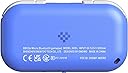

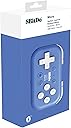


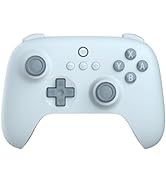
8Bitdo Micro BluetoothゲームパッドポケットサイズミニコントローラSwitch//Switch 2、Android、Raspberry Pi用、キーボードモード対応(Blue)
Product ID: 724873327
🎮16 responsive buttons
📱Bluetooth multi-device support
⚖️Ultra-light 24.8g design
Desertcart purchases this item on your behalf and handles shipping, customs, and support to Taiwan.
🎮 Game Anywhere, Win Everywhere – The Ultimate Pocket Controller
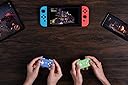
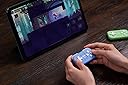
The 8Bitdo Micro Bluetooth Gamepad is a compact, ultra-lightweight controller featuring 16 buttons and multi-platform Bluetooth connectivity. Designed for Nintendo Switch, Switch 2, Android, and Raspberry Pi, it supports keyboard mode and customizable button mapping via 8BitDo Ultimate software. With firmware update support and a sleek pocket-sized design, it’s engineered for gamers who demand versatility and portability without compromise.





| ASIN | B0CDG5HCCH |
| Amazon 売れ筋ランキング | ゲーム - 469位 ( ゲームの売れ筋ランキングを見る ) Nintendo Switch 2コントローラー - 15位 |
| カスタマーレビュー | 4.3 5つ星のうち4.3 (2,549) var dpAcrHasRegisteredArcLinkClickAction; P.when('A', 'ready').execute(function(A) { if (dpAcrHasRegisteredArcLinkClickAction !== true) { dpAcrHasRegisteredArcLinkClickAction = true; A.declarative( 'acrLink-click-metrics', 'click', { "allowLinkDefault": true }, function (event) { if (window.ue) { ue.count("acrLinkClickCount", (ue.count("acrLinkClickCount") || 0) + 1); } } ); … |
| 商品モデル番号 | 6922621503576 |
| 年齢対象 | 全年齢対象 |
| 発売日 | 2024/3/15 |
| 製品サイズ | 10 x 5 x 1.27 cm; 100 g |
| 言語 | 英語 |
| 電池 | 1 リチウムポリマー 電池(付属) |
元**畜
CLIP STUDIO PAINTの左手ツール、Kindle読書の補助ツールとして役立ちます。
「この価格でこのクオリティは非常にコスパが良い」が率直な感想です。デジタルイラスト制作用の左手ツールとして購入しましたが、任意のキーボードの組み合わせを複数割り当てることができるので、期待以上に幅広い用途で使用できました。 以下、私が実際に使用してみた感想と使用条件などをレビューします。 【使用環境】 iPad、MacBook Neo、Wacom MovinkPad 11、iPhone17eなど複数のデバイスで使用しています。いずれもBluetoothでスムーズに接続でき、他の端末の接続解除はしなくてOK。使いたい端末で随時接続すればすぐに使えてストレスフリーです。 【良かった点】 機能割り当て用の専用アプリのダウンロードが必要ですが、このアプリを使用すれば非常に幅広いショートカット機能を設定することができます。 1つのボタンにつき最大4つのキーを割り当てることができ、例えばボタンひとつで「ctrl S(保存)」の機能を持たせるなどの応用ができます。全アルファベット、ctrl・shift・win・enter(他多数)、F1〜24、↑↓→←など多彩なキーを組み合わせられるため、CLIP STUDIO PAINTなどのソフト側で複雑なショートカットを設定し当製品のボタン1つでそれを実行するという使い方ができます。 Kindleが対応しているキーボード機能と連携させることもできるので、私は「→」「←」のキーをそのまま割り当てて「ページを進める・戻す」の操作にも使っています。 非常に小型で軽く、充電式なので電池の買い足しが不要ととにかくミニマムに完結した便利なツールです。強いて懸念点を挙げるなら、ボタンの押し込みの触覚がやや物足りず扱いづらい・壊れやすそうと感じる人がいるかもしれません。そのため、ゲームの補助機としてがっつりコントローラー的な役割をお求めの人には、ハード面でのスペックがやや心許ないかと思います。一方で、左手ツールとしてキーボードショートカットをうまく使いたい人にとってはかなりの好コスパなので、希望する用途にマッチしているのであれば非常におすすめです。
A**ー
小さすぎて笑う。でも、ちゃんと使える!
届いて最初に思ったのが、「えっ、こんなに小さいの?」という驚き。ポケットに入れても全然邪魔にならないサイズなのに、ちゃんとゲームコントローラーとして使えます。 しかも約25gしかないので、持ち運びが本当にラク。Switchを外でちょっと遊びたいときのサブコントローラーとして最高です。 ボタン操作もしっかりできて、2Dゲームとの相性も◎。Bluetooth接続なのも便利です。 ただし、この小ささなので、大きなコントローラーに慣れている人には少し操作しづらく感じるかも。 それでも、「小さい・軽い・持ち歩ける」という魅力は圧倒的。 ゲームバッグに一個入れておきたくなる、遊び心のあるコントローラーです!
T**I
GBAのコントローラーとしては満足
VCのポケモンをプレイするのに購入しました。プロコンだと十字キーを強く押さないと反応しないといけなかったのですが、このコントローラーはGBAのような十字キーな押し心地で満足しております。私は手が大きくて心配でしたがプロコンより軽いし押し心地も満足しております。ラバーストラップをつけて手に握る形でプレイすれば握り心地をカバーできると思います。
浜**中
コンパクトでマルチ
割り当て用に買いましたが、思ったより小さくて可愛いかったです。 コントローラー×2(Switch、スマホ)とキーボードをスイッチ1つで切り替えられるのがとても良く、ドットゲームなど気軽に遊びたい時に切り替えて使っています。 ポッケに軽々と入るコンパクトさなので持ち運びも楽でした。 良くない点を強いて言うなら、LRボタンが固いですね 固さ故に音がカチッと鳴ります あまり使うことがないので、特に不満ではないです
そ**そ
要検討の必要あり
残念 小さいサイズで手の中にすっぽり収まる。かわいい。 iPhone17eにて左手縦持ち用として購入。siralimをプレイしたかったが、うまく行かず断念。 モードがS,D,Kとあり、専用アプリでKモードにて設定。しかしiPhoneで利用するにはDモードでないと利用できない。どういうこと?? iPhoneの設定よりコントローラーのボタン設定があり、設定するも、方向キー以外挙動がよくわからない。 この機器のせいではないかもしれないが、iPhoneで利用する場合はよく検討した方がいい。無駄になる可能性が大いにある。
C**H
Compact, cute, and easy to use
Very convenient and easy to use on all of my devices. I use this controller for anki and some gaming on my Windows PC, iPhone, and Android. I never have had any problems in the month of ownership and I appreciate the compact size, battery life, and clicky buttons.
う**P
初期不良?キー割り当てアプリが本商品を認識しない
初期不良品だと思うが、機器側ではKモードBT接続確立してるが、キー割り当てアプリがコントローラーを 全くと言っていいほど認識しなかった。 当然キーアサイン不可能でキーボードモードを利用した左手デバイスとして使用できず。設定作業で数時間格闘したが ほんの一瞬だけ(約30分?)コントローラーを認識した後、再び沈黙。これ以上の対応は時間がもったいないので、 初期不良品と判断・返品手続きに至った。カスタマーレビューで自分が所有する機器(MovinkPad11) の動作実績あったのだが、期待外れに終わる。チ~ン!
は**な
クリスタで使ってます。
クリップスタジオペイントの左手デバイスにするために購入しましたが、めちゃくちゃ便利です。 私はiPadで使っているのですが、これのおかげで作業時間、ストレス共に短縮しました。 接続も簡単なのでオススメです。 ただ、小さめなので、手の大きな男の人だと使いずらいかもしれません。
K**I
Atendimento atencioso e produtos de qualidade
chegou bem antes do prazo e em perfeitas condições
W**W
Great and amazing for digital drawing as a shortcut controller
Used for digital drawing on procreate and sketchbook. its so lovely to use, its small enough to hold in one hand and use, in turn it gives you freedom to just have your hand anywhere that feels comfortable. Make sure you connect it to Bluetooth on your chosen device by pairing it, a lot of people got confused by being able to sync a preset without pairing it then thinking they can use it straight away, i got caught doing that. I created presets on the controller menu, it synched but then couldn't figure out why it didn't work on sketchbook afterwards, dont forget to pair it via Bluetooth. It works amazingly, buttons are clicky and responsive, no lag to worry about, its pretty much instant. I dont use it as a gaming controller and wouldn't its far to small for that, but as a tool for digital drawing its simply amazing and far cheaper than huion or other "made" for that purpose hand keyboard. Dor precision zooming i alway use my fingers. Its cheap, great quality, not heavy at all, comfortable for most, its responsive and tge battery last a decent amount but do which it was a bit longer, sometimes when deep into drawing i forget to charge and can be caught by a dead controller BUT it can be plugged in and used at the same time.
F**2
Come si comporta l'erede spirituale di 8BitDo Zero 2?
Partiamo con il contenuto della confezione. All'interno troverete: - 8BitDo micro, controller - Laccio da polso - "Cavo" USB-A -> USB-C per ricarica e connessione. Possiamo subito dire che questo cavetto è praticamente inutile: troppo corto sia per caricare (dovreste lasciarlo a penzoloni sul caricabatterie) sia per l'utilizzo del controller in modalità "con filo" (va da sè che è impossibile). Ho acquistato questo controller, ahimè, non per una vera e propria necessità quanto per la curiosità di provare il successore del Zero 2 (sempre 8BitDo), per la porta USB-C (Zero2 monta una micro-usb) e per il maggior numero di tasti mappabili (12 vs 16, contando anche i tasti direzionali)... ma dopo averlo usato sono stato contento di averlo preso, è un passo avanti in (quasi) tutto rispetto al predecessore. In questo nuovo modello la porta USB-C non serve soltanto per caricare il controller ma, ebbene sì, anche per utilizzare il controller in modalità wired (con filo). Se quindi vi capitasse di rimanere a corto di batterie vi sarà possibile utilizzarlo in modalità cablata. Il mio uso principale non è quello gaming: utilizzo infatti il controller mappando i tasti da PC per utilizzarlo con Photoshop e altri programmi. Rispetto al Zero 2 l'ERGONOMIA, se tenuto in verticale e con una mano sola (vedi foto), è lievemente peggiorata: le forme stondate del vecchio modello erano più "avvolgenti" e stancavano meno l'impugnatura anche prolungata. Se invece lo utilizzate in orizzontale il micro è più comodo e più facilmente impugnabile. La RUMOROSITA' dei tasti del Micro è migliorata: sono più silenziosi, soprattutto i bumper/trigger dorsali (in questo modello sono 4 trigger dorsali in totale, nel modello precedente 2). Il PAIRING è la selezione del dispositivo è più semplice da effettuare nel Micro (nel Zero 2 c'erano combinazioni di 2 tasti da premere in base al dispositivo). In questo ci sono 3 modalità selezionabili con il selettore posizionato nella parte inferiore: -S (switch, per la console) -D (controller Android) -K (tastiera windows) Il tastino laterale, se premuto a lungo, fa entrare il controller in modalità abbinamento. In generale il controller funziona bene, la batteria ha la durata più o meno dichiarata (10-12 ore) e la ricarica impiega circa 1-2 ore. Chiaramente non aspettatevi di riuscire a fare lunghissime sessioni di gaming... le piccole dimensioni sacrificano per forza di cose l'ergonomia. Tuttavia se lo utilizzate in verticale, per usi diversi rispetto al gaming, l'ergonomia è eccellente (non ai livelli di Zero 2, però). Un consiglio se intendete utilizzarlo come me, mappando i tasti. Nelle istruzioni controller viene indicato il programma ufficiale per mappare i tasti, usandolo nella modalità K. Tuttavia mi sono trovato meglio connettendo il controller al PC utilizzando la modalità S (switch), e connettendolo al PC (che lo vedrà come "Pro Controller"). Dopodichè installate il programma AntiMicroX (software Open-Source che trovate su GitHub), che vi permetterà di personalizzare il pad in maniera infinita: potrete anche associare alla pressione di un tasto del controller la pressione di più tasti contemporaneamente (es. premo il tasto B per fare copia CTRL-C, e il tasto A per fare in incolla CTRL-V)... Fidatevi, utilizzandolo in questa maniera non tornerete più indietro. In conclusione il controller mi è piaciuto, la qualità è la solita 8BitDo (alta), e la presa USB-C così come l'incrementato numero di tasti (16 in totale) mi hanno convinto alla acquisto. Al prezzo di circa 20€ nell'Ottobre '23. Consigliato! Mi riservo di aggiornare la recensione nel caso in cui vi siano cambiamenti rispetto a quanto scritto sopra.
M**Y
Adorable and functional
Works perfectly with android phone. Also great as a page turner with kobo and kindle. Works on all 3 of my devices. Need to map the buttons. But it takes 5 min on the app. Also comes with a cute lanyard.
M**M
5 stars ⭐
Compatible with Kobo Clara BW - used as a page turner. Amazing product!
Trustpilot
1 month ago
1 month ago