Desertcart purchases this item on your behalf and handles shipping, customs, and support to Taiwan.
🚀 Elevate your display game with next-gen 8K clarity and lightning-fast speed!
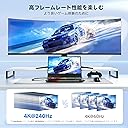
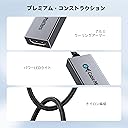
The Cable Matters USB-C to HDMI 2.1 adapter delivers cutting-edge 48Gbps bandwidth supporting 8K@60Hz and 4K@240Hz video output with HDR10 and Dolby Vision. Compatible with Thunderbolt 3/4/5 and USB-C devices, it ensures ultra-low latency gaming via ALLM and supports a wide range of professional-grade GPUs. Its durable, matte finish design makes it a reliable choice for seamless high-resolution connectivity across laptops, desktops, and gaming consoles.


| ASIN | B08MSWMXT4 |
| Amazon 売れ筋ランキング | パソコン・周辺機器 - 71,107位 ( パソコン・周辺機器の売れ筋ランキングを見る ) DVI-HDMIアダプタ - 140位 |
| UPC | 818707029640 |
| おすすめ度 | 5つ星のうち4.4 824 レビュー |
| カラー | グレー |
| パッケージ商品数 | 1 |
| ブランド | Cable Matters |
| ブランド名 | Cable Matters |
| ポート数 | 1 |
| メーカー名 | Cable Matters |
| メーカー型番 | 201388-GRY |
| ユニット数 | 1.0 個 |
| 主電源のプラグタイプ | プラグがありません |
| 互換デバイス | ゲーム機 |
| 仕上げ | マット |
| 仕上げタイプ | マット |
| 商品の用途 | TV, PC, Monitor, Laptop |
| 商品の重量 | 0.02 キログラム |
| 商品用途・使用方法 | TV, PC, Monitor, Laptop |
| 型番 | 201388 |
| 対応デバイス | ゲーム機 |
| 色 | グレー |
つ**し
とっても便利です!
スマホ画面を他の人と共有できるのでとても便利です。
H**A
It can output 4K120Hz from laptop without Thunderbolt port
My laptop doesn't have Thunderbolt port (AMD CPU) but it can output via its USB-C port (Displayport Alternate Mode). Most of USB-C to HDMI adapter either requires Thunderbolt to output 4K120Hz or can only output 4K60Hz. This Cable Matters adapter can output 4K120Hz 10bit color from my laptop to my monitor. If future laptops have HDMI 2.1 port then this is meaningless but for older laptop with only HDMI 2.0 port and no Thunderbolt, this adapter is a godsend. Be aware that it doesn't support VRR (G-Sync).
ち**ぶ
ニッチな 4K/144Hz RGB 10bit HDR も出力できました
Intel Iris Xe(i7-1255U)搭載のノート PC に標準搭載されている HDMI 端子では最大 4K/60Hz までしか出力できなかったのですが、この製品を経由して接続すると LG のモニター 27GP95RP-B へ 4K/144Hz RGB 10bit HDR の出力ができました! ただ、すべての環境でこの出力ができるとは限らないと思いますので、あくまでご参考までに…
P**Y
普通に使えます。
4K120fpsの表示も無事出来ました。 120fps対応のテレビを持っている方、 パソコンに繋げるなら、このケーブルがオススメです!
T**Y
M1 Max 4k@120Hz RGB 10b HDR working
If you're looking to use this product with Apple's M1 and M2, you'll actually receive this item as 201388-A. However, the VMM7100 chipset will do a more accurate job and will not need the help of an external app (Edid modifier). A simple firmware update will do the trick, and it's even plug and play! By the way, the product page is 201388-GRY, please fix that haha.
A**ー
USB-C(thunderbolt4)で120Hz映像出力できました
パソコン(MS Surface Laptop Studio2)と一緒に購入したANKERの拡張ドックが HDMI 30Hzでの映像出力しかできなかったので購入しました。 言わずもがなですがリフレッシュレートが120Hzまで4倍に跳ね上がると マルチモニター環境でも別次元です。大変満足。購入して良かった。
C**L
勧めできません
この製品はあまりお勧めできません。私のモニターはLG32GR93U-Bです。このアダプターを使ってMacBook Pro M2 Proに接続すると、4K 60Hzしか出力できませんでした。Windowsノートパソコンにも接続を試みましたが、画面が真っ黒で全く信号が出ず、ノートパソコンが再接続を繰り返しているだけでした。後にDP2.1対応のUSB-CからDisplayPortへの変換ケーブルに交換したところ、全ての問題が解決し、どのデバイスでもモニターの最大サポートである4K 144Hzを簡単に出力できるようになりました。ピクセルフォーマットやビット深度についても妥協する必要がありませんでした。このUSB-CからHDMIへのアダプターの価格と、その酷い互換性を考えると、購入はお勧めできません。DP変換ケーブルの方が安く、互換性も優れています。
A**ー
Wow! 4K/120Hz on M1 Max MacBook Pro with Cable Matters Firmware. Thank you!
I was easily able to get 4K/120Hz working with Cable Matters firmware fix on my M1 Max 14" MBP. No reason to upgrade to an M3 Max now. Thank you!
T**M
Perfect
AMAZING! has been working flawlessly since I got it. Love this thing.
W**R
Endlich wurde mein HDMI Flackern Problem am NUC 13 Pro gelöst!
Ich mag meinen NUC 13 Pro (NUC13ANHi7), hatte einen Monitor via USB-C und einen LG 48C1 TV via HDMI angeschlossen. Da das mit HDMI 2.1 Kabeln immer so eine Sache ist habe ich einfach nochmal eine vorherige Bestellung erneut ausgelöst. Das Kabel funktioniert wunderfein mit einer 3080 und dem LG TV. Nur warum flackert denn jetzt der NUC so merkwürdig? Das passiert immer, wenn ein Video im Browser läuft und was anderes nebenher passiert, ich z.B. auf der Seite mit dem Video scrolle. Nach einer längeren Suche schien des Problems Lösung immer wieder die Deaktivierung der Hardwarebeschleunigung in den Browsern zu sein. Das hat auch funktioniert, nur lag dann deutlich mehr Last an der CPU an, was wiederum die Lüftergeräusche nervig machten. Der NUC ist ja eh schon relativ laut und heult bei Kleinigkeiten auf. Etwas Ruhe habe ich da reingebracht indem ich den bebilderten Anweisungen im Prad Artikel "Intel NUC 12 Pro: So zügeln Sie den Lüfter des Mini-PCs" gefolgt bin. Also habe ich weitergesucht und bin dann auf die Cable Matters Adapter und Kabel aufmerksam geworden. Gesucht, hier gelandet, bestellt, bekommen, angeschlossen und läuft. Die Sache mit nötigen Firmware Updates ist wohl lange genug her und ich musste mich damit nicht rumschlagen. Durch die Verschiebung des LG C1 von einem eingeschränkten HDMI 2.1 auf DP1.4 kann ich jetzt auch wieder die Hardwarebeschleunigung nutzen. Das Display lässt sich jetzt auch mit den nativen 120Hz betreiben. "VRR/G-Sync wird nicht unterstützt." -- Lustigerweise zeigt mir das Intel ARC Panel an VRR sei aktiv. Ich spiele am NUC aber eigentlich nicht. Vom bekannten G-Sync Flackern merke ich hier auch nichts. Vielleicht hängt das ja eher mit dem Standard als VRR allgemein zusammen. Schade, dass ich extra einen 33 EUR teuren Adapter kaufen musste, um das Problem zu lösen. Dafür wirkt das Cable Matters Produkt dann allerdings sehr wertig. Es wird auch relativ warm, vielleicht im unteren 40C Bereich. Achtet darauf dem Ding ein wenig Luft zu geben und stopft es nicht irgendwo zwischen.
J**N
No VRR compatible.
Cumple con la función de pasar señal 4K 120hz hasta 12 bit color Full Gamma. Pero se pierde compatibilidad con VRR (Gsync / Freesync) Si tienes una RTX 20XX y no quieres estar limitado al HDMI 2.0 este adaptador es la opción, pero considera que no es compatible con VRR.
M**S
RX6800XT <-> 77" OLED
I have the AMD RX6800 XT graphics card in my computer, it has one HDMI output, two DisplayPort and one USB-C. The HDMI was already taken by another monitor I use, so I ended up opting for USB-C -> HDMI to be able to share screen to my TV. Cheap adapters kept limiting my connection. One gave me only 24Hz, very "laggy" picture. Another would top out at 30. A third wouldn't even let me reach 4k. Then I decided to go for the recognized Cable Matters, and just out of the box I can turn up all settings without any issues. Thanks for a reliable device! Extra bonus star for the fact that firmware updates are available even after buying the product. That's was beyond expected. 6/5!
J**M
Plug and Play
I have a Dell laptop that is hooked up to a Samsung S95F by a Silkland Ultra A certified HDMI "Ultra High Speed" cable. I was unable to get the highest resolution and refresh rate out of the TV and laptop. I researched and determined that I needed to use the USB-C lighting connection on the PC to achieve this. I purchased this adapter, plugged it into the laptop, plugged the same HDMI cable into the adapter and it worked with no issues. I adjusted various settings and could get 3840x2160 at 120HZ. That is the highest setting and rate the laptop / tv combo is capable of (at 120). The connection was easy, plug and play, No extra or external power required, the size of the adapter really didn't change anything on my setup (location of laptop and cables connected to the tv). As far as sound quality goes I could discern no difference between the before and after, still sounds great. I am using this setup to watch streaming 4K movies and OTA TV. The tv is setup as a dumb tv and just a monitor. Last thoughts. There are so many factors that will stop you from achieving the highest rates possible. The big three needed to achieve this are, 1. Is your GPU and PC hardware actually capable of providing the desired rates. 2. Is the display that you are using actually capable of the desired rates. 3. And this is the big one. Are the cables and connectivity actually rated for you tp properly connect # one and two above. It took me several days to source the correct hardware and this device was the correct hardware in my circumstance.
Trustpilot
1 month ago
1 week ago