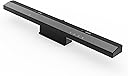
![[MAYFLASH]WiiリモコンをPCで Wireless Sensor DolphinBar[SRPJ1833]](https://m.media-amazon.com/images/I/51y0PTBxc4L._AC_SL3840_.jpg)




Buy anything from 5,000+ international stores. One checkout price. No surprise fees. Join 2M+ shoppers on Desertcart.
Desertcart purchases this item on your behalf and handles shipping, customs, and support to Taiwan.
🎯 Level up your PC control game with seamless Wii remote power!
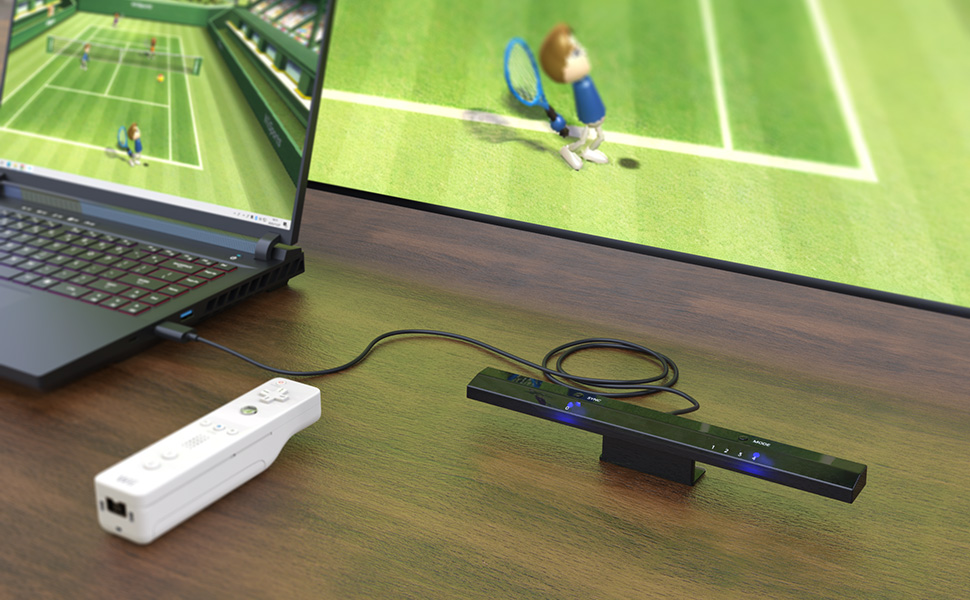
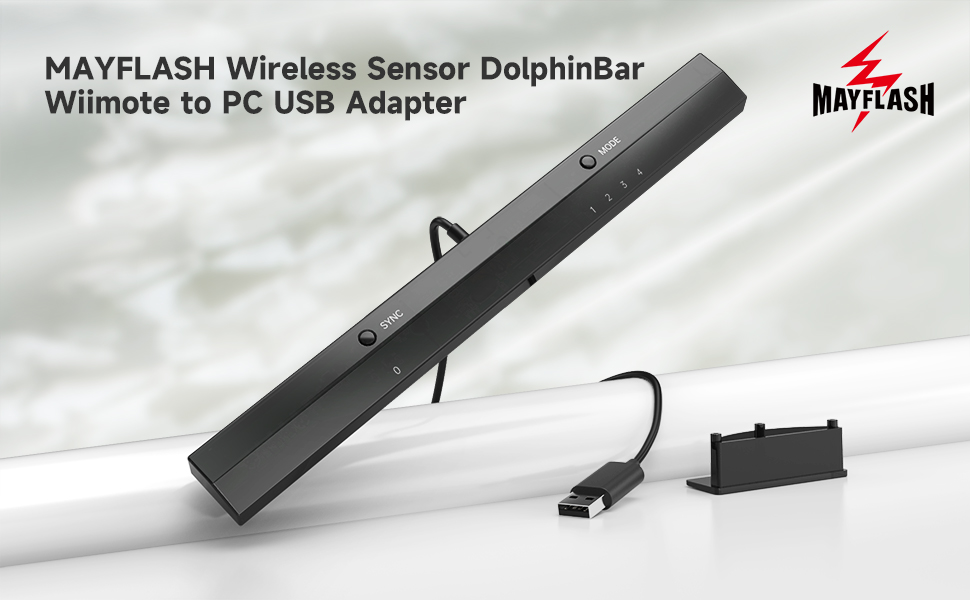
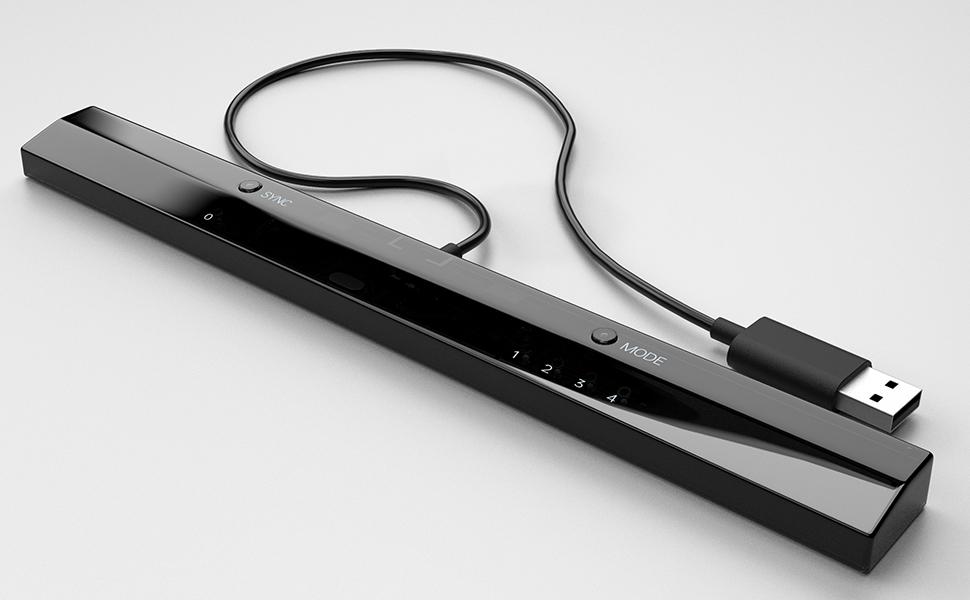
The MAYFLASH WiFi Remote Control with DolphinBar is a versatile USB converter that connects Wii remotes and classic controllers to Windows PCs via Bluetooth. Supporting up to four remotes simultaneously, it offers multiple modes including mouse, keyboard, and gamepad emulation, enhanced by anti-shake and gyro sensor features for precise control. Compatible with Windows XP through 10, it requires no additional Bluetooth dongle, making it an essential tool for gamers and professionals seeking innovative input solutions.


| ASIN | B00HZWEB74 |
| Amazon 売れ筋ランキング | パソコン・周辺機器 - 41,158位 ( パソコン・周辺機器の売れ筋ランキングを見る ) タブレットPCアクセサリセット - 41位 |
| GTIN (Global Trade Identification Number) | 06902201312255 |
| おすすめ度 | 5つ星のうち4.6 5,436 レビュー |
| カラー | ブラック |
| パッケージ商品数 | 1 |
| ブランド | MAYFLASH |
| ブランド名 | MAYFLASH |
| ポート数 | 1 |
| メーカー名 | MAYFLASH Limited(MAYFLASH Limited) |
| メーカー型番 | W010 |
| 商品の重量 | 5.34 グラム |
| 商品パッケージ数 | 1 |
| 商品寸法 (長さx幅x高さ) | 25.4 x 2.5 x 1.8 cm |
| 商品本体サイズ | 25.4 x 2.5 x 1.8 cm |
| 型番 | W010 |
| 色 | ブラック |
A**R
Works perfectly for me
I've been through a half-dozen bluetooth adapters looking for one that communicates with a Wiimote from my PC, and this one not only works great, it also has the LED lamps so I don't need to bother with a second sensor bar. I couldn't ask for more.
A**ー
Windows11でも動作可能。
syncボタン押した後、Wiiリモコンの後ろのボタンを押して連動。 その後モード4にしてドルフィン起動し、コントローラー設定でリモコンが振動。 ドルフィンのリモコン設定はコントローラー実機に設定してBluetoothオンで リモコンが思いのままに動きました。 少々高いが、Wiiリモコンが使えない為、このドルフィンバーが必須だった。
M**Z
Padでも使える
Padでも簡単に接続できる。
え**す
wiiリモコンがPCでガンコンとして使える
モード2でバッチリ液晶対応のガンコンとして認識されました。 ガンコンとしてはDolphinBar1台で1つしか認識してくれないけど、ガンコンとしてのコスパは半値以下なんで ガンという形にこだわらない自分にはバッチリ!。
A**ー
good price
pretty good!
A**5
パソコンでトラクエ10
壊れる前に再度購入。pcでwiiヌンチャクを使ってドラクエ10をするために使っています。ペアリングも一発でできます。
M**A
おすすめ
ここで買っていないけど dolphinで認識しました 英語マニュアル付いてるけど さっぱり!? youtubeに外人さんがdolphinの設定 動画をアップしてくれてて リアルwiiリモコンで認識させないと それとスタンダードコントローラ の設定はいじる必要なし 肝心のセンサーmode4は 初めて1でペアリングして 電池残留でてきます そのあとmodeを4までステップアップして ペアリング切れます そのあとたしかaを押して ペアリング復活して dolphinでスキャンすると ぶるぶる震えるかも ガンコントとしても 使えるからお得です 一度ペアリングした後は aですぐに接続できるから 簡単でいいです lightgunよりmouseモード でアーケードはばっちり
ぎ**ち
解らない
Macで人柱になり実験してみました。OSは HighSierra 説明書は英文なのでポイッ!切り替えボタンやSYNCボタンが有るので順番に試す。モード2で認識しカーソル、クリックは上手く動作。他のモードは論外でした、VMWare Fusion Windows7でエミュ Dolphinを使ってみる。これまたドライバーは自動的にインストールされて認識するもののDolphinでは認識せず。結局Mac Windows共にエミュでは使えませんでした、Wiiリモコン、ヌンチャク、DolphinBar 無駄金だった、書いてあるWindowsでさえダメとは・・・ こんな物売るんじゃない!!実機のWindowsじゃ解らないので星三つ
J**E
Perfect solution for Wii on PC
I'd been struggling to get a Wiimote connected to my PC over Bluetooth for a while and was considering getting a USB adapter to see if it would help. Then I stumbled across this and with it being advertised as an all in one solution I thought I'd risk the higher price and give it a go. Honestly though, I'm so glad I did. Plug and play, no drivers to install, and connected my Wiimote without a hitch. The added controller modes are a nice bonus but honestly having setup be so simple and everything running so seamlessly is more than enough to make it worth my money.
H**!
IF YOU PLAY WII AND GAMECUBE GAMES WITH THE DOLPHIN EMULATOR THEN YOU NEED THIS!!
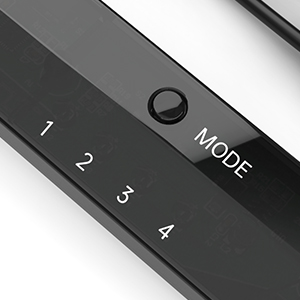
I just bought one of these and I found that it is exactly what is needed when you use Dolphin emulator to play your Wii or Gamecube games on the PC. It makes using the Wii remote easy which is a big change from before when you spent hours getting the Wii remote to detect with Bluetooth. And once the Wii remote is detected it stays detected, even when you turn off your PC and then start it up again, Dolphin will see your Wii remote immediately, no need to go through reconnecting it. The Wireless Sensor DolphinBar had some earlier compatibility problems when Dolphin released dolphin 3.5 but they are fixed now so if you are still having any troubles then just go to their site and get the latest drivers and make sure you are using the latest Dolphin Emulator version. In fact, As of 4.0-2241 and that DolphinBar firmware update, all of the DolphinBar's compatibility issues have been resolved! You can get the latest updated drivers from Mayflashs site http://www.mayflash.com/products/nintendowiigc/w010.html And you can get the latest Dolphin Emulator version for Windows, MAC and Linux here: https://dolphin-emu.org/download/ I found that this sensor bar is much more sensitive to my Wiimote than the Nintendo sensor bar and that is a plus for sure. Also this Sensor bar acts as a Bluetooth detector!!! So you don't need a bluetooth adapter to use it. In fact, I think it works better than the Azio I was using. It detects and properly recognizes the Wiimote within seconds and you will see it correctly identified and working in Windows which, I am sure you already know, is a problem if you are not using this Dolphinbar. This Dolphinbar has a small blue LED light that glows steadily when the Wiimote is connected and it will blink if the Wiimote gets disconnected for any reason. Here is some information from the Mayflash site: W010 Upgrade Firmware Ver04 Updates on February 10, 2015 1. The SYNC LED (LED 0) will be off if NO Connecting with the Wiimotes. The SYNC LED (LED 0) will stay lit if connecting with the Wiimotes. 2. The DolphinBar will not enter into the sleep mode while in the Mode 4 (Dolphin Mode) with Windows 8.1 (Some customers feedback this problem before) Description: Wireless Sensor DolphinBar can connect your Wii Remote Plus Controller to your PC by Bluetooth. Support Nunchuk Controller and Wii Classic Controller. Support four working modes: Keyboard and Mouse Mode (LED1), Keyboard and Mouse Game Mode (LED2), Game Controller Mode (LED3) and Wii Remote Controller Emulator Mode (LED4). Features: - Wireless Sensor DolphinBar can connect your Wii Remote Plus Controller to your PC by Bluetooth. - Easy and simple operation, no need extra Bluetooth dongle. - Supports Cursor Anti-Shake function. - Allows you to play more quicky and precisely with your Game Controller, Light Gun or Racing Wheel. - Works as a normal keyboard and mouse. - Works as a PC Remote Controller. You can return or skip to the beginning of the current, previous or next chapter, and supports Fast reverse, Fast forward, Pause playing, etc. - Works as a Game Light Gun. You can play all kinds of PC Shooting Games, and PC or Wii Light Gun is well supported. - Works as a wireless Game Controller. Connects your Wii Remote Controller, or Wii Remote Controller + Wii Nunchuk, or Wii Remote Controller + Wii Classic Controller to your PC. Supports the G-sensor function that is the best choice for the Racing Games. Supports the Vibration Feedback. - Compatible with the Wii Emulator Dolphin. Supports up to 4 of the Wii Remote Controllers. - Compatible with Windows XP, Vista and Windows 7, Windows 8 ,32 bit and 64 bit. Supports TR WiiMotes and the newest Dolphin 4.0-2241(Please download the newest Dolphin version from the official website https://dolphin-emu.org) by installing the updated firmware on MAYFLASH website download page 1.Download and run the firmware (MAYFLASH DolphinBar Upgrade Firmware Ver03) on WINDOWS (XP, WIN7 or WIN8). 2.Press and hold the “SYNC” button on the DolphinBar, and plug the DolphinBar into the PC USB ((Your Windows will find the new firmware, wait until the recognization is completed). 3.Release the SYNC button, and you'll find the Update Firmware button becomes available. Click this button to update. 4.Please don’t unplug the DolphinBar when it’s upgrading.
B**D
Works with Wii remote
It’s working fine except the IR it’s working with lots of issues that’s why it’s 4 stars
K**I
! Good !
Product received in good condition . Thks
B**N
Plug and play
Got today. Played wii games with kids. Plug and play. Also very nice with techno parrot!
Trustpilot
1 month ago
5 days ago