Buy anything from 5,000+ international stores. One checkout price. No surprise fees. Join 2M+ shoppers on Desertcart.
Desertcart purchases this item on your behalf and handles shipping, customs, and support to Taiwan.
๐ See more, worry less โ security thatโs always a step ahead.
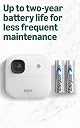
The Blink Outdoor 2K+ is a wireless smart security camera delivering stunning 2K video resolution with color night vision and advanced noise cancellation. Designed for easy installation and up to two years of battery life, it features weather-resistant IP65 durability and smart detection alerts (with optional subscription), making it the ultimate all-weather home security solution.
S**D
Blink Outdoor 2K+ (updated 2 February 2026)
2 February 2026 So far so good! Iโve paired my BO 2K+ with the battery extender and Iโve been very pleased with the overall performance these cameras have. Iโve maxed out one camera on its video quality and Iโm impressed with the increased details of the recordings, especially during the dark in low light environments. I donโt use the Night Vision/IR that much since upgrading to these cameras, but on the few instances I tested the feature, it met and exceeded my expectations. For those that need to enable that feature, especially in no light environments, I would highly recommend! I also have the Blink yearly subscription, and I really enjoy the additional features that allow you to capture specific movement which in turn allows your cameras to extend battery life. For those having WiFi and connect issues, you need to make sure your two things: 1. The Blink Sync Module is positioned properly where the cameras can capture the signal. If you place the sync module near a wall or corner, you may see connection quality impacted. 2. Your WiFi router (or wireless access point) also needs to be positioned in a opened area, or a high(er) away from tight corners or against walls because that will also impact the strength of the signal to the cameras. In situations like this, you may see increased latency or delay when attempting to live view your cameras. Additionally internet speed, specially upload speeds are a huge factor as well. In the app under Video Quality, it outlines the recommended upload speeds: Saver - 2 Mbps, Standard - 3 Mbps, Best - 6 Mbps. Overall, the BO 2K+ continue to hold up really well during this winter, and Iโm excited to see what new features Blink incorporeal to these! At the current price, I would highly recommend getting this for those who havenโt explored Blink, or, for those who want to upgrade from previous versions! 1 December 2025 BO 2K+ continues to meet my needs for good visibility in low light areas. The camera is holding up really well for the few days we received snow and it has maintained connection to the sync module and my WiFi. I haven't seen any fogginess on the lens since my last update, so I like how it's held up so far with the cold weather. While the area I have doesn't have a lot of motion going through, there were a few instances it picked up some deer running by and it captured that moment flawlessly. What I want to explore next is the battery extension, as it is also compatible from the BO4 cameras. The quality of the video is also great, as when you're adjusting them, the LOWEST quality setting is "Saver" and is listed as HD video quality, so, in theory you can save more battery for those crucial moments that need recording. When pairing this with the newest sync module, and for those using the subscription for the additional detection features, I foresee the battery lasting much longer that previous generation of cameras. At this time, I have not changed the batteries for this camera that came with it, so I will continue to update this review over time. 1 November 2025 My understanding and experimenting so far is if you're NOT using (aka turn off the feature) the Night Vision feature on these cameras, IN LOW LIGHT areas, you will be able to see footage in color, with the enhancements made in BO 2K+. I can confirm this as I have one side of my house that is significantly darker at night and is pointed at my shed, and compared to the regular Blink Outdoor 4 camera, there is improvements where I can see the color of my shed very clearly in BO 2K+ vice BO4. I've set my 2K+ camera to the lowest video quality and I'm impressed on how detailed the video is. It's held up well for the few days that have snowed and dropped in temperature, so it's definitely an improvement to BO4! 30 October 2025 I just got the 3-pack with Sync Module Core today, and I am very pleased with the packaging! It has outline images on each box to tell you what the item is. From previous version, we all got the white boxes, and we had to figure out which is which. So, this is a significant improvement! The set up is extremely easy as you have a quick set of instruction underneath the lid when you open the box, and you have a paper version of the Quick Start guide! The thing I like the most is that the mount for these cameras are the same for the Blink Outdoor 4 version, so switching my current setup to the BO 2K+ was quick! During the camera setup, it did prompt you whether you want performance or battery saver, and during this you can skip that and setup later. I found that this correlates with the Video Quality settings from the Video and Photo settings in the Blink app. So far, I set the Video Quality for Saver mode, so weโll see how it performs in the part of my yard that is completely dark. The camera itself feels slightly heavier than the Blink Outdoor 4, but does not impact my review. The biggest thing I was curious about was the newer sync module it came with, claiming to improve battery life. Not sure if itโs only for the 2K+ cameras, or for other generation of cameras too. This sync module is about half the size of the Blink Sync Module XR, and does NOT have local storage. Iโve been using the subscription plan that Blink offers for some time now, and Iโve been pleased with the cloud storage. Overall, right out of the box, I am very pleased and excited to see how it performs through this winter. Will continue to update this review as we continue this journey!
S**Y
Love the Color Night Vision, Great Upgrade, and I'm Including Some TIPS for NIGHT VISION SETUP.
We ordered three of the 5 packs, along with 3 of the 2K+ doorbell units for a total of 18 cameras, plus one LED floodlight unit. Upgraded from the old 1st gen system we used for 10 years and these seem even more durable. These new 2K+ units are amazing, love the integration with the floodlight and strong WIFI range compared to the older models. The Color Night Vision option is Awesome, but I noticed a lot of people complaining the color doesn't work for them... I suspect many people don't understand how to set up night vision for best results and when you can and can't use color night vision. I've used various generations of night vision scopes in the military over 21+ years along with various night vision rifle scopes here at the ranch since retiring, so I'm very familiar with the use and limitations. First off you can't have Color night vision in Total or Near Total Darkness, it's just not possible with any current technology of a reasonably small size, not even $10k tactical military scopes. So, how do you get the best results? First off you have to understand that Color Night Vision is just an ultra-high sensitivity ultra-low lux camera, it still has to have at least some reasonable level of ambient light. Next, you have Infrared (IR) night vision which by very nature is never color but can work in total darkness with no ambient light at all. The problem is you can't have BOTH on at the same time. So, how you get the best picture depends on how much ambient light (if any) there is near where the camera is looking and each camera is going to be different. Under device settings you have a section called "Video and Photo Settings" where you have the night vision settings; Night Vision which has Auto/On/Off, and IR Intensity which has Low/Med/High. For COLOR night vision you have to select AUTO or OFF, if you choose ON the IR lamp will Always be illuminated and thus no Color, remember you can't have both at the same time! So ignore the ON option (and it would eat batteries faster if you did leave it On all the time anyway). As for the other two options; in Auto mode you get color night vision IF there is enough ambient light but if there isn't it will automatically revert back to the IR light and be B&W, set to OFF you will Always get Color BUT with the caveat that if there is not enough ambient light it may be too dark to see anything. I live on a horse ranch out in the country so not a lot of ambient light like you would have in the city, but I do have some small LED outdoor night lights around the property, and there is often at least some moonlight. So many of my cameras are in places with enough ambient light that I set the Night Vision IR to OFF and so always have color night vision of varying brightness but almost all are bright enough to see good, some that are near some outdoor lights are actually quite bright, then on others the brightness varies with moonlight. Now I do have a couple of cameras in locations where there's almost always near total darkness (under a covered equipment shed where there is no artificial light and even moonlight can't get in) so I have those set to Auto, I get a B&W picture and that's fine, I know there is just not enough ambient light and I don't care to add any in that location. Now if you do have it in Auto mode you have a second choice in this section which is IR Intensity where you have Low/Med/High and i'll tell you from experience this is a situation where more is rarely better. These new generation IR cameras are powerful even on Low and while Med or High will make the scene brighter, it actually tends to wash out details. I have never found and can't even think of a situation where High would be appropriate (and will eat batteries if you get much motion) so just ignore the High setting. Now, for your location, and this is something you will need to take the time to test on each individual camera. I read a review where someone said he bought a 2 pack and 1 camera had color night vision but the other only had B&W so thought it was broke, I'd bet the one camera actually had some light nearby and the other did not. Or he had IR turned On all the time on the one instead of Auto or Off. To find the best setting for each camera... After you have all your cameras mounted and you're sitting in your home that night with the app, go in and set the Night Vision to OFF and then go and do a "live view" to see if you have a good color picture and while your at it, take a screen shot (remember you get a wider screen with more details in horizontal orientation, except for doorbell cameras which should be vertical). If you do get a color view that's bright enough wonderful, but if it's not bright enough then your left with two choices; add some sort of small light in the area or you'll have to switch to Auto mode. If you do have to switch to Auto, then set the IR Intensity to Low, go back and to do a live view and again while it's showing the live view take a screen shot with your camera. Then go back and change the IR Intensity to Medium and go back and again do a live view and take a screen shot. Now go to your photos and compare your three pictures, don't just judge by the live view while your looking but go and look at your pictures where you can swipe back and fourth between them and even zoom in to compare which one gives you the clearest picture. Pick some common fine detail in the pictures to see how clear it is in each. That will tell you which mode combination will give you the best picture for that camera. If your like me, way out in the country on a ranch with no city lights you simply may not have enough ambient light for color night vision on all cameras, even the moon phase or if it's cloudy will affect it. On some of my cameras I have them set to Auto and Low and get B&W images on cloudy nights, color images that are darker but not too dark on average moonlit nights, and amazongly bright color images on full moon nights . If your in the city or suburbs where there is often lots of light pollution you should almost always be able to turn the IR to OFF and have color night vision with enough brightness. One additional note is that if you mount a camera where it's too close to a wall, under an eve, or near other reflective or light colored surfaces and you are using the IR mode, if you get a "flair" or "halo" effect in the picture it's probably because the wall, eve, or something else is reflecting the IR light back into the lens. It's not a defect, just an artifact of how IR works, so you have to be aware when mounting cameras to make sure you don't have some bright surface just in front of/beside the camera lens. If it's mounted on a white wall or under an eve and angled so it looks along the wall or the eve overhangs it closely, sometimes tilting it out or down just another couple of degrees away from the wall or eve can eliminate the flair or halo effect. Other than those suggestions I will say to play with the settings, learn what they all do before assuming it's defective or not working correctly. Just to give some people a bit of a head start I will share my settings after using Blink cameras for 10 years to maximize battery life and get reliable clips when people or cars come onto the ranch... Under each camera Under General Settings turn the Status LED to OFF as it saves battery life and keeps the camera more stealthy, Under Motion Settings Motion Detection is ON, Motion Sensitivity I always start with 4 and then adjust as needed after testing, Re-trigger time is 10s, Smart Detection and Motion Zones on this page is a personal choice to each camera/location but I usually leave them set to the default. Under Video and Photo Settings my Motion Clip Length is 60 sections, you'll get a warning about battery life BUT your also going to turn End Clip Early if Motion Stops to ON which will counter that. Video Quality is set to Standard on all my Outdoor cameras which are always active, but set to Best on Indoor Cameras and Cameras inside of Shops which we only turn on when we're away from home. Night Vision I just discussed above, I have Photo Capture and Auto-Update Thumbnail both OFF. Under Audio Settings I have the slider at about 85% which seems to work well with the speakers being loud enough but not sounding like they're being blown out. Under Privacy settings Video Recording and Audio Streaming are both ON, and privacy zones is a personal choice to each camera/location but I usually don't add any. At the bottom bar in the app under under Settings at the right end I go to Device and System Settings and then under Systems I tap on each systems name and turn Save all Live Views to OFF, your already recording motion so saving live views is kind of redundant and just uses more battery power Unless you have a specific reason for needing to save them. These systems may seem complicated to new users but are actually fairly easy to use and once setup properly work great, our old Blink system was still going after 10 years. We had 14 cameras and two doorbells on that system and in 10 years had only 1 camera that failed and that wasn't the cameras fault but rather due to someone who was watching the property for me while I was deployed, he put in standard alkaline batteries instead of the lithium ion batteries they call for and one of those batteries leaked after about a month and ruined the camera, so don't make that mistake.
R**B
Absolute Home Security Perfection: The Blink Outdoor 2K+ is the Upgrade We All Needed
โI have been a dedicated Blink user for years, appreciating their commitment to wire-free security, but the jump to the new Blink Outdoor 2K+ has truly redefined my home monitoring experience. If youโve been on the fence about upgrading from a 1080p system or are looking for a reliable, feature-rich, and truly affordable security camera for the first time, stop searchingโthis is it. โThe Outdoor 2K+ isn't just a minor iteration; it's a significant leap forward in three critical areas: video clarity, night performance, and audio quality. It retains all the legendary battery life and ease-of-use that made Blink famous, but adds the high-end features previously reserved for much more expensive, often wired, systems. โCrystal Clarity: 2K Video Makes All the Difference โThe star of the show is, without a doubt, the new 2K (2560 x 1440) resolution. When moving from 1080p to this new resolution, the difference is genuinely noticeable. Daytime footage is incredibly sharp, with vibrant colors and detail that allows you to easily make out faces, license plates, and small text on delivered packages from a distance. โWhat truly solidifies the 2K upgrade, however, is the enhanced 4x digital zoom. When I review a clip of a delivery person or a car, I can pinch and zoom in on the video and retain enough detail to be useful, where older cameras would just turn into pixelated mush. This level of clarity moves the camera from being a simple detection tool to a legitimate forensic security asset. โSeeing is Believing: Full Color Night Vision โThis is where the new model completely blows the previous generations out of the water. The enhanced low-light performance means the camera stays in color mode much longer as the sun sets, giving me beautiful, full-color footage well into dusk. Even when it finally switches to infrared (IR) night mode, the resulting image is crisper and less "washed out." โIโve strategically placed one of my new 2K+ cameras near a porch light, and the combination of the camera's enhanced sensor and the minimal external light creates stunning Color Night Vision. I can see the true color of a jacket or a bag, which is invaluable for identificationโa huge win for peace of mind after dark. โThe Gold Standard of Wireless Freedom โThe Blink systemโs low-maintenance design remains its killer feature. The Outdoor 2K+ is 100% wire-free and comes with the Blink Weather Shield, giving it a true IP65 rating against rain, snow, and dust. Installation took literally five minutesโtwo screws and the camera snaps securely onto the magnetic mount. โWhile some worry that the higher 2K resolution will drain the battery faster than the old 1080p models, Blinkโs custom silicon chip technology has done an incredible job managing power. Even with my frequent live views and higher-resolution clips, the AA lithium batteries are holding strong and promise the same set-it-and-forget-it sustainability that Blink users rely on. โHear the Difference: Two-Way Audio Upgrade โIf you use your security camera's two-way talk feature frequently, you will immediately appreciate the new noise cancellation. Previously, there was often a tinny echo or muffled sound, making conversation tricky. With the 2K+, the audio is remarkably clear. I can hold a conversation with a delivery driver or warn off a mischievous raccoon from my trash cans, and they can hear me clearly over the ambient outdoor noise. โFinal Verdict โThe Blink Outdoor 2K+ has taken everything that made the original systems greatโunbeatable battery life, tool-less installation, and great valueโand elevated the performance to a premium level. The increased clarity, the phenomenal color night vision, and the crystal-clear two-way audio make this an outstanding product. For under a hundred dollars, you are getting 2K resolution, smart person/vehicle detection (with a plan), and the most reliable battery life in the industry. Itโs the perfect blend of high performance and high value. Five out of five stars, enthusiastically recommended.
S**K
Sync module connection issues- Customer service helped resolve issues!
I currently have the 3rd generation Blink outdoor cameras and wanted to upgrade to the 2k version. I was able to set up the new sync module, but the cameras would not connect. It kept telling me โweโre not finding your camera.โ I contacted Blink customer service, and we went through multiple steps to try to fix it. I took out the batteries and put them back in, tried new lithium batteries, tried connecting it through UBS-C, restarted my modem, restarted the sync module, restarted my phone, tried connecting through another device, tried connecting the cameras to my old sync module- none of these options worked. At this point, they told me to return the cameras. I was hoping if I ordered another system, it would work. So after setting up the return, I immediately ordered another set of cameras. And then the exact same issue occurred where the cameras could not connect to the sync module! I spoke to customer service again, and this time, they told me this is a known issue, and my only option is to return it. I guess I will have to wait until they fix the issue, but I feel like they should not be selling the cameras right now, knowing there is a problem with them. Update 12/10/25- The day after my review posted, Blink customer service reached out via e-mail, and they offered to send me replacement cameras that were tested to ensure they work. They replaced all 5 and even included an extra one. The new cameras would still not connect to the new sync module, but they would connect to my old one. I notified Blink customer service, and they also sent me a new sync module. I received the new sync module today and can confirm that the new cameras were able to connect to the new sync module successfully! I tried all of the cameras from the original order, and I was able to connect 2 of them to the new sync module as well. There were 3 from the original order that would not connect no matter what. As another reviewer stated, if there are 4-5 red blinks followed by nothing, and then it blinks 4-5 times again, it likely won't connect. There should be a steady red blink during the connection process. Overall, I'm very happy with how Blink customer service handled the situation. They continued to follow up with me throughout the entire process and allowed me to keep the 3 extra cameras that are working properly. I will update again once I set all of them up and can evaluate the video quality. Update 12/28/25- I finally set up all the cameras and have had time to evaluate the image/video quality. There is a definite improvement compared to the 3rd generation. The 2k cameras have a wider field of view, crisper images, and much better quality in low light or dark settings. When there is some light, you will get a color image at night but otherwise no. After seeing other reviews saying to turn off the night vision feature for color, I have done that for all of the cameras that don't have much light at night, and I do get color images/videos. For me, the upgrade was worth it, despite the initial set-up issues.
Z**E
An absolute Steal for the price!
If you're just in the market for a camera system and new to Blink, or you have an existing Blink security system, you have no idea what you're missing, the blink 2K cameras are like night and day, literally, you have to upgrade asap. I can't believe how crisp, detailed, and life like the new graphics are with my upgraded 2K system, I started off with buying just one 2K camera last week thinking it just might be a sales pitch or a gimmick all about the 2K talk, until I actually got it and added it to my system, I couldn't believe and I was taken back by the graphics, and the sound that emits from the camera is so much clearer and crisper compared to the regular blink outdoor cameras, this is a steal for the price. And the night vision is so crisp and clear and high resolution. I'm so happy I made this addition and upgraded to the 2K system. And so far so good with being a new customer with blink, I've been with blink since February now, and I've had absolutely no issues at all, I now have nine cameras total that I trust to protect me and my home. All running off one sync module. Update, since the addition of my three new 2k outdoor cameras the only issue I have with these compared to the outdoor four cameras, is the fact that they have next to no network connection, compared to the same range or almost closer range to my sync module than the outdoor four cameras do, and it's not just one 2K camera it's all of them doing this, it shows that it has full signal strength to the sync module, however no bars for the network connection, and my outdoor four cameras that were in the same spot I put the 2K cameras had full Network reception, so it's something to have to do with these new 2K cameras I just swapped out with my outdoor four cameras, is this a known issue?
T**Y
Great camera system
We purchased a second house and I needed to add a camera system for when I am not around. I already have a Blink system so I decided to add another system because I could add it to the system, I already have without it costing me any extra. These camera's provide better video than the ones I already own. They are easy to set up, are a great value for the money, you can adjust what area you want to have recorded and how long to record for. I like Blink products and the ease of use. I would recommend them if you are looking for a camera system.
R**R
Only worth it if they're on sale
I think they have a superior video performance to the doorbells and minis, but at the cost of the sound. The noise reduction seems to muffle the sounds of human voices. I have 2nd gender Blink doorbells and Outdoors 2K+ on my front the back doors and the doorbells pick up conversations far better. I'm not a fan of the sync module that comes with it, which means forking out even more cash. They should include Sync Module 2 or XR. Not a lot of options for secure mounting, like with the doorbells. Somebody could just walk up and just take it But they perform well. The back, which is secured by a sturdy metal screw should be the mount, not the little plastic pieces. Overall, I'm satisfied.
J**E
If you can get it to connect, it's a decent camera.
I needed 8 cameras, so I ordered a 5 pack and a 3 pack. Followed the directions. Got the hub working. Installed batteries in the 1st camera. Red light blinking slowly. Instructions said that is good. Tried to pair. No dice. Thought maybe the camera was no good. Tried 2nd camera. Same thing. Thought maybe the hub was bad. So, I switched to the other hub from the 3 pack. No luck with either camera. Called customer service. After trying everything again, I asked to try a 3rd camera. That one worked. The red light was also blinking but it was a quick blink. Got off the phone and started mounting and activating. Got 2 working, then ran into another slow red blink. Got 2 more working the last one had a slow red blink. So, I have 4 cameras working and 4 that will not. Of course, I ordered a 5 and 3 pack. So, I am refunding 5 (Wouldn't let me exchange). I am a bit surprised nobody else has had his issue. 50% not working is not a good number. I ordered 5 more. Then thought, what if only 4 work? I can't return 1. So I ordered another 5 pack and hope I can get 5 out of 10 to work and will return the other 5. Kind of a pain. Kind of unexpected from Blink. Update - 11/22 Well. 10 more arrived, only 4 work. So, I ordered yet another 5 pack. Just need 1 more to work. Craziness. Update 12/1 Got 10 cameras to connect. Returned all the others. Worked great for 3 days. Now, live view no longer works for 8 of the cameras. The system is armed, and I can see recordings, so I know the cameras are working but NO LIVE VIEW. Was on the phone with customer service (again) for over an hour. Checked everything in their checklist. Finally, the customer service rep told me my internet is probably too slow. Considering I have 1G fiber and can stream on all 7 TVS at once, this is crazy. I even knocked everything off my internet except the sync module yet, my internet is not fast enough. Funny, I can sometimes view 2 cameras live view and they are not even the closest to the sync module. Wait to get these things until the bugs are worked out. Update 12/4 I can get live view intermittently. It's not something I use very often if ever. It does record the movement like it supposed to. That's really all I need it for. I am still trying to figure out the live view problem. Other than that, if you can get the cameras to connect, it is a good system.
Trustpilot
3 weeks ago
2 months ago