Buy anything from 5,000+ international stores. One checkout price. No surprise fees. Join 2M+ shoppers on Desertcart.
Desertcart purchases this item on your behalf and handles shipping, customs, and support to Taiwan.
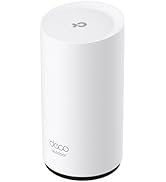
Features : 2.40 GHz - 2 x antenna(s) - 2 x internal antenna(s) - mimo technology - beamforming technology - 1 x network (RJ-45) - ceiling mountable, wall mountable. Review: Good reliable product - Install and forget it Review: Not good product - Product performance is not good. on more then 8 connection it start hanging and chowking......


| ASIN | B07CQ2WSWN |
| Antenna Location | Home |
| Antenna Type | Internal |
| Best Sellers Rank | #263,842 in Computers & Accessories ( See Top 100 in Computers & Accessories ) #213 in Wireless Access Points |
| Box Contents | 300Mbps Wireless N Ceiling Mount Access Point EAP115 Power Adapter Mounting Kit Installation Guide |
| Brand | TP-Link |
| Brand Name | TP-Link |
| Colour | White |
| Compatible Devices | Personal Computer |
| Connectivity Technology | Ethernet, USB |
| Control Method | App |
| Controller Type | Switch |
| Country of Origin | China |
| Coverage | Standard |
| Customer Reviews | 4.2 out of 5 stars 341 Reviews |
| Data Transfer Rate | 300 Megabits Per Second |
| Frequency | 2.4 GHz |
| Frequency Band Class | Dual-Band |
| Global Trade Identification Number | 00845973092863 |
| Is Modem Compatible | No |
| Item Dimensions L x W x H | 15L x 8W x 15H Centimeters |
| Item Weight Unit of Measure | 500 Grams |
| LAN Port Bandwidth | 10/100 megabits_per_second |
| Manufacturer | TP-LINK |
| Manufacturer Part Number | EAP115 V4 |
| Maximum Upstream Data Transfer Rate | 300 Megabits Per Second |
| Model Name | EAP115 V4 |
| Model Number | EAP115 V4 |
| Number of Ports | 1 |
| Operating System | Windows 10/8/7/Vista/XP |
| Other Special Features of the Product | WPS |
| Security Protocol | WPS |
| Special Feature | WPS |
| UPC | 845973084233 845973092863 |
| Voltage | 9 Volts (DC) |
| Wireless Communication Standard | 802.11b, 802.11g, 802.11n |
| Wireless Compability | 802.11b, 802.11g, 802.11n |
R**J
Good reliable product
Install and forget it
A**A
Not good product
Product performance is not good. on more then 8 connection it start hanging and chowking......
U**R
Value for Money
Good for home and office use for fewer device. If you want to use heavy data, go for gigabit device.
M**I
To link 300mbps wireless n calling mount eap1500
Take very low space smart in home n office easy to install I like it very much worth to buy this product connectivity is superb
M**N
GOOD
WORKING FINE DELIVERY ON TIME 10 STARS over all
C**.
Peu mieux faire !
Débit wifi moyen
M**I
Tplink è una conferma
Ottima copertura e velocità di trasmissione
C**L
Doesn’t work & seller doesn’t refund money
Is there a zero star option?! Got the product and wouldn’t work. Called their support line which was unhelpful because you could never reach anyone. Played around with it for 3 days to get it to work before giving up. Requested refund and seller obliged. I mailed back the unit AND THE SELLER DID NOT REFUND ME. Such a scam. Avoid this seller and this product.
P**N
Great stand-alone access point solution for IoT and guest access.
Shortly after setting up our WiFi in our new home, it became obvious that having our WiFi router in the basement where our cable modem is located wasn't going to cut it. The cement walls absorbed too much of the WiFi signal and, even in our small home with a 40'x28' footprint, we had dead spots. I needed to move our WiFi access to the attic. I bought two TP-Link Omada access points, this Omada N300 unit to support our Internet of Things (IoT) and guest WiFi users, and an Omada AC1350 dual-band router for my wife's and my phones, tablets, and laptops. Both units are powered by Power-over-Ethernet (PoE) adapters in the basement connected to a new, Mikrotik hEX small-business router. Using a separate router allows me to segregate our guest users and IoT devices (smart home stuff, Kindles, Alexa speakers, and so on) onto their own, less-secure network and put our private computing resources where our financial and personal data resides on a more secure network. (Note: Our streaming devices, Roku TVs and the like, are connected to the same logical network as our IoT stuff, but have wired connections.) Both Omada access points have been champs. Located in our attic, they were easy to set up as stand-alone access points using TP-Link's Android app, and both provide a strong signal everywhere in our 3-level (basement, main level, and attic) home with an 1100 square-foot footprint. Our WiFi signal now extends into our front and back yard and we no longer have dead zones in the house. (Yay!) I only ran into two problems with the Omada N300. The first problem was I received a unit that was broken and did not support Power-over-Ethernet. Amazon made setting up an exchange very easy, and that problem was quickly (after 3 days for shipping) resolved. My second problem was funny, if embarrassing. The Omada N300 and AC1350 access points are slightly different sizes but have very similar-looking wall/ceiling mounting plates. I spent an unreasonable amount of time trying to figure out why the AC1350 wasn't connecting to its mounting plate before it dawned on me I was trying to hang it on the N300's base! Since then, everything has worked flawlessly, and I can recommend either solution. Pros for the TP-Link Omada N300 Access point: * Low cost. * Strong signal. * Plenty of bandwidth for most home users. Can easily support one to two dozen devices, as long as they aren't going to be multiple online gaming users. (One gamer is OK, two is iffy, three, and you want to move up to a dual-band access point with a fast, 5Ghz transmitter.) * Very easy to configure as a stand-alone unit with TP-Link's Android app. (The IoS app is probably about the same.) * Perfect if you want to set up a separate network for your IoT-type devices and guest users. * Comes with a 120VAC wall adapter, but supports Power-over-Ethernet if you have or purchase a separate 24-volt PoE injector. * Reasonably unobtrusive, slightly bigger than a smoke detector. * The power indicator light can be turned off in software. Cons: * My first N300 access point was broken, did not support POE. * If you have multiple hard-core gamers, this is not the best solution for you.
Trustpilot
2 weeks ago
2 weeks ago