We remain fully operational. Our teams are working around the clock to ensure your deliveries continue safely.

DOWNLOAD THE APP


Customer Services
Copyright © 2025 Desertcart Holdings Limited
DOWNLOAD THE APP


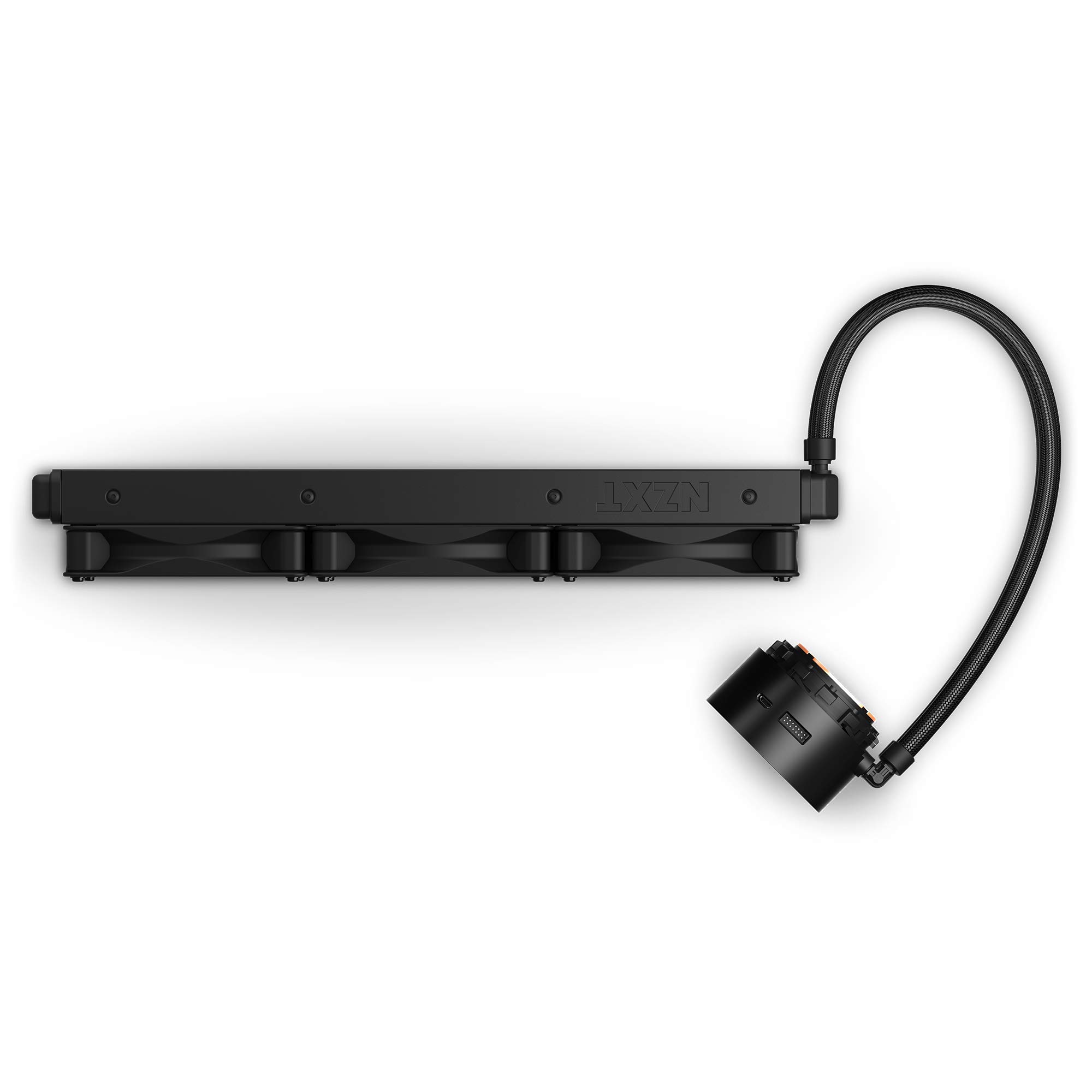


🧊 Cool looks, cooler performance — make your PC the envy of every battlestation.
The NZXT Kraken Z73 360mm is a premium all-in-one liquid CPU cooler featuring a vibrant 2.36” customizable LCD screen, broad Intel and AMD socket compatibility, and a high-performance pump with speeds up to 2800 RPM. Backed by a 6-year warranty, it combines silent, efficient cooling with intuitive CAM software control, making it the ultimate choice for professionals who demand both style and substance in their PC builds.


| ASIN | B082DYPF57 |
| Best Sellers Rank | #1,164 in Water Cooling Systems |
| Brand | NZXT |
| Compatible Devices | Intel Socket LGA 1151, 1150, 1155, 1156, 1366, 2011, 2011-3, 2066, AMD AM4, TR4 (bracket not included) |
| Cooling Method | Liquid |
| Customer Reviews | 4.6 4.6 out of 5 stars (5,192) |
| Date First Available | January 28, 2020 |
| Is Discontinued By Manufacturer | No |
| Item Weight | 4.55 pounds |
| Item model number | RL-KRZ73-01 |
| Manufacturer | NZXT |
| Material | Aluminum, Plastic |
| Maximum Rotational Speed | 2800 RPM |
| Noise Level | 21 Decibels |
| Number of Items | 1 |
| Power Connector Type | 4-Pin |
| Product Dimensions | 4.72"L x 4.72"W x 1.02"H |
| UPC | 815671015303 |
| Voltage | 12 Volts |
| Wattage | 3.6 watts |
M**.
Great Aesthetics, Good (but not Great) Performance
This Kraken Z73 is perfect for anyone putting together a build that has aesthetics and function in mind, and as for me served as the perfect final touch to my build. First off installation is a bit of a hassle with this due to the extra connections that the little screen requires. For some this may end up being a dealbreaker because of the fact that it may not fit in some smaller form factor builds or even a Mid-tower ATX build with all the RAM slots occupied. Furthermore there's a bit of a known issue involving certain AMD motherboards and the USB connection to those motherboards. I didn't encounter this particular issue with a Gigabyte X570 Aorus Master but your mileage may vary. In case you do have an issue, contact NZXT support and they'll provide a usb hub that works as a workaround until they can roll out Krakens with the permanent fix built in or whatever. One more thing to be aware of is that unlike what the manual says there are only 2 viable installation directions if you are planning on the screen facing right side up. It's true that there is a way to rotate the image through the NZXT CAM software but if it isn't installed in one of the aforementioned orientations then unfortunately it wont be able to rotate it to the correct orientation which seems like an odd limitation but it is what it is. Okay so the performance of this cpu cooler is good, but I was honestly expecting just a bit more cooling efficiency from this latest pump design but it misses the mark by a non-insignificant amount. I previously used a Deepcool Castle EX which is also a 360mm radiator AIO and the difference in not only temperature but also noise is definitely noticeable and is a bit disappointing for a AIO cooler at this price point. But let's be honest if you're buying this or considering buying this then the reason for it is most likely because of the awesome little screen that this thing has, and I can assure you that one shining feature was more than worth it for me but it may not be for someone else, obviously. I was surprised at how crisp and clear the screen is for how small it is, and while you can upload your own gifs, pictures or whatever there is a bit of a learning process in making sure your chosen gif fits the way you want it to without a loss in quality or even unexpected cropping or sizing issues. There's a growing number of useful guides online to guide you in how to do this so it's generally a non issue. Now for the CAM software, I'll admit I've never used it prior to with this Kraken Z73 and I didn't really have a very good opinion of it based of off some very negative things I've either heard from friends or read from users online, but with all that baggage built up going into this I'm relieved to say that my fears were unfounded. The current version of the software has a intuitive user interface with plenty of data and options for those looking to tweak things to their exactly preferences. While the one downside I will mention is that it appears to take much longer than competing software when it comes to fully loading on startup. This isn't too bad of an issue more of a nagging annoyance, but it does take some getting used to as when it finally loads your user profile depending on your fan curve and lighting set up it could range from hardly noticeable, to a gale force disco colored hurricane. I would definitely recommend this for a certain type of pc builder, this is obviously mostly for show and as long as you do go into this with that in mind I find it difficult to believe that you won't be as thrilled as I am having this stunning little screen inside my build firing off different gifs or whatever I decide to have on the screen. It's always the first thing anyone asks me about when they see my computer because of how unique it is and how clear and vivid that little screen actually is. Overall I'm very happy and would definitely order this again if I were to build another PC today.
C**P
Kraken Z73- A good all around cooler for your PC
I have to say a great addition to my build and keeps it very cool. My build is a ryzen 3700x, rtx 2070 super and phanteks evolv x, and keeps my cpu very cool at around 60c when under heavy load during a time spy cpu stress test, 99.2% frame rate maintained for 20 runs. The thermals in my room is not the best and I have been running with the pre-applied thermal paste, so take the thermals with some reservation. Although when running with my old air cooler and using good thermal paste, I would get around 85c for the same run on time spy stress. So I went down 25c and can go down more if I reapplied thermal paste. The installation for Z73 was easy enough in my case and had no problems. I did replace the fans with corsair ll 120s because I wanted to have my rgb with my case. I have to say those fans fit perfectly if you want to do the same. Also my case made it easier to put in, since I could take the top panel off for an easy install, just keep in mind how your case will allow you to install. The LCD screen is a nice touch for constant temperature showing when running stress tests and benchmarks to see how it's performing. The best thing about the screen is that you have an added part to your lighting and make it an interesting part of the theme you are doing. I do multiple themes for my setup and it is great for changing up your looks as much as you want (Sunset theme in video). It adds more to your build to have more fun with the theme your going for. The noise level is quite good with this aio. If your looking for a quiet aio, the Z73 is a contender because on quiet mode you can't really hear it and still cools very well, never really went past 65c (don't have the best ambient temperature and never reapplied paste). I usually have headphones (Corsair Virtuoso) on and have it running on performance, where it is louder but with headphones on I can't really hear the pump and fans. If you aren't using headphones, the noise is noticable but if you have your speakers running, it's not too bad. It just depends on how close you are to your pc. I have my on desk but I also have it connected to my tv and I will be a bit of distance away and can't really hear it when gaming off the TV. The only problem I have to say with this cooler is the cam software. The monitoring side of the software loves to act weird after an update for a week and give you some weird readings. It reads my gpu as running at 527 degrees sometimes because it doesn't registers the demcial point because it was running at 52.7c. Also the software doesn't remember your previous setup sometimes after an update and resets your settings for mode your running and the LCD screen. Also if you are running a ryzen system, your temperature will fluctuate a bit because cam and other softwares can't read as accurate as ryzen master, so don't be worried when it jumps around in temperature. Summary Pros- Install, Cooling, Noise, Looks, Performance Cons- Cost (if you are worried about the cost), CAM software, non rgb fans included
K**S
Great product
Awesome. Beautiful. Lovely. A bit of a learning curve for instillation, defiantly read up on how to do it properly or watch videos if you aren't already pretty familiar with them because one can definitely install it wrong pretty easily which could ruin the product. The screen can be set to anything using a desktop app but the color was slightly off for me, not a big deal but something to think about.
C**I
Took another chance with NZXT, Not disappointed
I bought a case from NZXT about a year ago, and it came with a scratch on the front panel. After debating for a while on this product, I decided that a would get it. Worse case scenario I return it for a refund. Turns out there was no need for a refund. Installation was easy. All the screws and brackets came in labeled bags and the cables were in a bag of their own. I installed an AIO sleeving kit from CableMod but used some black electric tape instead of the clips that come with it. The pre-applied thermal paste was useful - I didn't want to apply it myself. The usb connector isn't long enough to be routed up and behind the motherboard, so I had to route it down BEHIND the graphics card. You just have to be careful not to crush it. In my opinion, it looks beautiful. The software is very easy to navigate and you even put gifs on the LCD display, which is AMAZING, by the way. The crisp and clear display is clearly visible through the tempered glass and looks very appealing. The temperatures are surprising - after a few days of use, my average idle was between 35 to 40 ℃ and under load, around 60 ℃. All in all, this cooler is incredible and I highly recommend it. It looks breathtaking, installation was simple, temps are great, and the software is easy to navigate and use. If you have the money and are looking for a 360mm liquid cooler, GET THIS. Trust me, you won't regret it.
E**L
De entrada: se ve increíble. Es demasiado amigable a la vista y súper divertido lo que puedes hacer con el. Poder cargar cualquier GIF a la pantalla LCD te da muchas posibilidades para la estética de tu Sistema. Supongo que esta seria la razon principal para comprar este AIO, asi como la parte de monitoreo de datos. Ya que definitivamente esta muy alejado en precio comparado con otros similares. En cuanto a rendimiento supongo que esta en un rango aceptable, para ser un AIO. Mi Ryzen 5 5600X se mantiene alrededor de 27-30° C con el Sistema en idle. En cambio, las temperaturas llegan a subir hasta los 69° a carga completa en pruebas de estrés, utilizando PBO (a 4600 Mhz). Supongo que las temperaturas son un poco altas, pero tomando en cuenta que lo uso en un sistema AMD (estos AIO fueron hechos con procesadores Intel en mente), supongo que esta bien. Podría tener temperaturas inclusive mejores cambiando la pasta térmica que viene por defecto, o cambiando mi configuración actual de PBO, pero de momento no siento que sea necesario - tal vez en verano lo vuelva a revisar. En cuanto a ruido, es bastante silencioso, siempre y cuando no sometas al Sistema a pruebas de estrés. Los ventiladores pueden ser muy ruidosos mas allá del 70% - pero realisticamente puedes configurarlos en modo silencioso, que no sube de 50% de su uso) y no tener grandes penalizaciones en cuanto a temperaturas (alrededor de 3-4° C extras). La pantalla es super útil, ya que puedes tener a la mano datos como las temperaturas del CPU y GPU. Yo solia tener siempre abierto herramientas de monitoreo mostrandome multiples datos del Sistema mientras jugaba. Puedes poner estos datos en la pantalla LCD, e ir rotando cada cierto tiempo los valores en pantalla: Frecuencia del CPU, temperaturas, etc. Creo que ahora lo unico que muestro en pantalla ocasionalmente son los FPS, ya que todo lo demás lo puedo poner en la pantalla y verla de tanto en tanto. Antes de probarlo la verdad estaba muy indeciso de si era la compra correcta - ya que es un poco caro y hay mejores opciones si buscas un rendimiento máximo. Pero honestamente, es muy divertido y en cuanto a temperaturas sigue siendo excelente - me he olvidado totalmente de la preocupación de tener las temperaturas del CPU a raya independientemente de la carga, y por otra mano la computadora se ve MUY bien. Recomendado si tienes el presupuesto y estas en búsqueda de una gran estética en tu sistema.
D**E
Um dos melhores do mercado mantem meu i9 9900k frio, ainda mais para qm mora em uma cidade quente como Cuiabá o processador não passa de 45°. top recomendo.
O**N
NZXTとにかく格好良いです。 性能もRyzen9がしっかり冷えます。 一番のお気に入りポイントはCPUやGPUの温度を表示してくれるところ。 高いですが買ってよかったです。
B**N
I have had three of the Corsair H150i Elites, and problems with the LCD, dropped them. Tried this one, SO impressed. So quiet I do have to check the CAM software to make sure they are still spinning. Even at 100% you can hardly hear them. The Corsair, VERY loud!!! The NZXT also keeps my TT 71 tower very cool. My temps went from low to high 60s while gaming to mid 40s to 50s. Ya, like at least a 10 degree drop, my jaw dropped. I have NO clue after years of staying loyal to the other brand that there was another one that was MUCH MUCH better!! AND out of the box the LCD works like it should. Buy it!! you will not regret it!!
J**C
It's an expensive CPU cooler and I'd recommend getting it during a sale. I managed to get mine at USD$200. It works as expected but I decided to use Noctua's 140 fans instead for improved cooling. Bought it primarily for the ability to add GIFs to the cooler so no regrets there. Been using it around a month or so far so good. My only concern is the lifespan of the cooler. I hope it can last for as long as the warranty covers it.
Trustpilot
2 months ago
3 weeks ago