

Desert Online General Trading LLC
Dubai, United Arab Emirates
Desert Online General Trading LLC
Dubai, United Arab Emirates
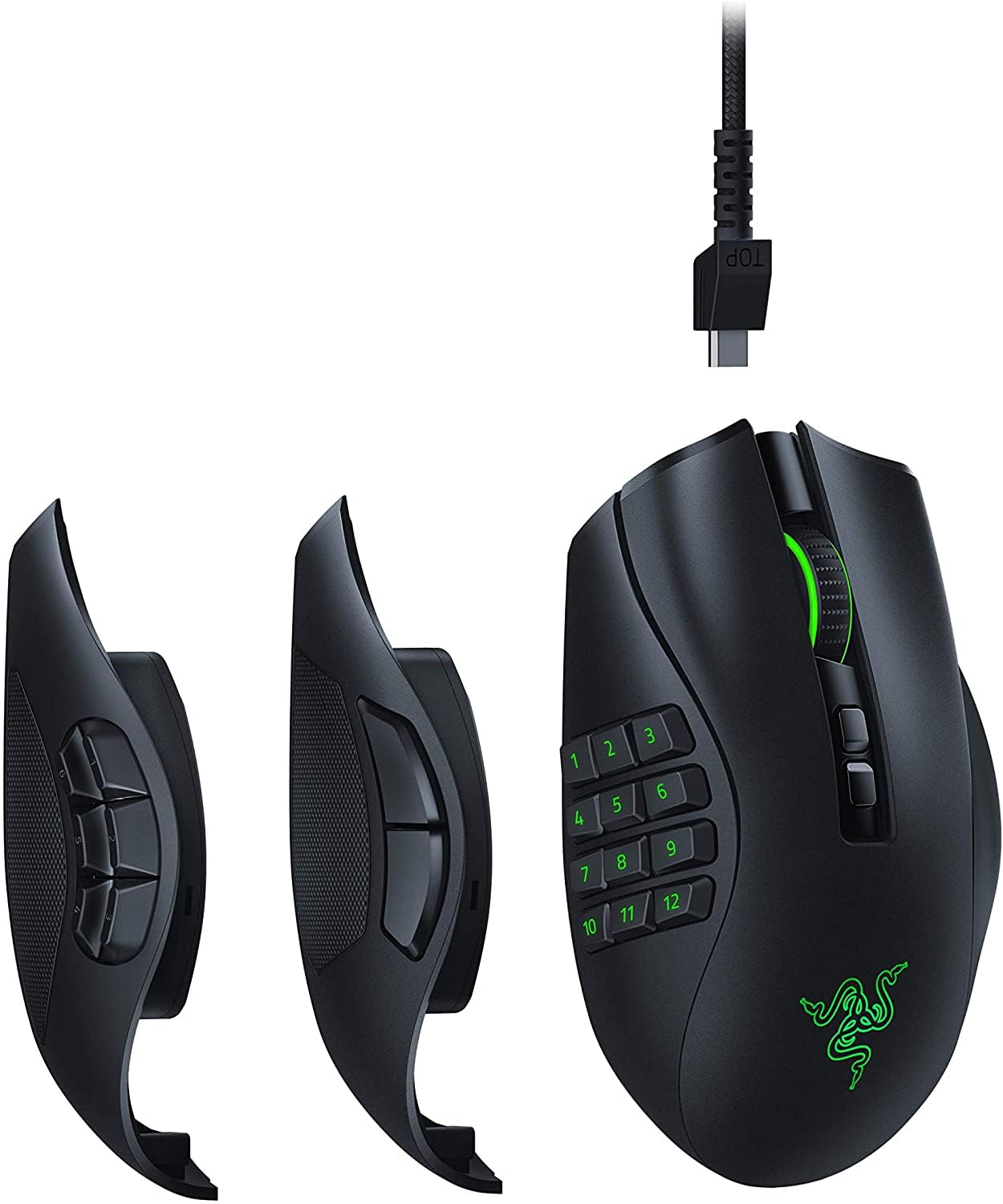
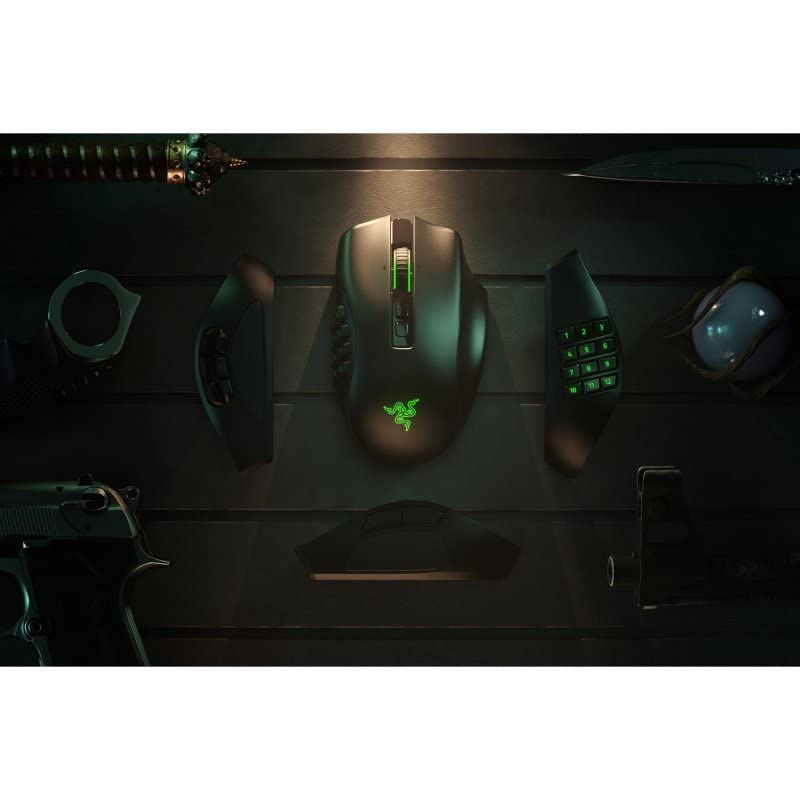


🔥 Dominate every click, every move, every game 🎮
The Razer Naga Pro is a premium modular wireless gaming mouse featuring 19+1 programmable buttons, three interchangeable side plates tailored for diverse gaming styles, and the ultra-precise 20K DPI Focus+ optical sensor. Powered by Razer HyperSpeed wireless technology, it offers lightning-fast, low-latency connectivity and an impressive 100-hour battery life. Engineered with Razer Optical Mouse Switches, it guarantees rapid 0.2ms actuation and durability up to 70 million clicks, making it the ultimate tool for professional-grade gaming performance.


| Brand | Razer |
| Product Dimensions | 8.8 x 49.2 x 21 cm; 400 g |
| Batteries | 1 A batteries required. (included) |
| Item model number | RZ01-03420100-R3G1 |
| Manufacturer | Razer |
| Series | Naga Pro |
| Colour | BLACK |
| Wattage | 50 |
| Power Source | Battery Powered |
| Hardware Platform | gaming |
| Operating System | Linux |
| Average Battery Life (in hours) | 100 Hours |
| Are Batteries Included | Yes |
| Lithium Battery Energy Content | 9 Watt Hours |
| Lithium Battery Packaging | Batteries packed with equipment |
| Lithium Battery Weight | 0.82 g |
| Number Of Lithium Ion Cells | 1 |
| Number of Lithium Metal Cells | 7 |
| Item Weight | 399 g |
| Guaranteed software updates until | unknown |
G**K
Best MMO mouse
This is the best mouse for MMOs in my opinion. Too heavy for FPS games, but the flexibility it gives you with the changeable side panels is great (I'm using the 6 button panel).My initial copy had am issue with the wireless dongle, but the Razer support quickly sent me a replacement mouse under warranty and the second one has a stable connection.+ Good battery life+ Good customer support from Razer+ Great build quality+ Flexible charging cable+ Can be used via BT and 2.4Ghz+ Good 4-way scroll wheel+ Great clicks+ Flexible button layout+ Decent glide- I don't like Razer Synapse software. It works but feels bloated- Too heavy for FPS
D**Y
Excellent mouse with umpteen buttons!
I have used Razer mice and other products for many years now. This replaces one I've used for 5 years.This time I went for the Pro because it can be wireless, bluetooth or wired. I use it mainly wired because I am a very heavy user, using my computers all day and late into the night for work, games and movie watching. This will actually work from 8am to 2am on a charge and when you forget to plug it in when you go to bed it will also work for quite a while the next day. Yes I did! :-) It charges pretty quickly. Maybe 2 hours to full from a long run like that. Being Bluetooth also it means I only need to flip the switch on the bottom and it connects to my Surface tablet so I can use it on that as well. Very nice device. There is a charge stand for it but I won't bother with that and I did feel that another 65 quid for the charge stand was a bit much although there are cheaper third party ones available. Wireless dongle comes in the mouse hidden behind the removable switch panel. Just plug it onto the lead provided and it's wireless. Plug the cable back into the mouse and it's wired. Easy peasy.
D**S
Cheaply Made
Annoying thing with Razer, their designs are flawless. Changeable panels to switch between FPS/MOBA/MMO. Nothing worse then clutching your mouse in a tight FPS scenario and pressing 12 buttons at once that you forgot to deactivate and cause you to swap weapons and grenades and either blow yourself up, or cause enough of a delay to get shot.Unfortunately that is where my praise with Razer stops. I had their previous edition Razer Naga (With the 6-button circle panel), and the left-click failed within 3 months...not completely, but enough to frequently register 2/3 clips numerous times in Arena fights in WoW. I replaced it with a 12-Button Logitech and kept having issues like i mentioned (Pressing 12 buttons in tight fights).Figured I would give the new Razer Pro a try, because I loved the change of the 6-button circle, to a 6-button row because it meant I could make use of them in MOBAs without the risk of pressing 12-buttons again. But...not even 1-month in, I started experiencing problems.I tried everything I could to keep going, I updated drivers (Which helped quite a bit, but still not enough), removed modules from their Synapse software, turned lighting modes off etc. Nothing.Cut offs were consistent, confusion and general delay on the Wireless receiver if needed to charge mid-day after a long session.The design is flawless, but their execution and quality is just so poor...I think this will be the last time I purchase a Razer product until I hear they have improved their product quality.TLDR;- Delay on the wireless receiver.- Confusion between the wireless mode and cable mode if you had both plugged in at once.- Frequent "cut offs" that lasted no longer than half a second, but in FPS that is a MAJOR issue. Sometimes I would get cut off 10 times in a single match despite driver updates/software adjustments and module removals.
W**M
Probably my favourite mouse to date
When I wanted to change from a wired Corsair Scimitar to a wireless mouse, I switched to the Razer Naga Pro because Corsair did not make a wireless 12-key mouse, and I'm happy I went for it. It's lighter than the scimitar, and while the shape of the side buttons was different I adjusted quite quickly and the mouse now feels second nature.The whole kit comes with three side panels - 2 button (FPS), 6 button (Battle Royale) and 12 button (MMO), and though I've only ever used the MMO panel, I do feel sad Razer ditched the 'MOBA' layout (5 arc-shaped buttons surrounding a round central one). They are interchangable through magnetic snap. After some time learning the workflow for profile and chroma RGB management it becomes natural.For battery performance, using the 12-key side panel, 1000Hz (max) polling rate, lighting usually all white at 255-255-255 at 20% brightness (this is plenty bright!), on 2.4GHz connection, auto-sleep after 5 minutes idle, I generally need to recharge the mouse overnight after 2 days of rather heavy use, however, with razer's charging dock it is convenient to charge it while cooking or taking a shower more frequently. When charging this way, its logo will flash a colour to indicate charge level.Highly recommended if you are looking for a wireless mouse with side buttons - let alone a variety of side button options included in the package.
J**H
Nearly but not quite
I cant understand why they can never get the side button configuration right, the six configuration is the only one of use but the layout is totally wrong. Why cant they just use a standard 4 pattern like what you find on a joypad, so your thumb can press the buttons in a natural way, so simple.
Trustpilot
2 months ago
1 month ago