

🔒 See Everything, Miss Nothing — Security That’s a Showstopper!
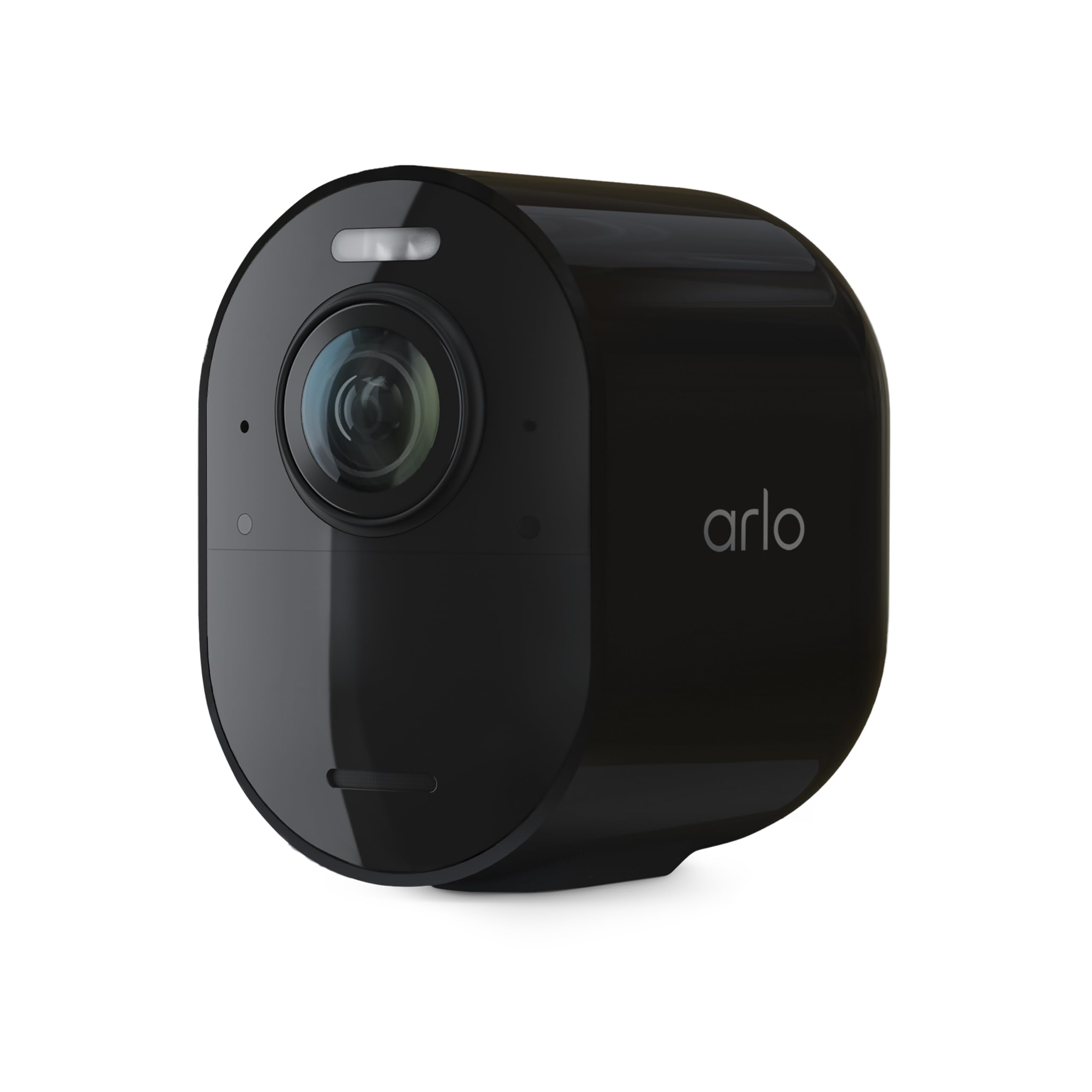
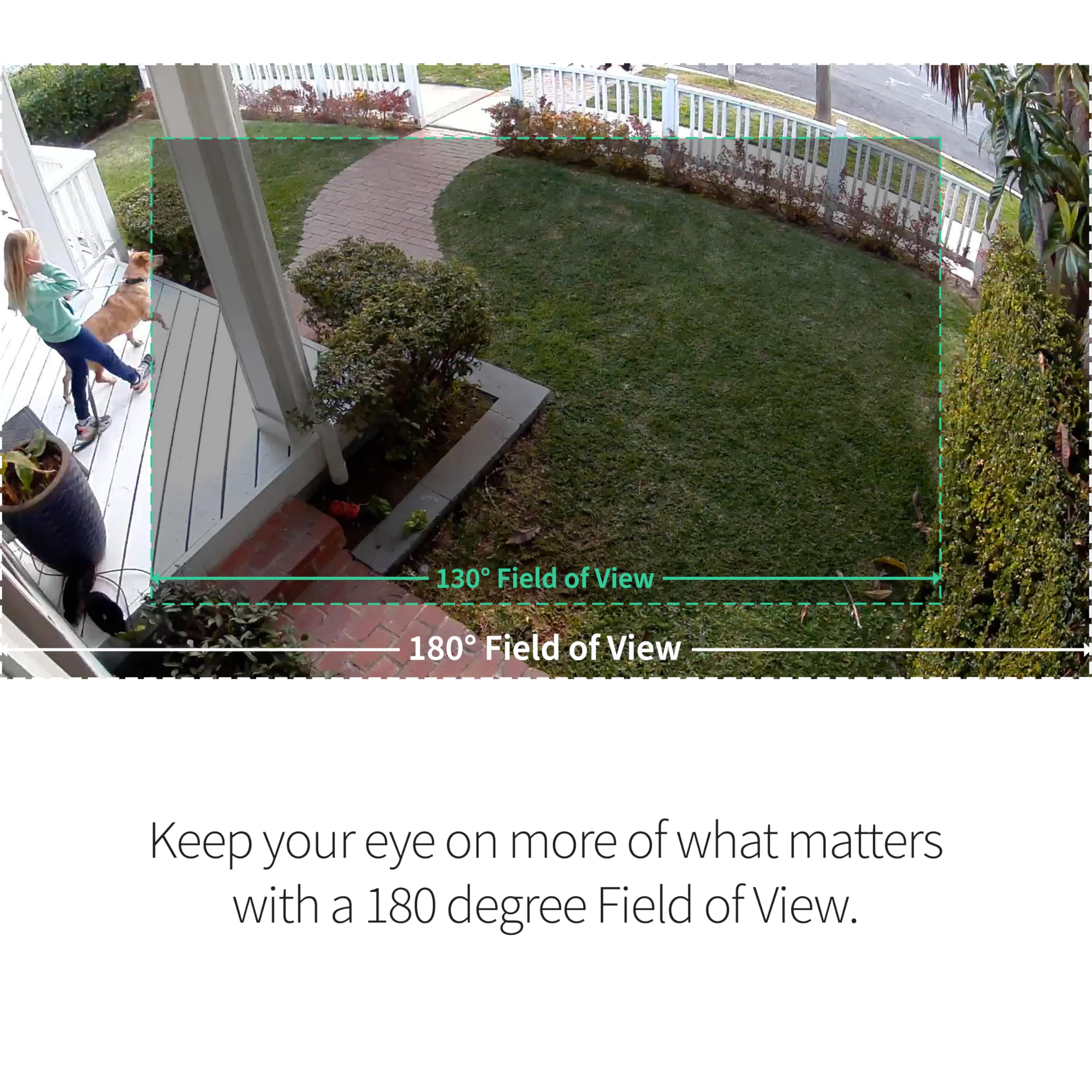
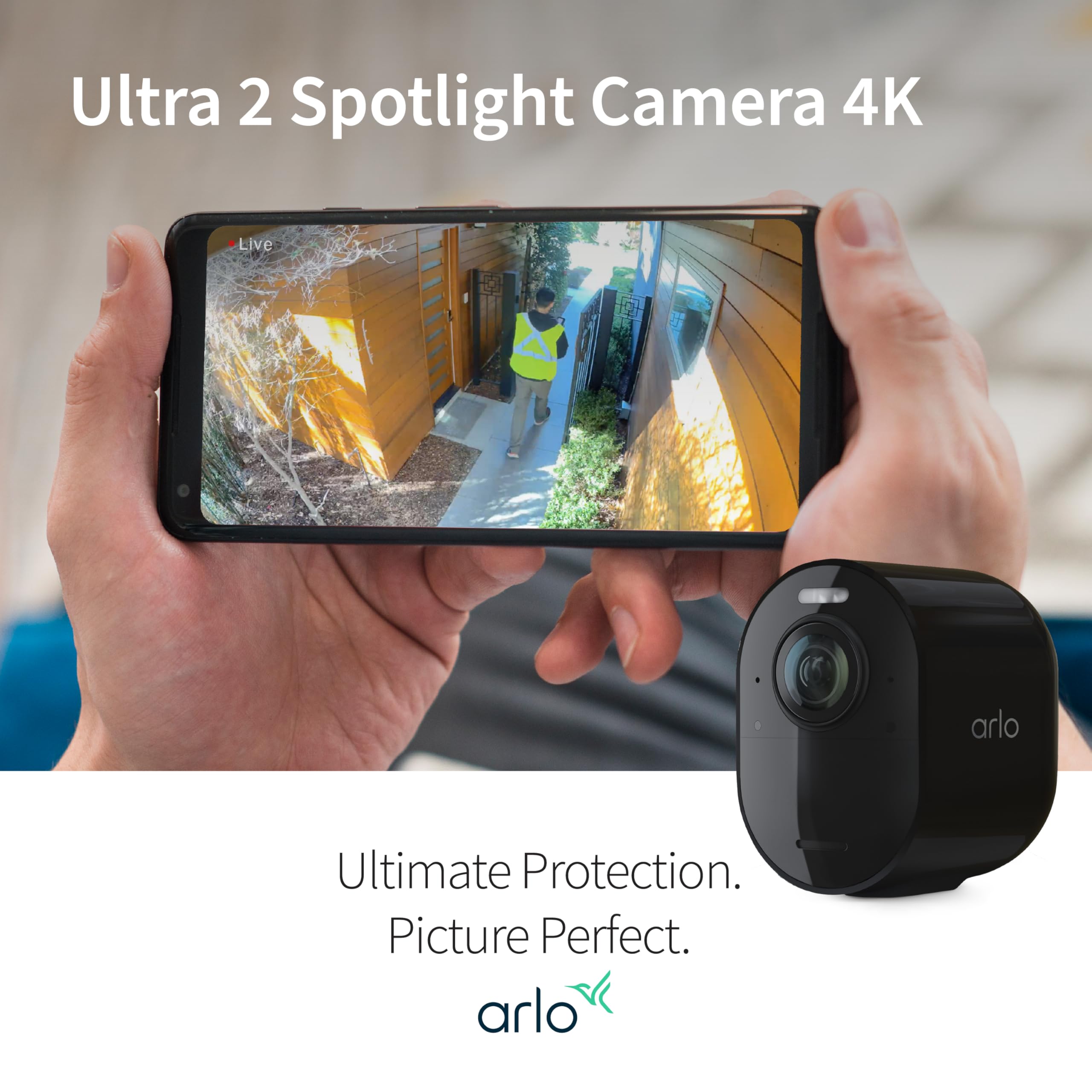
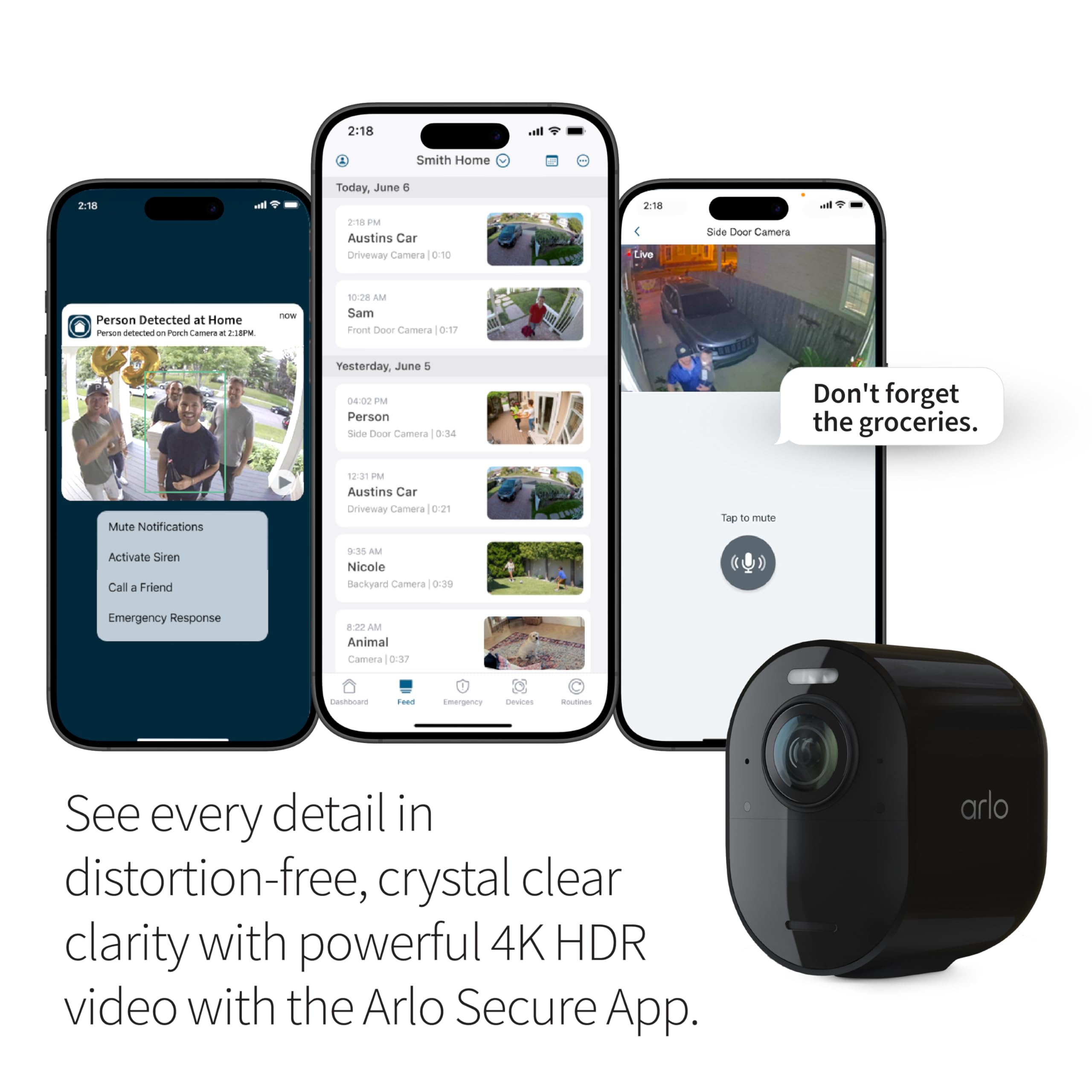
The Arlo Ultra 2 Spotlight Camera delivers professional-grade 4K HDR video with a 180° ultra-wide lens and vivid color night vision, powered by dual-band Wi-Fi and rechargeable battery. Designed for seamless wireless outdoor use, it integrates with the Arlo SmartHub (sold separately) and offers smart alerts, 2-way audio, and advanced zoom for unmatched home security and peace of mind.


| ASIN | B08HRNKGW9 |
| Alert Type | Motion Only |
| Antenna Location | Indoor/Outdoor |
| Are Batteries Required | Yes |
| Best Sellers Rank | #106 in Home Security Systems #150 in Bullet Surveillance Cameras |
| Brand | Arlo |
| Built-In Media | Camera Body, Battery Pack |
| Color | Black |
| Compatible Devices | Alexa |
| Connectivity Protocol | Ethernet, Wi-Fi |
| Connectivity Technology | Wireless |
| Control Method | App |
| Controller Type | Vera |
| Customer Reviews | 4.0 out of 5 stars 2,866 Reviews |
| Field Of View | 180 Degrees |
| Form Factor | Dome |
| Indoor Outdoor Usage | Outdoor |
| Indoor/Outdoor Usage | Outdoor |
| Item Dimensions | 3.5 x 2 x 3 inches |
| Item Height | 3 inches |
| Item Type Name | Security Camera |
| Item Weight | 312 Grams |
| Manufacturer | Arlo |
| Manufacturer Warranty Description | 1 year manufacturer |
| Model Name | Ultra 2 Spotlight Camera |
| Model Number | VMS5240 |
| Mount Type | Wall Mount |
| Night Vision | Night Color |
| Number of Channels | 2 |
| Number of Items | 1 |
| Other Special Features of the Product | day-and-night-camera |
| Power Source | Battery Powered |
| Recommended Uses For Product | Indoor/Outdoor |
| Room Type | Bedroom, Kitchen, Living Room, Nursery, Office |
| Special Feature | day-and-night-camera |
| Specific Uses For Product | Surveillance |
| UPC | 193108141925 |
| Unit Count | 1.0 Count |
| Video Capture Format | MP4 |
| Video Capture Resolution | 4k |
| Viewing Angle | 180 Degrees |
| Water Resistance Level | Water Resistant |
| Waterproof Rating | IP65 |
| Wattage | 1 watts |
| Wireless Technology | Wi-Fi |
P**O
I finally have the proof I needed
Where do I even begin with the Arlo Ultra 2 Spotlight Camera? Let's just say it's my new favorite reality show. Move over, Kardashians! This camera has become the star of my life. Not only does it capture crystal-clear video, but it also has a hidden talent for catching unexpected 'performances' in my neighborhood. I've had a long-standing suspicion about my Karen-of-a-neighbor's misdeeds, and boy, was I right! Thanks to the Arlo Ultra 2, I finally have the proof I needed. It not only caught her dogs doing their business on my lawn but also exposed her doing something I can't unsee. Let's just say she was mooning the world with her pants down. The image quality is so good that I could practically count the daisies on her underwear. It's like watching an episode of 'America's Funniest Home Videos,' except my yard is the stage. I've never laughed so hard and simultaneously cringed in my life. But hey, it's not all about my neighbor's embarrassing escapades. The Arlo Ultra 2 is a top-notch security camera too! With its spotlights and advanced features, it's like having a mini Hollywood set in my backyard. And the best part? It's super easy to set up and control, even for tech-challenged folks like me. So, if you're tired of boring security cameras and want some entertainment with a side of surveillance, the Arlo Ultra 2 Spotlight Camera is the way to go. Trust me, you'll never look at your neighborhood the same way again!" L
A**.
outside wireless security that really works
I have had this system for 5 years and it has worked perfectly time. After 5 years, the hub went out and strted malfunctioning. So I ordered this system to replace one camara and my hub. I have been using it for 4 months and it works great. The value for the money for such good quality and serviceability is worth it. Product detects and has good night vision. I am thankful to the seller for this affordable price for such a high quality camara system that really works and stands to the weather.
H**L
Lots of hassles (please see full review)
TLDR: Setup and configuration is a real pain. iOS app is clunky and confusing to use. Arlo support is egregiously poor. Cameras work well with some limitations once you get past the installation issues. I purchased both an Arlo Ultra 2 two camera set and an Arlo Pro 4 three camera set. Both camera sets connect via the Arlo base station (VMB5000) that came with the Ultra 2 set rather than using the Pro 4 option to connect direct to my house WiFi. This is a combined review for the two sets. You should keep in mind as you read this review that I am a computer programmer with 50 years experience and extremely well versed in dealing with complicated technical issues. The Arlo cameras are among the most frustrating gear I have ever set up. I think a non-technical person would have given up long ago. The good news is that once I got the cameras set up properly they did a reasonable job of fulfilling their intended purpose of showing me videos from around my property. The daytime video is quite good. Nighttime video can be dark and blurry (even if I switch to black and white mode). I am wary of what will happen when the three month trial of Arlo's web based services runs out. I am trusting that my cameras will continue to work locally without problems when the trial period is up. Pairing the cameras to the base station was very difficult - they simply refused to pair despite multiple tries. I finally tracked that down to a probable Wi-Fi conflict with my existing house Wi-Fi. Since there is no way to modify the Wi-Fi channel that the Arlo uses it was necessary to change the Wi-Fi channel in my house provided by my network access point. I had to imagine this as a possibility and then check it with a WiFi diagnostic program on a laptop. Arlo does not document what WiFi channels are used or give you any control over channels. Also regarding WiFi, you should plan on some physical separation between your house WiFi access point and the Arlo base station. I got poor connections to cameras (probable WiFi interference again) before I relocated the base station away from my access point. The Ultra 2 camera set was shipped with one only one wall mounting bracket in the box instead of the promised two on the outside of the box. The camera is useless without a wall mounting bracket. Amazon was kind enough to issue me a gift certificate to purchase a second wall mount. The wall mount provided with the Ultra 2 is greatly inferior to that which comes with the Pro 4 camera. With the wall mount from the Ultra 2 camera, it is fairly easy to steal the camera. The wall mounts from the Pro 4 camera provide better theft protection. I would advise using better mounts for the Ultra 2 (which require a special tool to disconnect the camera). This is the good mount: https://smile.amazon.com/dp/B086WPRYBY?psc=1&ref=ppx_yo2ov_dt_b_product_details The cameras must be installed with an app on your cell phone. I used an iPhone. Don't know what someone would do if they don't have a cell phone. The cell phone app is clunky and confusing to use. The menu structure of the iOS app is very arcane, and important settings are randomly strewn throughout the app and are difficult to find. Finding the setting to reduce audio sensitivity was critical because wind noise triggered constant audio alerts at the default setting. Even after lowering the audio sensitivity there were too many alerts and I had to shut them off. It took me a long time to find the setting to shut off the blue LED on the camera, which lights when the battery is fully charged. I looked for days for the setting for smart animal detection before I found it with the help of the Arlo forum. The app tries to automatically detect people, animals, and cars. Particularly in the case of a car or a fast moving cat, the detected object is mostly gone from view before the camera starts recording. All of the internal settings on the base station are locked down and cannot be changed. Unlike most Internet of Things controllers there is no way to access an internal base station webpage to view or change any settings. Such a settings page would have been quite useful when setting up the cameras. The base station responds to pings, but that seems to be it. Because one has no access to the base station settings, one cannot view or change the WiFi password thus eliminating the possibility of setting up a WiFi extender to help cameras stay in range of the base station. This means that Arlo gets to sell you a second base station if you have WiFi range issues. Also, be aware that since the internal base station settings can't be accessed, you MUST have a working DHCP server in your network. I am able to view the camera's feed on my computer with a standard browser pointed at my.arlo.com. Be forewarned that this does not work with all browsers due to the video encoding used by Arlo. I had the best luck with Microsoft Edge. I am trying to get it to work with Firefox (my preferred browser) via an extension that allows opening the video in VLC Media Player, but so far haven't been able to get that to work. I am concerned whether the capability to view videos on the web will disappear when the trial period is up. That would be a loss. Battery life could be a problem. On first installation, one of the batteries ran down after one day. The other batteries seem better, but I doubt they will last the advertised length of 3-6 months. Charging the batteries was a problem. I used the separate external charger provided with the Pro 4 series to initially charge all batteries. That worked fine. But it was difficult to get the batteries to charge when the batteries are installed in a camera in the mounting housing using the supplied charging cable and power adapter. I purchased long cables to plug the cameras into wall sockets and solar panels to charge the cameras that aren't near wall sockets so that the camera batteries can be charged without removing them from where they are mounted. But the batteries would not charge in the housings. A kind soul on the Arlo forum solved this issue for me. It is necessary to grip the camera with both hands and press quite hard with both thumbs on the camera to the side of the lens to lock the camera into place so the charging contacts make sufficient contact. The cameras are now charging nicely, plugged into either the wall or a solar charger. I tried to install a memory card in the VMB5000 base station that came with the Ultra 2 set. I stupidly put the card in backwards and it got jammed in there. Cost me $40 at a camera shop to get it extracted. Don't make this mistake! Once I reinstalled the memory card correctly, the base station recognized it but would not format it. I was only able to format the memory card by using the Arlo website (my.arlo.com) instead of the local iOS app. After formatting the card, I went through all of the steps to enable local recording. I spent over an hour on chat with Arlo trying to determine if videos were actually saved locally. Chat informed me that to view local videos one selects Feed in the Arlo app. When I selected Feed I still saw all of the cloud videos from the last several days. There is no indication in Feed about whether one is viewing a cloud video or a local video. This is a serious User interface omission. The only indication that I may be recording locally is that the base station settings tell me that some of the space on the memory card has been used. But I don't know if Feed is showing me videos from local storage or from the cloud. I want to know this before my trial period with Arlo is over and cloud storage disappears. Chat was unable to help me on this. Numerous contacts with Arlo support on this issue have been useless, failing even to get me a consistent (but wrong) answer. I am thoroughly fed up with Arlo support. If you are the kind of customer who will need a lot of support, Arlo is not for you. Update 2/25/23: Regarding viewing videos in Firefox, I was never able to get this work. But I did find a neat Firefox add-on called Open in MS-Edge. When taken by a link to a video in Firefox, one click on the add-on button opens the video in MS Edge where it works fine. Neat solution! Update 4/19/23: After months of back and forth with Arlo tech support, there is still no resolution to being able to view locally stored recordings. Arlo tech support continues to be the worst I have ever encountered. Downgrading to one star.
A**S
Wonderful product !
Fast shipping and worked great.
F**H
Great so far with a few minor complaints
Have only had my 2 camera Ultra 2 setup active for a little over a week. Very impressed so far by camera quality and connectivity. Camera setup, image quality, motion detection, and connection range are all excellent. Given the cost of this camera setup, you'd expect them to be good and they are. I have not owned any prior Arlo cameras, so I have no way to compare these Ultra 2's to the Pro or Essential models, but compared to other brands I've tried, these are significantly better across the board. Note that I can't comment on battery life other than to say that after a week, my most distant camera is still at 96% charge. App works well, too, on mobile phone though a little clunky. Delay between trigger and notifications is a bit longer than I'd like (~5-7 seconds), but it's not bad. I am having a minor problem with IFTTT cross-triggering, but I am confident that can be worked out. I've deducted a star for a combination of minor quibbles. First, the Arlo website is flashy but not particularly helpful. I've looked through it for an answer and real troubleshooting techniques for my triggering problem, but though there is info there, it's not complete. Second, Two Factor Authorization (2FA) on PC is rather painful as EVERY time you log in on a computer you have to go through the authorization process. This is not OS or browser specific. If you own a PC/Mac, you are going to have to keep your mobile device handy so you can sign in on your PC. This is a known issue and Arlo says they are working on it, but I use 2FA on every other brand that supports it and this is the worst implementation I've ever seen. Note that the 2FA comments apply to Arlo across the board, not just the Ultra 2's. Third, given the price of this kit, would it be too much to ask to include 2 sets of each mount type? Including one magnetic mount and one threaded mount is adequate, but come on. I'd like to also see either a battery charger or at least two charging cables. The mounts and charge cable/brick included is enough, but these are at the very top of the Arlo range and north of $500, they could be a little more generous. Fourth, there is no SmartThings integration on the Ultra/Ultra 2's (there is on some other Arlo models). We are a Samsung house and find SmartThings works extremely well with all of our connected devices. I hope Arlo/SmartThings can get together on this at some point. Fifth is my only hardware related comment. With 180 degrees of diagonal view, these cameras show a huge area and at 4k you can zoom in 8x with clarity and with little fish-eye even at the corners. However, the compromise for all this clear and wide view is that only the bottom 2/3 of the camera's view detects activity. If you planned to mount these cameras very high looking down, just be aware that the upper 1/3 of what the camera sees will not detect activity. My cameras are mounted about 10 feet from the ground and this is not a problem at all. In fact, on the camera facing the street I have had to lower the detection area because passing cars were being detected. I only mention this limitation for those wanting the entire camera view to be part of the activity zone. Finally, I did my homework on the plans offered by Arlo, the phasing out of the 1 year of free service offered in previous models (in favor of 3 months), and the elimination of the 7 days of free recording access, so I knew what I was buying. I could have gone with the original Ultras and gotten the one year free but chose the 2's because of the 5ghz connectivity. However, just because I knew and accepted what I was buying, it doesn't mean that I'm altogether happy with the choices. My frustration with the plans isn't simply about cost. I'm more frustrated with how confusing the choices are; which plans can you use with the Ultra 2's, how can they be mixed and matched, etc. Overall, can't helped but be impressed with the quality of the Arlo Ultra 2's. They are, so far, fantastic. I've spent more words complaining about small issues than raving about the cameras. The hardware is a solid 5 star rating and setup could not have been easier. My recommendation is that if you are looking for high quality hardware and don't want to take a chance on something cheaper, then these are great. Just do your homework regarding the cost/quality tradeoff and the plan offerings from Arlo.
G**Y
Reliable Magnetic Mount in Every Climate
If you’re looking for a dependable way to secure your Arlo cameras, the Arlo Magnetic Wall Mounts are an outstanding choice. These mounts impress with their strong magnetic grip, ensuring your cameras stay tightly in place, no matter the conditions. Whether exposed to the chill of winter or the heat of summer, they reliably hold your Arlo cameras steady and secure. The installation is quick and effortless, making it easy to position your cameras wherever you need extra peace of mind. For anyone seeking durability and flexibility across various climates, these magnetic mounts deliver excellent performance and lasting protection.
T**R
Ultra 2 - a few big pros and a lot of smaller cons
One caveat that I want to start off with is that I have been using this system for about three and a half months now and have been keeping running notes of how the system functions throughout. Since I early on quit using some functions due to problems or lack of utility it is possible that some of my comments may have been fixed by software of firmware updates that I am unaware of since I no longer use certain features that were problematic at one time. Pros I think the sound quality in general is better than two other camera brands I use and the wind noise reduction feature is great. The video quality is very good and the 4K video is noticeably better than the 2k video of other cameras. However, after I take into the negatives that I’ll to shortly I think that unless you need 4K for real-time viewing it’s questionable whether the added cost of this system is worth incurring. There is a very nice low light color mode but it doesn’t work consistently during live viewing and it slow to turn on. The slow turn on means that I frequently get video of vehicles passing by that is black & white for the major of the clip. So using the color function for ID purposes is questionable. The function works pretty consistently on recorded video but not 100% of the time. The noise cancellation function is far superior to any other outdoor security camera I’ve used. I was able to listen to real-time audio in windy conditions that overwhelmed the audio on another brand of camera I was using at the same time and which faced in the same direction - in relation to the wind - as the Arlo Ultra 2. Cons Initial setup of the base station is harder than it needs to be. Like numerous other reviewers I had to contact support to have the units’ token reset. This turned out to be time consuming because we had to go through other troubleshooting first which did not get at the problem. A problem that it appears is pretty frequent so I don’t think it should be so far down the tech support problem checklist. Also I used chat to interact with tech support and the person I was working with ended up sending me a useless set of instructions after the token reset option did not work right away and then dropped off line without telling me she was going to do so or asking for confirmation that my problem had been resolved. I then ended up spending more time doing more troubleshooting of my own but was able to get the unit operational. Overall this was way too problematic. I also experienced problems with getting the base station to actually access the microSD card and show video clips. I never did figure out what the problem was but a day after installing the card the base station just started reading the memory card. I have had several instances since initial setup when the base station can’t access the memory card so I just try again later and the problem has gone away every time. Not ideal if you aren’t paying for an active cloud subscription and need to access videos on the memory card in a time sensitive situation. It is a pain to remotely view base station memory card stored video clips. This requires port forwarding and not all home routers have this capability and even though mine does it still was more work to set this up. Arlo should not be so cheap as to not offer a basic online storage option for free with a system this expensive. Such a capability would make remote viewing of video much easier. The rest of my cons either fall into the category of the App itself or the camera but some I could not figure out whether it was one or the other of those or a combination of the two so I will list them separately. App issues (I use the iOS version) When viewing video stored in the cloud the app will give a preview shot of what caused the recording event but for locally stored video you have to download each clip to the app before you can see any part of it. So if you wanted to just view clips that were of people or ones of just vehicles forget it. You will have to load every clip one at a time to the app to view them. That is a pain if you have a lot of recordings. The sensitivity for automatic video recording is really lacking with this system but I don’t know if it is due to the app, the camera or both so I’ll comment on that later. As far sensitivity and the app I like that there is an ability to select the motion sensitivity level that is supposed to trigger a video recording. The sensitivity level is set via a slider and I routinely try setting it to 100%. However, it usually jumps right back to 80% as soon as I back out of that particular setting as evidenced by my going right back to the setting after changing it to 100% and finding it now set at 80%. Even when I have been able to get it to stay at 100% after backing out of the setting and going right back to check it the setting still will not stay at 100% for long. I have seen without exception that if I go back to the setting a couple days later it has reverted to 80%. In a practical sense I don’t know that this matters because it seems to me that I miss just as many events with the setting at 100% as I do when it is set at 80%. My basis for judging this is watching real-time video and subsequently looking at what got recorded as well as reviewing video clips I have from another security camera that is looking at nearly the same viewing area as my Arlo Ultra 2. Honestly I think the sensitivity setting just gives a false sense of control. The app annoyingly gives two notifications for each activity scene. If you select the first notification is takes you to the main screen of the app only. If you select the second notification it actually plays the clip from the cloud or takes you to the local storage page if that is what you were previously when viewing previous activities. Note that this drove me to turn off notifications altogether and I have not used them for several months now so it is possible that Arlo has fixed this since I last allowed notifications. Another app shortcoming is that is does not allow you to completely turn off notifications. At least not in the iOS version. The app will let you pause notifications for up to 24 hours but if you wan to totally disable them - because they can get obnoxious in a high activity zone - you have to go the system level notification settings which is a poor design decision by the app developer. Camera issues Arlo claims that you can get 6 months operation from a single charge but I quickly discovered that I needed to buy power cords for my units because I wouldn’t anywhere close to that. I couldn’t get a month of use from a full charge. I’m sure that if I were to disable a lot of the features such as 4K, spotlight, night color vision, sensitivity and used the best battery life power management setting that the battery would last longer but why spend so much money on a camera like this if you can’t practically use those settings. For reference I get between 50-80 recording events per day and view live video a few times a day for short periods. I haven’t captured the amount of time I spend viewing live video but it undoubtedly contributes to battery usage but I struggle to think that it causes to charge time to go from six months to less than one month. Camera lens tends to fog or freeze once the temperature drops to around the freezing point. This renders the camera essentially useless at night in these conditions and I know from other brand cameras I also use that activity has gotten missed during times when the lens was coated with dew or ice. Cons that I could not definitively attribute individually to the app or the camera. As I mentioned earlier this system really suffers from poor sensitivity to motion which causes it to miss a large part of things that I want it to capture. I base this comment on my watching things happen out the window in real-time, watching them happen through live-streaming the camera itself or live-streaming from another brand camera with nearly the same viewing area as the Arlo Ultra 2. My other camera routinely triggers on people that are walking on the sidewalk on the other side of my street but the Arlo Ultra 2 absolutely never captures that. In fact the Arlo too often misses people walking on the sidewalk on my side of the street. The Arlo also misses far too many vehicles passing on the street. Even when the camera does trigger it is slow to do so and in the case of passing vehicles the best capture angles are frequently missed and I end up getting shots of the rear of a vehicle. The 4K video at this point isn’t helpful because you can’t really zoom in close enough to be of use when the vehicle has gone that far past the point when it was nearest the camera. This problem is compounded by the light that kicks on at night to enable night time color vision takes a couple seconds from when the video clip actually starts before it comes on. About the only time the night time color vision is of use for capturing a vehicle in color is when the car approaches the corner my house is on from the direction that requires a stop before proceeding. That stop usually gives enough time for the recording to start and color vision to begin. That’s if the car doesn’t do a rolling stop. It is common to get recorded video clips that have pauses and jumps in the motion. For instance a car driving down the street frequently stops moving in the video while the time counter continues to advance and then the car will jump a fair distance when the video unfreezes. This is about as poor as the slow activity recording start because you may miss important parts of the activity. These freezes occur in the cloud video and the video storage card I use (my card is a V30 version so it is very capable of being able to record motion of a vehicle that is moving at no more than 30 mph as is typical in my area.) Only getting motion triggers from about the bottom two thirds of the viewing area is an odd decision and not a welcome one. It means that the camera has to angled more toward the sky. Unless you want to watch for airplanes around your house it isn’t helpful and in my experience it just means that the camera will suffer from more direct sunlight and glare when the sun is near the horizon. Works with Apple Homekit but not Homekit Secure Video so you have no option for cloud storage other than through paying Arlo for a subscription. Is is interesting that Arlo offers 7 days of free online storage for most of their cheaper models but not for their most expensive one. I don’t know if this has anything to do with the fact that this camera can record at 4K and so takes more space than 2k video but even then they could still offer free storage of 2k video. A cheap move on their part because the Ultra 2 camera setups (camera and base station) are some of the most expensive options on the market for home security cameras. The ability to set zones didn’t provide expected results very well for me and I pretty quickly abandoned trying to use them. I routinely got notifications for activity outside the activity zone. When playing recordings from the base station the first four seconds are played while the video is somewhat darkened and if you intentionally or accidentally tap on the video while it’s playing it gets darkened for about four seconds again all while the video is still playing. It makes it harder to see what is going on in the video during these times. If you couple the fact that event recording suffers to begin with because the camera typically starts well into the activity with the fact that the first four seconds of base station video is darkened upon replay you can really end up with a significant amount of activity that is available either because it was not recorded or because it is too dark to be of much use for identifying anything specific about things in the clip. It’s interesting that video played from cloud videos - the ones from their paid subscription - don’t suffer from this darkening effect. There is no frame by frame playback option on either the base station or cloud recordings. I get too many videos that have audio but the video is either totally black or about 3/4 green and that is enough to washout the entire area where motion would be occurring. When I initially set up my system I was using the free cloud storage as well as recording locally on the basestation. I had quite a few instances where an event recorded to local storage but not to the cloud. There was no indication that my internet service was down thus preventing the cloud upload so that should not have been a factor. In the end these are really nice cameras but there are enough small and not so small detractions that I think make purchasing this system questionable unless you want/need to view 4K video in real-time. You’ll miss too many 4K recordings based on my experience.
M**E
Great view and easy to install. Replaced pro2 cameras.
I just received my new Ultra 2 cameras and added them to my app and current hub that they work with. All easy firmware update and install. Also ordered the solar panels; which is what I had before. All super easy and can I say just WOW! I love the super wide angle. My Pro2 would only catch the door. This camera picks up both sides extending out. Thinking of getting rid of my 2k flood light and replacing with one of these, but I’ll see how it goes for a week or so. Love this product!
Trustpilot
2 weeks ago
2 months ago



