


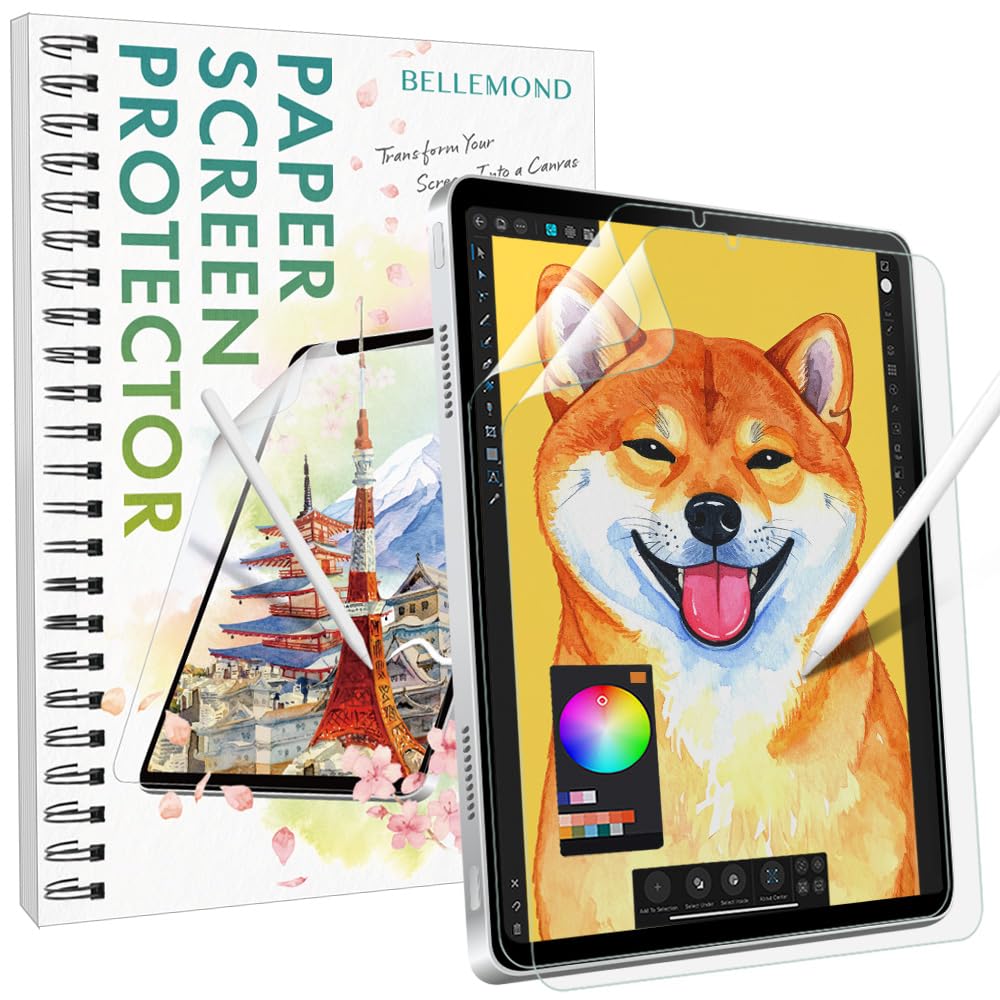


✍️ Elevate your iPad Mini artistry with the smoothest paper feel—because your creativity deserves the best!
BELLEMOND’s Kent Paper Screen Protector for iPad Mini 8.3” (A17 Pro 2024 / 6th Gen 2021) offers a premium matte PET film that replicates the smoothness and elasticity of Kent paper. Made in Japan, it reduces Apple Pencil tip wear by 86% and screen noise by 50%, while minimizing glare and fingerprints. The package includes two protectors and a full installation kit, making it the top choice for artists, students, and professionals seeking a durable, high-quality drawing surface.


| ASIN | B0FK489F43 |
| Best Sellers Rank | #236 in Tablet Screen Protectors |
| Brand | BELLEMOND |
| Brand Name | BELLEMOND |
| Compatible Devices | iPad Mini 6 (2021), iPad Mini A17 Pro (2024) |
| Compatible Phone Models | iPad Mini 6 (2021), iPad Mini A17 Pro (2024) |
| Customer Reviews | 4.4 out of 5 stars 1,136 Reviews |
| Finish Type | Matte |
| Included Components | Installation Kit, Kent Paper Screen Protector x2 |
| Item Dimensions L x W | 6.91"L x 4.6"W |
| Item Hardness | 3H |
| Item Height | 1.27 centimeters |
| Manufacturer | BELLEMOND |
| Material | Polyethylene Terephthalate |
| Model Number | GFLPLKNTIP-MN-2S-0830 |
| Product Dimensions | 6.91"L x 4.6"W |
| Screen Size | 8.3 Inches |
| Screen Surface Description | Matte |
| Special Features | Anti Glare, Anti-Fingerprint, Kent Paper Surface, Made in Japan, Scratch Resistant |
| Warranty Description | 30-day limited warranty against initial defects. Please contact BELLEMOND customer support for prompt assistance if any issues arise. |
K**A
Perfect screen protector for artists
I am a professional artist that uses my iPad extensively for creating artwork. I’m not a huge fan of the slick screen feeling so I’ve always used the paper textured screen protectors. Which are usually hard to install without getting air bubbles and or dust speks caught under it. They are also incredibly harsh on the Apple Pencil tips. When I install a new paper feel protector it will wear down one of my pencil tips in mere days. I saw this recommended online and thought I would give it a try. I was a little worried about it saying “Kent paper feel” because I wasn’t quite sure what to expect as far as texture. I am extremely glad I decided to order Bellemonds’ Smooth screen protectors. Not only was it easy to install- watch the helpful video- it’s different than most companies way and I found I had virtually no air bubbles or dust after applying it to my iPad Pro 12.9. The other extreme plus was the texture itself. It says “smooth” and it IS smooth, but it’s not like a tempered glass or blank screen is. It still has a bit of texture to give your Apple Pencil a fraction of resistance. Nowhere is the gritty feeling of sandpaper from other paper feeling protectors that practically act as a pencil sharpener. Also the Apple Pencil does not make any grooves in the film like other protectors I’ve had as well. Minimal fingerprinting but easy to clean. No glare, but it did dull the colors on my screen just the tiniest bit. Small bit of light refraction as well. So artists- if you are reading this and that’s a game changer for you, I will say that bellemond’s is not nearly as bad as other textured protectors, but there is some. I am ecstatic that this is working so well for me and I will always have this company’s screen protectors on my iPad screen from now on! And no I was not given any free to try ones or am a compensated/paid reviewer. I am simply a happy artist that has finally found exactly what I was looking for.
K**E
Perfect Texture
I really can't recommend this screen protector enough. Paperlike screen protectors have always had way too much grit for me, but this one had the perfect amount. It feels like writing on pencil sketching paper. The level of grittiness works really well because it's enough for me to feel like I'm writing on paper, while also not being super hard on my Apple Pencil tip. I've been using these screen protectors for about two years now and I've only had to change the tip of my pencil once. I will say though, that I always struggle with putting these on my ipad. It's great that the pack comes with two screen protectors, because I always mess up the first one or get bubbles under it, and have to redo it with the second. I still think it's worth the price, because once I get one on correctly it's easily the best screen protector I've ever used.
L**A
Great except for install.
Ok so this screen protector is pretty awesome. It has a matte, smooth, soft feel that also gives a good texture for writing/drawing. I used other brands before but they had too much texture and felt rough. They also made a lot of noise when using Pencil, but this one is way less. Installation was not so great. Other brands make it much easier. I should have just done it how the others had us do, using my own stickers and stuff. The first sheet ended up right in the trash, so a complete waste. Second one is on, though a little crooked, but has a small bubble/mark that doesn't go away but luckily it's near the edge so it doesn't bother too much. They should really consider changing their installation process because it can definitely be improved. The other thing that sucks about these things in general is the way they affect the screen and how things look. It definitely has that grainy, kinda blurred distortion. I use my iPad for Procreate and art stuff so it sucks because it really affects the colors and stuff, but I guess that's the tradeoff for these. I have yet to find one that does not do this. So overall, despite the things I've listed, I feel like this is definitely one of the best options when it comes to matte screen protectors and you should really try it out!
C**Y
Great for sheet music, writing and art
This is such an improvement over the glossy iPad screen for my purposes. I use my iPad for reading and editing sheet music a lot. Having a screen that is more paper-like makes it so much better to look at. The reduction in glare is great and it almost gives the screen a Kindle e-ink look. There is perhaps a loss of clarity in watching videos, but in watching YouTube videos daily on my iPad with this screen protector, I have not felt like I’m missing anything. Editing my sheet music is much easier now as well. The slight textures makes writing feel more natural versus my Apple Pencil slipping around on smooth glass. I also do some art using Procreate, and it is a much more tactile feeling working on this screen protector. There is a satisfying “grit” feeling and sound. The protector has held up for months, so I haven’t even had to change it yet. I don’t give it heavy use, but I’m pleased with the durability so far.
J**J
Love it on e-ink!
FOR BUBBLE-FREE APPLICATION: (Ensure your device is at least splash-proof or waterproof first…) - Put water into a spray bottle with a teeny tiny bit of gentle dish soap or baby shampoo and shake vigorously to mix. - After cleaning your screen with the included wipe & cloth, spritz it with the soapy water. - Remove the screen protector backing and spray soapy water on the sticky side as well. - Place the soapy-wet screen protector on the soapy-wet screen. - Arrange it until perfectly aligned, and scrape the bubbles out. - Allow to dry before use. This makes the process MUCH easier, as the water + surfactant combo gives you ample time to align the film with your screen, makes the bubbles a snap to push out, and helps “wash out” any trapped dust. ___ I use a Mobiscribe Wave, a 7.8” e-ink tablet. Every accessory for it is out of stock, likely due to the business preparing to shut down, so I couldn’t find a screen protector that was the right size, but the screen is made of a slightly flexible plastic (not glass), so it’s very easy to scratch. Thankfully I have a paper cutter that can manage thicker materials :) I tried a few other brands of similar papery films including paperlike and another one I don’t remember the name of. The former was too smooth and peeled up at the edges easily, while the latter felt like sandpaper, gritty enough to sand down a Staedtler Mars Jumbo EMR nib in a day or two. Both also felt thin enough for me to get nervous using a ceramic or titanium nib to write. I ended up getting this one (Bellemond Kent, iPad Mini size) after reading that it’s made to feel thicker than others. It’s a little overpriced, but it’s worth it for me, especially given that I don’t have to change it very often (and I was more confident about getting it right after discovering the soapy water trick online). Two aspects go into making a screen protector feel similar to paper: the texture and the cushion. Preference is obviously subjective, but I really like that Bellemond Kent has both a matte texture & plush, notebook-like feel (vs the thinness you’d feel writing on a single sheet of paper on a hard tabletop), not to mention it actually works to protect my screen from scratches, regardless of nib material :) Worth noting: I did also test the original version from Bellemond, but I didn’t like it as much due to the lack of aforementioned “cushion,” apparently only in the Kent Paper variant. I’ll be back for more when I need it :)
R**Y
great and cheaper paperlike alternative
application was a bit tricky since it doesn’t have alignment stickers like paperlike but i shockingly got it on with little to no air bubbles on the 13” ipad pro. i got this screen protector bc paperlike is currently out of my budget and this had good reviews this screen protector is honestly a good and cheaper alternative to paperlike. in terms of paper texture this gives, i find that it’s a little more rougher than paperlike. it definitely feels like you’re writing/drawing on nice quality paper in a sketchbook or thick paper for traditional art (i.e marker, watercolor, pencil, etc.) because of this rougher paper texture, it will wear down your apple pencil nib faster. you can also tell by the sound how different/rough the texture is between paperlike and bellemond. there’s like the tiniest difference of clarity between bellemond and paperlike and i think it’s due to the paper texture difference. personally, i prefer paperlike more, but this is definitely a great and cheaper alternative! my actual rating of this would be like 4.8 ⭐️ due to my personal preference of a smoother paper texture for minimal nib wear down. if you’re looking for a rougher paper texture than paperlike’s smoother paper texture, this could be up your alley. i think this bellemond screen protector would be great for pen-like nibs instead of the default apple pencil nib if that’s your apple pencil style.
C**A
Difficult installation. Disrupts touch screen sensitivity. Leaves fingerprints like Crazy.
I am actually really good at putting on screen protectors even without a “easy” install frame but THIS protector… the first film you peel partially off is sooo incredibly thick and not flexible where it makes installing 80% harder. The materials for installation is all there (alcohol wipe, microfiber cloth, sticker for dust, bubble scraper) as a normal protector should come with and they are perfectly fine. But the material of the #1 film is so bendy and thick strong plastic that it makes it hard to push down in order to align to the screen correctly (not sure if that makes any sense). I would honestly just peel the whole first layer off and just apply the whole thing all at once then scrape bubbles after (for new buyers). But I prefer the other similar priced products on Amazon such as the BERSEM one much more. One other thing is that it leaves fingerprints like CRAZY (unless you can deal with that but I personally hate it). It is a matte protector in the end so screen quality will decrease as well which is expected. But the main negative of it is that it actually messes with the sensitivity of the touchscreen which is a big NO for me. I would use my finger to press sometimes and it would just not pick up my touch (not just lightly tapping but actually pushing on the screen) it would still not pick up my touch sometimes which could get really annoying. Some positives are that it does write with an Apple Pencil okay, the texture is more like paper and has pencil/paper sound when writing. As well as it comes with two protectors so if you mess up one during installation then you have another.
C**E
Paperlike, who?
[Pros] + Probably the best-quality screen protectors for the iPad. This brand offers a few different styles with varying tooth so you can find one that fits your tastes. I personally prefer the smooth kent. + Toothy, but not too toothy. Just enough for the perfect amount of control over my strokes without feeling like I'm fighting against the surface of the screen. +Completely mattifying. With these, you won't get a hint of glare. I promise. It's great for when you're trying to write or draw in a well-lit area or somewhere there's a bright light. +Much cheaper than Paperlike. A pack of Bellemond typically runs for under 20 bucks. Under half the price of Paperlike. Personally, I prefer the quality of this brand over PL so the choice would be obvious even if they were closer in price. [Cons] - While the application is easy, it can be a bit annoying. As with all screen protectors, putting the damn things on your iPad will be a test of patience. Do it on a clean, flat surface with no fans running and the window closed. Not your bed. Not in a moving car going down the bumpiest street in the city Learn from my mistakes. Look up a video tutorial on how to apply the protector on YT and watch it at least twice before trying yourself. It's not a huge deal if you make a goof, but know that if the protector is slightly misaligned it will encourage the overhanging edges to lift, allowing dust underneath over time and shortening the lifespan of that screen protector. Make sure you get out all of the big air bubbles, and the small ones too if you're that person. - This will dull the colors. If you're the kind of person who primarily watches TV or movies on your device and cares a lot about how crisp and colorful the screen is, I'd probably pass up on protectors altogether or go for a glass one. - It will wear down your Apple Pencil tip. I am VERY heavy-handed and it took over a year and a half of daily drawing for my pen tip to hit metal. Sounds scary, right? I mean, why would you use a screen protector that actively damages your pen?? Well, Apple Pencil tips are easily replaceable - 20 dollars for a pack of 4. If you replace your tips at the same rate I did, it'll be over 5 years before you need to spend another 20. Keep in mind, Paperlike is abrasive as well so the wear is inevitable. Paperlike screen protectors and a single sheet of that cost as much as a pack of Bellemond protectors and a set of replacement tips combined. A single sheet lasts me about 4-6 months. If it starts to feel slick before then, give it a good wipe down with a screen wipe or some eyeglasses cleaner on a microfiber cloth. It's probably the oils from your hands collecting on the surface rather than the tooth wearing down. Pros and cons considered, this brand doesn't miss. I'd pick it over Paperlike every time.
Trustpilot
1 week ago
2 weeks ago



