🎥 Elevate your video calls — because your image deserves the spotlight.
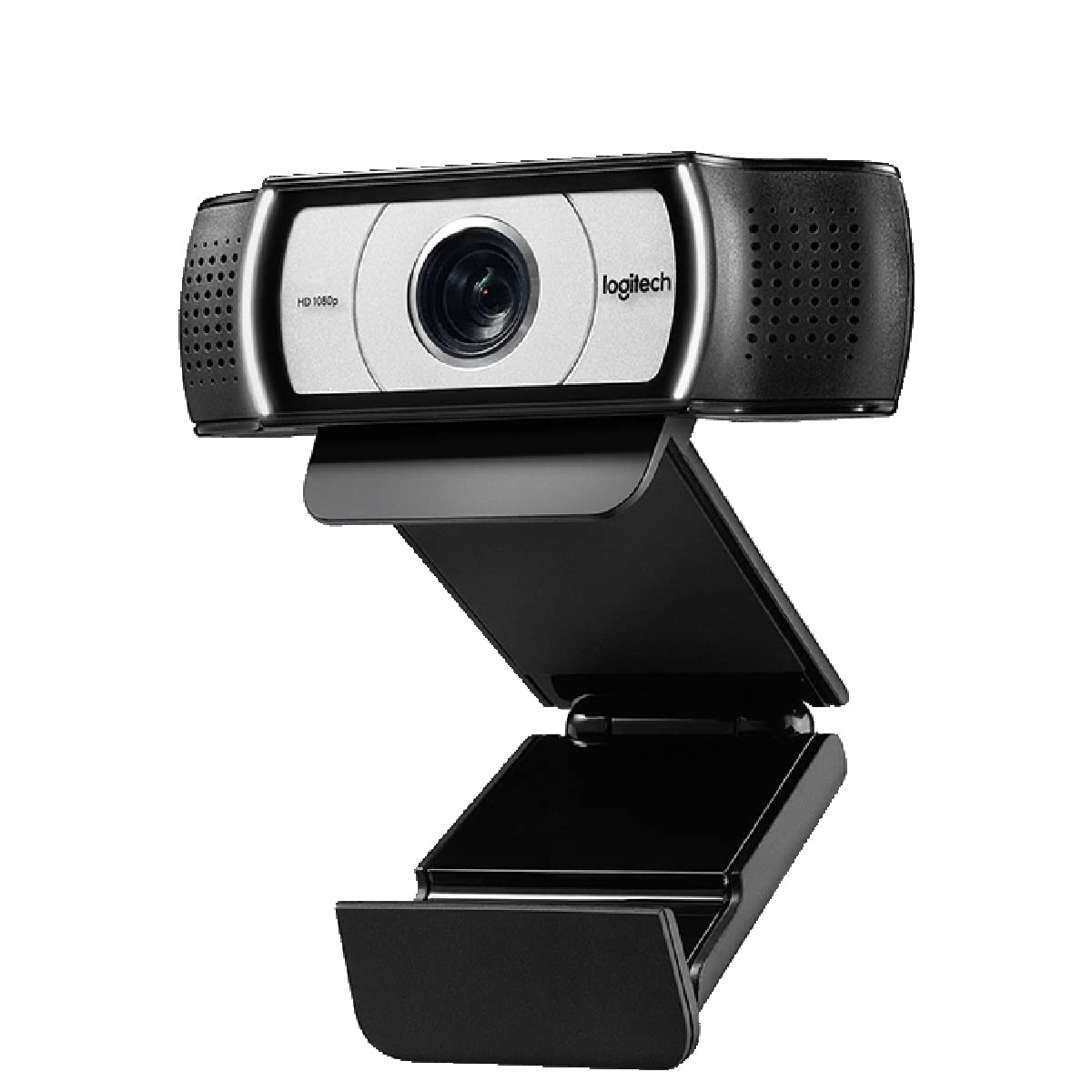
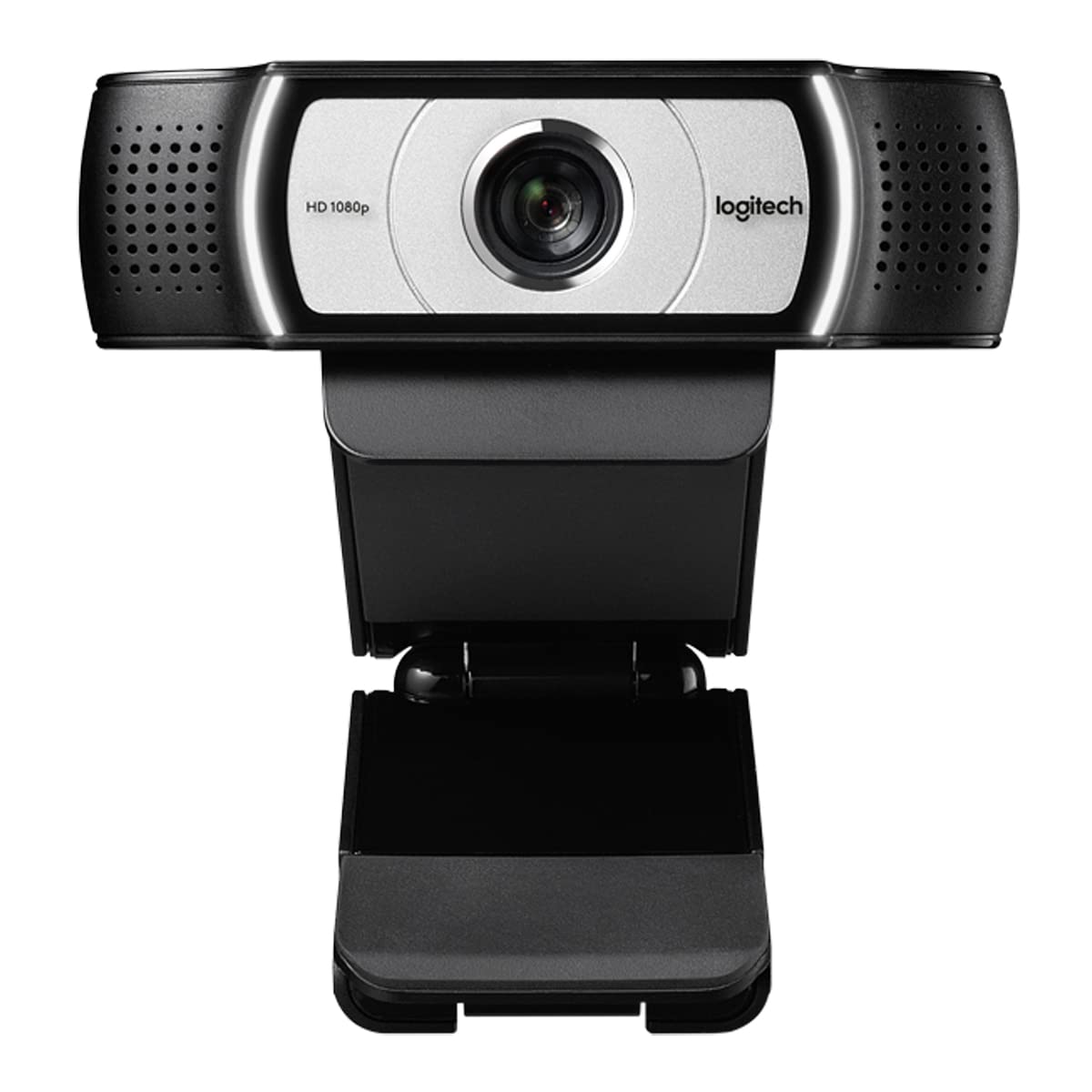
The Logitech C930-E Business Webcam is a professional-grade video conferencing camera delivering Full HD 1080p video at 30fps with a wide 90° field of view. Featuring 4x digital zoom, pan and tilt controls, and advanced RightLight 2 technology for superior image quality in any lighting, it integrates seamlessly with major business platforms like Skype for Business and Cisco. Its privacy shade and versatile mounting options make it ideal for secure, high-quality video calls in any professional setting.


| ASIN | B00CES5A60 |
| Antenna Location | video conferencing, online meetings, business presentations, streaming, portable video recording |
| Are Batteries Included? | No |
| Best Sellers Rank | 9,600 in Computers & Accessories ( See Top 100 in Computers & Accessories ) 88 in Webcams |
| Box Contents | 1 |
| Brand | Logitech |
| Brand Name | Logitech |
| Camcorder Type | Video Camera |
| Colour | Black |
| Compatible Devices | WIN7,WIN8,WIn9,WIN10,64bit |
| Compatible Processors | Processors with H.264 video compression and UVC 1.5 encoding support |
| Country of Origin | China |
| Customer Reviews | 4.0 out of 5 stars 3,032 Reviews |
| Digital Zoom | 4 x |
| Effective Still Resolution | 2 MP |
| Effective Video Resolution | 1080 MP |
| Exposure Control Type | Automatic |
| File Format | JPEG |
| Flash Memory Bus Interface Type | SD |
| Flash Memory Installed | 128 GB |
| Flash Memory Speed Class | C4 |
| Flash Memory Type | SDHC |
| Flash Memory UHS Speed Class | 1 |
| Flash Memory Video Speed Class | V60 |
| Flash memory type | SDHC |
| Focus Type | Auto Focus |
| Form Factor | Compact |
| Global Trade Identification Number | 05099206045200 |
| Has Image Stabilization | No |
| Image Aspect Ratio | 16:9 |
| Image Capture Speed | 30 fps |
| Image Stabilization Type | Digital |
| Item Dimensions D x W x H | 4.3D x 9.4W x 7.1H centimetres |
| Item Weight | 5.71 Ounces |
| Item height | 7.1 centimetres |
| Lens Type | Prime |
| Log Gamma Curve | [POSSIBLE] |
| Manufacturer | Logitech |
| Maximum Aperture | 3.5 Millimetres |
| Maximum Display Resolution | 1920x1080 pixels |
| Maximum aperture | 3.5 Millimetres |
| Minimum Aperture | 22 |
| Model Name | Webcam C930 E |
| Model Number | 960-000972 |
| Network Connectivity Technology | USB |
| Number of Batteries | 1 AA batteries required. |
| Operating System | Windows |
| Photo sensor technology | CMOS |
| Product Features | Built-in microphone^Full HD^Mounting Type:Clip^Plug and Play |
| Product Warranty | 1 Year Manufacturer |
| Sensor Type | CMOS |
| Shooting Modes | Automatic |
| Style Name | Single |
| Supported Audio Format | AAC |
| Supported Image Format | JPEG |
| UPC | 163121430672 809392591833 807320216575 132018344163 803982948557 523160969111 617407288568 755034084853 041114637171 172304347423 070090134039 857779433771 872182784791 115971621014 |
| Unit Count | 1.0 Count |
| Video Capture Format | MP4 |
| Video Capture Resolution | 1080p |
| Video capture format | MP4 |
| Video capture resolution | 1080p |
| Viewing Angle | 90 Degrees |
| Water Resistance Level | Not Water Resistant |
| White Balance Settings | Auto |
| Wireless Compability | Bluetooth |
| Zoom | Digital |
D**T
Great Product Slightly complex full set up
It really is a great product. I am a spine surgeon Zooming patients so clarity is important. The setup is simple but the full setup is a little more complex and could be simplified. So far - delighted. It has a security cover which is reassuring so the FBI can not peek in !!!! Enjoy better family Zooms with the wide-angle lens facility. The microphone and recording seem rather good so far but I will test this further with patients and family. I know it is a pricey spend but so far it seems worth it. The image is so balanced and the depth of field impressive. I hope that you enjoy it in these difficult times
C**R
Great video
I bought this logitech c930e 8 months ago to use with Zoom. I've participated in at daily Zoom meetings since then, with up to 50 people present, and my video is usually the best in the meeting. The logitech software which comes with the camera is very good, and allows video from two different sources, with picture in picture options. The auto focus is fast and responsive. The pan/tilt and zoom features work as expected and are useful. White balance is very good. The video is crisp and clear. The audio captured by the built in microphone is not so good however. I bought a blue yeti microphone to remedy this, which is also excellent. The logitech c930e along with the blue yeti microphone provide superb quality video and audio for Zoom meetings, as well as other applications. I would buy these products again.
C**R
Slightly different to the one I previously purchased.
I am concerned about the authenticity of this product, as the box and manual arrived in Chinese. I have previously purchased this same webcam and the box and manuals were all in English? Camera works great, high quality and crispy, though it is very sensitive to light and overexposes a lot more than my previous version of this same product.
M**D
Excellent webcam
Was torn between this model, the 930e, and the venerable 920. After much research, I chose the 930 primarily as the colour/image looked better in most of the YouTube reviews. So glad I went for the 930. Looks sleek in silver, with white LEDs and works beautifully with my ageing MacBook Pro (2015). Webcam Settings app sorts out the adjustments beautifully (£7 on App Store). It’s the wide angle lens that makes all the difference - plus you can narrow the view as needed. Finally, feels very well made and was a doddle to set up. Deserves fully 5 stars.
M**Y
Great external webcam for MacBook pro
I got this webcam as an alternative to the built in camera to my MacBook. It is very easy to set up (plug and play) and works great with Skype. attaches via USB2 Image quality is superb and clear. The camera clips on top of the screen, a light notch may be visible for edgeless screens, but this is not an issue. The mount also has a standard screw thread fitting so it can be attached to a tripod if you want to do blogs or other video type presentations. I like how the camera comes with a little privacy screen that covers the lens when not in use. To camera settings can be set up through a separate free app / bit of software that can be downloaded from the app store (might be different on PC). The only downside is that this app needs to be running for the settings to be applied, but this is not a mayor issue, I have it next to my Skype icon in my app bar.
G**S
Good quality for the three months that it worked!
I thought this web cam was really great. Best picture quality in any web cam that I ever owned and good software that I downloaded to facilitate camera position and other features. Unfortunately, however, it suddenly stopped working - after about three months. My computer could not detect the camera. I tried everything recommended online. In device manager it is not recognised - does not appear at all. I tried it in two computers and in myriad USB ports all to no avail. Both computers are reading the camera as a USB drive, but a drive that cannot be accessed. The drive show sup under Drives in device manager as well. I have another web cam (Microsoft) that is working perfectly on both computers so seems pretty definitely that it is the web cam that is at fault. Annoying for an expensive web cam after only three months of very limited use in Teams meetings.
D**A
Nothing Bad To Say At All!
From reading other reviews, it looks like I purchased this webcam for a slightly different reason than other peeps. Rather than work Zoom calls, I wanted the C930-E so I could use it for Discord calls with friends. I have a desktop microphone, so I really just needed the Webcam for video as my desktop hasn't got a camera. As the title suggests, I haven't experienced any issues with the webcam at all! Setup was incredibly easy, you literally plug it in and you're ready to go. It even comes with a handy detachable window/screen/flap thingy that you can flip down over the camera if you'd like to cover it and give yourself privacy. The quality of the camera is fantastic, and I feel like any limitations to the quality will come from your own personal internet speeds rather than the webcam itself. I've used it to talk to folks multiple times, and haven't received any complaints. All in all, 100% satisfied!
T**D
Nice unit but you need more control over the picture quality
There is no doubt that the picture quality that you can get from this unit is very good, but it would be better if you had more control over the picture quality level. I tested this in the office with Lync, and could see it was sending a nice HD video to the other party. The auto focus is fast - if you hold up A4 paper with writing on it, the other party can read it. Using NetMeter I could see it was uploading at around 450 KB/s. At home on Skype, I called my family in Australia from London. On NetMeter I could see it was uploading at 850 KB/s or more. Unfortunately I think it overwhelmed their computer or perhaps internet connection since it froze a number of times for long periods. They said the picture was very clear though. What I really need is a way of setting a maximum picture quality target - say 720p instead of 1080p. Or perhaps setting a maximum upload bandwidth, and letting it sort out the best quality it can do within that budget. Some of my family have satellite internet - data is very expensive. So it would be good to throttle the quality for them too. So unfortunately I might have to revert back to my old Logtecht QuickCam Pro 9000. I do like the privacy cover that comes with it though, once you clip it on, you just have to lift up the flap when you want to use the webcam.
Trustpilot
2 weeks ago
1 month ago



