Desert Online General Trading LLC
Dubai, United Arab Emirates
Desert Online General Trading LLC
Dubai, United Arab Emirates


🚀 Elevate Your Data Game!
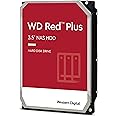
The Synology DS423+ is a powerful 32TB 4-Bay Desktop NAS solution, equipped with 4 x 8TB Western Digital Red Plus Drives, designed for centralized data storage, dependable performance, and effortless data management. With speeds up to 226 MB/s and multi-platform access, it ensures your data is secure and accessible from anywhere.


| Brand | Synology |
| Package Dimensions | 28.6 x 25.6 x 24 cm; 5.2 kg |
| Item model number | DS423+ |
| Manufacturer | Synology |
| Series | DS423+ |
| Form Factor | 3.5-inch |
| Hard Drive Size | 32 TB |
| Hard Disk Description | Mechanical Hard Disk |
| Hard Drive Interface | Serial ATA |
| Hard Disk Rotational Speed | 1 RPM |
| Item Weight | 5.2 kg |
| Guaranteed software updates until | unknown |
A**X
Fantastic for Plex and video streaming
Up and running in no time, Very easy to use software! Should have bought one years ago
F**S
Easy to replace a failed Synology nas
My previous Synology NAS failed after about 14 months, it wouldn't connect to the network and advised cpu must have failed, which Amazon eventually refunded, and I was able to connect this up and put the disks in and after some time all was back up and running, and all previous features are working across all my devices.I have had 2 Synology NAS that have failed over the past few years with this connection issue so hoping this doesn't have a similar problem.
B**N
This device has changed my digital life side!
I do not know why I did not get one of these before. This Synology device is absolutely marvellous and is an absolute boon to my digital life organisation.
P**
Best out there in this price range
Best out there in this price range. I initially bought a Terramaster which is a much higher hardware spec than Synology and the operating system is almost as good. But I wanted better apps like Synology Photo with good AI indexing and also I wanted to be able to access my NAS from the net without security issues. I wanted my own version of dropbox using Synology Drive. I sent the Terramaster back and bought this Synology DS423+. It is a price trade off between the hardware and software. This is lower spec hardware compared to Terramaster but you are paying for the software. If all I wanted was a good powerful NAS without that I was not going to connect to the net I would have kept the Terramaster BUT I want the net access without worry and I think Synology gives this. Terramaster has basic remote access but not a Synology Drive type app. Terramaster is developing fast and in a few years I might switch back but for now this is the best. Also I would like more bays but also want hardware graphics encoding and this is the largest Synology does with intel and HW encoding which is only on intel processors.
M**F
Not a uk plug
Sent me the product without a uk plug. Get a European plug instead. Delivered from Amazon in Germany.
A**O
Increible
La verdad es que no sé cómo he sobrevivido sin un Nas hasta el día de hoy.He creado gracias a su Olot y mi propia nube tanto de vídeos, fotos, música, películas, series, accediendo a todo ello desde las aplicaciones Synology y Plex.Anteriormente tenía un PC conectado las 24 horas y hacía uso de iCloud. Ahora además tengo todos los datos protegidos usando los discos duros que tenía muertos de risa por casa.Me ha llevado bastante tiempo pasar todos los datos al Nas , pero es fácil y merece la pena
P**L
Fonctionne très bien
Ça un mois qu’il est configuré je n’ai eu aucun souci
G**A
Ottimo rapporto qualità-prezzo
Venendo da un Synology DS120J (CPU modello base, 512 MB di RAM e un solo disco), la differenza è impressionante. Partiamo dall’imballo del prodotto, veramente ben fatto e ordinato, segno già questo di cura e attenzione da parte del produttore. Il case è ben realizzato, plastiche complessivamente buone e ben rifinite; i meccanismi di ancoraggio degli HD si rimuovo facilmente, impossibile sbagliare nell’uso. Sono presenti dei gommini nei punti di fissaggio degli hard disk per isolare le vibrazioni, utili e pratici. Si possono montare fino a 4 dischi sfruttando le diverse possibilità di archiviazione e backup (RAID 0, 1,5 SHR). La prima cosa che ho fatto è stato l’aumento della RAM; i 2 GB in dotazione sono sicuramente sufficienti, ma per dare un po’ più di spinta ho preferito aggiungere un banco da 4 GB di RAM Crucial, visto anche il basso costo della stessa (circa 20 euro, sempre su Amazon), portando la RAM complessiva a 6 GB. L’alloggiamento per la RAM è posto nella parte destra del case, in corrispondenza del tasto di accensione, ed è facilmente raggiungibile; il banco di RAM va inserito nell’apposita fessura e con una leggere pressione si fissa al suo alloggiamento. Una volta acceso il NAS, la RAM è stata subito riconosciuta dal sistema operativo. Venendo alle prestazioni, che dire…va veramente bene, rispetto al precedente è una scheggia. Già dal boot i tempi si dimezzano, le operazioni su disco poi sono ottime, sia nella fase di scrittura che di indicizzazione dei file e creazione delle miniature (lavoro molto foto e i video, anche di grandi dimensioni); stessa cosa per i tempi di accesso in lettura che sono ottimi. Quanto a silenziosità, anche qui parametri molto buoni; ho montato tre HD in modalità SHR (Synology Hybrid Raid) e il rumore è appena avvertibile. Il DSM utilizzato da Synology costituisce un ulteriore punto a favore, tutto sommato facilmente configurabile, almeno per le funzioni principali, anche da un neofita. Ottima anche la dotazione di app che si possono installare per gestire le diverse tipologie di file (Photos, Audio Station, Video Station) e molte utilities per sicurezza e backup. Buona anche la dotazione di app per Android e IOS; personalmente uso Synology Photos per Android su cellulare, tablet e Smart TV, avendo a disposizione - da qualsiasi device e da qualunque luogo - accesso completo ai miei archivi fotografici. Molto soddisfatto del prodotto che considero, per prestazioni, espandibilità e prezzo, un assoluto best buy. Spedizione di Amazon impeccabile, come sempre.
C**R
Ein tolles Upgrade
Ich habe mir diese Synology NAS als upgrade zu einer bereits bestehenden NAS von Synology gekauft. Die 4TB die ich ursprünglich nutzte ist nach einiger Nutzungszeit jetzt voll, weshalb ich hier eine neue haben wollte.Gleich vorweg natürlich sind die Produkte von Synology nicht die günstigsten ihrer Art, jedoch bin ich mit Bedienung und vor allem Benutzeroberfläche sehr zufrieden.Pro:+ Die 4Bay Diskstation bietet den Vorteil bei einer weiteren Speichererweiterung kann ich einfach nur eine neue Festplatte kaufen und damit kann ich dann meinen Heimserver aufstocken.+ Die Benutzeroberfläche der DS423+ sieht genauso aus wie meine Benutzeroberfläche der 120, die ich bisher benutzt habe. Dementsprechend ist hier ein natloses Anknüpfen kein Problem, da man alles schon einmal gesehen hat und vor allem recht intuitiv ist. Die einzelnen Menüpunkte werden gut erklärt und sollte es doch Fragen geben hat Synology einen guten auch deutschsprachigen Youtubekanal, auf dem die meisten Problemchen angesprochen werden.+ Einfaches zusammenbauen der einzelnen Teile der NAS. Ich hätte es mir nicht einfacher vorstellen können. Beim Auspacken der NAS flog mir direkt die Aufbauanleitung entgegen, welche mehrsprachig und mit Bildern eigentlich keinen Zweifel daran lässt welches Bauteil wo hin kommen soll. Schön finde ich auch die Möglichkeit mit dem beigelegten Schlüssel die Festplatten verriegeln zu können. Ein weiteres Plus ist, dass man kein Werkzeug benötigt um die NAS zusammen zu bauen.+ Synology besticht natürlich mit dem aufgespielten Betriebssystem und der Appeinbindung. Ich bin Applenutzer, sowohl Mobil als auch zuhause und die von Synology bereitgestellten Apps um auf die NAS zuzugreifen funktionieren echt gut. Auch als Leihe findet man sich hier recht einfach und spielend zurecht. Ich nutze den Heimserver aktuell hauptsächlich zum Videostreamen meiner Heimsammlung und als vor allem mobiles Backup meiner Fotos. Für beide Anwendungen kommt direkt eine App mit von Synology. Das dementsprechende Programm auf der Nas installiert, Benutzerrechte vergeben und schon kann es eigentlich losgehen. Nun habe ich einen automatischen Fotoupload auf meine Heimcloud der Fotos von meinem Iphone sobald dieses im Wlan ist und an das Stromnetz angeschlossen wird. Alles eingestellt über die App. Man muss prinzipiell nichts mehr tun und kann hier nahezu unendliche Bilder speichern. Auch über die App habe ich dann von Unterwegs aus Zugriff auf meine abgelegen Bilder auf der NAS, eine Internetverbindung vorausgesetzt.+ Geräusch und Lichtkullisse: Sowohl die Lüfterfunktionen, als auch die Anzeigelichter der Discstation kann man in den Einstellungen so einstellen wie man dies benötigt. Ob es jetzt darum geht, die NAS Nachts ab einer gewissen Uhrzeit auszuschalten und morgens wieder an, oder die Lüfter für die Kühlung nachts leiser zu machen, oder auch die AnzeigeLED's in der Helligkeit anzupassen, alles geht hier in der Software ohne großartiges Suchen.+ Stabilität: Ich habe jetzt auf die neue NAS schon ein paar TB gezogen und rufe diese auch regelmäßig ab, vor allem wegen des Videostreamings. Ich habe bisher auch bei meiner bereits hier seit einiger Zeit stehenden und zum Streaming benutzen Synology NAS sehr wenige Ausfälle registriert. Dank dem Upgrade meiner seits auf die 423+ mit 4GB RAM habe ich jetzt natürlich noch bedeutend mehr Puffer bis die DiscStation auch an ihre Rechengrenze kommen wird.- Natürlich kann man hier darüber streiten aber der Preis ist finde ich schon recht hoch. Auch wenn Synology sehr benutzerfreundlich auftritt und die Verarbeitung wirklich gut ist, tut es dennoch wirklich weh im Geldbeutel und sollte wohl überlegt sein.- Ein Minus gibt es von mir für die Einbettung der Synology App VideoStation, trotz der Option die Station zu durchsuchen, durchsucht sie leider nur die vorher definierten Ordner und nicht einfach die ganze Station nach Videos. Dies hat mich leider einiges an Nerven zum Einrichten gekostet.- Synology scheint nicht unbedingt gut mit den Routern von TP-Link zu Harmonieren, oder es ist eine Einstellungssache von mir gewesen, die hier die Erkennung im Netzwerk etwas schwammig gemacht hatte. Lösung des Problems war dann eine feste Bindung der IP-Adresse für die NAS im Netzwerk seitens des Routers.Für mich persönlich überwiegen nach ein bisschen Einstellerei und vor allem dem Beschäftigen mit dem Thema die Positiven Argumente definitiv gegenüber der negativen.Ich kann mit gutem Gewissen auch Einsteigern in die Materie oder gerne zuhause bastelnden Halbwissenden diese NAS empfehlen.
A**S
Geweldig apparaat!
Barst van de mogelijkheden. Ik heb bij Amazon 4 SSD's gekocht van Samsung en alles werkt naar behoren.
Trustpilot
2 months ago
1 month ago
3 weeks ago
1 month ago