
DOWNLOAD THE APP


Customer Support

Desert Online General Trading LLC
Warehouse # 7, 4th Street, Umm Ramool, Dubai, 30183, Dubai
DOWNLOAD THE APP
Customer Support
Desert Online General Trading LLC
Warehouse # 7, 4th Street, Umm Ramool, Dubai, 30183, Dubai
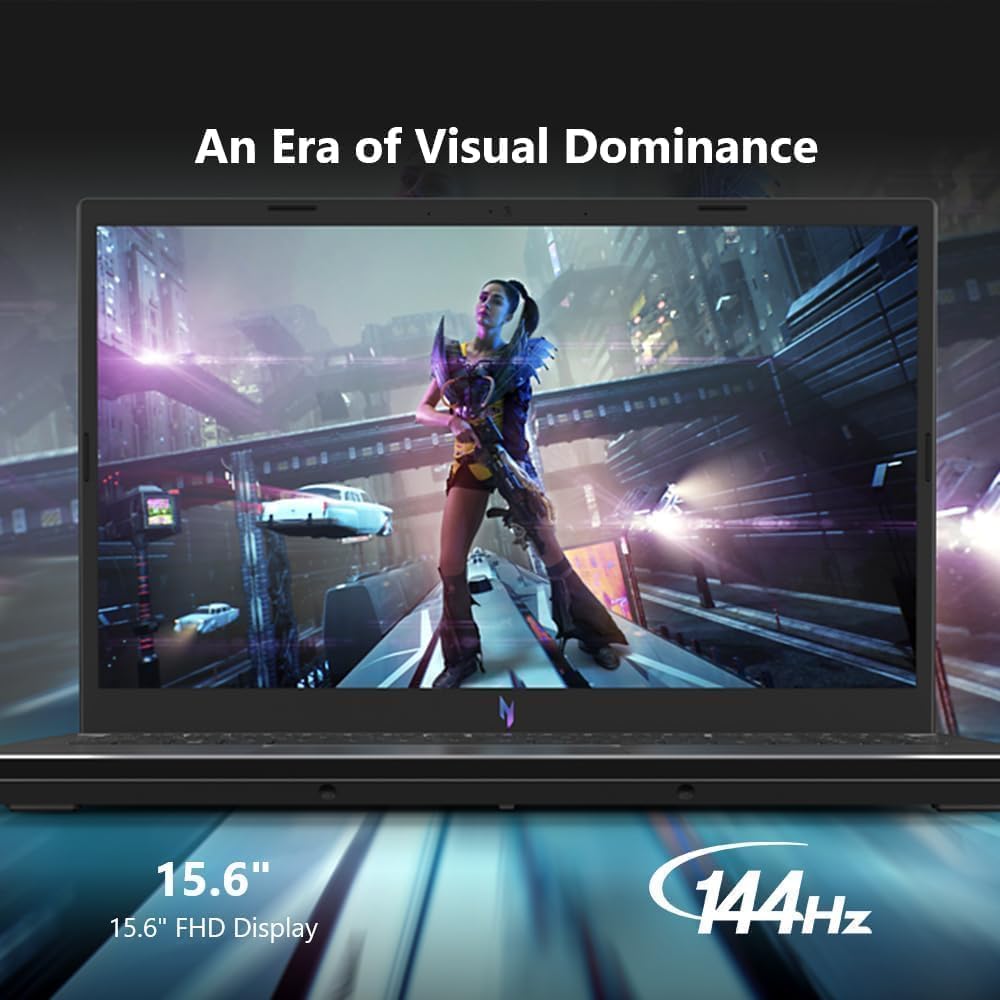
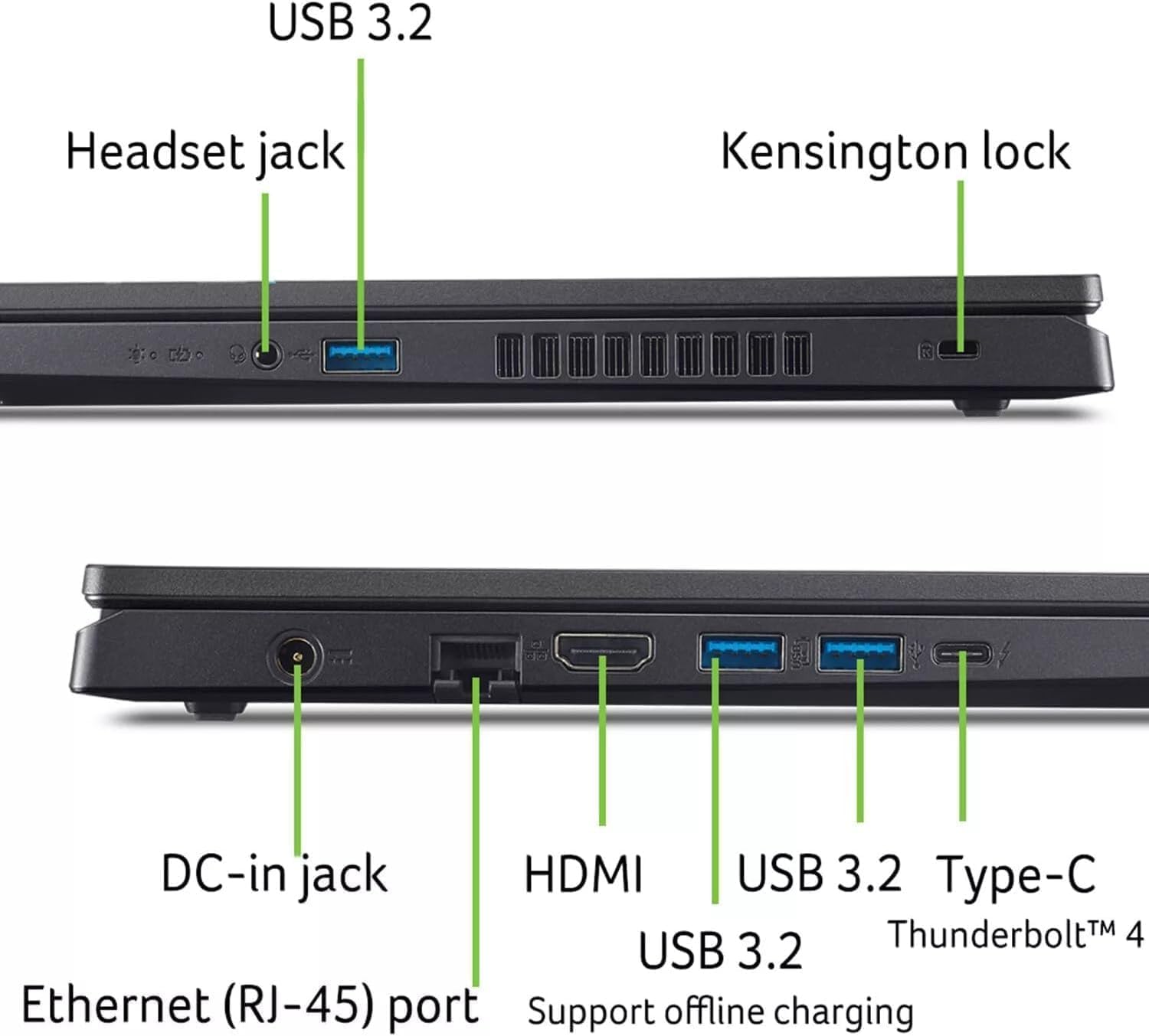
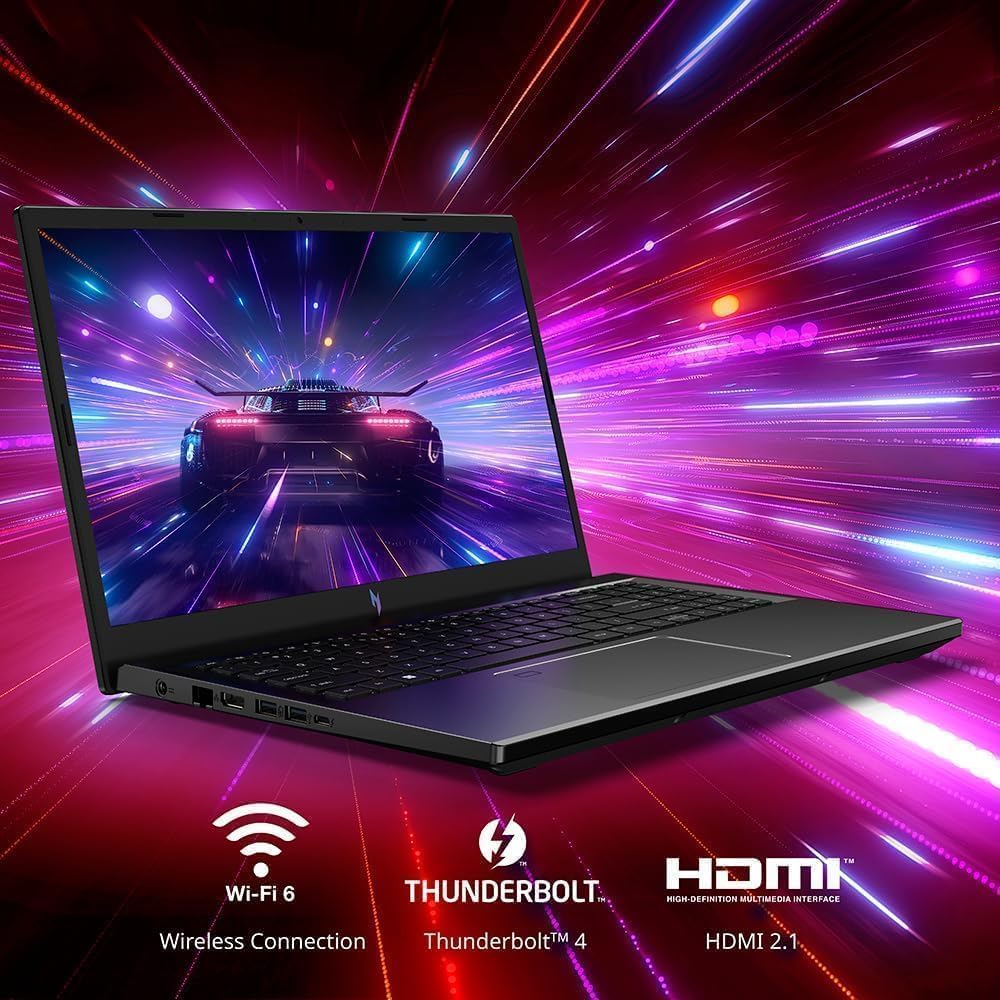
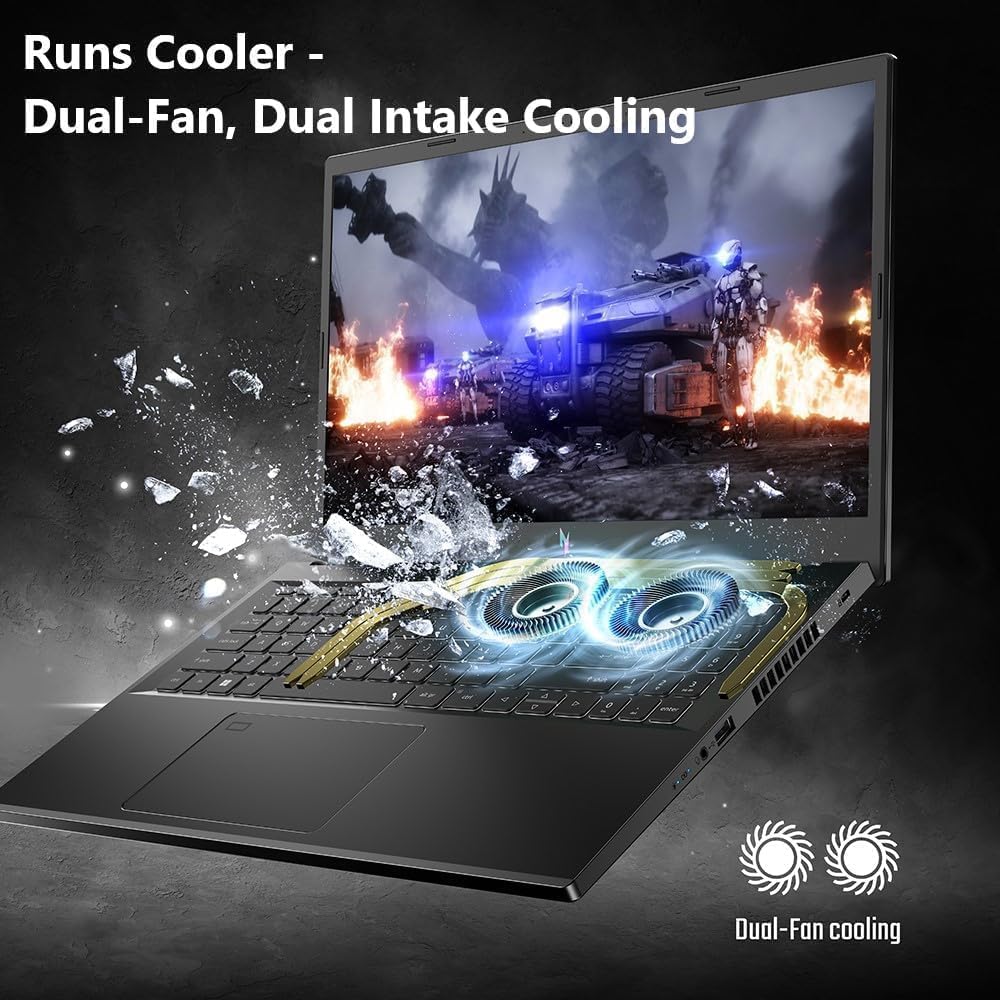
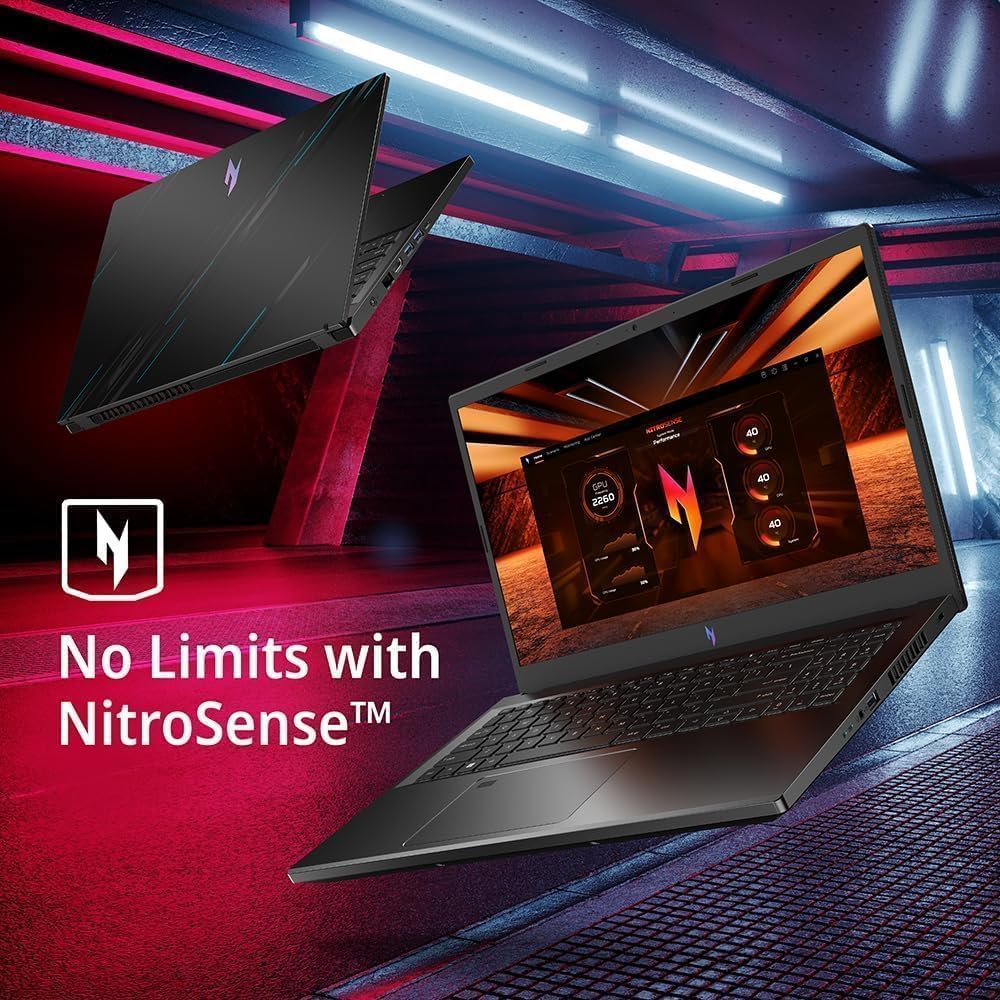
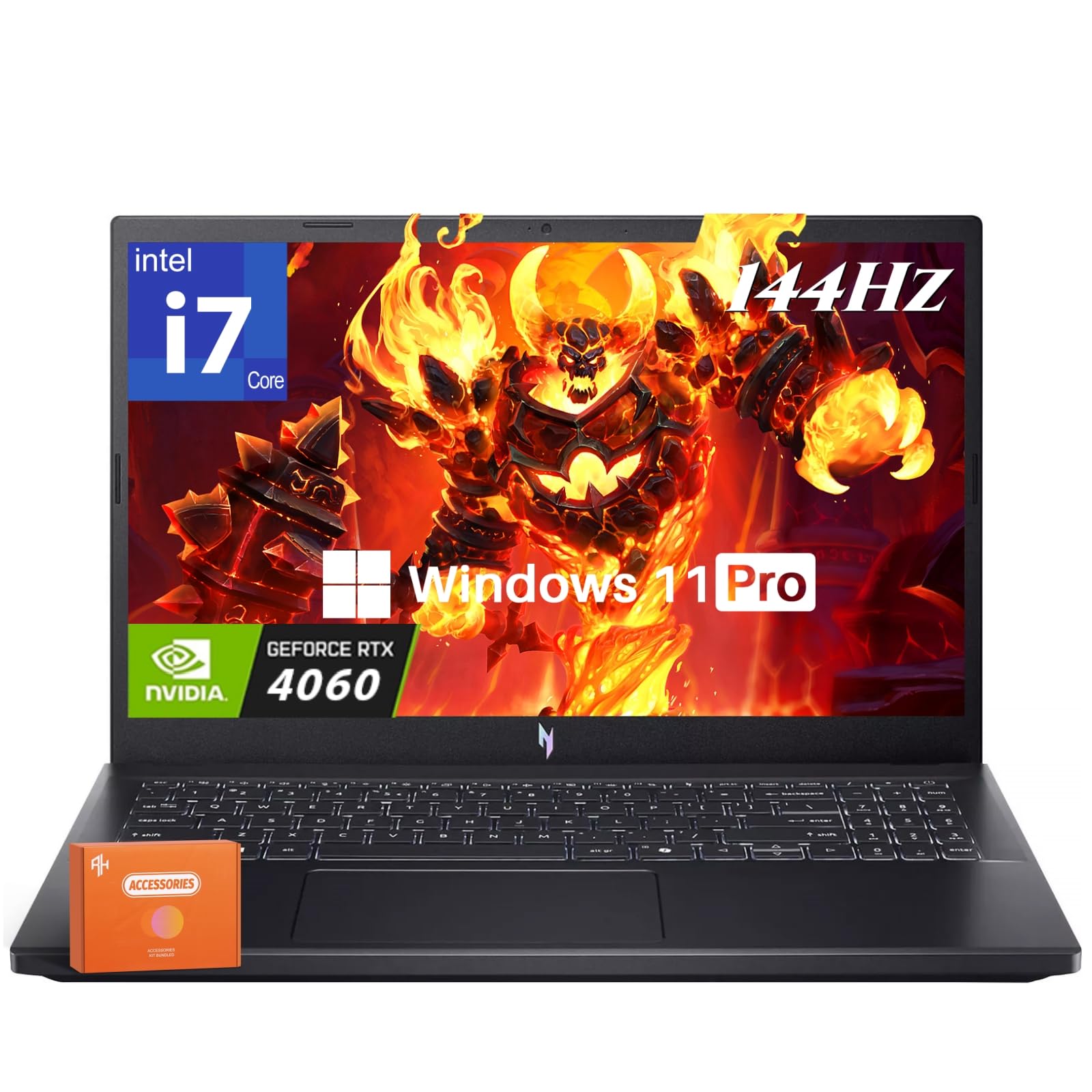

🔥 Dominate your game and workflow with the Acer Nitro V 15 — power meets precision!
The Acer Nitro V 15 Gaming Laptop combines a cutting-edge Intel 10-core i7-13620H processor with an NVIDIA GeForce RTX 4060 GPU, delivering exceptional gaming and multitasking performance. Its 15.6-inch Full HD IPS display features a 144Hz refresh rate and anti-glare coating for smooth, vivid visuals. Equipped with 16GB DDR5 RAM and a spacious 1TB SSD, it ensures fast responsiveness and ample storage. Additional professional features include a backlit keyboard, Windows 11 Pro OS, a gaming mouse, and a 256GB USB flash drive, making it a complete powerhouse for millennial professionals who demand both style and substance.


| ASIN | B0DQTMDC57 |
| Audio Recording | Yes |
| Audio features | DTS X:Ultra Audio |
| Automatic Backup Software Included | Windows 11 Pro |
| Battery Cell Type | Lithium Ion |
| Best Sellers Rank | #195,373 in Electronics ( See Top 100 in Electronics ) #14,598 in Computers & Tablets |
| Bluetooth Version | 5.3 |
| Bluetooth support? | Yes |
| Brand | acer |
| Built-In Media | 256 GB USB Flash Drive, Acer Nitro V 15 Gaming Laptop, Gaming Mouse, Windows 11 Pro |
| CPU Codename | 620H |
| CPU Model Generation | 13th Generation |
| CPU Model Number | i7-13620H |
| CPU Model Speed Maximum | 4.9 GHz |
| Camera Description | 720p HD |
| Chipset Type | Intel |
| Color | Black |
| Compatible Devices | External Mouse, Keyboard, Storage Devices, Display, Other Accessories via USB, Thunderbolt, Bluetooth, HDMI |
| Connectivity Technology | Bluetooth, Ethernet, HDMI, USB, Wi-Fi |
| Control Method | App |
| Customer Reviews | 4.4 out of 5 stars 2,765 Reviews |
| Display Resolution Maximum | 1920x1080 Pixels |
| Display Technology | LED |
| Display Type | LED |
| Form Factor | Clamshell |
| Graphics Card Ram | 8 GB |
| Graphics Coprocessor | NVIDIA GeForce RTX 4060 |
| Graphics Description | Dedicated |
| Graphics Ram Type | GDDR6 |
| Hard Disk Description | SSD |
| Hard Disk Interface | Solid State |
| Hard-Drive Size | 1 TB |
| Hardware Interface | 802.11 ac/b/g/n, Bluetooth, HDMI, Thunderbolt 4, USB 3.2 Gen 2×2 |
| Has Color Screen | Yes |
| Human-Interface Input | Touch Pad |
| Item Dimensions L x W x Thickness | 14.26"L x 9.44"W x 0.93"Th |
| Item Height | 0.93 inches |
| Item Weight | 4.66 Pounds |
| Keyboard Description | Backlit |
| Keyboard Layout | QWERTY |
| Manufacturer | acer |
| Microphone Form Factor | Integrated microphone |
| Model Name | Acer Nitro V 15 Gaming Laptop |
| Model Number | Acer Nitro V 15 Gaming Laptop |
| Model Year | 2024 |
| Native Resolution | 1920 x 1080 pixels |
| Notebook Pointing Device Description | External Mouse |
| Number of Drivers | 2 |
| Number of Ethernet Ports | 1 |
| Number of Ports | 7 |
| Operating System | Windows 11 Pro |
| Optical Storage Device | No Optical Drive |
| Other Special Features of the Product | Anti Glare Coating, Backlit Keyboard, HD Audio, Numeric Keypad |
| Power Device | AC adapter |
| Processor Brand | Intel |
| Processor Count | 10 |
| Processor Series | Core i7 |
| Processor Speed | 4.9 GHz |
| RAM Memory Installed | 16 GB |
| RAM Memory Technology | DDR5 |
| RAM Type | DDR5 RAM |
| Ram Memory Maximum Size | 64 GB |
| Refresh Rate | 144 Hz |
| Resolution | 1080p |
| Screen Finish | Anti-Glare |
| Screen Size | 15.6 Inches |
| Series Number | 4060 |
| Speaker Description | DTS X:Ultra Audio speakers |
| Specific Uses For Product | Developer, Entertainment, Gaming |
| Total Number of HDMI Ports | 1 |
| Total Thunderbolt Ports | 1 |
| Total Usb Ports | 4 |
| Touch Screen Type | No Touchscreen |
| Touchpad Feature | No Specific Features |
| UPC | 195133772082 |
| Video Output | HDMI |
| Video Processor | NVIDIA |
| Virtual Reality Ready | No |
| Warranty Description | 1 |
| Warranty Type | Limited |
| Webcam Capability | Yes |
| Wi-Fi Generation | Wi-Fi 6 |
| Wireless Compability | 802.11ax, Bluetooth |
| Wireless Technology | Bluetooth, Wi-Fi |
Z**L
Easily Best Laptop for the Money
I am amazed at what you get for this price point. Pros: -Price/Performance -GTX 1060 easily pushes 1080p monitor -Cooling seems to do a good job -Quality build -m.2 is PCIe/NVMe compatible -free 2.5" bay with mounting included -Matte screen -Not too bulky Cons (I gonna really reach here, no reason to complain at this price): -Single USB 3 port -USB C is NOT thunderbolt 3 -finger prints show easily on metal exterior The build quality is instantly obvious. It is well made both in material quality as well as design. The first thing I did after unboxing was create a backup using a USB 3 stick which took ~1 hour. After that I opened it up and replaced the 256GB m.2 SATA SSD with a Samsung 960 EVO Series - 500GB NVMe - M.2 Internal SSD (MZ-V6E500BW) drive. The process was a little difficult as I wasnt sure how to get the base off after unscrewing all 15-16 screws. As it turns out, with the base facing up and the back facing away from you that you pull from the back vents up. The base has all around the perimeter plastic snaps that require a little effort to unsnap by pulling. Be careful these are easy to break. I broke 1 in my efforts which hasnt had any adverse effects but I could see 3+ being a problem. Once the bottom was off the m.2 is near the ram. 1 screw to release the m.2 drive and getting it back together was not issue. I also put a Samsung 850 Evo 500GB/SATA in the 2.5" bay. I installed Windows 10 Pro (comes with Home) as I have all my computers domain joined to Server 2016 Essentials (Home cant join domains). Install went smooth, setup drivers, programs, AV, etc. Computer boots in the blink of an eye, shutdown/restart is blazing fast. Updated BIOS to latest (I think 1.03 as of this review) and no issues with that. I have only played Overwatch so far, but it runs at a solid 60fps @ 1080p with Ultra settings. I know not the most intense game but still impressive. The screen also impressed me. After doing a ton of research in general and alot on this specific laptop the general complaint seemed to be the monitor. I can tell you unless you are a professional photographer/graphics designer who needs precise color that the monitor is impressive for what it is. It is the MOST matte display I have ever seen, virtually 0 reflectivity. Its 1080p, sharp, 60hz. You dont get premium features like G-Sync but if you run solid 60fps in a game theres no real advantage and its not worth $200-300 more just for that feature in my opinion. Coming from a desktop i7 4770k @ 4.4GHz with a GTX 1070 I am very impressed with this laptop. I needed the mobility as I will be working out of state and travelling alot. I notice no difference in speed, if anything this laptop is a bit faster (most likely thanks to the 960 Evo SSD). It also puts out way less heat then my desktop did. In a relatively small 3rd bedroom/office my desktop could easily heat the room up to the point of needing to open a window or point a fan into the room to direct cool air in. This laptop is not nearly as hot. The cooling in this laptop is great. In a really quite setting you can hear the fans, more so under load, but in typical settings for me with a fan on or a tv on in another room I cant hear them (especially with headphones on). The Predator Sense app is simple and makes controlling the fans easy. Without CoolBlast turned on max rpm of the fans is mid 4k, with it on the max goes up over 6k but adds a noticeable decrease in temps. I usually toggle it on when I know ill be gaming for a few hours. Temps are reasonable in my opinion (Celsius): CPU: 40min/~75gaming GPU: 60min/70max (GTX 1060 disables when not gaming, so temp is min/max gaming) In conclusion, for ~$1k you get a 7700HQ, GTX 1060, 16GB DDR4, nice matte 1080p screen, quality build, NVMe capability, free 2.5" bay, backlit keyboard. Cant go wrong at this price especially when nothing else competes with similar specs. I am very happy with my purchase, would highly recommend. EDIT (1/2/2018): Still works great, no issues so far. Handful of updates for drivers/BIOS. I have still not seen anything that competes with this on specs/price ratio. You would be hard pressed to build a comparable desktop version of this. Very happy with it
T**.
Overall, a quality gaming laptop.
I've had this laptop for 4 years. Overall, it's a good laptop. Much better quality than my last. Where it excels: -Performance -Reliability -Price I would say the main drawbacks are: -It can get pretty frelling hot. -The fans can be.. A bit loud at times. Other than that, it's a workhorse. I usually use it in combination with a decent size 2k monitor. I can play Doom while on high settings ON the 2nd monitor. That's impressive. The weight is ok. It has a metal chassis. This is both a pro and a con. Obviously, it will weigh more. On the other hand, it really helps its structural integrity. I've definitely accidentally dropped it or dropped something on it a few times. And it's still performing perfectly. The only problems I've had with it, is that it has randomly crashed a few times, but that was very rare. Maybe 2 or 3 times. But I would just let it stay off for a while, and then power it back on. And it then worked again like nothing happened. The other big thing that has happened, is the SSD hard-drive did fail about a year ago. I had installed another hard-drive for more storage, this was a normal "old style" drive, it is still working perfectly. But the SSD did fail, it was the original. I had to go to Microcenter and have the drive removed and a new one put it. It had the operating system on it. (Make sure you back up important documents!!!) Other than that, it keeps going. I know there are beefier machines out there, 4 years is quite the time for tech to move forward. That being said, I'm still using this everyday. I was considering selling this and upgrading to a RTX 3060. But.. This thing works so well, and has displayed it's ability to keep going. Why venture into the unknown when this works so well? If it ain't broke.. My last laptop was an ASUS gaming computer. It started to have ports fail on it and it was just under powered. It didn't last long at all. As for recommending this in mid/late 2022.. I'd say it's quite good. It works hard and sweats hard, so to speak. It was WELL WORTH it for me. There are more laptops out there now, I'd say look around. But keep this one saved. It's really good. If you don't need the top of the top, and want to save some money, this is a very good option. A GTX 1060 in 2022 still kicks butt. It gets hot, the fans are a little noisy, but it's a mean machine. I'll include a few random things I thought about that I remember people talking about: Battery life, honestly, it's ok.. you can get maybe an hour or 2, maybe three depending on what you're doing. If you're gaming on battery, a hour or less. Just have a charging cable around. The screen is 1080p, it's ok.. I feel like you really need 2k+ quality nowadays. But, I had an external 2k monitor that I hooked it up to. Plus, dual screens is vital to me anyway. The light up keyboard is very nice to have, but it only works (from what I've figured out) while it's plugged in. At first the location of the power button worried me, it's right on the keyboard. Like, top right button. If you're worried about that, don't be. I've never accidentally hit it even once in 4 years. Not even close. It comes with Windows 10. Not as good as Windows 7.. But.. From what I've seen, Windows 10 is better than Windows 11. Also, according to the computer it cannot be upgraded to W11. At least, not without some real work. It says it isn't compatible. So if you want W11, either look elsewhere or have some tech knowledge on how to do it the "hard" way. Sound, the sound is ok.. Not great. Not bad, though. I had some cost-effective speakers already owned, they were about $50. I plugged them in and that's all I use- pretty much, unless I'm on the go. The speakers are fine, nothing to write home about, but they aren't bad, everything sounds good. The speakers I had, which sound great, are "G2000" speakers. They work really well for gaming and sounds. I think that's everything I can think of. I hope this review helps. I don't know if I can answer questions or not, but I will if I can. Overall, great laptop. I'm very happy I got this one, 4 years ago. I'm still using it. It shows no signs of stopping.
D**I
The best combintion of thermals, fan noise and gaming performance available
I've bought a number of laptops recently trying to find the perfect balance of thermal management, fan noise, performance, and everything else you could possibly want in a laptop. I think what we can all agree on is that no laptop exist that runs ice cold, is a super computer and stayed quiet, but the Acer Predator Helios 300 manages to get as close to checking all those boxes for me as possible. Performance: The Acer Predator Helios 300 is an absolute beast when it comes to both standard tasks as well as gaming. There is very few titles out there that this combination of i7-7700HQ and GTX 1060 aren't going to be able to handle without breaking a sweat. If you're getting this laptop, it's more than likely going to be for some sort of gaming, and whether that's casual light gaming or hardcore heavy gaming, the predator helios 300 is going to pump out that buttery smooth 60+ FPS on everything. Thermal Management: Thermals have been a serious thing for me, and ultimately the reason I've sent so many laptops back after testing them, they just run to hot for my liking. Now to be fair, these CPU's are rated for up to 100C, but there's really no reason they should be getting up in the 90s personally. I've tried the Asus GL702VS, the MSI Stealth Pro, and a number of different machines, they all ran in the high 80's low 90's and after extend periods would start to creep up into the high 90's, which made me uncomfortable with the longevity of the machines. Not to mention the fan's would ramp up like you were sitting out on the runway with a jet. -- The Acer Predator Helios 300 much like the Acer VX15 has managed to get a handle on thermals and keeps the CPU around 45-50C idle, and never truly breaking past 83C from my personal experience under heavy load no matter what game you through at it, which again, is acceptable. This isn't my daily driver, and I didn't purchase it for maxed out graphics, so the settings I run my games at keep the CPU temps around 65-75C more realistically. I have personally attempted to undervolt the CPU by -0.100, as anything more under heavy load typically shuts it down, and I haven't noticed a different in heat at all, for what that's worth to you. Fan Noise: Fan noise is another issue I've had with the laptops I've been testing out and while the Acer Predator Helios 300 isn't quite as quiet in terms of fan noise as the VX15 I tested, that's not even a realistic comparison when you consider that the Acer VX15 I had was an i5-7300HQ with a 1050Ti. Would I like the fan noise to be a bit quieter? Absolutely, In an ideal world I'd love to hear no fan noise, but for the performance that's packed into this machine, the fan noise is acceptable, just know you will hear it without decent headphones. Bottom line, compromises have to be made, specially at this price point, $1099 is a fantastic price for these specifications and I think it does a tremendous job. I'd ignore these reviews that leave 1 or 2 stars because of software issues they are to lazy to fix or the fact it doesn't ship with aeroblade fans, both are moot points, you can update the bios yourself it's quite simply and not something to complain about, the aeroblade fans aren't going to make or break this machine as the thermals are well within the ranges they should be, and far better than most competition out there. My overall recommendation is get this laptop for yourself, test it out and see just how great it actually is.
B**D
Update 11/13/3018: Review for June 3rd 2017 Acer Predator Helios 300
Acer Predator Helios 300: Update 11/13/18 The laptop has held up great. Still plays games very well. To solve the wifi issues, I just have it hardlined. WiFi card must be faulty because it keeps cutting off for so e reason. To keep it cool, I just crank the fans up to Max. It gets pretty loud, but nothing a pair of headphones can't fix. All in all very satisfied with the computer. Plays games 1080p high/ultra ~60fps. Can't beat it for the price and specs. *Update* June 13 Something I've noticed when first opening the laptop from sleep mode is that the wifi can be iffy. It will disconnect and sometimes take a minute or two to pick up the internet again. I have decent internet and the router is 15 feet away so it shouldn't be the router. Just something noticed, but not a deal breaker. The keyboard area can get very hot especially when playing newer games such as H1Z1, up to 80c cpu, gpu never seems to get that high which is good. Performance is still fantastic, plays the games I want on medium to ultra at 1080p 60 fps. Still would recommend for the price. I have only had this computer for one day, but here is a quick review from what I have been able to see so far: pros: Relatively sleek laptop considering the specs. 7th gen i7 4 cores, wit hyper threading, 16 GB DDR4 RAM, 256 M.2 Micron SSD that is fast considering it is not a NVME drive. (Room to grow), and NVIDIA GTX 1060 6BG DDR5 VRAM. All are amazingly fast and quick to response. Considering the laptop is $1,099 for all of this is pretty astounding, the other laptops with these specs are easily $1,300-$1,399. screen is pretty sharp, decent, but not perfect color reproduction, good for games. keyboard is not that bad, some issues with the keys sometimes not registering when holding down during a game, but minor issues. speakers are pretty loud, says Dolby Audio, but not sure if that means a whole lot for the audio. Gets pretty loud, somewhat tinny though. WiFi is pretty responsive, although sometimes it does disconnect from the internet, not sure why, or if there is an external reason for it, I usually have decent internet connection. Cons: The computer does get pretty hot under load, especially near the top right of the keyboard deck where the GPU and CPU are located. The fans are not on the CPU or GPU directly but are connected via heat pipes that are shared, which could potentially lead to decrease in longevity, but that it to be seen. Almost immediately the computer will ramp up and the fans start to blow very loudly, I can even hear the fans with my headphones (over the ear) on. But to be honest, it is to be expected from a thin-ish gaming laptop. It is still astounding that you can get this performance from a laptop this size. Gaming performance: This will tear through older titles such as Call of Duty World at War 90 locked FPS, and will hold 1080p High on H1Z1 with 80-100 FPS. Haven't had a lot to test, but they work great. Some minor hiccups with H1Z1, not sure why but every minute it will drop to 20 FPS, could just be an optimization issue. Added hardware: I also purchased the Seagate Firecuda 2TB internal hard drive, which I was able to install with ease thanks to the convenient door on the bottom of the computer. When I booted the computer up it did not register the drive. Thankfully all you need to do is to ight click on the start menu, click disk management, click the drive that is grey (has not been formatted yet, then just click next a couple times and you are good to go! So now there is 2 TB for gaming (1.81 usable) and 250GB boot drive which is surprisingly fast. Conclusion: Only time will tell how the thermals hold up, but all in all I am very pleased with this laptop, not sure why all the low reviews, could be due to defective units, but I don't know for sure. If you want a somewhat portable gaming laptop with good specs and excellent performance, I would definitely recommend this. It does look very "look at me I am a gamer" but it's not too bad. Hope this helped.
J**N
Very pleased with this laptop
I have been running a weekly LAN party at my office for the past 15 years. Once in a while, one of the group would forget to pack their power brick or have been out running around and didn’t have time to get home and pickup their laptop. They would then have to use one of the older PC at the office with a old GPU (Think ATI 5770 era) which doesn’t really cut it on most modern games. I decided to look for a low cost gaming laptop as a replacement. We finally got to the point that you can get a 10 series laptop in the $1000 range earlier this year and I went to look at a few, one that caught my eyes was a Acer VX-15 but it only have a 1050Ti. Then I read on the web that a new Predator series will be out soon so I decided to wait. It was finally launched last month but I didn’t have a chance to order one till earlier this week Got the unit in a couple days then start the SOP for any new PC/Laptop (which everyone should do). Do the initial setup, check and installed the windows updates. Install your AV software, check manufacturer site for updates then proceed to download and install the latest BIOS, went to nVidia and downloaded and install the latest video driver (the earlier review/Q&A here in Amazon was very helpful). Since the unit only comes with a 256GB SSD, I decided to drop in a 1TB 2.5” HDD that I have sitting around. I then proceed to copy over the Steam, Origin, Blizzard folder so I won’t have to download all the games again. I checked out a few things while that was being done. I watched some HD videos, both from online stream and local drives. Screen has good contrast, color and brightness. Actually better than I expect at this price level. Sound is just OK initially (downward facing speakers) but once I lifted the laptop with this (which would also improve air circulation): Arkscan LS22 Laptop Stand for Macbook and Notebook, Aluminum Ergonomic Lightweight Adjustable Portable Cooling Stand for 12 inches to 17 inches Computer Devices er well with no distortion. Unit is also pretty quiet during regular use, I can’t hear any fan noise at all in the office. I’m sure the fan will kick in high once I start playing games but that’s to be expected from any gaming laptop. I then open up Task Manager to see all the background task and was presently surprised that default install seems to be very clean. I don’t see any unnecessary stuff running. Also, surprisingly, the unit I got didn’t seem to have any bloatware, which save me a ton of time for having to remove them. By now, my 1TB is ready for install, fairly simple, one screw to open the panel and 4 screws to remove the HD tray. Drop in the HDD, screw everything back in place and now I have a 256GB SSD and a 1TB HDD. Time to try out some games. Our group plays a good mix of games like Neverwinter, Armored Warfare , World of Warships, Civ VI, Endless Space 2, Diablo III and SC2. My office desktop has a GTX-970 OC and the 1060 in this laptop was able to play all the games at higher detail settings and maintain the same frame rate (a few of those game have built in fps counter). Fan noise did kick up quite a bit as expected (just like my desktop 970) but the pitch from the laptop is a bit higher so it more noticeable but not distracting unless you have game volume very low. The keyboard does get warm but not uncomfortable. I read a review that said that it’s hot on the lap. Well, you shouldn’t be using it on your lap in the first place. I took the unit home over the weekend so I can check and make sure that it’s set up for all our regular games and so far so good, everything ran fine even when I had it hooked up to an external 2560x1440 monitor. This unit should make my gaming group happy next time someone did not bring their own laptop (it’s probably more powerful than some of theirs). In conclusion. I think the Helios 300 gives you quite a bit of bang for the buck. There will always be compromises at this price level but I think Acer managed to put together what is probably one of the best gaming laptops in this price range.
D**L
A Great Product for a Great Price
This computer, in my opinion, is one of the best values in gaming laptops for a few reasons. It has absolutely excellent specs and makes for a great mobile gaming and work station. I needed a mobile rig for work but also wanted to be able to play PC games when I travel. This has absolutely delivered on those criteria. First this is one of the few gaming laptops in this price range (or at the time I bought it anyway) that comes with not only a full 1060 but also an i7, an SSD, and 16 gigs of memory all things I need for work stuff (aside from the video card of course). The GTX 1060 is great for 1080p gaming at decent frame rates and the CPU can handle my games and programming workload though not as well as the 8086K on my desktop but you can’t ask for more considering the space / heat and power constraints. This laptop does run hot though, be aware you won’t want to use it on your lap for any length of time. I’ve rarely seen it throttle in room temperature gaming but it has happened albeit only slightly. It may be that a repaste / under volt would lower temps but I haven’t been worried enough to bother as this is a secondary system for me anyway. A few things you will notice about this system is that it is heavy, you want a backpack to carry it around and it wouldn’t be great to have to carry around all day. It’s fine to throw in a bag for the airport but I can’t see myself easily lugging this around a college campus everyday of the week for instance. You’ll also want it plugged in most of the time, battery life isn’t atrocious but it’s not a MacBook either. For work (I don’t do video editing or need a color accurate display for programming so your mileage may vary) the display is fine and 1080p at this size provides decent PPI for text and writing code. Understand though that if you come to this for a secondary system as I have and are used to a 144hz or higher display on your desktop system for gaming this display is not exciting. There will be screen tearing, input latency is not great. Fast paced shooters will feel off. For those who are brave / technically inclined you can install an 120hz display which you can get for about $100 which is much improved for gaming performance and install is not unduly difficult according to guides online. It’s also not super easy to add a 144hz second external display since this computer lacks DisplayPort and few 144hz monitors support that rate over HDMI from what I’ve read online so be aware of that. Another thing to note, if you’re a gamer and this is a primary system for you you’ll probably want to install another drive for games, this is extremely easy on this model. Acer made this a breeze to add a SATA drive. Another thing of interest. If you want a better SSD than the one included (which is decent for most users but by no means amazing) the M.2 slot in this laptop supports NVMe PCIe SSDs at 4x speed (something I had immense trouble verifying online a few months back). I installed a 960 Evo a few months back and it gets advertised speeds. Again this laptop is easy (and I mean extremely easy) to work on another plus of owning it. If you ever need to repaste or blow dust out of it or replace a fan it’s super easy to do it yourself. Overall I feel like this is a great device, especially considering the price point. It doesn’t game as well as my $3,000 desktop (or whatever the cost is up to now) but it’s a solid performer that will let you play PC games when you can’t take your main rig with you and it also won’t let you down when you need to do some programming or other fairly strenuous workloads.
A**Y
Re-Review. Excellent laptop, if you get a good model your first buy.
EDIT 2018 I bought this a few months back, and I hated it. It did nothing but crash, so I returned it. I had a bad taste in my mouth for Acer after that... The problem is, After sitting and thinking about it for awhile, I decided maybe I acted in haste. Perhaps I just got a bad model. So I bought it again. This time the model was not defective. It performs exceptionally. The price is excellent. The NVIDIA card is almost top of the line. The RAM is abundant. The backlit keyboard is great. I do not experience terrible backlight bleed like in some of the other reviews (maybe a little, but nothing that harms gameplay. I am enjoying this laptop through in through. I caution you, buyer... There seems to be a quality control issue where some defective models get shipped out. Have some patience, Acer will make it right. ------------------------------------------- Alot of reviews are saying this is the greatest gaming laptop ever. It's not. The hardware sounds great for the price. 16gb ddr4, a solid state drive, and an invidia 1060 for less than a grand? Here is the problem: within a day of owning this product I have had nothing but BSOD crashes when attempting to game. I have updated all drivers to include the BIOS, went through every trouble shooting step (and I am rather tech savvy) and i have determined it to be faulty. I called Acer for support, and I got a woman who sounded so uninterested in helping I immediately knew this was going nowhere. She had no knowledge on computers and kept putting me on hold to "look up the required information". In other words. Probably just googling whay I was googling before. She ended up not being able to help and asked me if I wanted to submit it for repair. Nope. Just returning. I'll go for another company. Bottom line: Great price for the specs. Poor quality control Poor tech support A high end product should not give you problems right out of the box. This one gave me nothing but. I can get a refund on the cost, but I can't get back the day and a half I spent tinkering with it. Two stars because the specs are great for the price, but everything else failed to meet expectations
D**.
Love laptop hate the FINGERPRINTS!!!!
Really a great laptop for the price, I waited till black Friday and picked it up for a cool 900 bucks. I had done countless hours of researching and comparing to others in its class you just can't beat the price for a 1060 and I7. After having it for a about two months now I can say it is a great laptop for any school student and more than average gamer. It gets a little hot while under a gaming load but that is expected of a laptop with this amount of power so just don't complain and buy a 20 dollars cooling pad and shut up problem solved. Has no problem running any type of Microsoft applications and can run any game of no less the medium to high settings. Everyone is complaining about the screen being dark I myself don't really notice it until I play a game with constant light changes to which I just adjust settings. I grew up playing on boxed tv's so it's really not bothersome to me. If you want a brighter screen buy it's bigger brother the 17'. Okay so moving onto the worst part about this laptop although well made and aesthetically pleasing this laptop is the literal definition of a finger print magnet. It is absolutely the worst thing ever. I have to clean it literally everytime I use it so as to not get a build up of oil or grime on any part of the case or where your hands rest. Overall great budget laptop for both a gamer and student definitely recommend. ***Update*** 01/13/17 Literally two days after I wrote my original 4 star review I was playing PUBG with some friends, for those who live under a rock in the gaming world PUBG is currently an extremely popular game yet demanding on computer performance because of gameplay and graphics. In my review I said this laptop does get hot at times during gaming so I did purchase a cooling pad which seemed to prevent any real heating issues. Well I played for about 3 hours or so and the heat was so bad after 2 hours that it was burning my finger tips to use certain keys where the processor was located at and this was with my cooling pad on the highest setting. This is alerting for many reasons, one it prevents me from wanting to game for long periods of time. Two everyone knows heat like that can very easily damage the laptop and it's components. Three the heat gets to the point it slightly burns my fingertips. Extremely disappointing. . . ***Update 01/25/2020 Still have the laptop but is outdated as far as being used as a gaming computer. Still use it for college. Two problems have occurred. Battery life is non-existent now and when I haven’t used it for a week or two it has no juice to power on without being plugged in. When it’s dead like that even when I plugged in the power cable it needs to charge for 10 minutes before I try to turn it on or it’ll just power on to the windows screen and shut off...this is extremely frustrating because that means the power block isn’t supply enough juice to maintain the battery in the first place.. Second problem is when powered on if I tap or move the screen on accident it just turned off... Review is now one star..
Trustpilot
1 week ago
2 months ago